Timer Graph Pro
Workflow & Interval Builder
Conçue pour iPhone, iPad, Mac
Gratuit · Achats intégrés
- Classification d’âge4+
- CatégorieStyle de vie
- Développeurhatte Inc.
- LanguesAnglais+ 1 de plus
- Taille7,9 Mo
Renvoie vers la page App Store officielle
Download.org n’héberge aucun fichier de Timer Graph Pro. Le bouton ouvre la page de l’application sur App Store, où hatte Inc. la publie. Fiche vérifiée pour la dernière fois le 07/11/2026.
Captures d’écran


À propos
Le développeur n’a pas fourni ce texte dans votre langue.
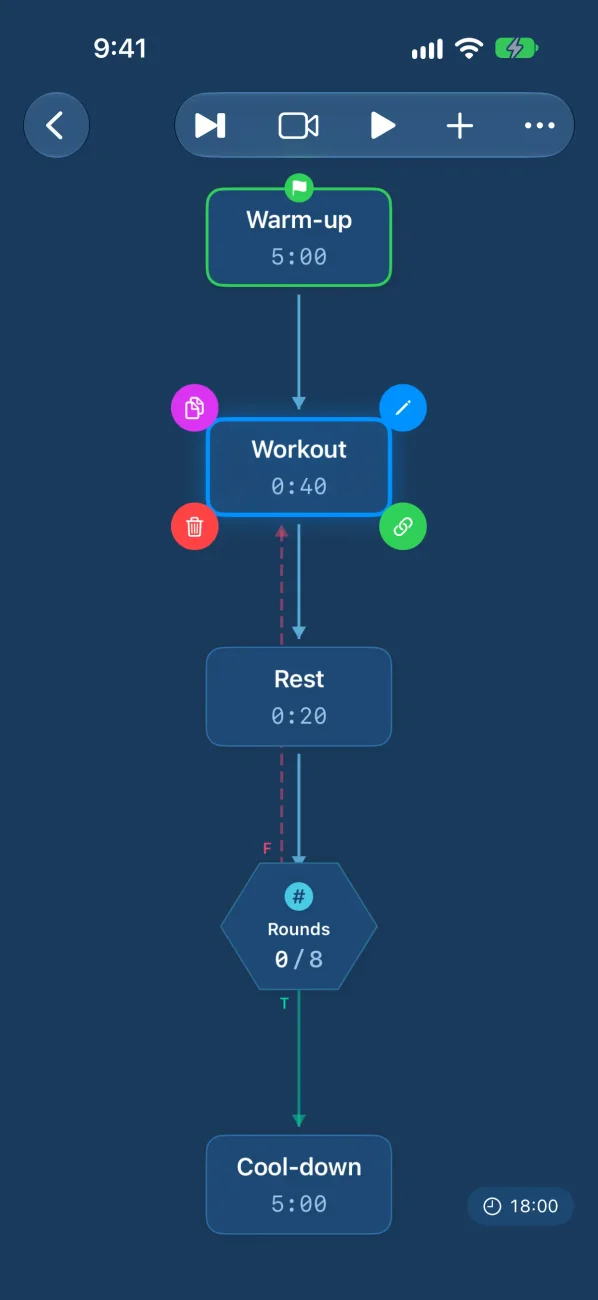
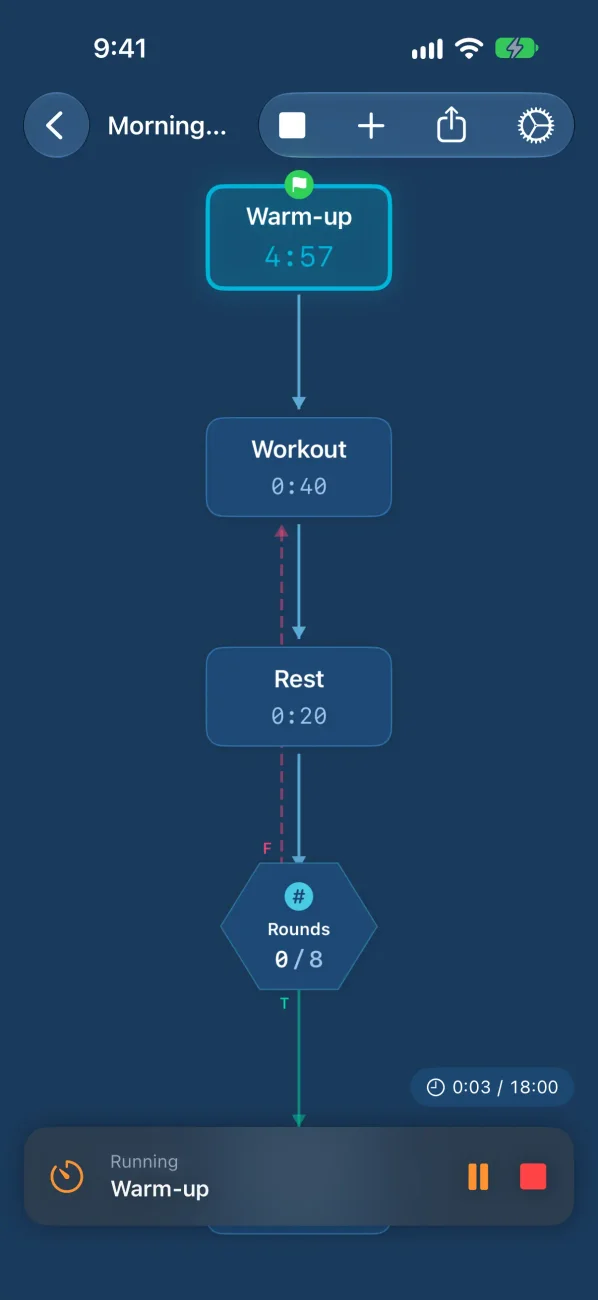
This app lets you connect timers together to create powerful and flexible timer flows.
For example, you can create a timer that starts a 5-minute countdown immediately after a 10-minute timer ends. Or you can add reminders that repeat every minute afterward. By connecting simple timer blocks together on a canvas, you can build custom timers that match exactly how you work and think.
Many students use Pomodoro timers for studying — but is the standard Pomodoro method really the best fit for your personal pace?
What if you want to take a longer break after five Pomodoro sessions, switch subjects, and then repeat another five sessions? What if you want to repeat that entire cycle five times?
With this app, you can build timers like that yourself.
Nouveautés
Version 1.2 · 02/11/2026
Now optimized for iPhone Duo.
■ Training Capture (add-on)
Record your workout while your timers run.
• On iPhone Duo, the outer display shows the remaining time to the person being filmed. Start, stop, and pause recording right from the outer display, so you can lean your phone against a wall and film yourself.
• Show the camera preview on the outer display to check your framing.
• Save a video with the timer burned in, the original video, or both, to Photos.
• Available on iPhone and iPad. Included with All-in-One at no extra cost.
■ Split editor
On the iPhone Duo inner display, iPad, and Mac, edit with a panel on the left and the canvas on the right. Drag cells onto the canvas and change their settings right in the panel.
■ Other improvements
• Fixed an issue where playback didn't finish if a counter never reached its target.
• Duplicated cells and canvases now keep their sounds, images, and videos.
• Other improvements and bug fixes.
Confidentialité de l’application
Ce que hatte Inc. déclare sur l’App Store au sujet du traitement des données par cette application.
-
Données n’établissant aucun lien avec vous
Peuvent être collectées, mais ne sont pas liées à votre identité.
- Achats
- Emplacement
- Contenu utilisateur
- Identifiants
- Données d’utilisation
- Diagnostic
- Autres données
Les pratiques en matière de confidentialité peuvent varier, notamment en fonction des fonctionnalités que vous utilisez ou de votre âge.
Informations
- Vendeur
- Shingo OKAMOTO
- Catégorie
- Style de vie
- Version
- 1.2
- Mis à jour
- 02/11/2026
- Publié
- 03/11/2026
- Taille
- 7,9 Mo
- Nécessite
- iOS 26.0 ou version ultérieure
- Classification d’âge
- 4+
- Prix
- Gratuit
- Achats intégrés
- Oui
- Langues
- Anglais, Japonais
- Copyright
- © hatte Inc.
Vous aimerez peut-être aussi
-
 TimePeaceJournal intime et suivi de vie
-
 Christ's Church USStyle de vie
-
 Declutter: Ménage & RangementPlan de Nettoyage TDAH par IA
-
 Faith Chapel AppStyle de vie
-
 Parkview Christian Church - ILStyle de vie
-
 Our Church - By ChurchDev.comStyle de vie
-
 AlarmK : réveil à missionsSonne en silencieux, sans pub
-
 Church UnlimitedStyle de vie