- Altersfreigabe9+
- KategorieBildung
- EntwicklerGeeky Meta
- SprachenEnglisch
- Größe14,1 MB
Weekly Spelling ist bei App Store derzeit möglicherweise nicht verfügbar
Bei unserer letzten Prüfung war der Store-Eintrag nicht erreichbar. Der Link führt weiterhin zur offiziellen App Store-Seite.
Screenshots
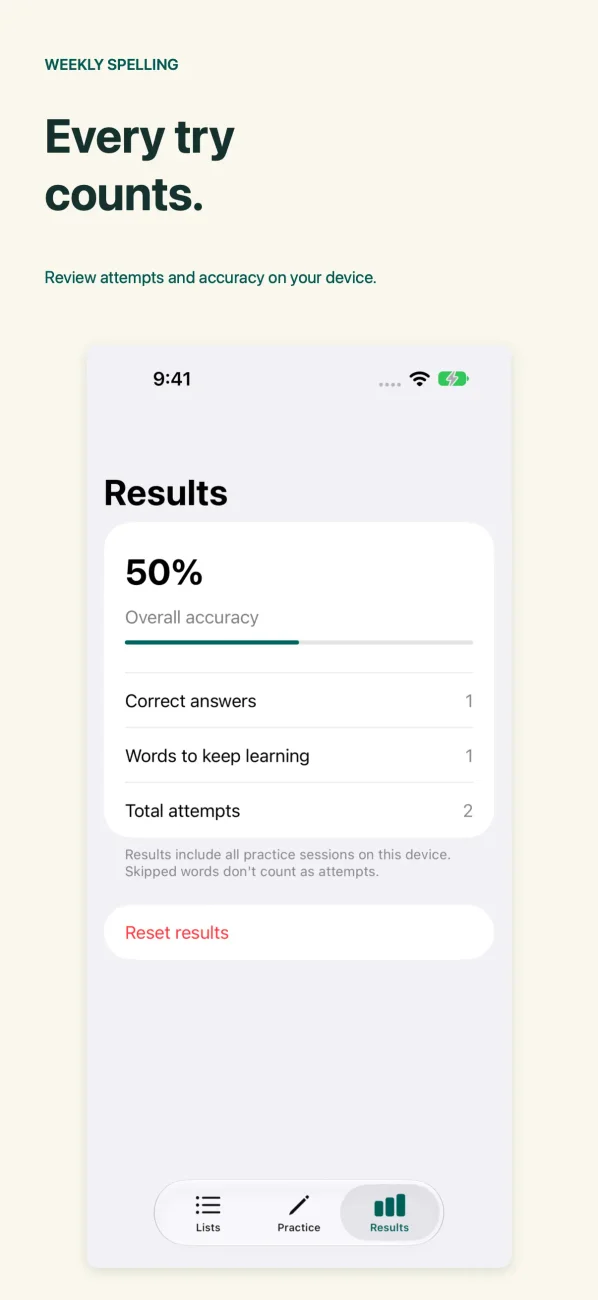
Info
Der Entwickler hat diesen Text nicht in Ihrer Sprache bereitgestellt.
Make weekly spelling practice easy to start and easy to repeat.
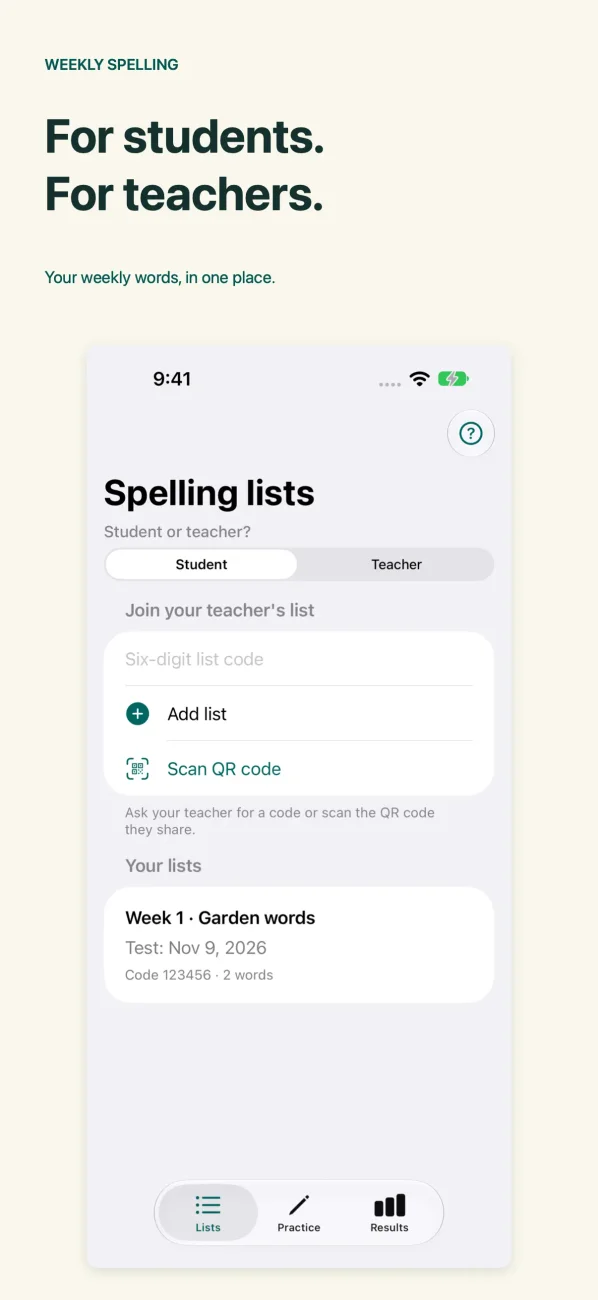
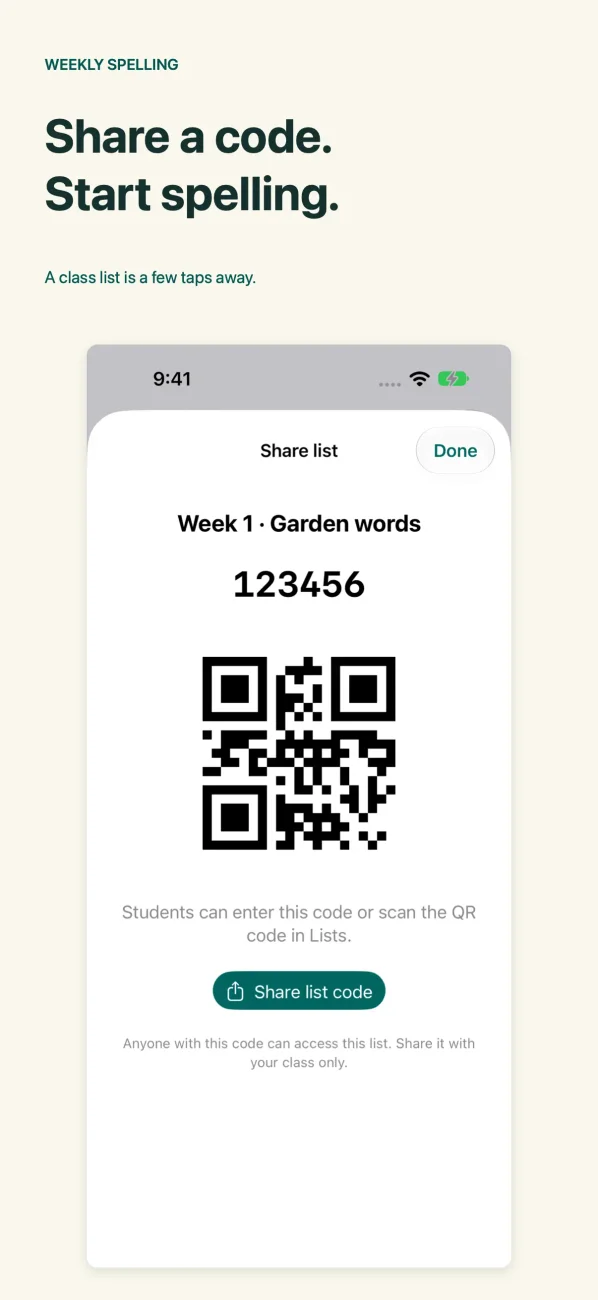
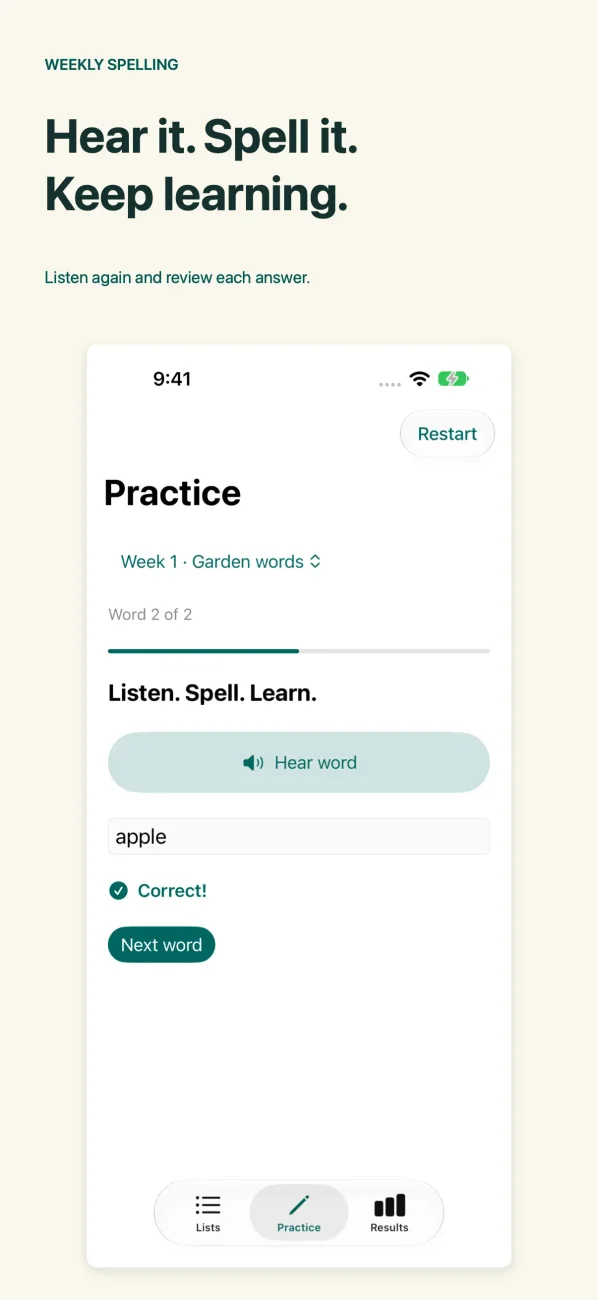
Teachers create a list, choose a test date, and share its six-digit code or QR code. Students add the list, hear each word, type their spelling, and review the answer before moving on.
• Create classroom lists with continuous word entry and easy word removal.
• Share a list by code or QR code, and edit it on the creating device.
• Add your teacher’s list and replay spoken words during practice.
• Review answers, total attempts, and overall accuracy.
• Return to saved practice progress on the same device.
• Learn the basics with three short videos in Lists → Help.
• Copy an older shared list to a new code for editing, without a sign-in screen.
Classroom content screening runs on the device. On supported devices with Apple Intelligence available, an additional on-device review checks the list. When it is unavailable, local screening and explicit adult review remain available. Screening can miss inappropriate content, so an adult must review every list before sharing.
An internet connection is needed to share and refresh lists. Saved lists and practice progress are kept on the device. Anyone with a list’s code can access that shared list; share codes with your class only.
Shared lists are stored using Firebase. A device identity controls editing access without a sign-in screen. If that identity is lost, the shared list can be copied to a new code for editing.
Neue Funktionen
Version 1.3 · 10.11.2026
• Three short narrated quick-start videos explain Student and Teacher modes, list sharing, and practice.
• Add words continuously with keyboard Next, with clearer rows and easier removal.
• Refreshed lists, sharing, practice, and results.
• On-device vocabulary screening and clearer adult review.
• Stronger shared-list protection and device-owned editing.
• Improved saved progress, answer scoring, QR scanning, and accessibility.
App-Datenschutz
Was Geeky Meta im App Store zum Umgang dieser App mit Daten angibt.
-
Mit Ihnen verknüpfte Daten
Können erfasst und mit Ihrer Identität verknüpft werden.
- Benutzerinhalte
- Kennungen
-
Nicht mit Ihnen verknüpfte Daten
Können erfasst werden, sind aber nicht mit Ihrer Identität verknüpft.
- Diagnose
- Sonstige Daten
Die Datenschutzpraktiken können variieren, zum Beispiel je nach den von Ihnen verwendeten Funktionen oder Ihrem Alter.
Informationen
- Anbieter
- Geeky Meta LLC
- Kategorie
- Bildung
- Version
- 1.3
- Aktualisiert
- 10.11.2026
- Veröffentlicht
- 23.12.2024
- Größe
- 14,1 MB
- Erfordert
- iOS 17.5 oder neuer
- Altersfreigabe
- 9+
- Sprachen
- Englisch
- Copyright
- © 2024 Geeky Meta LLC
Das könnte Ihnen auch gefallen
-
 Cody SpellBildung
-
 Meerkie - Afrikaans vir babasBildung
-
 Klinkende KlankeBildung
-
 Spelliful - Spelling WordsBildung
-
 Frucht-Quiz - Spielen & LernenObstquiz, Puzzle & Karten
-
 Spelling Test QuizBildung
-
 Little Reading For KidsBildung
-
 Afrikaans FlashcardsBildung
-
 Spell My ListBildung
-
 Zahlen auf AfrikaansOnline lernen&übersetzen:Zähle