- Classification d’âge9+
- CatégorieÉducation
- DéveloppeurGeeky Meta
- LanguesAnglais
- Taille14,1 Mo
Weekly Spelling n’est peut-être pas disponible sur App Store pour le moment
La fiche de la boutique était inaccessible lors de notre dernière vérification. Le lien mène toujours à la page App Store officielle.
Captures d’écran
À propos
Le développeur n’a pas fourni ce texte dans votre langue.
Make weekly spelling practice easy to start and easy to repeat.
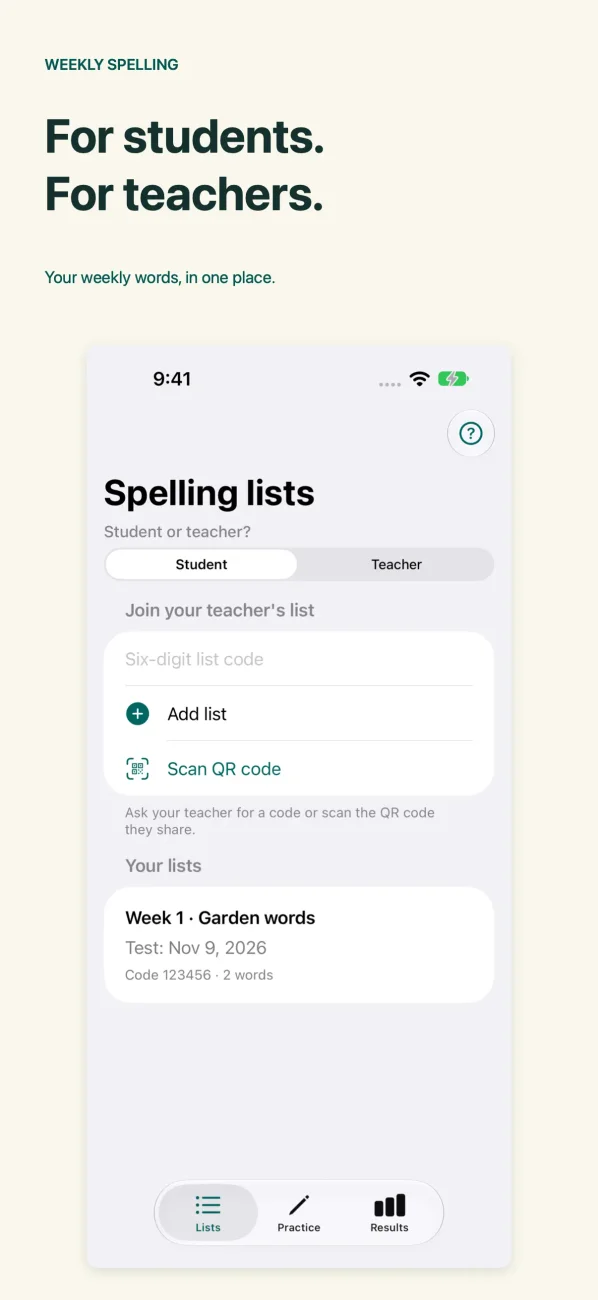
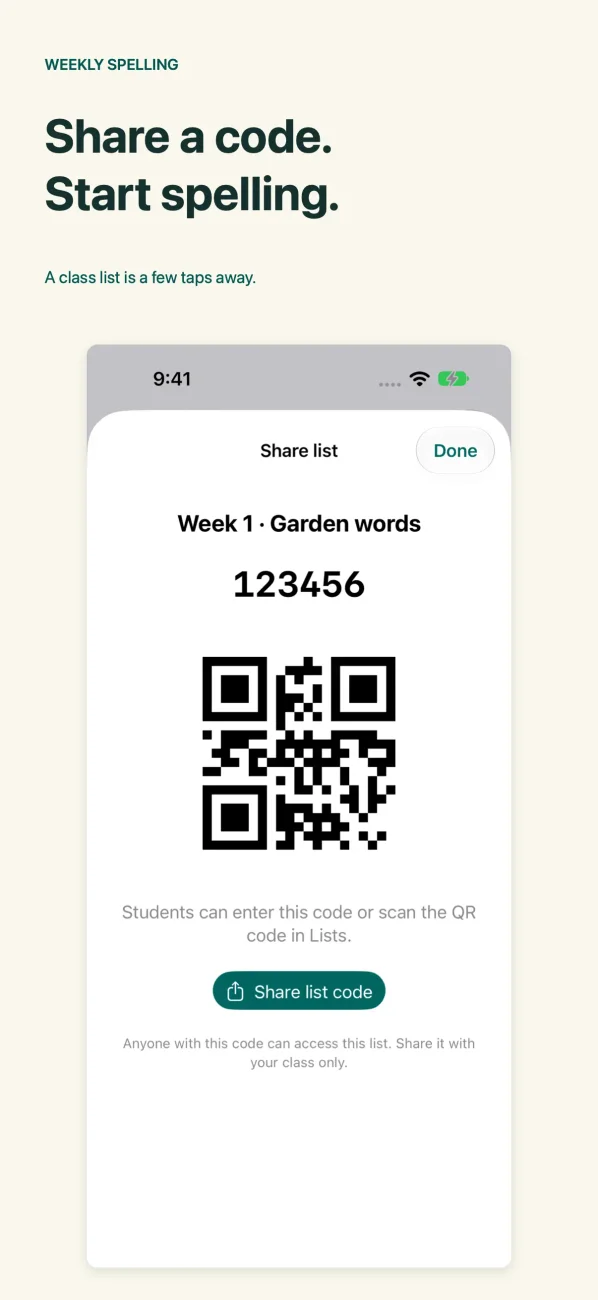
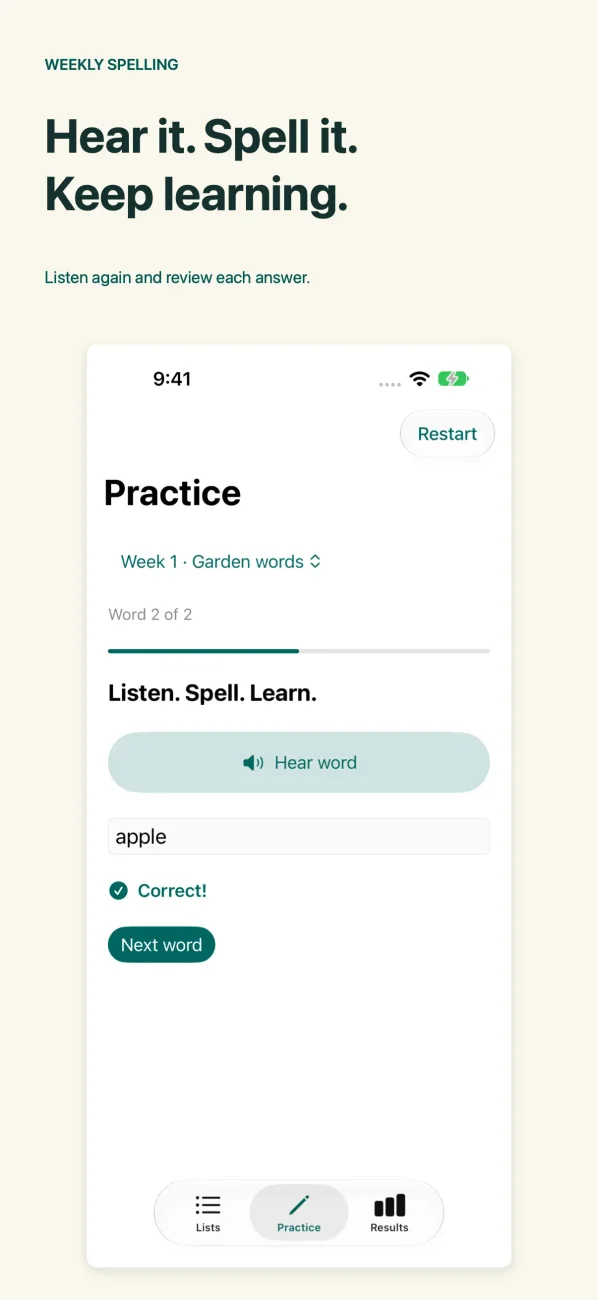
Teachers create a list, choose a test date, and share its six-digit code or QR code. Students add the list, hear each word, type their spelling, and review the answer before moving on.
• Create classroom lists with continuous word entry and easy word removal.
• Share a list by code or QR code, and edit it on the creating device.
• Add your teacher’s list and replay spoken words during practice.
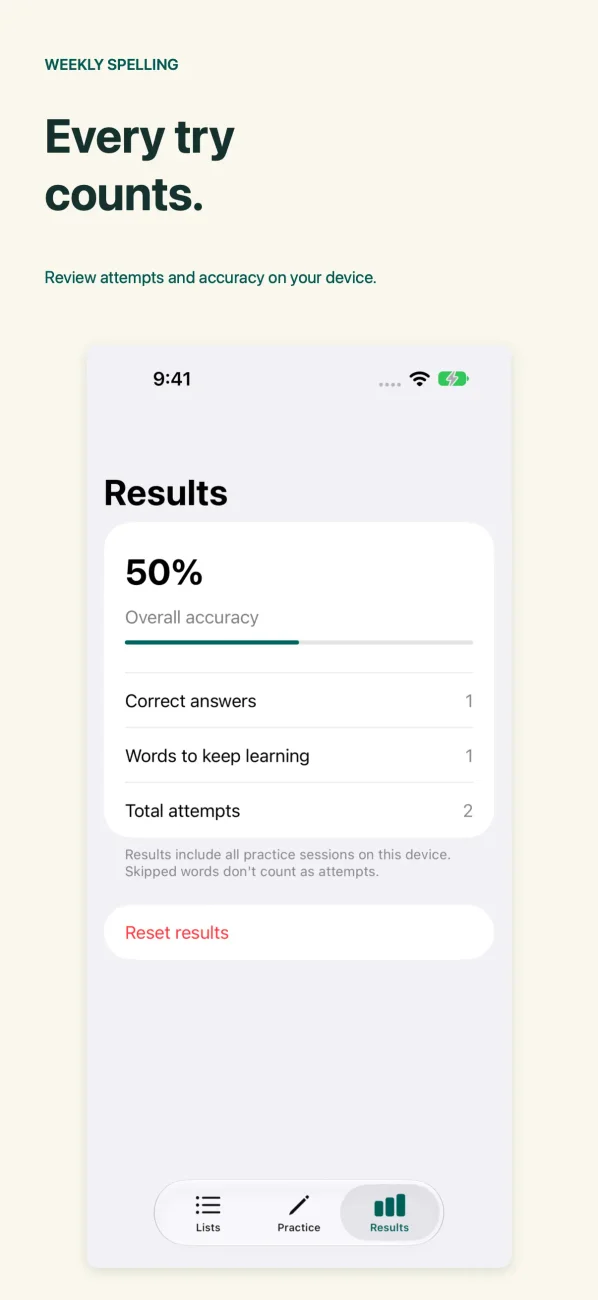
• Review answers, total attempts, and overall accuracy.
• Return to saved practice progress on the same device.
• Learn the basics with three short videos in Lists → Help.
• Copy an older shared list to a new code for editing, without a sign-in screen.
Classroom content screening runs on the device. On supported devices with Apple Intelligence available, an additional on-device review checks the list. When it is unavailable, local screening and explicit adult review remain available. Screening can miss inappropriate content, so an adult must review every list before sharing.
An internet connection is needed to share and refresh lists. Saved lists and practice progress are kept on the device. Anyone with a list’s code can access that shared list; share codes with your class only.
Shared lists are stored using Firebase. A device identity controls editing access without a sign-in screen. If that identity is lost, the shared list can be copied to a new code for editing.
Nouveautés
Version 1.3 · 10/11/2026
• Three short narrated quick-start videos explain Student and Teacher modes, list sharing, and practice.
• Add words continuously with keyboard Next, with clearer rows and easier removal.
• Refreshed lists, sharing, practice, and results.
• On-device vocabulary screening and clearer adult review.
• Stronger shared-list protection and device-owned editing.
• Improved saved progress, answer scoring, QR scanning, and accessibility.
Confidentialité de l’application
Ce que Geeky Meta déclare sur l’App Store au sujet du traitement des données par cette application.
-
Données établissant un lien avec vous
Peuvent être collectées et liées à votre identité.
- Contenu utilisateur
- Identifiants
-
Données n’établissant aucun lien avec vous
Peuvent être collectées, mais ne sont pas liées à votre identité.
- Diagnostic
- Autres données
Les pratiques en matière de confidentialité peuvent varier, notamment en fonction des fonctionnalités que vous utilisez ou de votre âge.
Informations
- Vendeur
- Geeky Meta LLC
- Catégorie
- Éducation
- Version
- 1.3
- Mis à jour
- 10/11/2026
- Publié
- 23/12/2024
- Taille
- 14,1 Mo
- Nécessite
- iOS 17.5 ou version ultérieure
- Classification d’âge
- 9+
- Langues
- Anglais
- Copyright
- © 2024 Geeky Meta LLC
Vous aimerez peut-être aussi
-
 Cody SpellÉducation
-
 Meerkie - Afrikaans vir babasÉducation
-
 Klinkende KlankeÉducation
-
 Spelliful - Spelling WordsÉducation
-
 Labo Fruits - Joue et ApprendsFruits: Quiz, Puzzle & Cartes
-
 Spelling Test QuizÉducation
-
 Little Reading For KidsÉducation
-
 Afrikaans FlashcardsÉducation
-
 Spell My ListÉducation
-
 Chiffres en langue afrikaansCours:Apprendre nombre,compter