Weekly Spelling
Class lists. Daily practice.
Dirancang untuk iPhone, iPad
Gratis
- Batasan usia9+
- KategoriPendidikan
- PengembangGeeky Meta
- BahasaInggris
- Ukuran14,1 MB
Tertaut ke halaman resmi App Store
Download.org tidak menyimpan file Weekly Spelling apa pun. Tombol ini membuka halaman aplikasi di App Store, tempat Geeky Meta menerbitkannya. Halaman terakhir diperiksa pada 20/11/2026.
Tangkapan layar
Tentang
Pengembang belum menyediakan teks ini dalam bahasa Anda.
Make weekly spelling practice easy to start and easy to repeat.
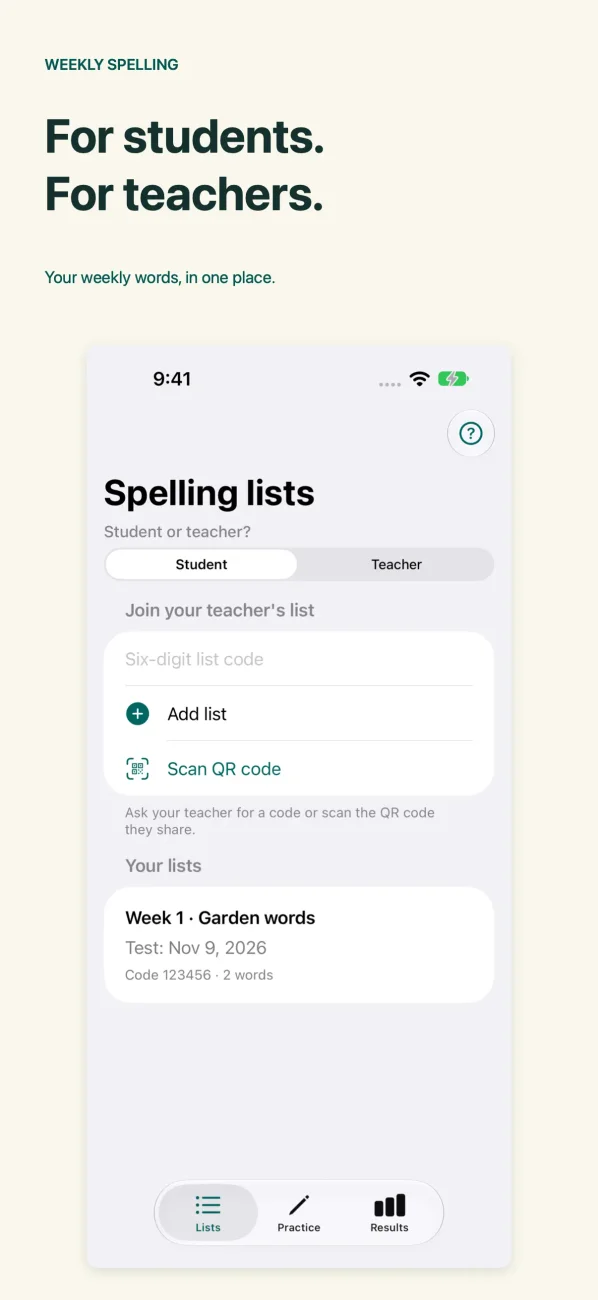
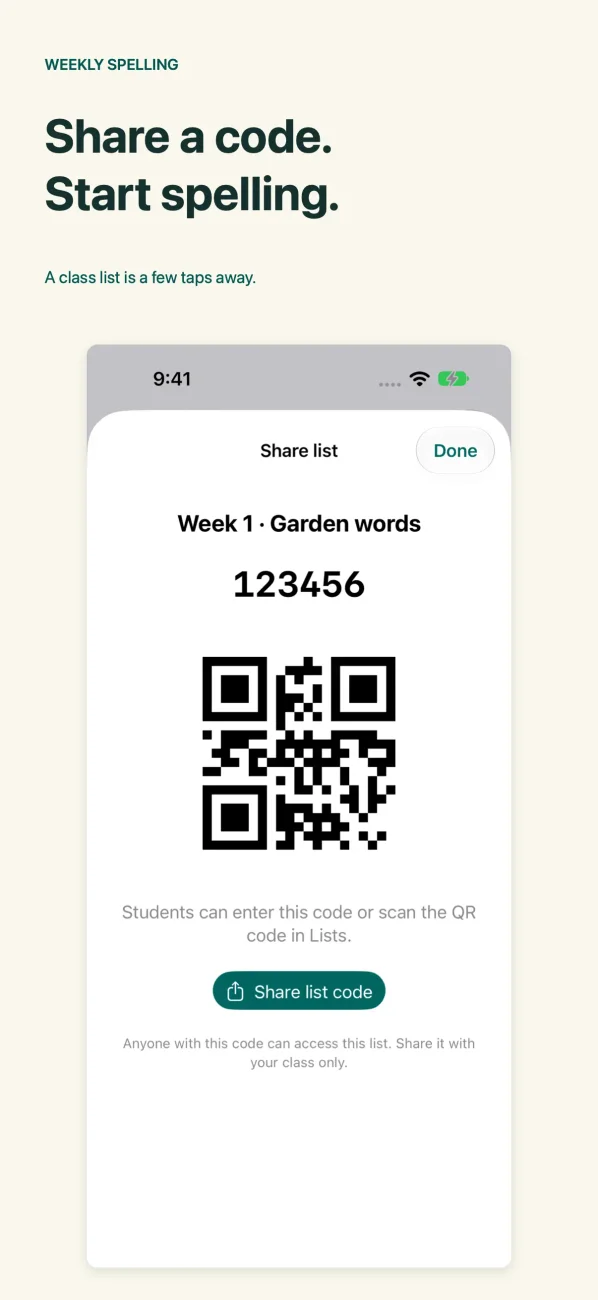
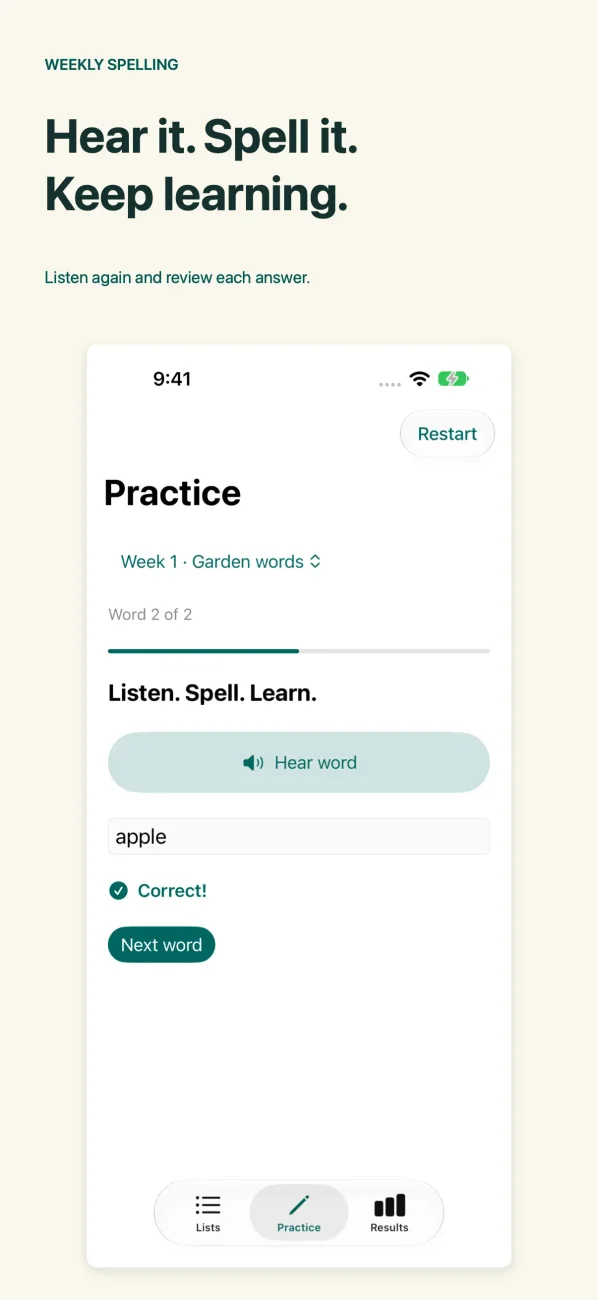
Teachers create a list, choose a test date, and share its six-digit code or QR code. Students add the list, hear each word, type their spelling, and review the answer before moving on.
• Create classroom lists with continuous word entry and easy word removal.
• Share a list by code or QR code, and edit it on the creating device.
• Add your teacher’s list and replay spoken words during practice.
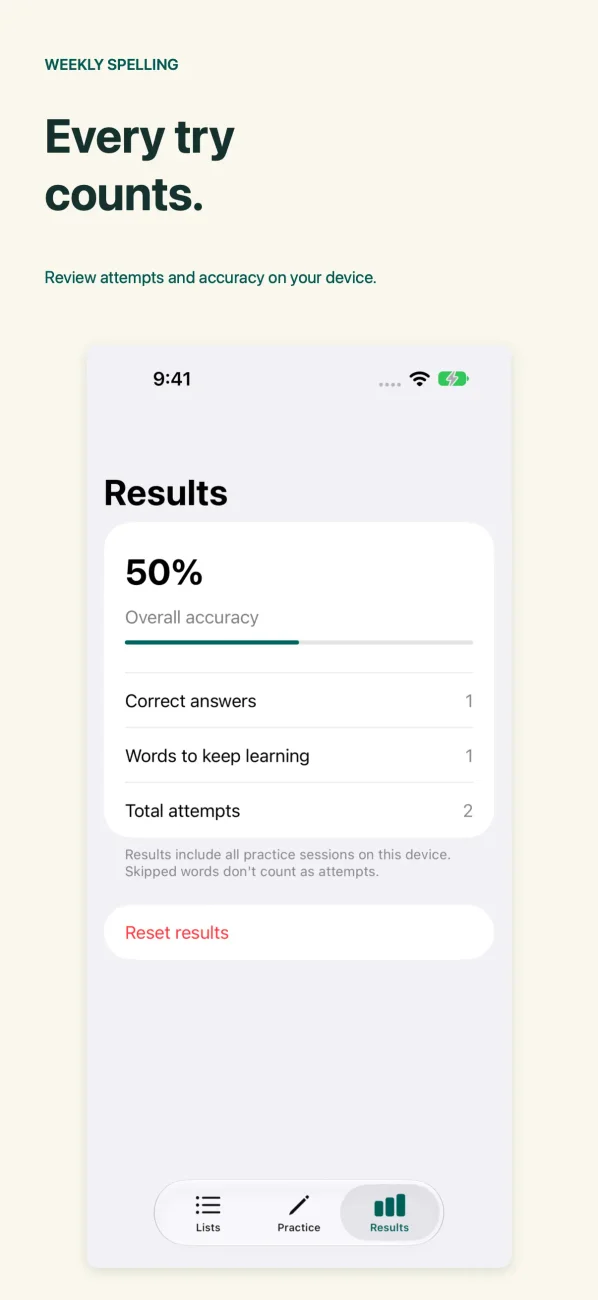
• Review answers, total attempts, and overall accuracy.
• Return to saved practice progress on the same device.
• Learn the basics with three short videos in Lists → Help.
• Copy an older shared list to a new code for editing, without a sign-in screen.
Classroom content screening runs on the device. On supported devices with Apple Intelligence available, an additional on-device review checks the list. When it is unavailable, local screening and explicit adult review remain available. Screening can miss inappropriate content, so an adult must review every list before sharing.
An internet connection is needed to share and refresh lists. Saved lists and practice progress are kept on the device. Anyone with a list’s code can access that shared list; share codes with your class only.
Shared lists are stored using Firebase. A device identity controls editing access without a sign-in screen. If that identity is lost, the shared list can be copied to a new code for editing.
Yang baru
Versi 1.3 · 10/11/2026
• Three short narrated quick-start videos explain Student and Teacher modes, list sharing, and practice.
• Add words continuously with keyboard Next, with clearer rows and easier removal.
• Refreshed lists, sharing, practice, and results.
• On-device vocabulary screening and clearer adult review.
• Stronger shared-list protection and device-owned editing.
• Improved saved progress, answer scoring, QR scanning, and accessibility.
Privasi aplikasi
Yang dinyatakan Geeky Meta di App Store tentang cara aplikasi ini menangani data.
-
Data yang ditautkan dengan Anda
Dapat dikumpulkan dan ditautkan dengan identitas Anda.
- Konten pengguna
- Pengenal
-
Data yang tidak ditautkan dengan Anda
Dapat dikumpulkan, tetapi tidak ditautkan dengan identitas Anda.
- Diagnostik
- Data lainnya
Praktik privasi dapat bervariasi, misalnya berdasarkan fitur yang Anda gunakan atau usia Anda.
Informasi
- Penjual
- Geeky Meta LLC
- Kategori
- Pendidikan
- Versi
- 1.3
- Diperbarui
- 10/11/2026
- Dirilis
- 23/12/2024
- Ukuran
- 14,1 MB
- Memerlukan
- iOS 17.5 atau yang lebih baru
- Batasan usia
- 9+
- Harga
- Gratis
- Bahasa
- Inggris
- Hak cipta
- © 2024 Geeky Meta LLC
Mungkin Anda juga suka
-
 Cody SpellPendidikan
-
 Meerkie - Afrikaans vir babasPendidikan
-
 Klinkende KlankePendidikan
-
 Spelliful - Spelling WordsPendidikan
-
 Lab Kuis Buah - Main & BelajarBuah: Kuis, Puzzle & Kartu
-
 Spelling Test QuizPendidikan
-
 Little Reading For KidsPendidikan
-
 Afrikaans FlashcardsPendidikan
-
 Spell My ListPendidikan
-
 Angka dalam bahasa AfrikaansBelajar & terjemahkan: Hitung