Multifunctional X Watch Face
RADU GHEORGHE TURCU- PEGI 3Clasificación por edad
- PersonalizaciónCategoría
- 26/10/2025Actualizado
- 1,19 €Precio
Enlaza a la ficha oficial de com.turcuradu.multifunctionalxwatchface en Google Play. Última comprobación el 14/11/2026.

Capturas de pantalla

Acerca de esta aplicación
Traducción automática de Google. Idioma original: Inglés (Estados Unidos).
Prueba esta genial esfera de reloj para todos los dispositivos con sistema operativo Wear.
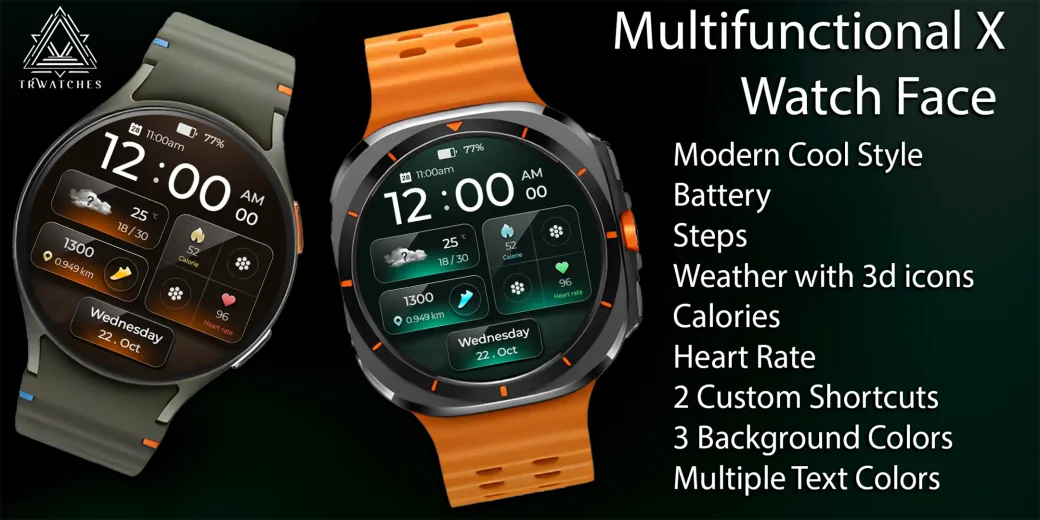
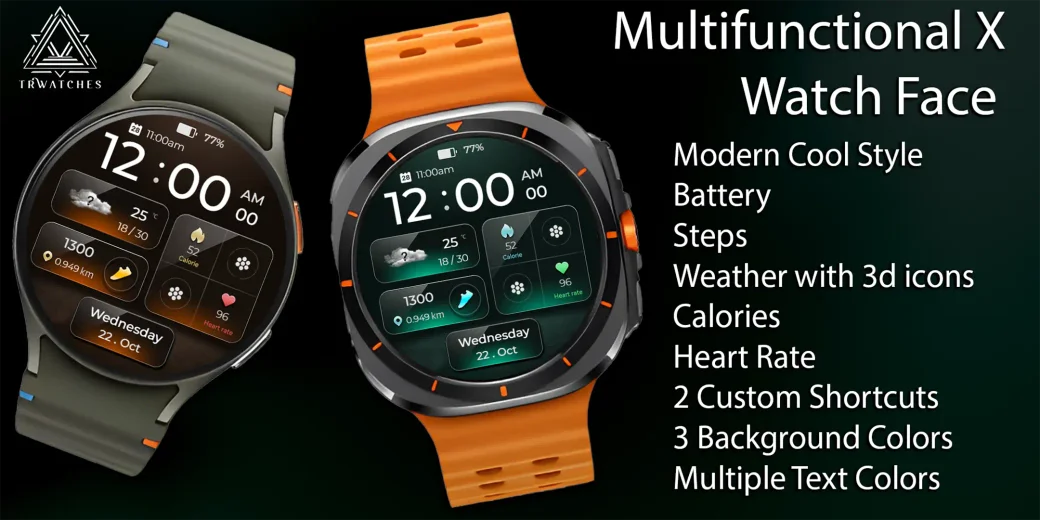
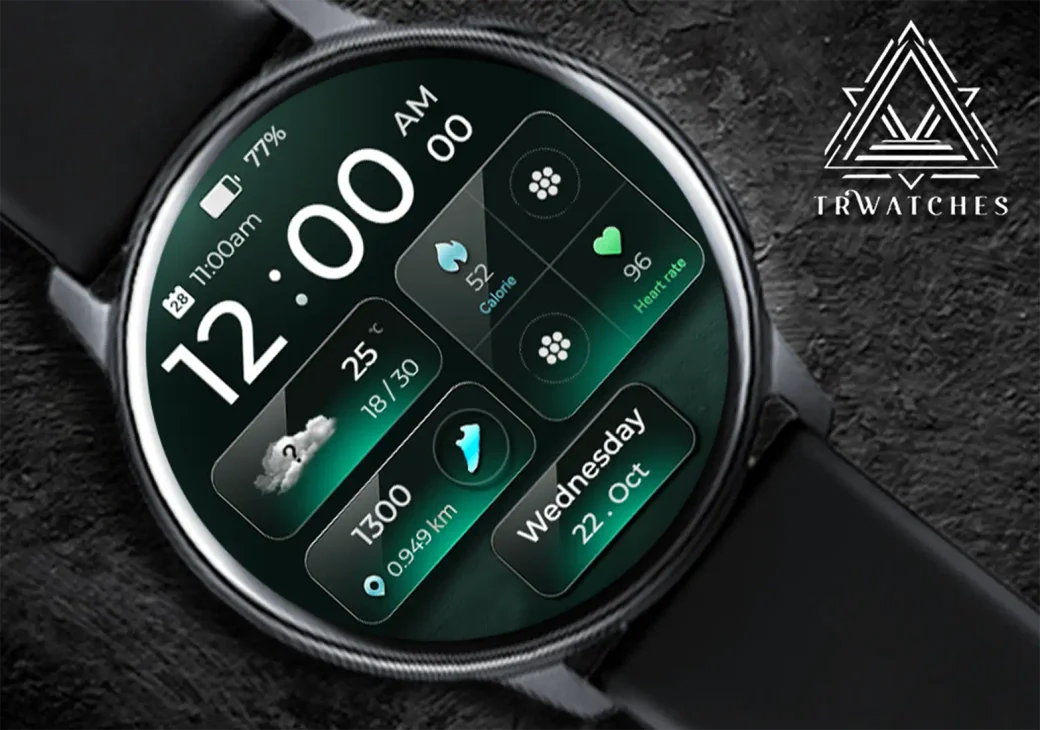
🕐 ✨ Moderna esfera digital: elegante e inteligente ⌚️
¡Mantente conectado con estilo! Esta esfera digital premium te trae todas tus estadísticas clave a la muñeca: organizadas a la perfección y fáciles de leer, de día y de noche.
🔹 Características principales
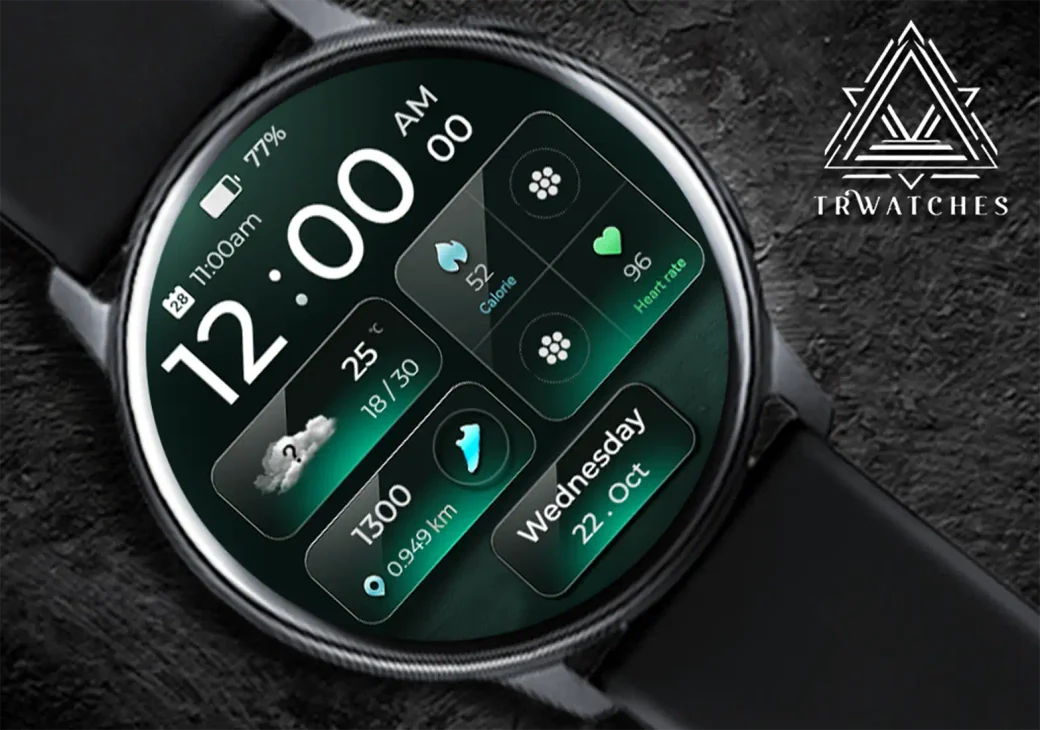
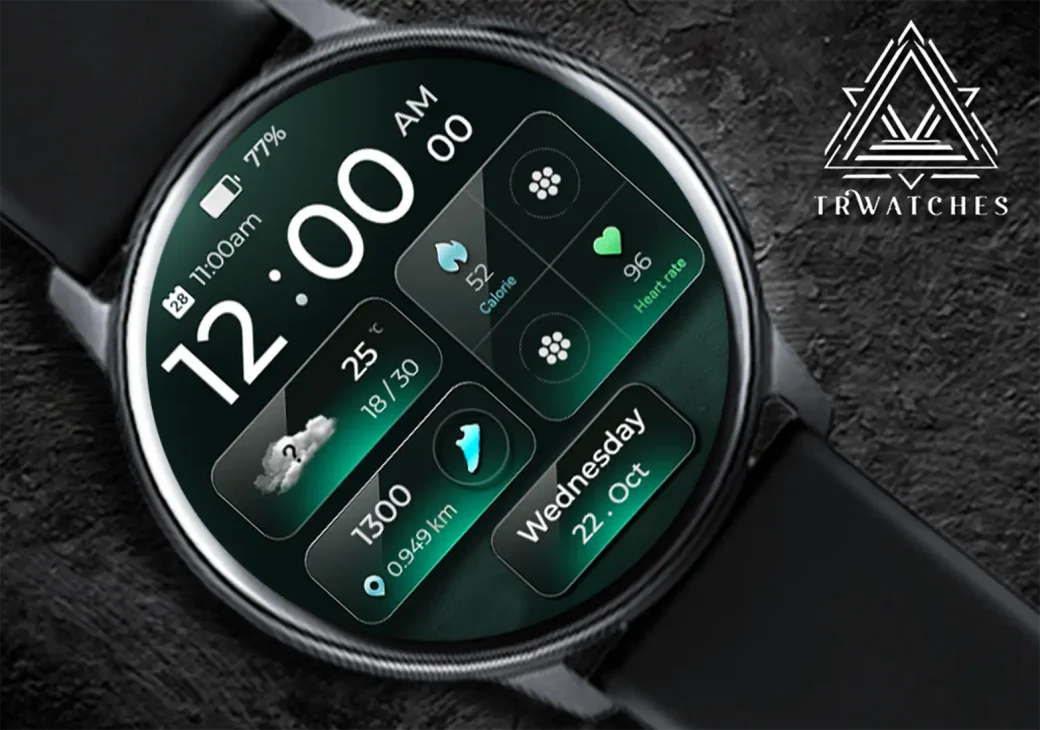
🕒 Reloj digital grande: 12 h / 24 h (AM / PM)
🔋 Indicador de batería en tiempo real
📅 Próximo evento mostrado directamente en la pantalla
🌤️ Iconos meteorológicos animados en 3D con temperatura actual, mínima y máxima
👣 Contador de pasos + rastreador de distancia (km / mi)
🔥 Visualización de calorías quemadas
💓 Sensor de frecuencia cardíaca en tiempo real
📆 Vista completa de la fecha (día / mes / día de la semana)
⚙️ Dos accesos directos personalizables: toca cualquiera de los iconos y asigna tu aplicación favorita (Música, Mensajes, Tiempo, etc.)
🌈 Elegantes efectos de profundidad 3D y moderno brillo verde
📱 Compatible con todos los smartwatches Wear OS (Galaxy Watch 4/5/6, Pixel Watch, OnePlus Watch 2, TicWatch Pro 5 y más)
💡 Cómo personalizar los accesos directos
1️⃣ Mantén pulsado el Esfera del reloj
2️⃣ Pulsa ⚙️ Personalizar
3️⃣ Selecciona un acceso directo → elige la app que prefieras
➡️ ¡Listo! ¡Tus apps favoritas están a un solo toque!
💚 Sencillo. Elegante. Informativo.
Todo lo que necesitas de un vistazo, diseñado para tu estilo diario.
📌 Compatible con:
Wear OS 3.0+
Dispositivos como Samsung Galaxy Watch, Google Pixel Watch y otros
--------------------------------------------------------------------------------------------------------
Notas de instalación de la esfera del reloj en un smartwatch:
La aplicación del teléfono solo sirve como marcador para facilitar la instalación y la búsqueda de la esfera en tu reloj Wear OS. Debes seleccionar tu reloj en el menú desplegable de instalación.
Si descargas la aplicación directamente con el teléfono, abre la aplicación y toca la pantalla o el botón de descarga. La instalación comenzará en el reloj.
Es necesario conectar un reloj Wear OS.
Si no funciona así, puedes copiar el enlace en el navegador Chrome de tu teléfono, hacer clic en la flecha hacia abajo desde la derecha y elegir la esfera del reloj que deseas instalar.
Tras la instalación, configura la esfera del reloj en tu pantalla. Desde la aplicación Wear OS, ve a la sección de esferas de reloj descargadas y la encontrarás.
Si tienes algún problema, contáctame en raduturcu03@gmail.com
--------------------------------------------------------------------------------------------------
SÍGUENOS EN TELEGRAM: https://t.me/TRWatchfaces
SÍGUENOS EN NUESTRA WEB PARA OBTENER CUPONES GRATIS: https://trwatches.odoo.com/
--------------------------------------------------------------------------------------------------
Prueba a ver otros diseños en mi perfil de Google.
Mostrar el texto original
🕐 ✨ Modern Digital Watch Face – Stylish & Smart ⌚️
Stay connected in style! This premium digital watch face brings all your key stats to your wrist — beautifully organized and easy to read, day or night.
🔹 Main Features
🕒 Large digital time – 12h / 24h (AM / PM)
🔋 Real-time battery indicator
📅 Next event displayed right on the screen
🌤️ 3D animated weather icons with current, min & max temperature
👣 Step counter + distance tracker (km / mi)
🔥 Burned calories display
💓 Live heart rate sensor
📆 Full date view (day / month / weekday)
⚙️ Two customizable shortcuts — tap either icon and assign your favorite app (Music, Messages, Weather, etc.)
🌈 Elegant 3D depth effects and modern green glow
📱 Compatible with all Wear OS smartwatches (Galaxy Watch 4/5/6, Pixel Watch, OnePlus Watch 2, TicWatch Pro 5, and more)
💡 How to Customize Shortcuts
1️⃣ Touch and hold the watch face
2️⃣ Tap ⚙️ Customize
3️⃣ Select a shortcut slot → choose any app you like
➡️ Done — your favorite apps are now one tap away!
💚 Simple. Elegant. Informative.
Everything you need at a glance — designed for your everyday style.
📌 Compatible with:
Wear OS 3.0+
Devices such as Samsung Galaxy Watch series, Google Pixel Watch, and others
--------------------------------------------------------------------------------------------------------
Watch face installation notes on smart watch:
Phone app serves only as a placeholder to make it easier to install & find the watch face on your Wear OS watch. You have to select your watch device from the install dropdown menu.
If you download the helper directly with the phone , you need to open application and touch on the display or the download button. -> will start to install on the watch.
A wear os watch need to be connected.
If not working in that way , you can copy that link into your phone chrome browser and click on arrow down from right , and you choose the watch face to install.
..............................................
After installation you need to set that watch face to your screen , from wear OS app , go down at downloaded watch faces and you will find it.
If you have problems , please contact me on raduturcu03@gmail.com
--------------------------------------------------------------------------------------------------
FOLLOW US AT TELEGRAM : https://t.me/TRWatchfaces
FOLLOW US WEBSITE TO GET FREE COUPONS :
https://trwatches.odoo.com/
--------------------------------------------------------------------------------------------------
Try to see others designs in my google profile.
Seguridad de los datos
Lo que RADU GHEORGHE TURCU declara en Google Play sobre los datos que esta aplicación recopila y comparte.
- No se comparten datos con tercerosMás información sobre cómo los desarrolladores declaran lo que comparten
- No se recogen datosMás información sobre cómo los desarrolladores declaran lo que recogen
Contacto del desarrollador
- Sitio webtrwatches.odoo.com
- Correo electrónicoraduturcu03@gmail.com
- Política de privacidadtrwatches.odoo.com
- DirecciónStr. Eduard Albert Bielz, Nr. 89d, Bl. b1, Sc. f, et.1, Ap. 60 550031 Sibiu Romania
Información
- Ofrecida por
- RADU GHEORGHE TURCU
- Categoría
- Personalización
- Actualizado
- 26/10/2025
- Publicado
- 26/10/2025
- Clasificación por edad
- PEGI 3
- Precio
- 1,19 €
- Nombre del paquete
- com.turcuradu.multifunctionalxwatchface