Multifunctional X Watch Face
RADU GHEORGHE TURCU- PEGI 3Classification d’âge
- PersonnalisationCatégorie
- 26/10/2025Mis à jour
- 1,19 €Prix
Renvoie vers la fiche Google Play officielle de com.turcuradu.multifunctionalxwatchface. Dernière vérification le 14/11/2026.

Captures d’écran

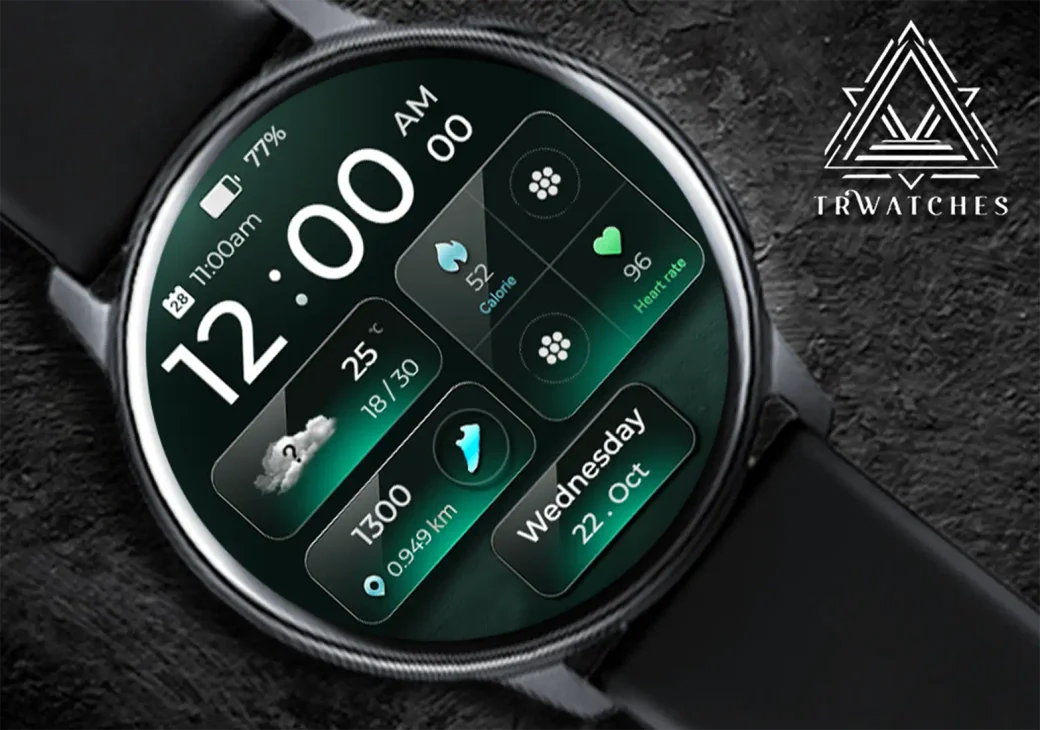
À propos de cette application
Traduction automatique par Google. Langue d’origine : Anglais (États-Unis).
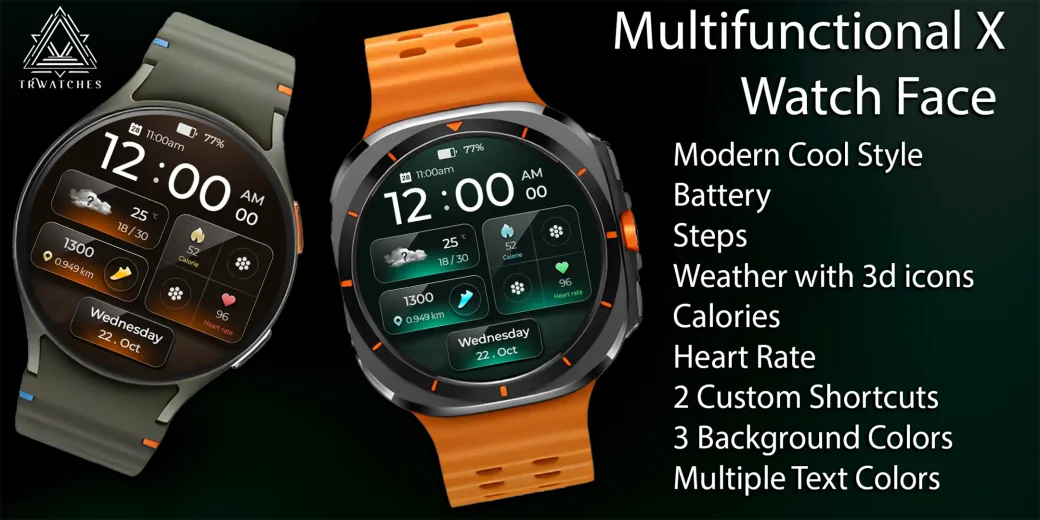
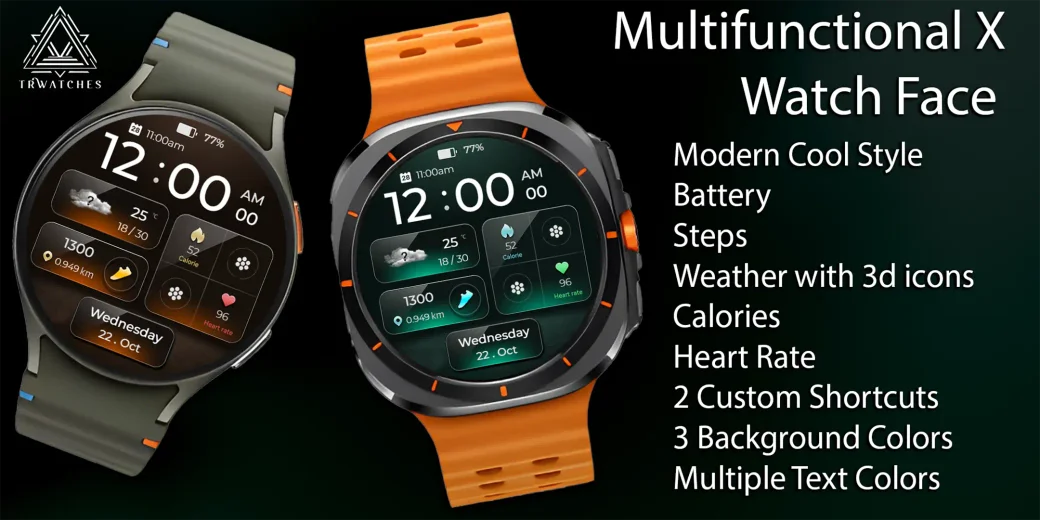
Essayez ce cadran de montre cool pour tous les appareils Wear OS.
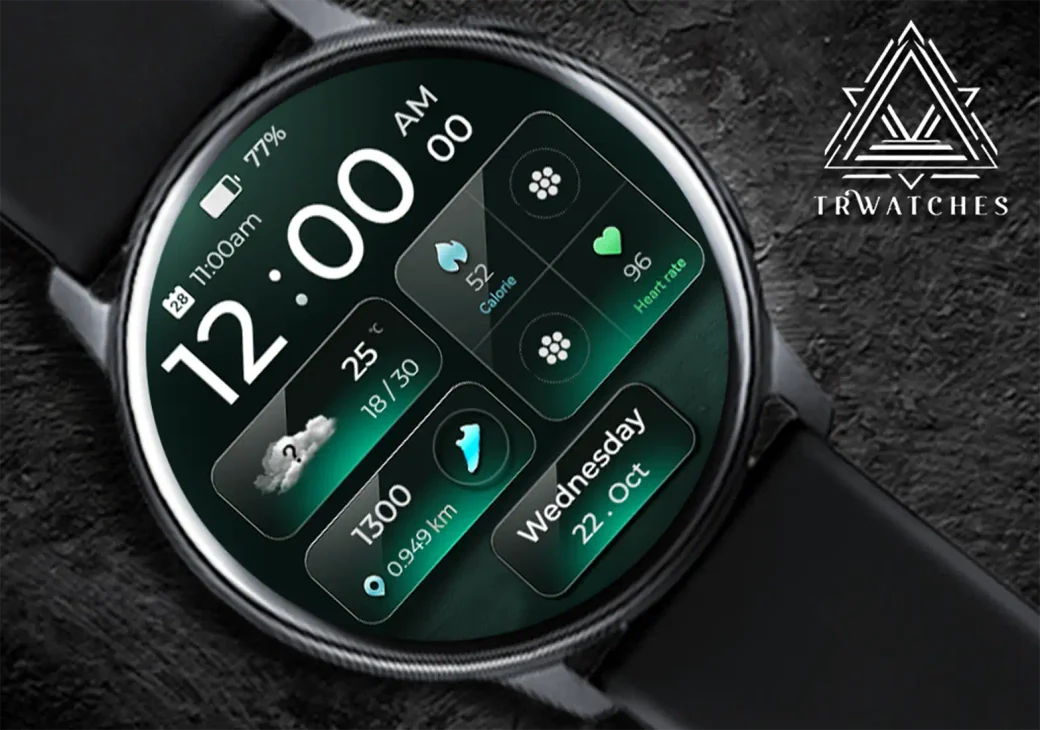
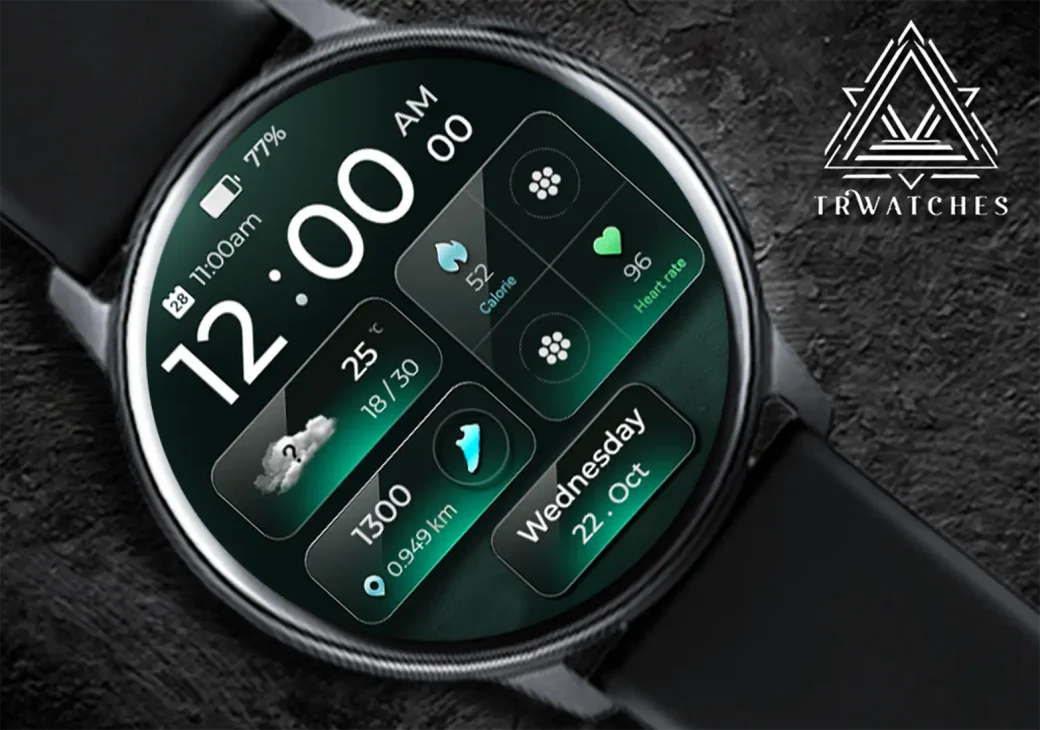
🕐 ✨ Cadran numérique moderne – Élégant et intelligent ⌚️
Restez connecté avec style ! Ce cadran numérique haut de gamme affiche toutes vos statistiques clés à votre poignet : parfaitement organisé et facile à lire, de jour comme de nuit.
🔹 Principales fonctionnalités
🕒 Grande heure numérique – 12h/24h (AM/PM)
🔋 Indicateur de batterie en temps réel
📅 Prochain événement affiché directement sur l'écran
🌤️ Icônes météo animées en 3D avec température actuelle, minimale et maximale
👣 Podomètre + suivi de distance (km/mi)
🔥 Affichage des calories brûlées
💓 Capteur de fréquence cardiaque en temps réel
📆 Affichage complet de la date (jour/mois/jour de la semaine)
⚙️ Deux raccourcis personnalisables : appuyez sur l'une des icônes et attribuez-lui votre application préférée (Musique, Messages, Météo, etc.)
🌈 Effets de profondeur 3D élégants et lueur verte moderne
📱 Compatible avec toutes les montres connectées Wear OS (Galaxy Watch 4/5/6, Pixel Watch, OnePlus Watch 2, TicWatch Pro 5, et plus)
💡 Personnaliser les raccourcis
1️⃣ Appuyer longuement Le cadran
2️⃣ Appuyez sur ⚙️ Personnaliser
3️⃣ Sélectionnez un raccourci → choisissez l'application de votre choix
➡️ Terminé ! Vos applications préférées sont désormais à portée de main !
💚 Simple. Élégant. Informatif.
Tout ce dont vous avez besoin en un coup d'œil : conçu pour votre style au quotidien.
📌 Compatible avec :
Wear OS 3.0 et versions ultérieures
Appareils tels que la série Samsung Galaxy Watch, la Google Pixel Watch et autres
--------------------------------------------------------------------------------------------------------
Notes d'installation du cadran sur une montre connectée :
L'application mobile sert uniquement d'espace réservé pour faciliter l'installation et la recherche du cadran sur votre montre Wear OS. Sélectionnez votre montre dans le menu déroulant d'installation.
Si vous téléchargez l'assistant directement depuis votre téléphone, ouvrez l'application et appuyez sur l'écran ou sur le bouton de téléchargement. -> l'installation commencera sur la montre.
Une montre Wear OS doit être connectée.
Si cela ne fonctionne pas, copiez ce lien dans le navigateur Chrome de votre téléphone, cliquez sur la flèche en bas à droite et choisissez le cadran à installer.
..............................................
Après l'installation, configurez le cadran selon votre écran. Depuis l'application Wear OS, accédez aux cadrans téléchargés et vous le trouverez.
En cas de problème, contactez-moi à l'adresse raduturcu03@gmail.com
--------------------------------------------------------------------------------------------------
SUIVEZ-NOUS SUR TELEGRAM : https://t.me/TRWatchfaces
SUIVEZ-NOUS SUR NOTRE SITE WEB POUR OBTENIR DES COUPONS GRATUITS :
https://trwatches.odoo.com/
--------------------------------------------------------------------------------------------------
Essayez de voir d'autres designs sur mon profil Google.
Afficher le texte d’origine
🕐 ✨ Modern Digital Watch Face – Stylish & Smart ⌚️
Stay connected in style! This premium digital watch face brings all your key stats to your wrist — beautifully organized and easy to read, day or night.
🔹 Main Features
🕒 Large digital time – 12h / 24h (AM / PM)
🔋 Real-time battery indicator
📅 Next event displayed right on the screen
🌤️ 3D animated weather icons with current, min & max temperature
👣 Step counter + distance tracker (km / mi)
🔥 Burned calories display
💓 Live heart rate sensor
📆 Full date view (day / month / weekday)
⚙️ Two customizable shortcuts — tap either icon and assign your favorite app (Music, Messages, Weather, etc.)
🌈 Elegant 3D depth effects and modern green glow
📱 Compatible with all Wear OS smartwatches (Galaxy Watch 4/5/6, Pixel Watch, OnePlus Watch 2, TicWatch Pro 5, and more)
💡 How to Customize Shortcuts
1️⃣ Touch and hold the watch face
2️⃣ Tap ⚙️ Customize
3️⃣ Select a shortcut slot → choose any app you like
➡️ Done — your favorite apps are now one tap away!
💚 Simple. Elegant. Informative.
Everything you need at a glance — designed for your everyday style.
📌 Compatible with:
Wear OS 3.0+
Devices such as Samsung Galaxy Watch series, Google Pixel Watch, and others
--------------------------------------------------------------------------------------------------------
Watch face installation notes on smart watch:
Phone app serves only as a placeholder to make it easier to install & find the watch face on your Wear OS watch. You have to select your watch device from the install dropdown menu.
If you download the helper directly with the phone , you need to open application and touch on the display or the download button. -> will start to install on the watch.
A wear os watch need to be connected.
If not working in that way , you can copy that link into your phone chrome browser and click on arrow down from right , and you choose the watch face to install.
..............................................
After installation you need to set that watch face to your screen , from wear OS app , go down at downloaded watch faces and you will find it.
If you have problems , please contact me on raduturcu03@gmail.com
--------------------------------------------------------------------------------------------------
FOLLOW US AT TELEGRAM : https://t.me/TRWatchfaces
FOLLOW US WEBSITE TO GET FREE COUPONS :
https://trwatches.odoo.com/
--------------------------------------------------------------------------------------------------
Try to see others designs in my google profile.
Sécurité des données
Ce que RADU GHEORGHE TURCU déclare sur Google Play au sujet des données que cette application collecte et partage.
- Aucune donnée partagée avec des tiersEn savoir plus sur la manière dont les développeurs déclarent le partage
- Aucune donnée collectéeEn savoir plus sur la manière dont les développeurs déclarent la collecte
Coordonnées du développeur
- Site webtrwatches.odoo.com
- E-mailraduturcu03@gmail.com
- Politique de confidentialitétrwatches.odoo.com
- AdresseStr. Eduard Albert Bielz, Nr. 89d, Bl. b1, Sc. f, et.1, Ap. 60 550031 Sibiu Romania
Informations
- Proposée par
- RADU GHEORGHE TURCU
- Catégorie
- Personnalisation
- Mis à jour
- 26/10/2025
- Publié
- 26/10/2025
- Classification d’âge
- PEGI 3
- Prix
- 1,19 €
- Nom du package
- com.turcuradu.multifunctionalxwatchface