rens watchface91
rens watchfaces- PEGI 3Clasificación por edad
- PersonalizaciónCategoría
- 18/10/2026Actualizado
- 0,69 €Precio
Enlaza a la ficha oficial de com.watchfacestudio.rens_watchface91 en Google Play. Última comprobación el 14/11/2026.

Capturas de pantalla



Acerca de esta aplicación
Traducción automática de Google. Idioma original: Inglés (Estados Unidos).
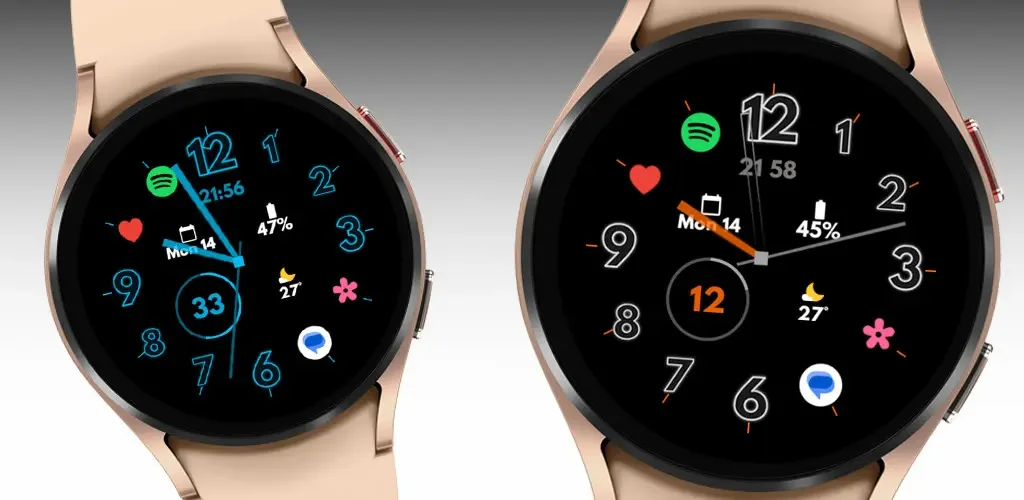
Esfera de reloj híbrida
NOTA IMPORTANTE
**Si aparece "Esta aplicación no está disponible para tu dispositivo", usa Play Store en un navegador WEB (CHROME) desde una PC, computadora portátil o navegador web de teléfono en lugar de la aplicación Play Store en tu teléfono. Copie y pegue el enlace de la esfera del reloj en un navegador WEB (CHROME), luego instálelo.
El objetivo de Rens Watchfaces es brindarte la mejor esfera de reloj para que puedas disfrutarla. Contáctenos en renswatchface@gmail.com antes de dar una mala calificación y solicitar un reembolso. Proporcionaremos capturas de pantalla e instrucciones sobre cómo instalar la esfera del reloj.
En este útil vídeo de Samsung Developers se muestran varias formas de instalar una esfera de reloj Wear OS: https://youtu.be/vMM4Q2-rqoM
GUÍA DE INSTALACIÓN
1.) INICIAR SESIÓN EN SU CUENTA DE GOOGLE "ON WATCH" y asegúrese de que el reloj esté bien conectado a su teléfono a través de BLUETOOTH y esté usando el MISMO WIFI.
2.) Después de la descarga, ESPERE un momento hasta que aparezca la esfera del reloj en el dispositivo. (Habrá una notificación en su reloj si la esfera del reloj se transfirió correctamente).
3.) Si no hay ningún aviso, vaya a PLAYSTORE EN SU RELOJ y escriba en el CUADRO DE BÚSQUEDA "rens watchface91".
4.) Después de que aparezca la esfera del reloj, haga clic en el botón de instalación.
5.) Después de una instalación exitosa, las esferas del reloj no cambian inmediatamente. Regrese a la pantalla de inicio, toque y mantenga presionada la pantalla y luego deslice el dedo hasta el final para agregar la esfera del reloj. Gire el bisel para encontrar la esfera del reloj.
**Recuerde que el tema de la instalación está fuera de nuestro control y tenga paciencia. Antes de publicar, nuestras aplicaciones de esfera de reloj se prueban minuciosamente en un dispositivo original (el Galaxy Watch 4) y son autorizadas por el equipo de Google Play Store. Queremos que las esferas de nuestros relojes sean agradables para el usuario.
*************************
PERMITIR/HABILITAR todos los permisos desde Configuración > Aplicaciones > Permisos
CARACTERÍSTICAS
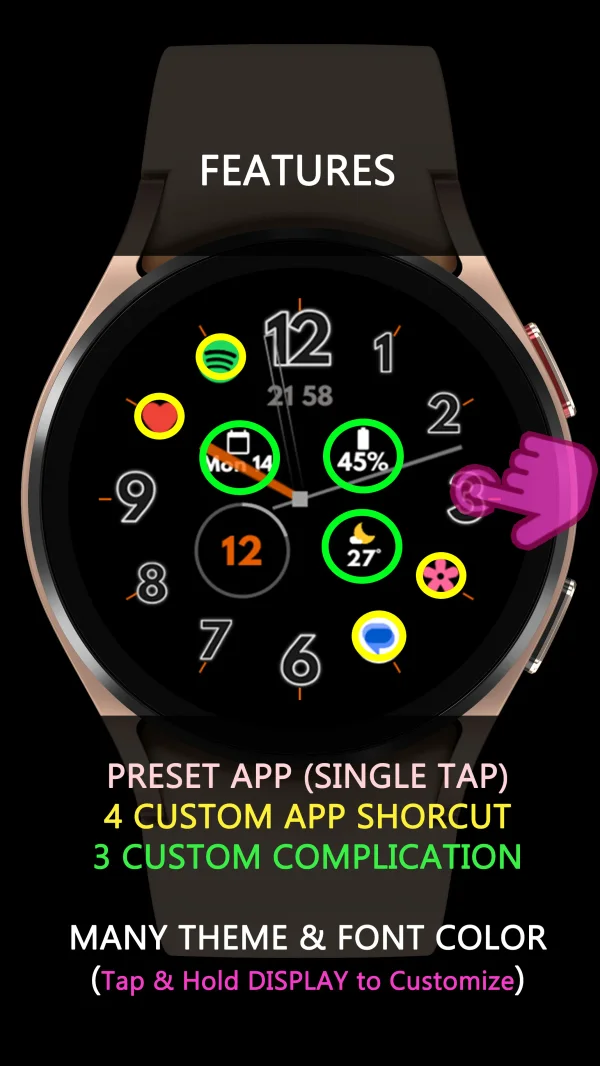
*4 ATAJOS A APLICACIONES PERSONALIZADAS
*3 COMPLICACIÓN PERSONALIZADA
*SIEMPRE EN EXHIBICIÓN
*12/24 HORAS CONMUTABLES
*MUCHAS COMBINACIONES DE COLORES DEL TEMA (PULSE Y MANTENGA MANTENIDA LA PANTALLA PARA PERSONALIZAR)
*Es posible que algunas funciones no estén disponibles en algunos relojes.
Gracias por su apoyo.
**************
Colección completa: esferas de reloj rens
Contáctenos en: renswatchface@gmail.com
Página de Facebook: https://www.facebook.com/renswatchfaces
Mostrar el texto original
IMPORTANT NOTE
**If "This app is not available for your device" appears, use the Play Store on a WEB browser (CHROME) from a PC or Laptop or Phone Web Browser instead of the Play Store app on your phone. Copy and paste the watch face link into a WEB browser (CHROME), then install.
Rens Watchfaces goal is to provide you with the best watch face so you can enjoy it. Contact us at renswatchface@gmail.com before giving a bad rating and request refund. We'll provide screenshots and instructions on how to install the watch face.
Several ways to install a Wear OS watch face are shown in this helpful video from Samsung Developers: https://youtu.be/vMM4Q2-rqoM
INSTALLATION GUIDE
1.) LOG IN TO YOUR GOOGLE ACCOUNT "ON WATCH" and ensure that the watch is strongly connected to your phone via BLUETOOTH and is using the SAME WIFI.
2.) After downloading, WAIT a short while for the watch face to appear on the device. (There will be a notification on your watch if the watch face was successfully transferred.)
3.) If there is no notice, go to PLAYSTORE ON YOUR WATCH and type on the SEARCH BOX "rens watchface91".
4.) After the watch face show up, click the install button.
5.) After a successful installation, watch faces do not immediately change. Return to the home screen, tap and hold display and then swipe all the way to the end to add the watch face. Rotate Bezel to find the watch face.
**Remember that the installation issue is beyond our control and exercise patience. Before publishing, our watch face apps are thoroughly tested on a genuine device (the Galaxy Watch 4) and authorized by the Google Play Store team. We want our watch faces to be pleasing to the user.
************************
ALLOW/ENABLE all permissions from Settings > Applications > Permissions
FEATURES
*4 CUSTOM APP SHORTCUTS
*3 CUSTOM COMPLICATION
*ALWAYS ON DISPLAY
*12/24 HR SWITCHABLE
*MANY THEME COLOR COMBINATIONS (TAP & HOLD DISPLAY TO CUSTOMIZE)
*some features may not be available on some watches.
Thank you for your support.
**************
Full Collection: rens watchfaces
Contact us at: renswatchface@gmail.com
Facebook Page: https://www.facebook.com/renswatchfaces
Seguridad de los datos
Lo que rens watchfaces declara en Google Play sobre los datos que esta aplicación recopila y comparte.
- No se comparten datos con tercerosMás información sobre cómo los desarrolladores declaran lo que comparten
- No se recogen datosMás información sobre cómo los desarrolladores declaran lo que recogen
Contacto del desarrollador
- Correo electrónicorenswatchface@gmail.com
- Política de privacidadsites.google.com
- Dirección0003 Blk 1 0 Lot Block BLK Dulo-Balon Batia Pantoc Meycauayan 3019 Philippines
Información
- Ofrecida por
- rens watchfaces
- Categoría
- Personalización
- Actualizado
- 18/10/2026
- Publicado
- 14/10/2024
- Clasificación por edad
- PEGI 3
- Precio
- 0,69 €
- Nombre del paquete
- com.watchfacestudio.rens_watchface91