Audio / Spectrum Analyzer
RTA (FFT / Spectrogram)
Diseñada para iPhone, iPad
Gratis · Compras en la aplicación
- Clasificación por edad4+
- CategoríaMúsica
- DesarrolladorLoop-Sessions.LLC.
- IdiomasInglés+ 1 más
- Tamaño5,1 MB
Enlaza a la página oficial de App Store
Download.org no aloja ningún archivo de Audio / Spectrum Analyzer. El botón abre la página de la aplicación en App Store, donde la publica Loop-Sessions.LLC. Ficha comprobada por última vez el 27/11/2026.
Capturas de pantalla
Acerca de
El desarrollador no ha proporcionado este texto en tu idioma.
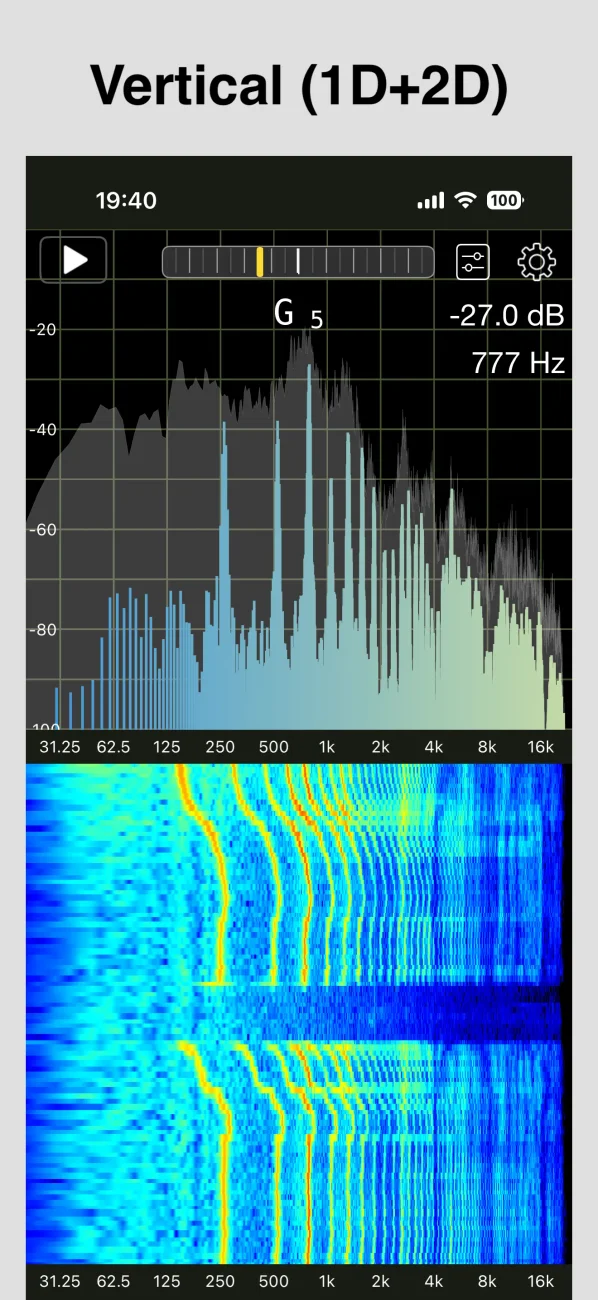
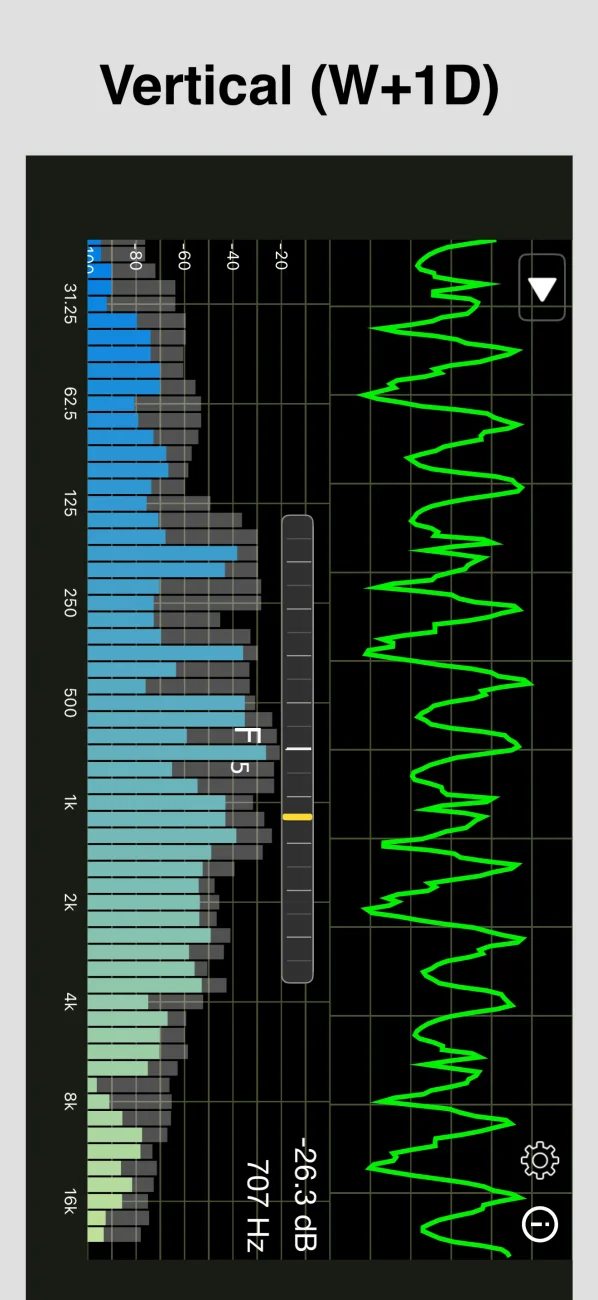
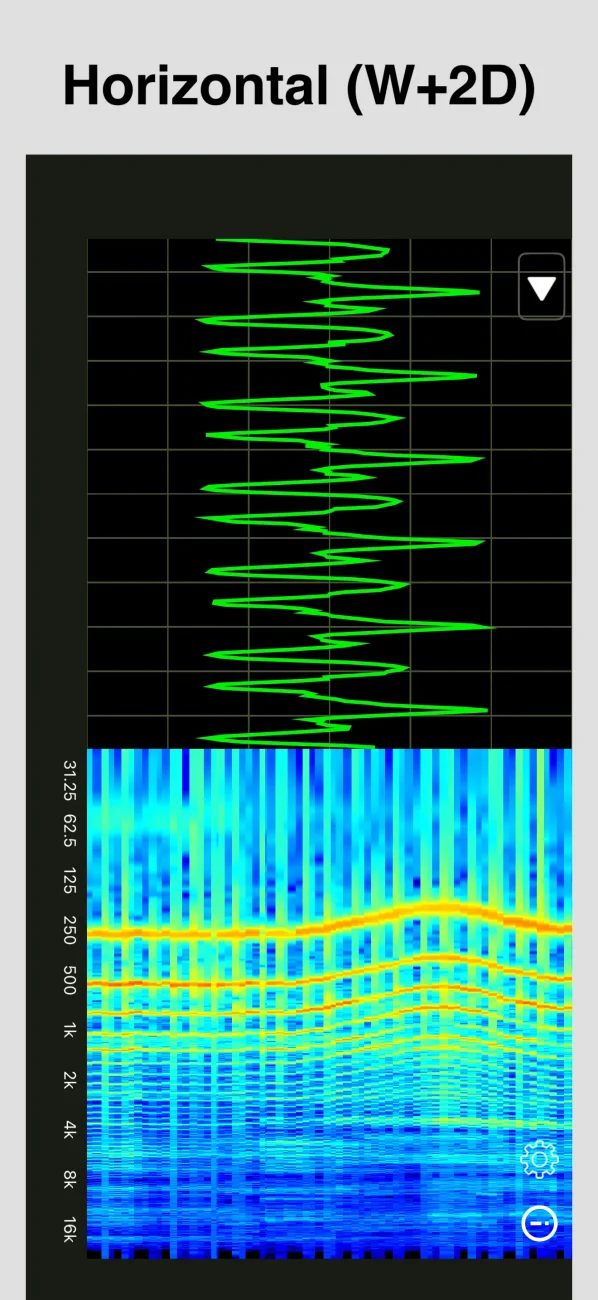
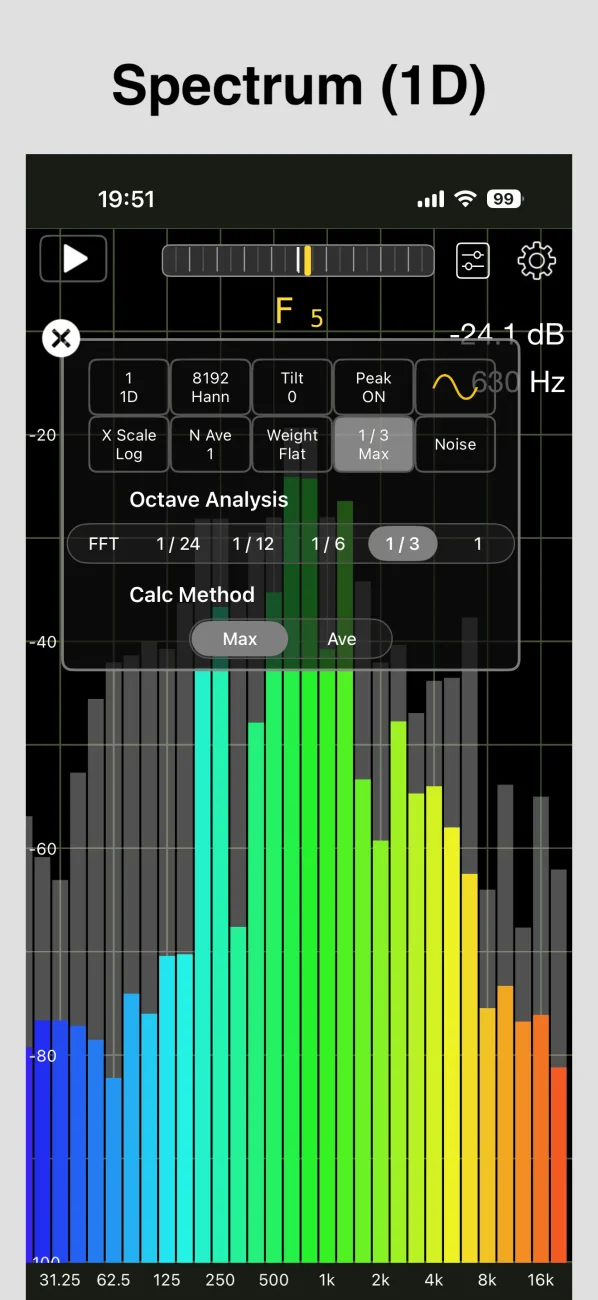
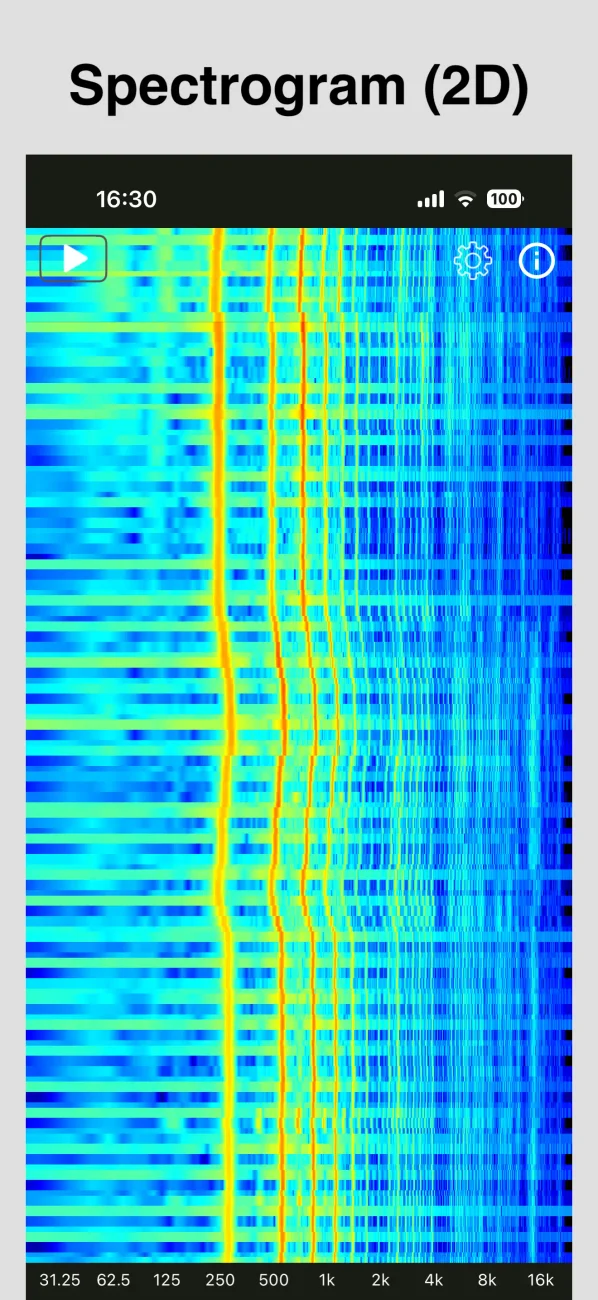
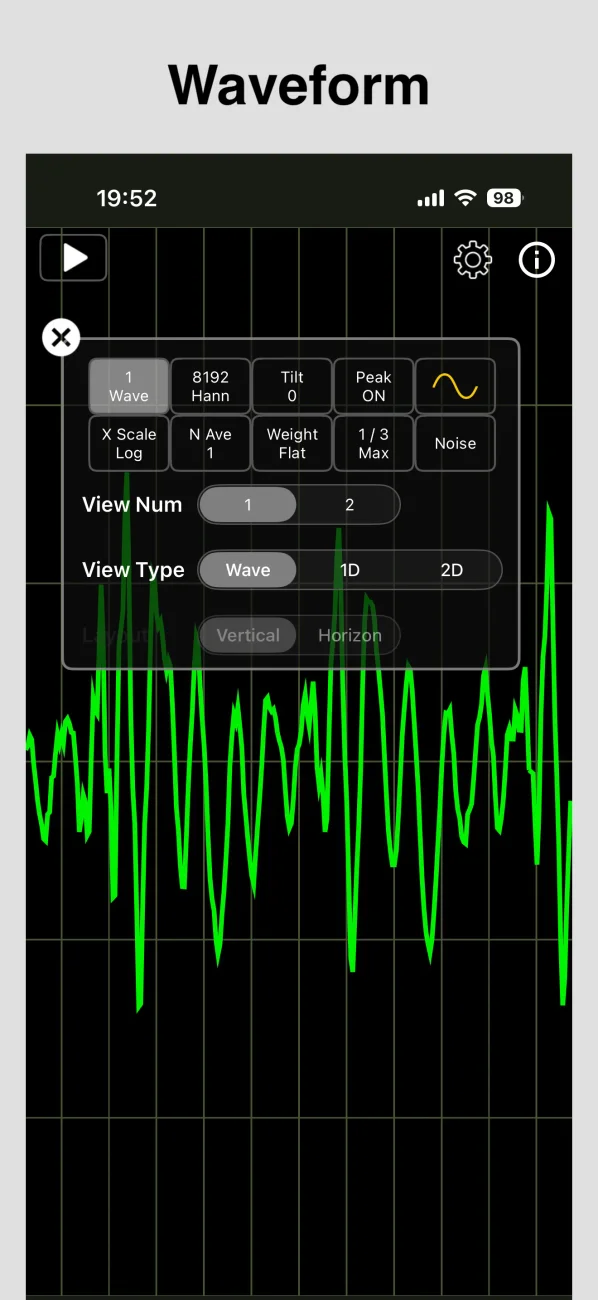
This RTA app supports simultaneous display of "Audio Waveform", as well as the FFT-based "Amplitude Spectrum" (frequency magnitude) and "Spectrogram" (frequency distribution over time), for audio signals input from a microphone.
(FFT: Fast Fourier Transform, RTA: Real Time Analyzer)
[Features]
- Supports simultaneous display of Waveform / Spectrum / Spectrogram
- Supports orientation both portrait and landscape
- FFT size
- Window function
- Time Averaging (FFT Frames)
- Spectrum Tilt
- Frequency weighting (Flat, dBA, dBC)
- The type of expressing the frequency of Spectrum / Spectrogram (Linear, Log)
- Displays the peak level and its frequency of the spectrum
- Peak Hold (displays the results of holding past peak values of the spectrum)
- Octave Analysis (displays the spectrum divided into octave bands)
- Generates Basic Waveforms (Sine, Triangle, Squire, Saw)
- Generates Measurement Signals (Noise, Sweep, TSP)
- Pitch meter display
The Pro version offers Ad-Free Viewing and High-Resolution Analysis (FFT size: 16384, 32768, Spectrum Average: 4, 8).
[Setting items]
1. Screen structure :
Select the display screen configuration.
View Num : 1, 2
View Type :
- 1 screen : Wave (Waveform) / 1D (Spectrum) / 2D (Spectrogram)
- 2 screens : W+1D / W+2D / 1D+2D
Layout : Vertical / Horizon
2. Frequency Axis Scale Type :
Selectable the type of expressing the X direction (frequency) of Spectrum / Spectrogram.
- Linear: Distributed at equal intervals
- Log: The intervals increase logarithmically
3-1. FFT size :
1024, 2048, 4096, 8192, 16384, 32768
(* 16384, 32768 is available in the Pro version.)
3-2. Window function :
Hanning, Hamming, Blackman, No window
4. Time Averaging (FFT Frames) :
Number of spectrum average for a display of spectrum.
1, 2, 4, 8 (init value: 1)
(* 4 and 8 are available in the Pro version.)
5. Spectrum Tilt :
Compensates the visual slope of the spectrum around a 1 kHz pivot.
-6.0 to +6.0 dB/oct in 0.5 dB/oct steps (0 means no tilt).
6. Frequency Weighting :
Selectable frequency weighting.
- Flat: No frequency weighting is applied.
- dB(A): Frequency response that takes into account human hearing.
- dB(C): Relatively flat response.
7. Peak Hold :
Displays the results of holding the past maximum values (peak values) of the spectrum.
8. Octave Analysis :
Displays the results of classifying the spectrum into octave bands.
Division method:
- FFT: Spectral display
- 1/24, 1/12, 1/6, 1/3, 1 octave: Display divided into octave bands
Calc method:
- Max: Displays the maximum spectrum value in each band
- Average: Displays the average spectrum value in each band
9. Basic Waveforms :
- There are 4 types of waveform. (Sine, Triangle, Squire, Saw)
- It can set the value of the frequency in 20Hz - 20000Hz.
10. Measurement Signals :
- There are multiple types of noise. (White noise, Pink noise, MLS, Sweep, TSP)
[Other]
- Background color: Black, White
- WaveForm: Line Color (Green, Yellow, Invert), Line Width (1.0 ~ 6.0 px)
- Spectrum: Bar color (Green, Yellow, Color patterns)
- Spectrogram: Colormap, Display range (-150 ~ -60 dB), Display time (4 ~ 60 sec), Apply Spectrum Tilt
- Bluetooth connection policy selection (disabled, HFP, A2DP).
- Scaling of Waveform / Spectrum display in the Y direction (magnification: 0.5 - 2.0).
- Scaling of Spectrum / Spectrogram display in the X direction (magnification: 1.0 - 16.0).
Novedades
Versión 2.8.0 · 23/11/2026
You can now adjust the waveform size ratio in two-view mode. (1:1, 1:2, 1:3)
Privacidad de la aplicación
Lo que Loop-Sessions.LLC. declara en App Store sobre cómo esta aplicación gestiona los datos.
-
Datos usados para rastrearte
Pueden usarse para rastrearte en aplicaciones y sitios web propiedad de otras empresas.
- Datos de uso
-
Datos no vinculados a ti
Pueden recopilarse, pero no se vinculan a tu identidad.
- Datos de uso
Las prácticas de privacidad pueden variar, por ejemplo, según las funciones que uses o tu edad.
Información
- Vendedor
- Loop-Sessions.LLC.
- Categoría
- Música
- Versión
- 2.8.0
- Actualizado
- 23/11/2026
- Publicado
- 18/5/2020
- Tamaño
- 5,1 MB
- Requiere
- iOS 17.0 o posterior
- Clasificación por edad
- 4+
- Precio
- Gratis
- Compras en la aplicación
- Sí
- Idiomas
- Inglés, Japonés
- Copyright
- © Loop-Sessions.LLC.
Quizá también te guste
-
 Audio Spectrum Analyzer ProMúsica
-
 Analizador de espectro HD ProMedidor de dB y frecuencia
-
 Smaart RTAMúsica
-
 Análisis de Sonido - SonómetroMedidor de decibelios y ruido
-
 AUDIIO - RTA AnalyzerMúsica
-
 RTA AudioMúsica
-
 Tone Generator: Audio Sound HzMúsica
-
 iAnalyzerMúsica
-
 Quiztones: Entrenador AuditivoEcualiza como un profesional
-
 DriveRack PA2 ControlMúsica