Audio / Spectrum Analyzer
RTA (FFT / Spectrogram)
Được thiết kế cho iPhone, iPad
Miễn phí · Mua hàng trong ứng dụng
- Độ tuổi4+
- Danh mụcNhạc
- Nhà phát triểnLoop-Sessions.LLC.
- Ngôn ngữTiếng Anh+ 1 ngôn ngữ khác
- Kích thước5,1 MB
Liên kết đến trang App Store chính thức
Download.org không lưu trữ tệp nào của Audio / Spectrum Analyzer. Nút này mở trang ứng dụng trên App Store, nơi Loop-Sessions.LLC. phát hành ứng dụng. Trang được kiểm tra lần cuối: 27/11/2026.
Ảnh chụp màn hình
Giới thiệu
Nhà phát triển chưa cung cấp nội dung này bằng ngôn ngữ của bạn.
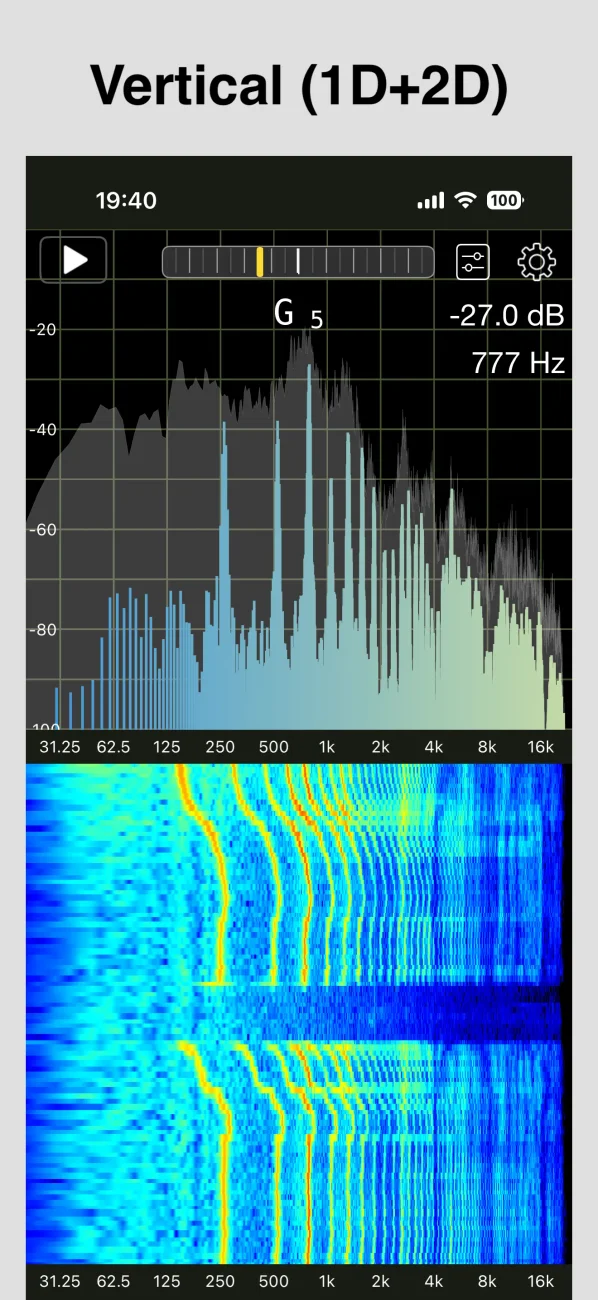
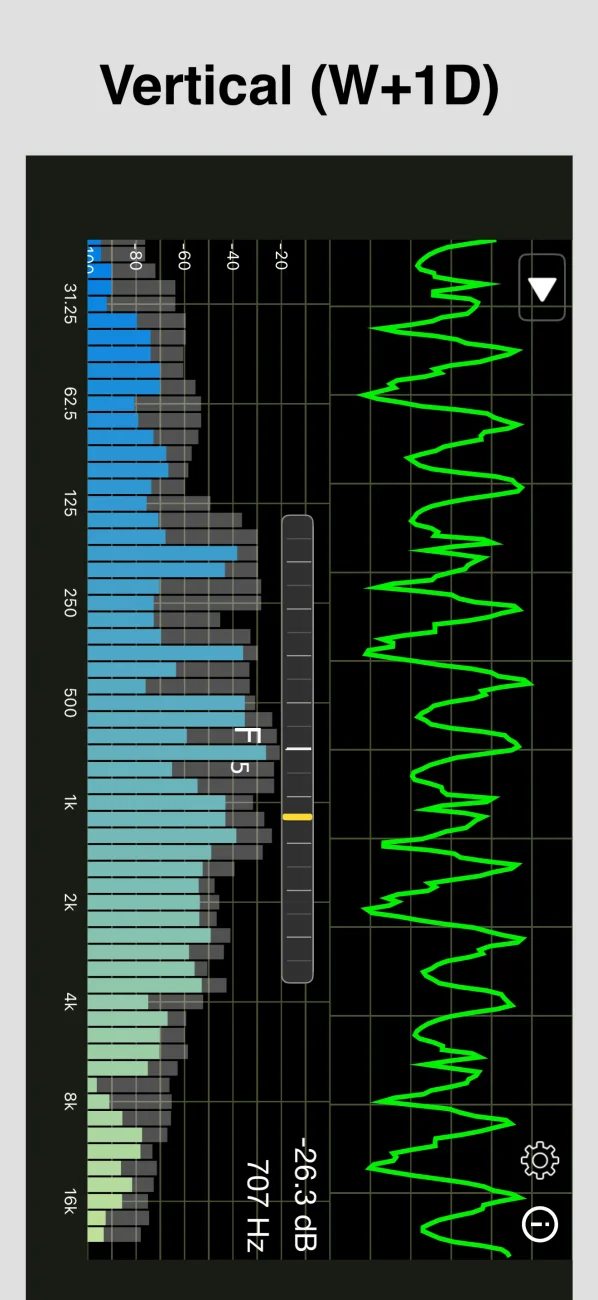
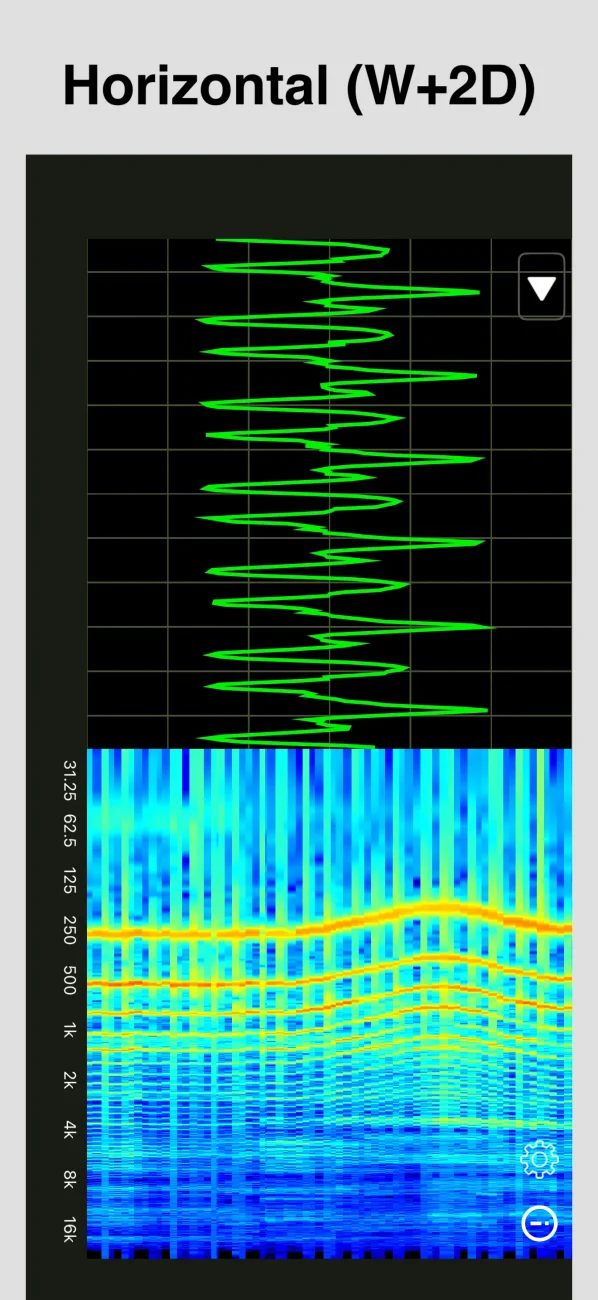
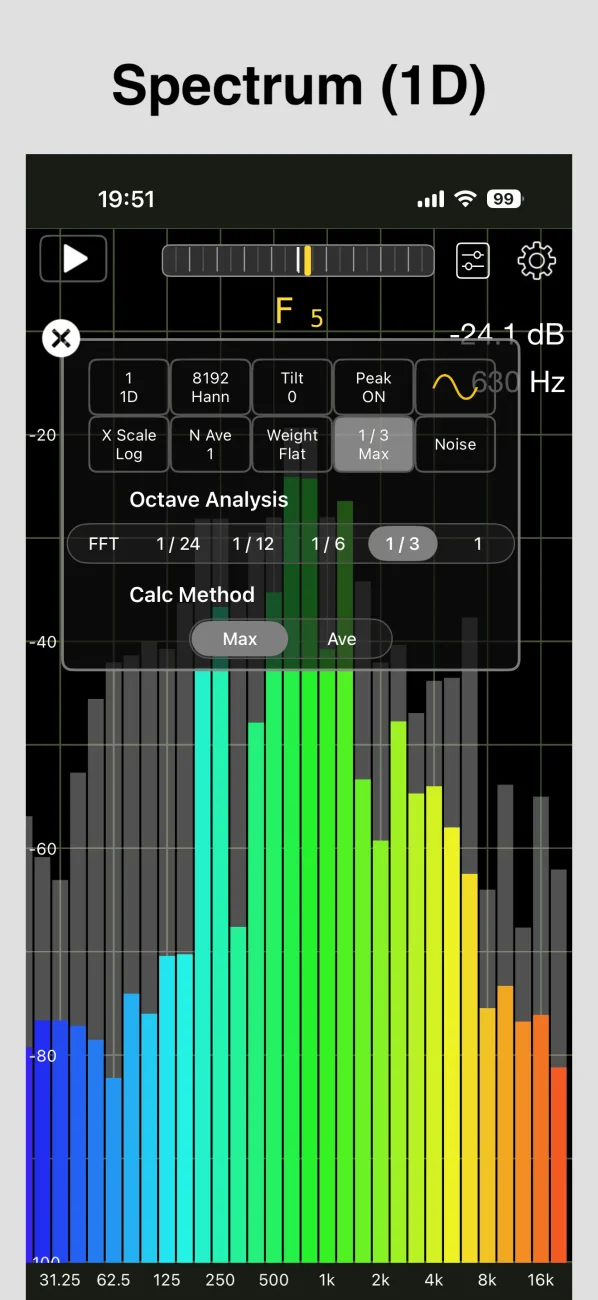
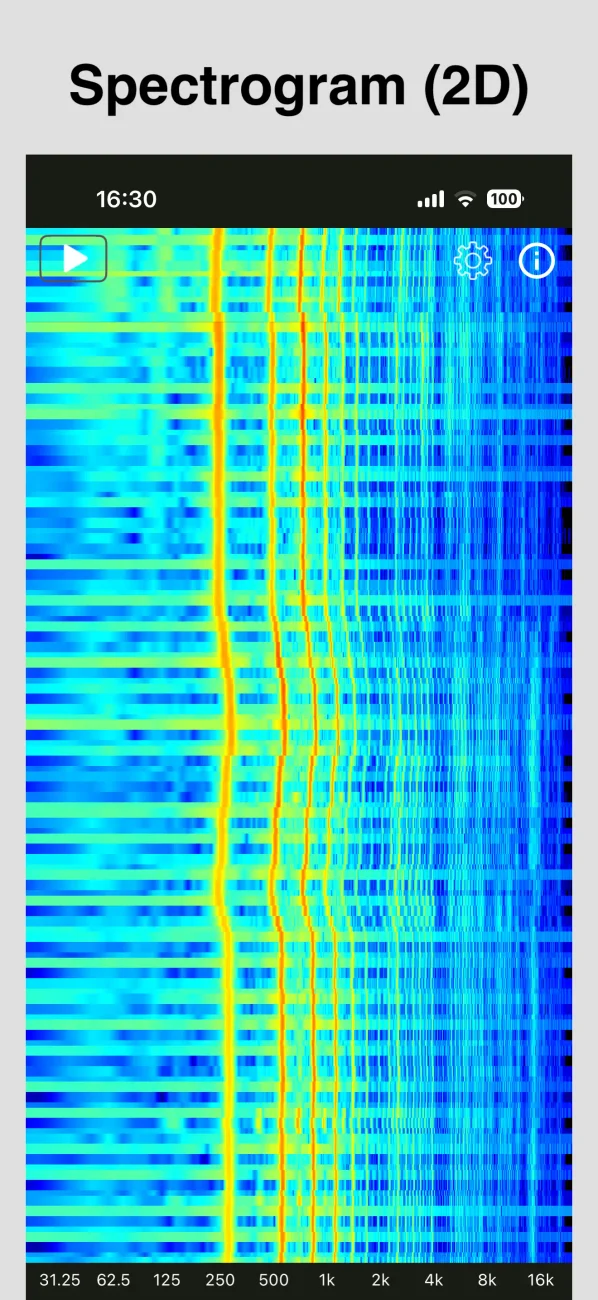
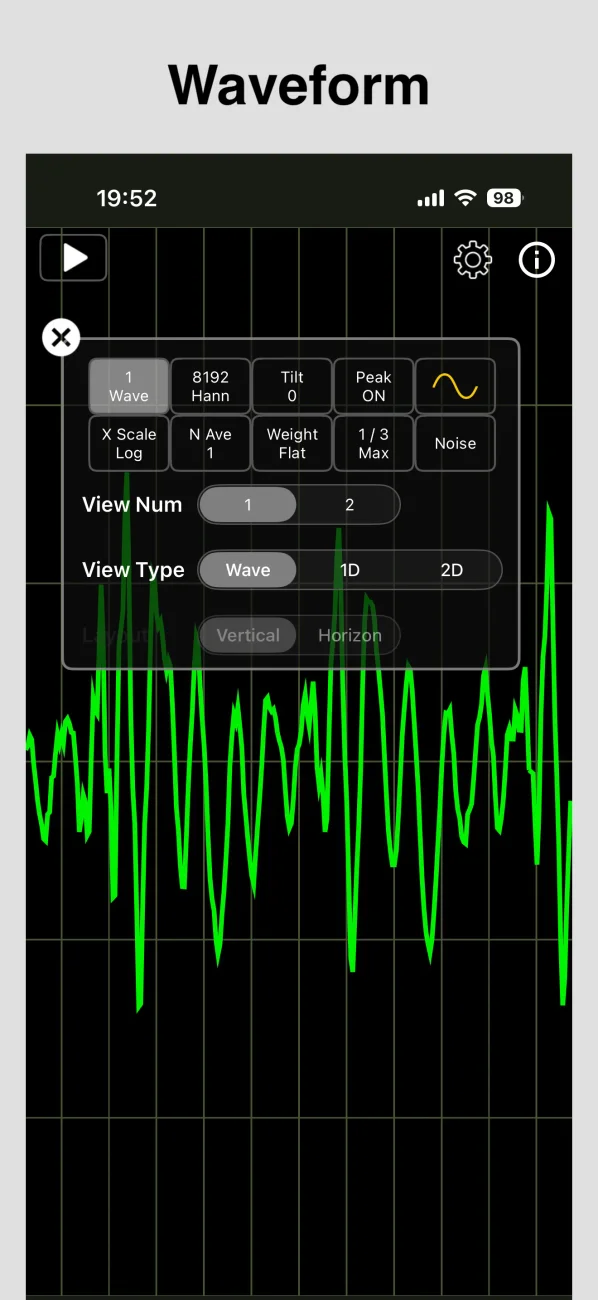
This RTA app supports simultaneous display of "Audio Waveform", as well as the FFT-based "Amplitude Spectrum" (frequency magnitude) and "Spectrogram" (frequency distribution over time), for audio signals input from a microphone.
(FFT: Fast Fourier Transform, RTA: Real Time Analyzer)
[Features]
- Supports simultaneous display of Waveform / Spectrum / Spectrogram
- Supports orientation both portrait and landscape
- FFT size
- Window function
- Time Averaging (FFT Frames)
- Spectrum Tilt
- Frequency weighting (Flat, dBA, dBC)
- The type of expressing the frequency of Spectrum / Spectrogram (Linear, Log)
- Displays the peak level and its frequency of the spectrum
- Peak Hold (displays the results of holding past peak values of the spectrum)
- Octave Analysis (displays the spectrum divided into octave bands)
- Generates Basic Waveforms (Sine, Triangle, Squire, Saw)
- Generates Measurement Signals (Noise, Sweep, TSP)
- Pitch meter display
The Pro version offers Ad-Free Viewing and High-Resolution Analysis (FFT size: 16384, 32768, Spectrum Average: 4, 8).
[Setting items]
1. Screen structure :
Select the display screen configuration.
View Num : 1, 2
View Type :
- 1 screen : Wave (Waveform) / 1D (Spectrum) / 2D (Spectrogram)
- 2 screens : W+1D / W+2D / 1D+2D
Layout : Vertical / Horizon
2. Frequency Axis Scale Type :
Selectable the type of expressing the X direction (frequency) of Spectrum / Spectrogram.
- Linear: Distributed at equal intervals
- Log: The intervals increase logarithmically
3-1. FFT size :
1024, 2048, 4096, 8192, 16384, 32768
(* 16384, 32768 is available in the Pro version.)
3-2. Window function :
Hanning, Hamming, Blackman, No window
4. Time Averaging (FFT Frames) :
Number of spectrum average for a display of spectrum.
1, 2, 4, 8 (init value: 1)
(* 4 and 8 are available in the Pro version.)
5. Spectrum Tilt :
Compensates the visual slope of the spectrum around a 1 kHz pivot.
-6.0 to +6.0 dB/oct in 0.5 dB/oct steps (0 means no tilt).
6. Frequency Weighting :
Selectable frequency weighting.
- Flat: No frequency weighting is applied.
- dB(A): Frequency response that takes into account human hearing.
- dB(C): Relatively flat response.
7. Peak Hold :
Displays the results of holding the past maximum values (peak values) of the spectrum.
8. Octave Analysis :
Displays the results of classifying the spectrum into octave bands.
Division method:
- FFT: Spectral display
- 1/24, 1/12, 1/6, 1/3, 1 octave: Display divided into octave bands
Calc method:
- Max: Displays the maximum spectrum value in each band
- Average: Displays the average spectrum value in each band
9. Basic Waveforms :
- There are 4 types of waveform. (Sine, Triangle, Squire, Saw)
- It can set the value of the frequency in 20Hz - 20000Hz.
10. Measurement Signals :
- There are multiple types of noise. (White noise, Pink noise, MLS, Sweep, TSP)
[Other]
- Background color: Black, White
- WaveForm: Line Color (Green, Yellow, Invert), Line Width (1.0 ~ 6.0 px)
- Spectrum: Bar color (Green, Yellow, Color patterns)
- Spectrogram: Colormap, Display range (-150 ~ -60 dB), Display time (4 ~ 60 sec), Apply Spectrum Tilt
- Bluetooth connection policy selection (disabled, HFP, A2DP).
- Scaling of Waveform / Spectrum display in the Y direction (magnification: 0.5 - 2.0).
- Scaling of Spectrum / Spectrogram display in the X direction (magnification: 1.0 - 16.0).
Có gì mới
Phiên bản 2.8.0 · 23/11/2026
You can now adjust the waveform size ratio in two-view mode. (1:1, 1:2, 1:3)
Quyền riêng tư của ứng dụng
Những gì Loop-Sessions.LLC. khai báo trên App Store về cách ứng dụng này xử lý dữ liệu.
-
Dữ liệu được sử dụng để theo dõi bạn
Có thể được sử dụng để theo dõi bạn trên các ứng dụng và trang web do công ty khác sở hữu.
- Dữ liệu sử dụng
-
Dữ liệu không liên kết với bạn
Có thể được thu thập nhưng không liên kết với danh tính của bạn.
- Dữ liệu sử dụng
Phương thức đảm bảo quyền riêng tư có thể khác nhau, chẳng hạn như tuỳ theo các tính năng bạn sử dụng hoặc độ tuổi của bạn.
Thông tin
- Người bán
- Loop-Sessions.LLC.
- Danh mục
- Nhạc
- Phiên bản
- 2.8.0
- Cập nhật
- 23/11/2026
- Phát hành
- 18/05/2020
- Kích thước
- 5,1 MB
- Yêu cầu
- iOS 17.0 trở lên
- Độ tuổi
- 4+
- Giá
- Miễn phí
- Mua hàng trong ứng dụng
- Có
- Ngôn ngữ
- Tiếng Anh, Tiếng Nhật
- Bản quyền
- © Loop-Sessions.LLC.