Audio / Spectrum Analyzer
RTA (FFT / Spectrogram)
Designed for iPhone, iPad
Free · In-app purchases
- Age rating4+
- CategoryMusic
- DeveloperLoop-Sessions.LLC.
- LanguagesEnglish+ 1 more
- Size5.1 MB
Links to the official App Store page
Download.org hosts no file of Audio / Spectrum Analyzer. The button opens its official App Store page, published by Loop-Sessions.LLC. Listing last checked on Nov 25, 2026.
Screenshots
About
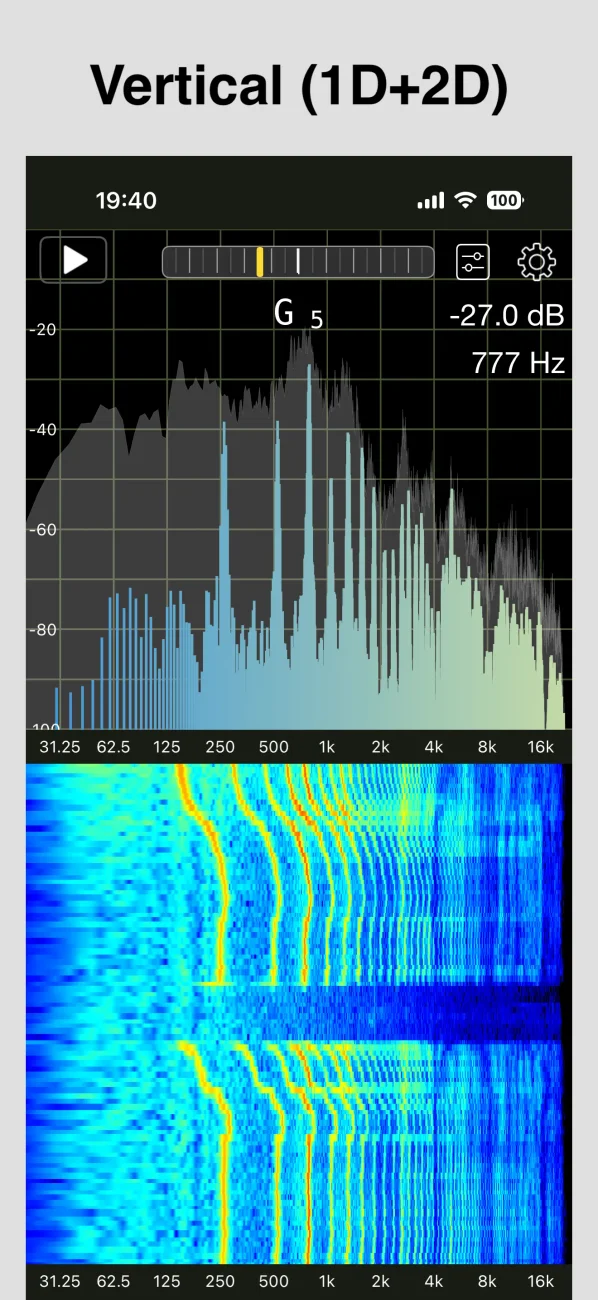
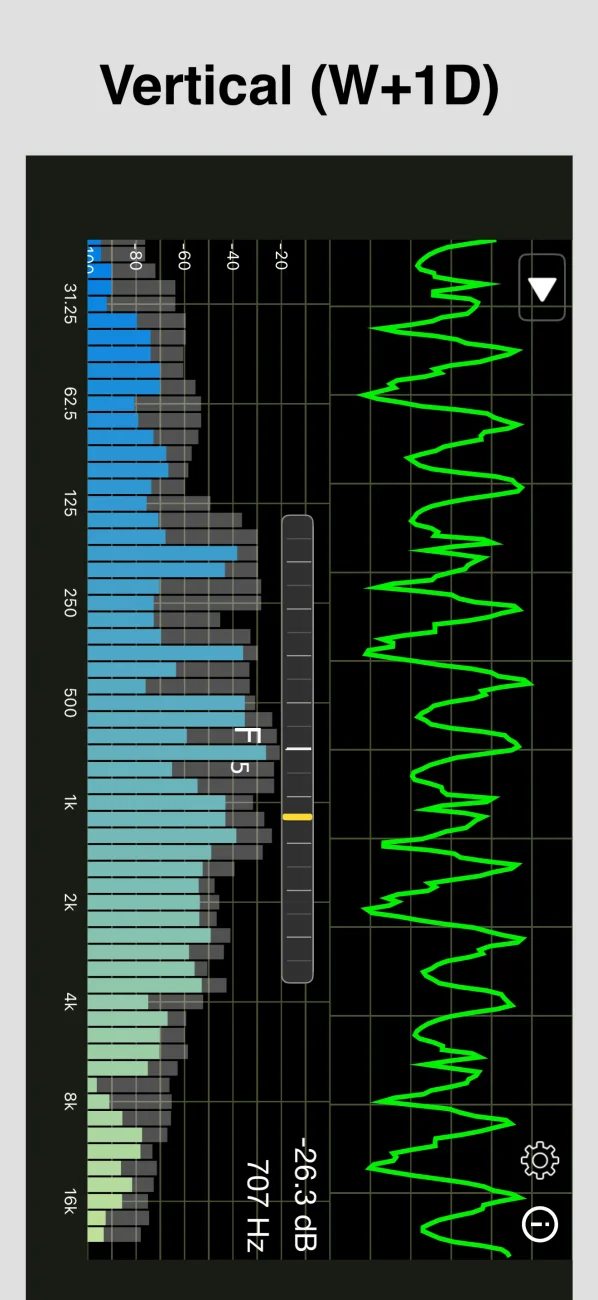
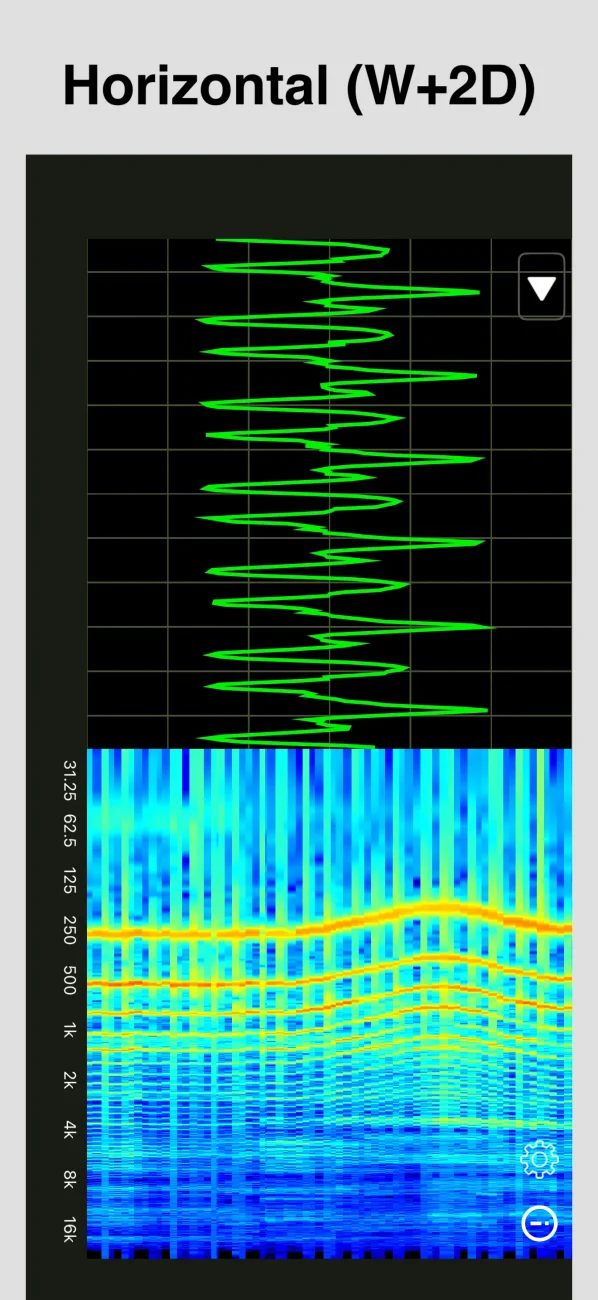
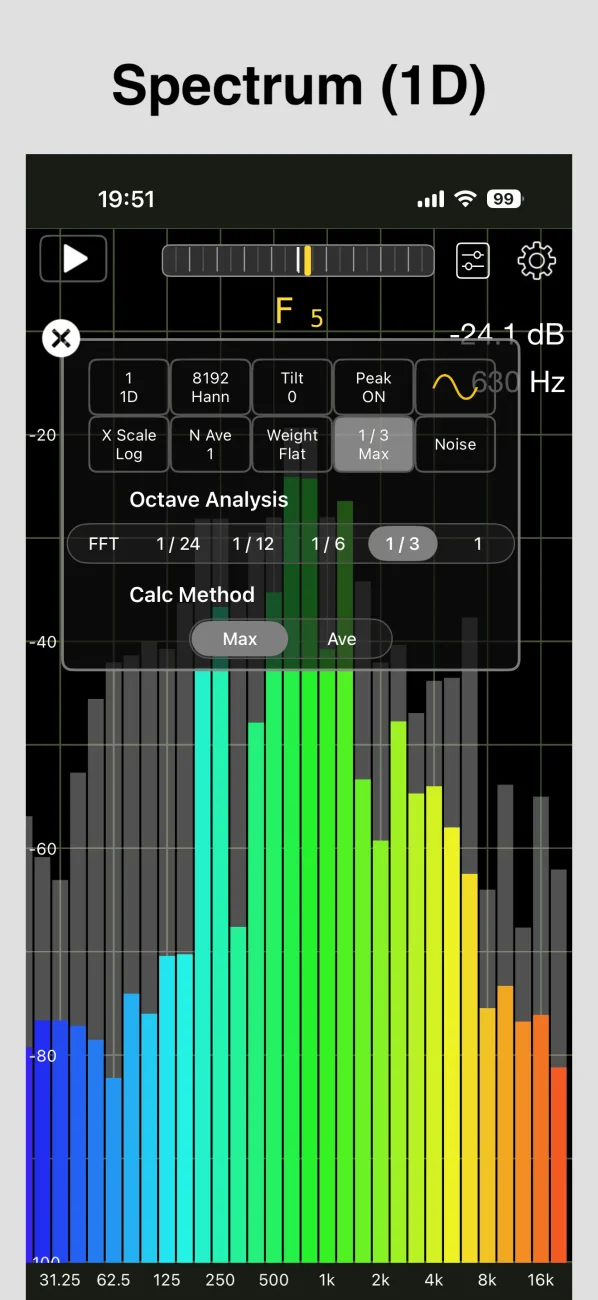
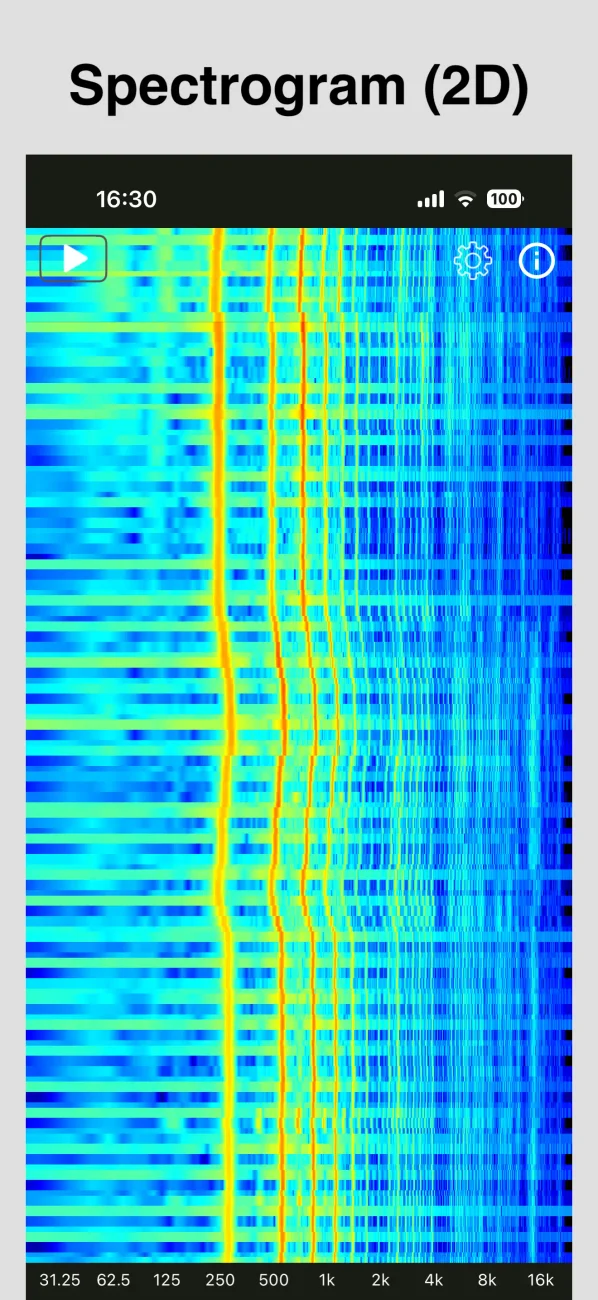
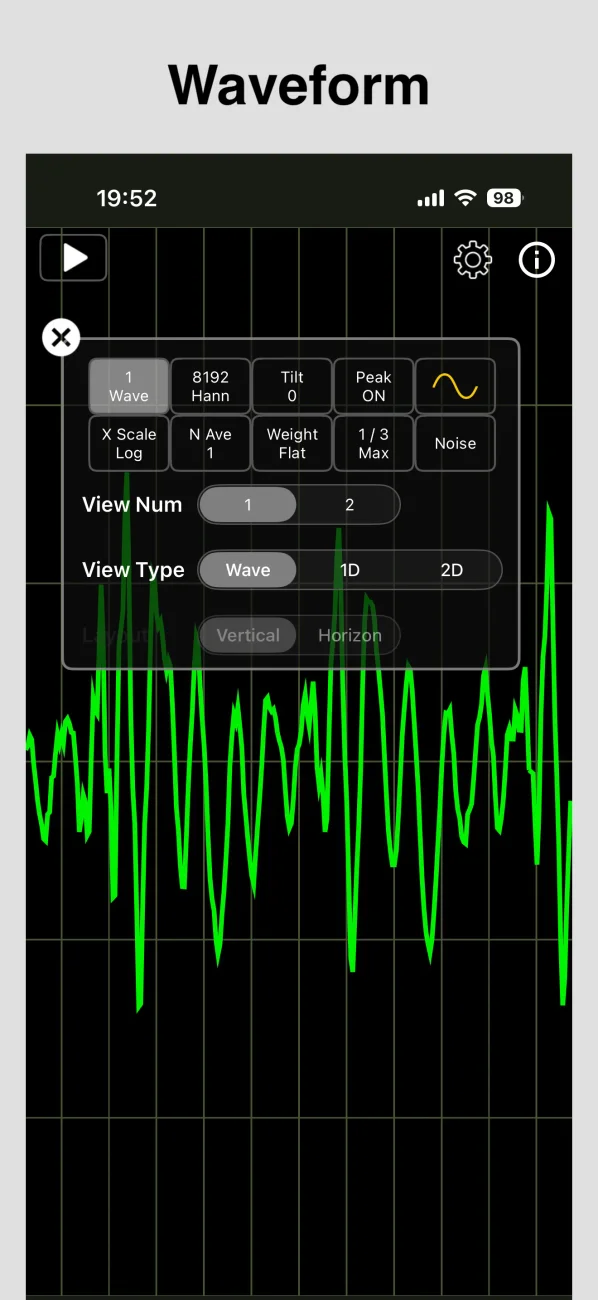
This RTA app supports simultaneous display of "Audio Waveform", as well as the FFT-based "Amplitude Spectrum" (frequency magnitude) and "Spectrogram" (frequency distribution over time), for audio signals input from a microphone.
(FFT: Fast Fourier Transform, RTA: Real Time Analyzer)
[Features]
- Supports simultaneous display of Waveform / Spectrum / Spectrogram
- Supports orientation both portrait and landscape
- FFT size
- Window function
- Time Averaging (FFT Frames)
- Spectrum Tilt
- Frequency weighting (Flat, dBA, dBC)
- The type of expressing the frequency of Spectrum / Spectrogram (Linear, Log)
- Displays the peak level and its frequency of the spectrum
- Peak Hold (displays the results of holding past peak values of the spectrum)
- Octave Analysis (displays the spectrum divided into octave bands)
- Generates Basic Waveforms (Sine, Triangle, Squire, Saw)
- Generates Measurement Signals (Noise, Sweep, TSP)
- Pitch meter display
The Pro version offers Ad-Free Viewing and High-Resolution Analysis (FFT size: 16384, 32768, Spectrum Average: 4, 8).
[Setting items]
1. Screen structure :
Select the display screen configuration.
View Num : 1, 2
View Type :
- 1 screen : Wave (Waveform) / 1D (Spectrum) / 2D (Spectrogram)
- 2 screens : W+1D / W+2D / 1D+2D
Layout : Vertical / Horizon
2. Frequency Axis Scale Type :
Selectable the type of expressing the X direction (frequency) of Spectrum / Spectrogram.
- Linear: Distributed at equal intervals
- Log: The intervals increase logarithmically
3-1. FFT size :
1024, 2048, 4096, 8192, 16384, 32768
(* 16384, 32768 is available in the Pro version.)
3-2. Window function :
Hanning, Hamming, Blackman, No window
4. Time Averaging (FFT Frames) :
Number of spectrum average for a display of spectrum.
1, 2, 4, 8 (init value: 1)
(* 4 and 8 are available in the Pro version.)
5. Spectrum Tilt :
Compensates the visual slope of the spectrum around a 1 kHz pivot.
-6.0 to +6.0 dB/oct in 0.5 dB/oct steps (0 means no tilt).
6. Frequency Weighting :
Selectable frequency weighting.
- Flat: No frequency weighting is applied.
- dB(A): Frequency response that takes into account human hearing.
- dB(C): Relatively flat response.
7. Peak Hold :
Displays the results of holding the past maximum values (peak values) of the spectrum.
8. Octave Analysis :
Displays the results of classifying the spectrum into octave bands.
Division method:
- FFT: Spectral display
- 1/24, 1/12, 1/6, 1/3, 1 octave: Display divided into octave bands
Calc method:
- Max: Displays the maximum spectrum value in each band
- Average: Displays the average spectrum value in each band
9. Basic Waveforms :
- There are 4 types of waveform. (Sine, Triangle, Squire, Saw)
- It can set the value of the frequency in 20Hz - 20000Hz.
10. Measurement Signals :
- There are multiple types of noise. (White noise, Pink noise, MLS, Sweep, TSP)
[Other]
- Background color: Black, White
- WaveForm: Line Color (Green, Yellow, Invert), Line Width (1.0 ~ 6.0 px)
- Spectrum: Bar color (Green, Yellow, Color patterns)
- Spectrogram: Colormap, Display range (-150 ~ -60 dB), Display time (4 ~ 60 sec), Apply Spectrum Tilt
- Bluetooth connection policy selection (disabled, HFP, A2DP).
- Scaling of Waveform / Spectrum display in the Y direction (magnification: 0.5 - 2.0).
- Scaling of Spectrum / Spectrogram display in the X direction (magnification: 1.0 - 16.0).
What’s new
Version 2.8.0 · Nov 23, 2026
You can now adjust the waveform size ratio in two-view mode. (1:1, 1:2, 1:3)
App privacy
What Loop-Sessions.LLC. declares on the App Store about how this app handles data.
-
Data used to track you
May be used to track you across apps and websites owned by other companies.
- Usage data
-
Data not linked to you
May be collected but is not linked to your identity.
- Usage data
Privacy practices may vary, for example with the features you use or your age.
Information
- Seller
- Loop-Sessions.LLC.
- Category
- Music
- Version
- 2.8.0
- Updated
- Nov 23, 2026
- Released
- May 18, 2020
- Size
- 5.1 MB
- Requires
- iOS 17.0 or later
- Age rating
- 4+
- Price
- Free
- In-app purchases
- Yes
- Languages
- English, Japanese
- Copyright
- © Loop-Sessions.LLC.
You might also like
-
 Audio Spectrum Analyzer ProSound Frequency Analysis
-
 Audio Spectrum Analyzer dB RTASound frequency, decibel meter
-
 Smaart RTARTA, Spectrograph, SPL Meter
-
 Spectrum Analyzer: SpectrogramAudio frequency visualizer
-
 AUDIIO - RTA AnalyzerSpectrogram, RTA, dB Analyzer
-
 RTA AudioMusic
-
 Tone Generator: Audio Sound HzGenerate Audio Frequency Waves
-
 iAnalyzerMusic
-
 Quiztones: EQ Ear TrainingLearn to use EQ like a pro
-
 DriveRack PA2 ControlMusic