Blurt
Large Full Screen Messages
Diseñada para iPhone, iPad
Gratis · Compras en la aplicación
- Clasificación por edad4+
- CategoríaUtilidades
- DesarrolladorYodel Code
- IdiomasInglés
- Tamaño3,2 MB
Enlaza a la página oficial de App Store
Download.org no aloja ningún archivo de Blurt. El botón abre la página de la aplicación en App Store, donde la publica Yodel Code. Ficha comprobada por última vez el 21/11/2026.
Capturas de pantalla
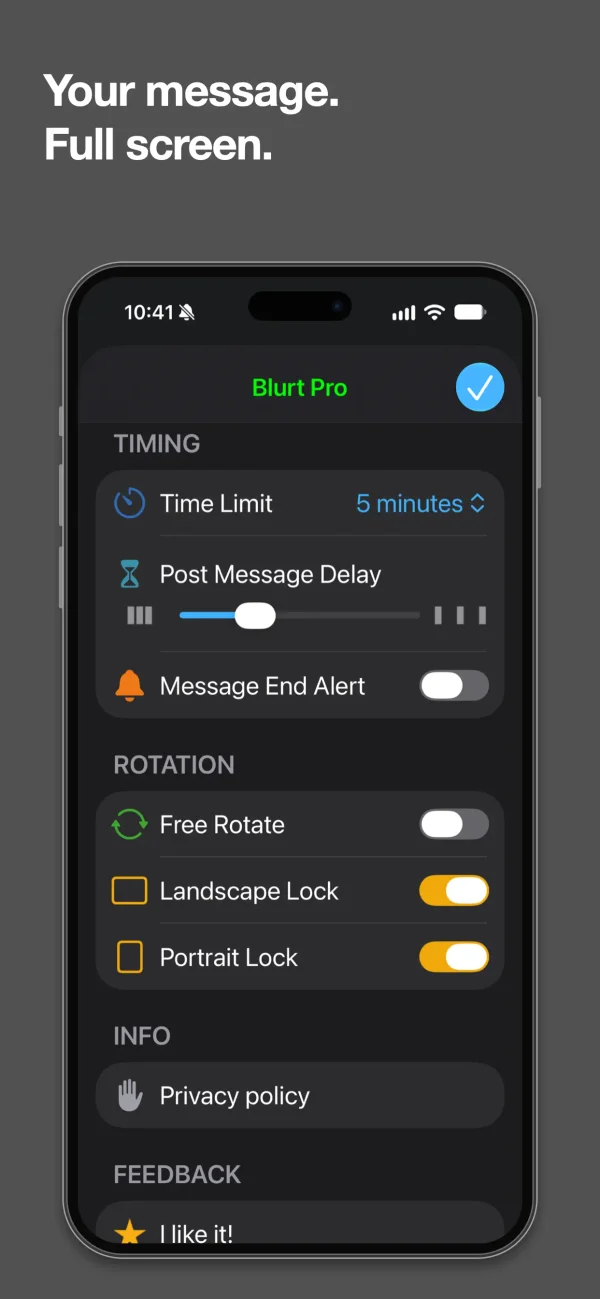
Acerca de
El desarrollador no ha proporcionado este texto en tu idioma.
Say it so they can see it.
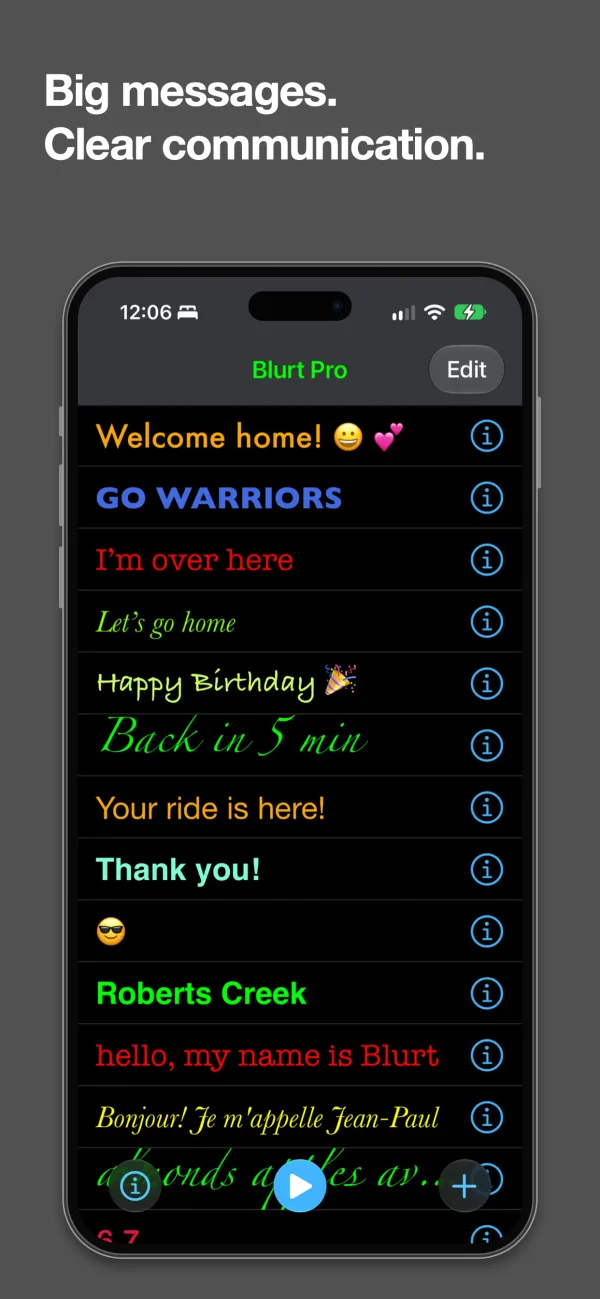
Blurt turns your iPhone or iPad into a bold, full-screen message display. Whether you’re across a noisy room, meeting someone at the airport, trying to get someone’s attention, or simply need your words to travel farther, Blurt makes your message hard to miss.
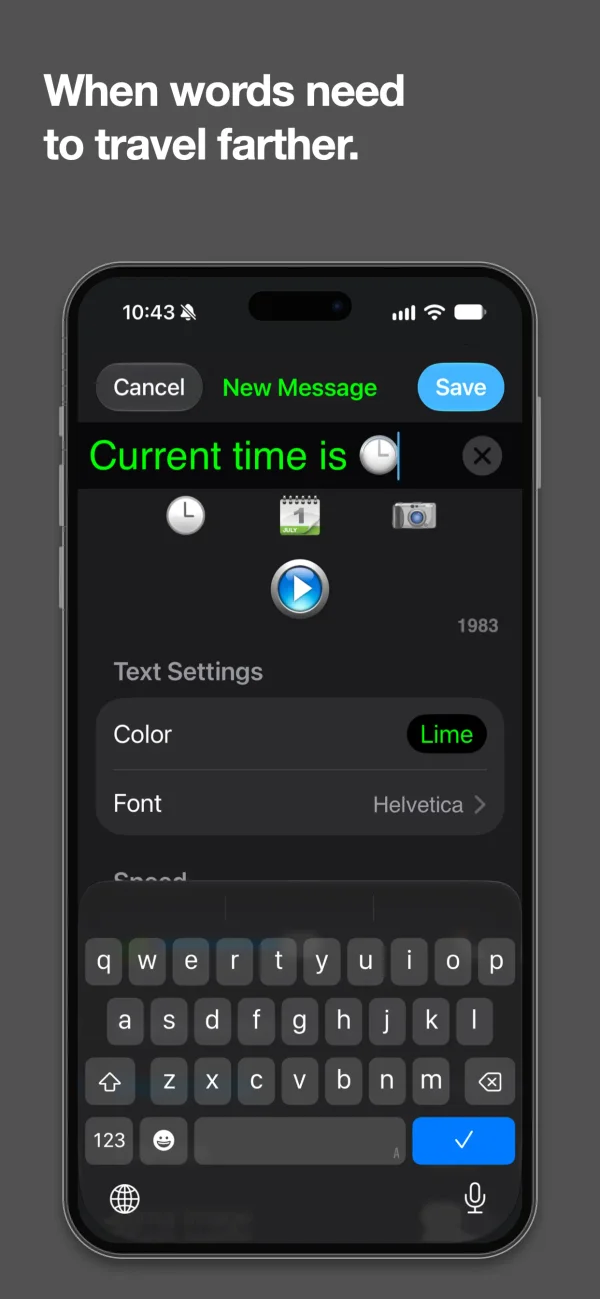
Type a message, choose how it looks, and display it full screen in seconds.
Blurt lets you:
• Display large, highly visible messages
• Create messages on the fly with Siri AI
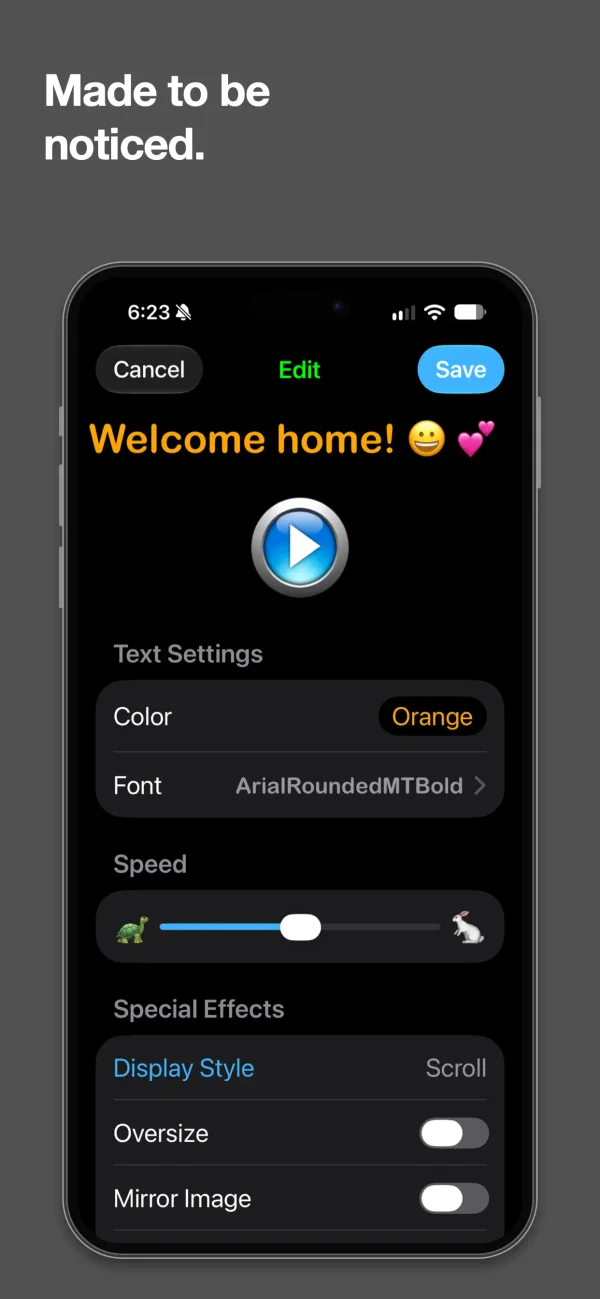
• Scroll text or fit it to the screen
• Choose colors and fonts
• Adjust scrolling speed
• Add emoji to your messages
• Use oversize text for maximum visibility
• Mirror messages when needed
• Add effects such as bounce
• Save messages so they’re ready to use again
• Control orientation and message timing
Blurt is useful anywhere speaking isn’t practical — crowded rooms, concerts, sporting events, airports, classrooms, conferences, noisy workplaces, through windows or glass barriers, and countless everyday situations.
Sometimes a text message isn’t enough. Blurt it!
Novedades
Versión 5.2.2 · 17/11/2026
We all make mistakes. This update fixes an orientation bug while displaying large text on the inner screen of the iPhone Duo. The good news? Support for the iPhone Duo is even better now! There's also new support for a tap and drag gesture to reorder the list of messages without having to be in Edit mode.
Don't forget Blurt supports Siri AI. The same simple idea that has always made Blurt useful is still at its heart: say it so they can see it.
To use Siri AI, simply say "Blurt something", "Show a Blurt", or "Start a Blurt". Siri AI will ask you what you want to display on Blurt and then start scrolling that message full screen. Tap the playing message and then tap the "Save" icon if you want to save it to your main message list.
To open Blurt, type a new message and select different display options, tell Siri AI "New Blurt", "Create a Blurt", or "Make a new Blurt".
Note: Messages are stored on each device. Your iPhone and iPad each keep their own set — creating a message on one won't make it appear on the other. Syncing across devices may come in a future update.
Privacidad de la aplicación
Lo que Yodel Code declara en App Store sobre cómo esta aplicación gestiona los datos.
-
No se recopilan datos
El desarrollador no recopila ningún dato de esta aplicación.
Las prácticas de privacidad pueden variar, por ejemplo, según las funciones que uses o tu edad.
Información
- Vendedor
- Yodel Code LLC
- Categoría
- Utilidades
- Versión
- 5.2.2
- Actualizado
- 17/11/2026
- Publicado
- 16/4/2009
- Tamaño
- 3,2 MB
- Requiere
- iOS 26.0 o posterior
- Clasificación por edad
- 4+
- Precio
- Gratis
- Compras en la aplicación
- Sí
- Idiomas
- Inglés
- Copyright
- © 2026 Yodel Code
Quizá también te guste
-
 E145 Virtual PanelUtilidades
-
 LED Sign - Scrolling TextUtilidades
-
 LED Banner Maker: Neon ScrollUtilidades
-
 Say It On BillboardCartelería: iPad, AppleTV
-
 Yodel People CountingUtilidades
-
 Daily SiftUtilidades
-
 Golden Ratio Calculator ProUtilidades
-
 Letrero LED: MarqueePantalla luminosa gigante
-
 logSPLUtilidades
-
 Noticket HandheldUtilidades