
- Clasificación por edad17+
- CategoríaProductividad
- DesarrolladorCASIO COMPUTER CO., LTD.
- IdiomasInglés+ 1 más
- Tamaño33,1 MB
Enlaza a la página oficial de App Store
Download.org no aloja ningún archivo de C-Mirroring. El botón abre la página de la aplicación en App Store, donde la publica CASIO COMPUTER CO., LTD. Ficha comprobada por última vez el 14/11/2026.
Capturas de pantalla

Acerca de
El desarrollador no ha proporcionado este texto en tu idioma.
Wireless operation for smooth meetings and presentations.
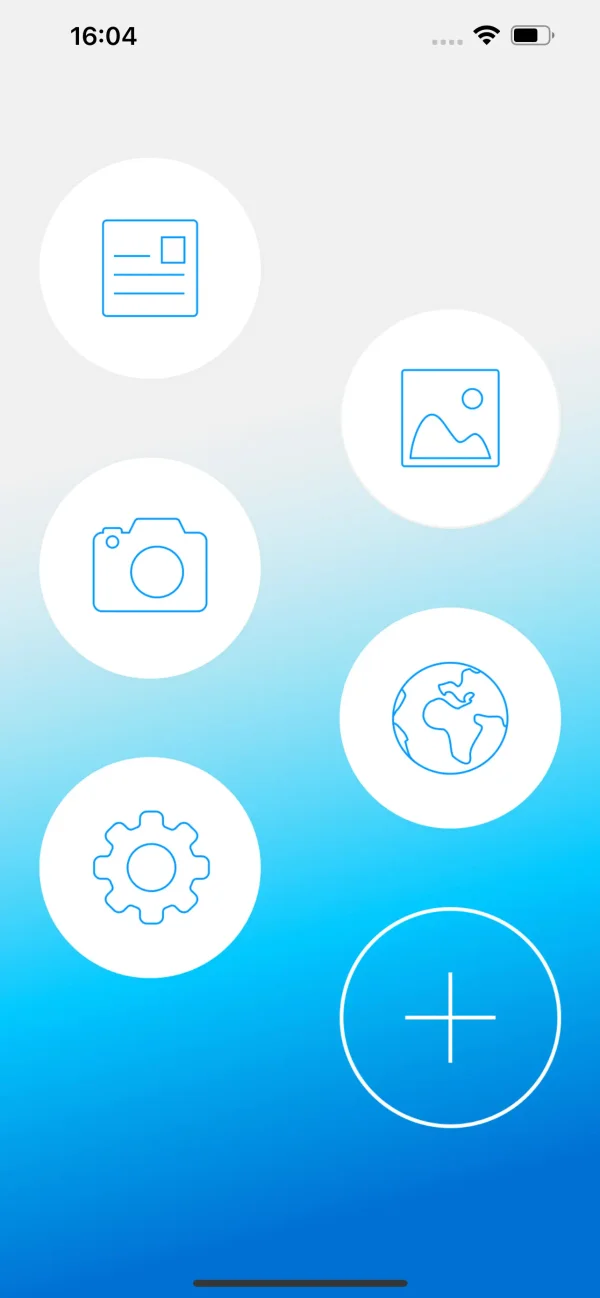
CASIO C-Mirroring is an iOS app that makes it possible to establish a network connection between an iPad, iPhone device and network-compatible CASIO Projector *1, and then project documents and images stored in the device's memory, real-time images picked up by the device's built-in camera, and browser screen images.
*1 Applicable Projector Models:
XJ-S400UN/S400WN
XJ-UT352WN
XJ-F211WN/XJ-F21XN
(Some models covered by this app may not be available in certain geographic areas.)
・File Viewer:
Projects documents and images *2 registered with CASIO C-Mirroring.
・Wireless Camera:
Projects real-time images picked up by the device's built-in camera.
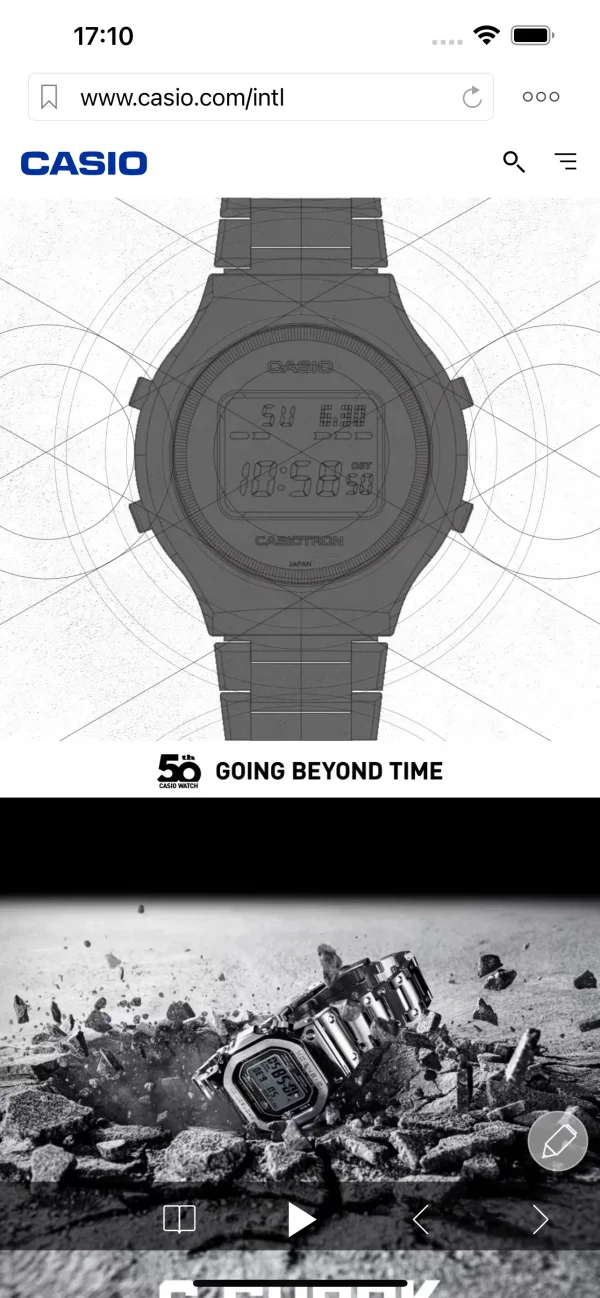
・Browser:
Uses the application's built-in web browser to project web pages with the projector.
*2 Projectable Document and Image Files
Microsoft Word (doc, docx)
Microsoft Excel (xls, xlsx)
Microsoft PowerPoint (ppt, pptx)
PDF
JPEG, PNG
Using CASIO C-Mirroring
Use the steps below to establish a connection between a smart device and projector with this app.
If you are already connected via a wireless LAN access point, refer to your projector's Network Function Guide.
(1) Configure projector network settings.
(2) Select "Network" as the projectors input source. This projects the standby screen, which shows network information.
(3) On the smart device, select the desired access point with "Settings" - "Wi-Fi" and establish a connection.
(4) Start up CASIO C-Mirroring.
(5) On the home screen, select the function you want and execute it.
(6) When you want to project with the projector, tap the Play button. When a connectable projector is found, select it. If a connectable projector isn't found, input IP address of the projector then connect to it.
Novedades
Versión 1.0.0 · 11/3/2024
Improved behavior
Privacidad de la aplicación
Lo que CASIO COMPUTER CO., LTD. declara en App Store sobre cómo esta aplicación gestiona los datos.
-
No se recopilan datos
El desarrollador no recopila ningún dato de esta aplicación.
Las prácticas de privacidad pueden variar, por ejemplo, según las funciones que uses o tu edad.
Información
- Vendedor
- CASIO COMPUTER CO., LTD.
- Categoría
- Productividad
- Versión
- 1.0.0
- Actualizado
- 11/3/2024
- Publicado
- 10/3/2024
- Tamaño
- 33,1 MB
- Requiere
- iOS 15.0 o posterior
- Clasificación por edad
- 17+
- Precio
- Gratis
- Idiomas
- Inglés, Japonés
- Copyright
- © 2024 CASIO Computer Co.Ltd,
Quizá también te guste
-
 Epson Projector Config ToolProductividad
-
 Epson Setting AssistantProductividad
-
 Epson iProjectionProductividad
-
 iHP48Productividad
-
 Smart Projector ControlProductividad
-
 Mapify: Mapa Mental con IAResumen de IA para mapa mental
-
 Duet DisplayBe Twice As Productive
-
 Mapas Mentales - MindMeisterVisualiza tus conceptos
-
 spacedesk - USB Display for PCProductividad
-
 Google CloudProductividad