
- Yaş sınırı17+
- KategoriÜretkenlik
- GeliştiriciCASIO COMPUTER CO., LTD.
- Dillerİngilizce+ 1 dil daha
- Boyut33,1 MB
Resmi App Store sayfasına bağlanır
Download.org, C-Mirroring için hiçbir dosya barındırmaz. Düğme, uygulamanın App Store üzerindeki sayfasını açar; uygulamayı orada CASIO COMPUTER CO., LTD. yayınlar. Sayfanın son kontrolü: 14.11.2026.
Ekran görüntüleri

Hakkında
Geliştirici bu metni dilinizde sunmamış.
Wireless operation for smooth meetings and presentations.
CASIO C-Mirroring is an iOS app that makes it possible to establish a network connection between an iPad, iPhone device and network-compatible CASIO Projector *1, and then project documents and images stored in the device's memory, real-time images picked up by the device's built-in camera, and browser screen images.
*1 Applicable Projector Models:
XJ-S400UN/S400WN
XJ-UT352WN
XJ-F211WN/XJ-F21XN
(Some models covered by this app may not be available in certain geographic areas.)
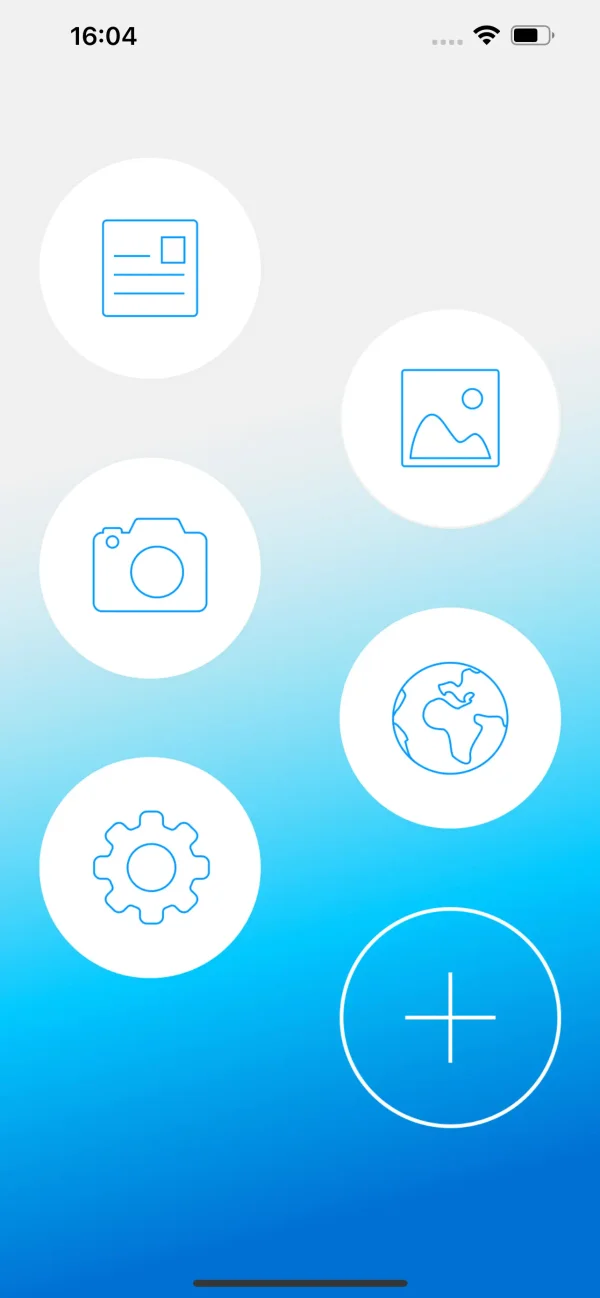
・File Viewer:
Projects documents and images *2 registered with CASIO C-Mirroring.
・Wireless Camera:
Projects real-time images picked up by the device's built-in camera.
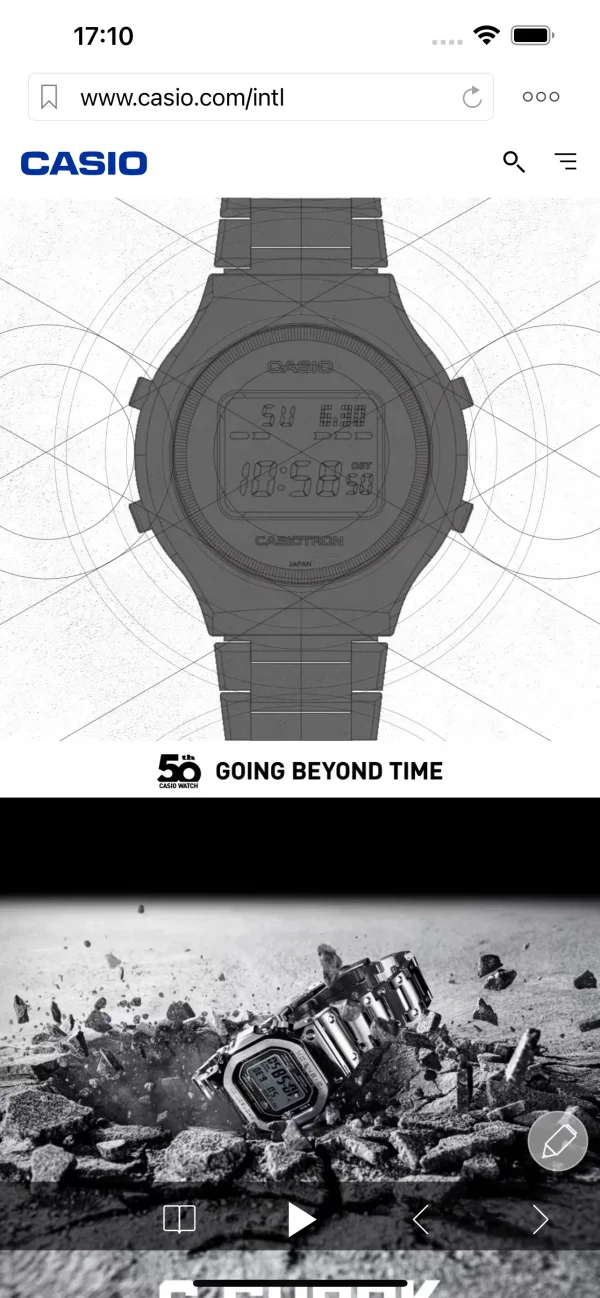
・Browser:
Uses the application's built-in web browser to project web pages with the projector.
*2 Projectable Document and Image Files
Microsoft Word (doc, docx)
Microsoft Excel (xls, xlsx)
Microsoft PowerPoint (ppt, pptx)
PDF
JPEG, PNG
Using CASIO C-Mirroring
Use the steps below to establish a connection between a smart device and projector with this app.
If you are already connected via a wireless LAN access point, refer to your projector's Network Function Guide.
(1) Configure projector network settings.
(2) Select "Network" as the projectors input source. This projects the standby screen, which shows network information.
(3) On the smart device, select the desired access point with "Settings" - "Wi-Fi" and establish a connection.
(4) Start up CASIO C-Mirroring.
(5) On the home screen, select the function you want and execute it.
(6) When you want to project with the projector, tap the Play button. When a connectable projector is found, select it. If a connectable projector isn't found, input IP address of the projector then connect to it.
Yenilikler
Sürüm 1.0.0 · 11.03.2024
Improved behavior
Uygulama gizliliği
Bu uygulamanın verileri nasıl işlediği hakkında CASIO COMPUTER CO., LTD. tarafından App Store üzerinde yapılan beyan.
-
Veri toplanmıyor
Geliştirici bu uygulamadan hiçbir veri toplamıyor.
Gizlilik uygulamaları, örneğin kullandığınız özelliklere veya yaşınıza göre değişiklik gösterebilir.
Bilgiler
- Satıcı
- CASIO COMPUTER CO., LTD.
- Kategori
- Üretkenlik
- Sürüm
- 1.0.0
- Güncellendi
- 11.03.2024
- Yayın tarihi
- 10.03.2024
- Boyut
- 33,1 MB
- Gereksinim
- iOS 15.0 veya sonrası
- Yaş sınırı
- 17+
- Fiyat
- Ücretsiz
- Diller
- İngilizce, Japonca
- Telif hakkı
- © 2024 CASIO Computer Co.Ltd,
Bunları da beğenebilirsiniz
-
 Epson Projector Config ToolÜretkenlik
-
 Epson Setting AssistantÜretkenlik
-
 Epson iProjectionÜretkenlik
-
 iHP48Üretkenlik
-
 Smart Projector ControlÜretkenlik
-
 Mapify: AI Mind Map SummarizerÜretkenlik
-
 Duet DisplayBe Twice As Productive
-
 Mind Mapping - MindMeisterÜretkenlik
-
 spacedesk - USB Display for PCÜretkenlik
-
 Google CloudÜretkenlik