
- Classification d’âge17+
- CatégorieProductivité
- DéveloppeurCASIO COMPUTER CO., LTD.
- LanguesAnglais+ 1 de plus
- Taille33,1 Mo
Renvoie vers la page App Store officielle
Download.org n’héberge aucun fichier de C-Mirroring. Le bouton ouvre la page de l’application sur App Store, où CASIO COMPUTER CO., LTD. la publie. Fiche vérifiée pour la dernière fois le 14/11/2026.
Captures d’écran

À propos
Le développeur n’a pas fourni ce texte dans votre langue.
Wireless operation for smooth meetings and presentations.
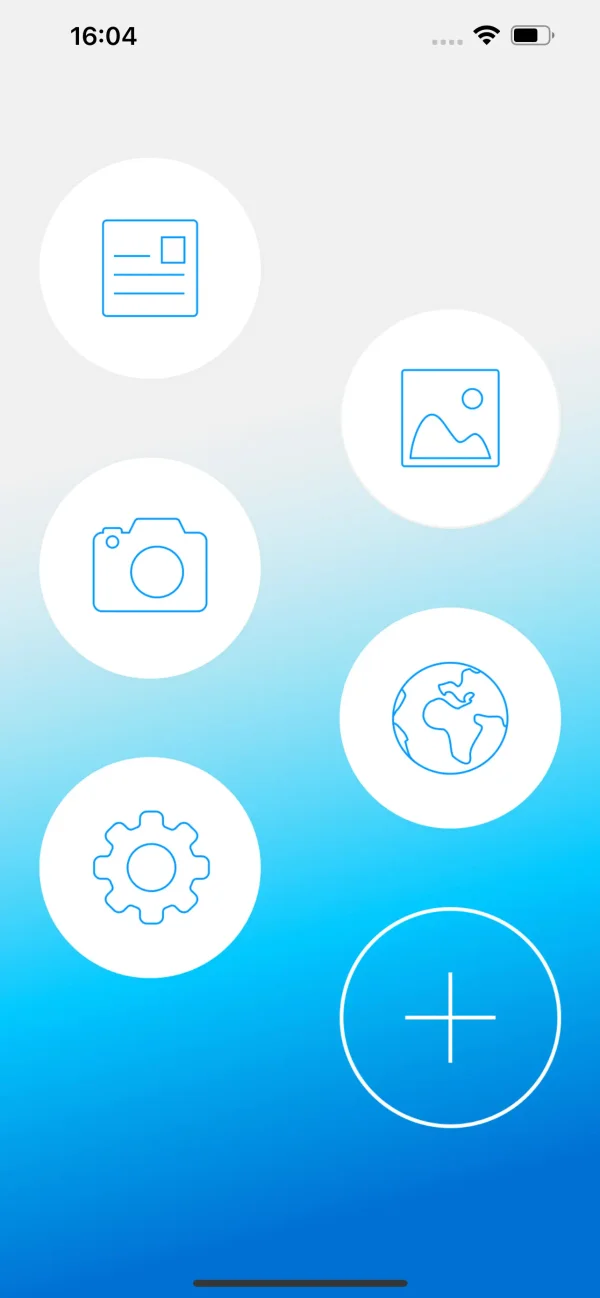
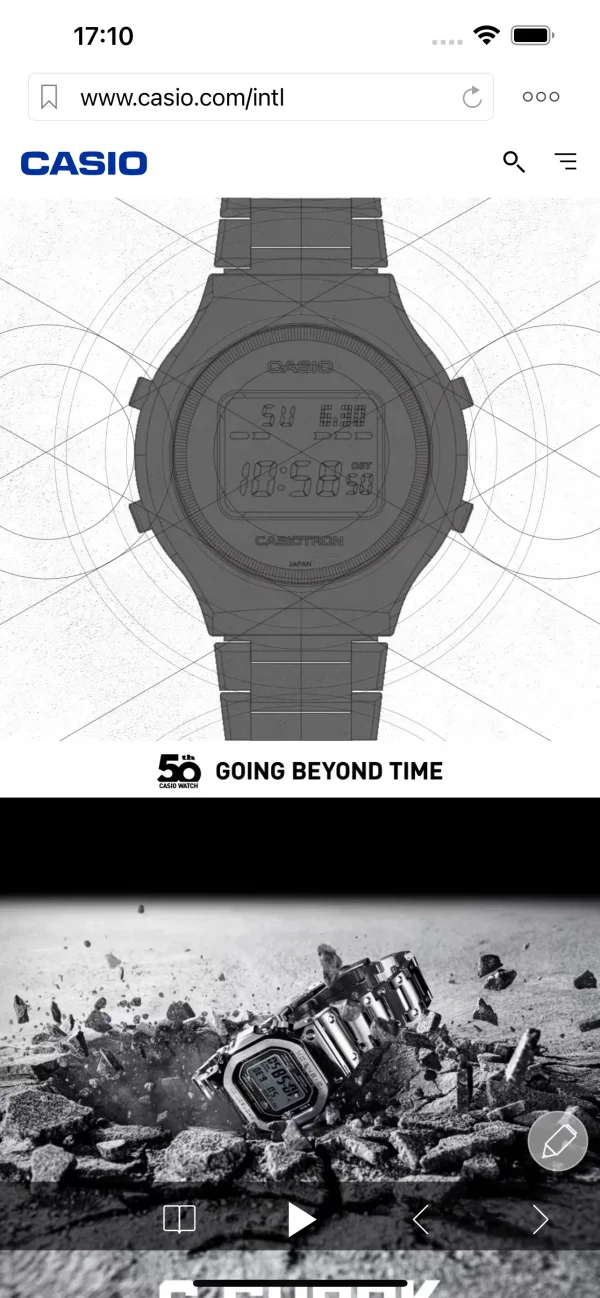
CASIO C-Mirroring is an iOS app that makes it possible to establish a network connection between an iPad, iPhone device and network-compatible CASIO Projector *1, and then project documents and images stored in the device's memory, real-time images picked up by the device's built-in camera, and browser screen images.
*1 Applicable Projector Models:
XJ-S400UN/S400WN
XJ-UT352WN
XJ-F211WN/XJ-F21XN
(Some models covered by this app may not be available in certain geographic areas.)
・File Viewer:
Projects documents and images *2 registered with CASIO C-Mirroring.
・Wireless Camera:
Projects real-time images picked up by the device's built-in camera.
・Browser:
Uses the application's built-in web browser to project web pages with the projector.
*2 Projectable Document and Image Files
Microsoft Word (doc, docx)
Microsoft Excel (xls, xlsx)
Microsoft PowerPoint (ppt, pptx)
PDF
JPEG, PNG
Using CASIO C-Mirroring
Use the steps below to establish a connection between a smart device and projector with this app.
If you are already connected via a wireless LAN access point, refer to your projector's Network Function Guide.
(1) Configure projector network settings.
(2) Select "Network" as the projectors input source. This projects the standby screen, which shows network information.
(3) On the smart device, select the desired access point with "Settings" - "Wi-Fi" and establish a connection.
(4) Start up CASIO C-Mirroring.
(5) On the home screen, select the function you want and execute it.
(6) When you want to project with the projector, tap the Play button. When a connectable projector is found, select it. If a connectable projector isn't found, input IP address of the projector then connect to it.
Nouveautés
Version 1.0.0 · 11/03/2024
Improved behavior
Confidentialité de l’application
Ce que CASIO COMPUTER CO., LTD. déclare sur l’App Store au sujet du traitement des données par cette application.
-
Données non collectées
Le développeur ne collecte aucune donnée à partir de cette application.
Les pratiques en matière de confidentialité peuvent varier, notamment en fonction des fonctionnalités que vous utilisez ou de votre âge.
Informations
- Vendeur
- CASIO COMPUTER CO., LTD.
- Catégorie
- Productivité
- Version
- 1.0.0
- Mis à jour
- 11/03/2024
- Publié
- 10/03/2024
- Taille
- 33,1 Mo
- Nécessite
- iOS 15.0 ou version ultérieure
- Classification d’âge
- 17+
- Prix
- Gratuit
- Langues
- Anglais, Japonais
- Copyright
- © 2024 CASIO Computer Co.Ltd,
Vous aimerez peut-être aussi
-
 Epson Projector Config ToolProductivité
-
 Epson Setting AssistantProductivité
-
 Epson iProjectionProductivité
-
 iHP48Productivité
-
 Smart Projector ControlProductivité
-
 Mapify : Cartes mentales AITout en cartes mentales par IA
-
 Duet DisplayBe Twice As Productive
-
 Carte Mentale - MindMeisterVisualisez pensées en ligne
-
 spacedesk - USB Display for PCProductivité
-
 Google CloudProductivité