
Captioner: Quick Add Captions
Animated captions, on device
Diseñada para iPhone, iPad, Mac
Gratis
- Clasificación por edad4+
- CategoríaFoto y vídeo
- DesarrolladorStephen Robles
- IdiomasInglés
- Tamaño9,4 MB
Enlaza a la página oficial de App Store
Download.org no aloja ningún archivo de Captioner: Quick Add Captions. El botón abre la página de la aplicación en App Store, donde la publica Stephen Robles. Ficha comprobada por última vez el 26/11/2026.
Capturas de pantalla

Acerca de
El desarrollador no ha proporcionado este texto en tu idioma.
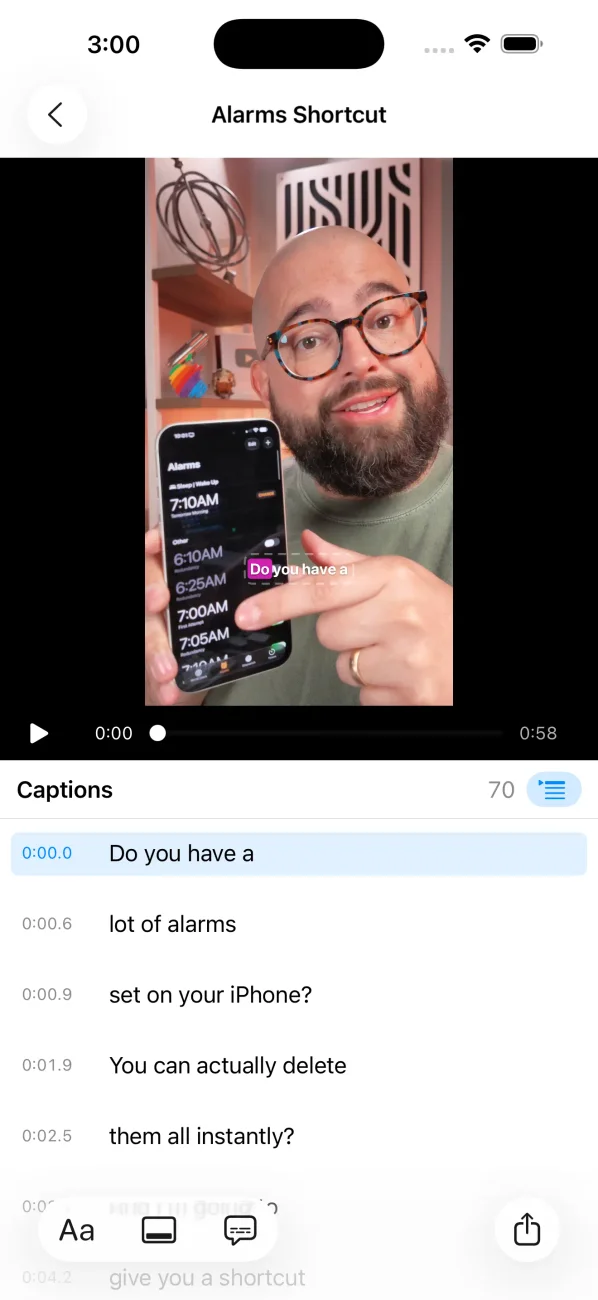
Captioner adds animated, word-by-word captions to your videos, entirely on your device. Drop in a clip, pick a style, fix any word, and export a new video with the captions burned in. Nothing is uploaded, there is no account, and it's free.
WORD BY WORD
Captioner listens to your video with Apple's on-device speech engine and keeps the moment every word is spoken, so the word being said lights up as it's said. Perfect for Reels, Shorts, TikTok and any video watched with the sound off.
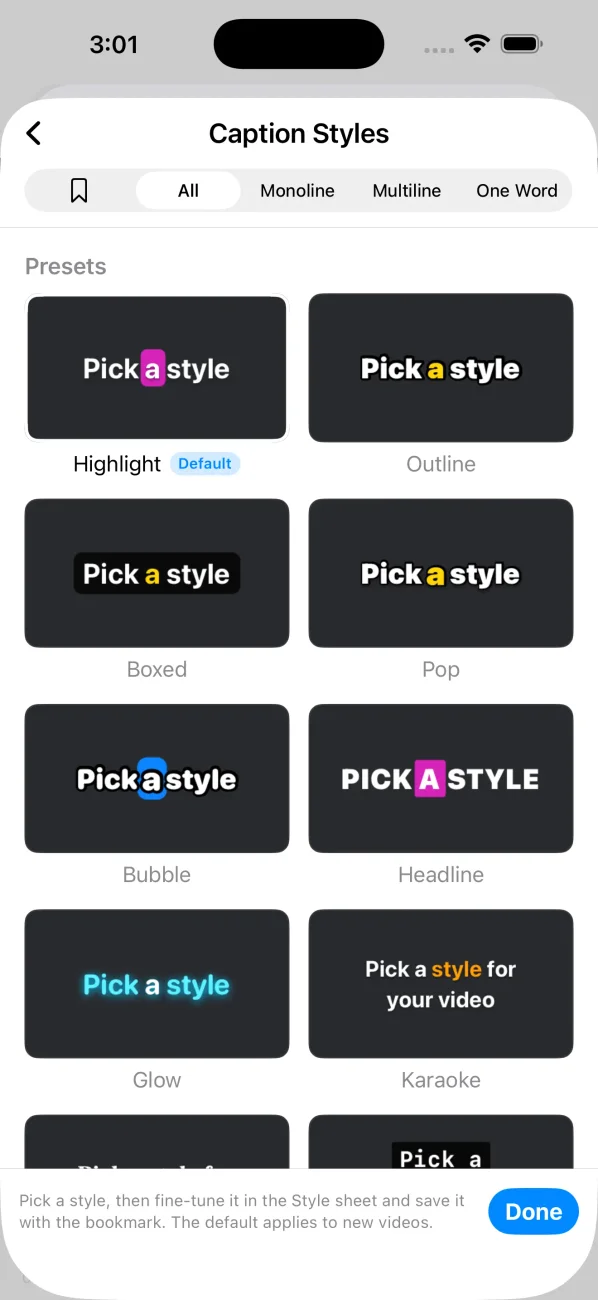
FIFTEEN STYLES, ALL YOURS TO CHANGE
Highlight boxes, outlines, karaoke colors, pops, typewriter reveals, boxed subtitles, and single-word styles that show only the spoken word. Every style's font, weight, size, case, colors, outline, shadow and animation can be changed. Use San Francisco in sans serif, rounded, serif or monospaced designs, any font on your device, or a font file you add. Save your own styles and make one the default for every new video.
PUT THEM WHERE YOU WANT
Drag the caption in the preview, or set a vertical position and left, center or right alignment. Vertical 9:16 and widescreen 16:9 videos each remember their own spot.
FIX THE WORDS
Every caption is editable next to the preview. Split a line before any word, merge two, delete one, or rebuild from the original recognition. Punctuation, title case and curse words are simple toggles.
TRANSLATE
Turn the captions into Spanish, French, German, Portuguese, Japanese, Chinese and dozens more with Apple's on-device translation, keeping them timed to the original speech.
YOUR VIDEO, UNTOUCHED
Exports keep the original resolution and frame rate, and the audio is copied exactly as it was. H.264 by default, HEVC if you prefer. Already have an SRT or WebVTT file? Use it instead of transcribing.
PRIVATE BY DESIGN
Speech recognition, translation and rendering all happen on your device. Captioner has no account, no analytics and no tracking.
The first time you caption a language, the system downloads Apple's speech model for it; after that it works offline. Captioner for Mac adds batch queues and watched folders that caption and export videos automatically.
Novedades
Versión 1.4 · 24/11/2026
Export Captions Only. Finish your edit somewhere else: Captioner can now export just the animated captions over a transparent background, ready to drop on top of your video in Final Cut Pro, Premiere Pro, DaVinci Resolve or any editor that reads transparency.
• Same size, frame rate and length as your video, so it lines up on the timeline. No audio, no watermark.
• ProRes 4444 by default, or HEVC with transparency for much smaller files (Settings › Export).
• On the Mac: File › Export Captions Only (⌥⌘E), the arrow beside Export, or right-click a video. On iPhone and iPad: beside Export in the editor; the file is saved to Captioner's folder in Files.
Privacidad de la aplicación
Lo que Stephen Robles declara en App Store sobre cómo esta aplicación gestiona los datos.
-
No se recopilan datos
El desarrollador no recopila ningún dato de esta aplicación.
Las prácticas de privacidad pueden variar, por ejemplo, según las funciones que uses o tu edad.
Información
- Vendedor
- Stephen Robles
- Categoría
- Foto y vídeo
- Versión
- 1.4
- Actualizado
- 24/11/2026
- Publicado
- 13/10/2026
- Tamaño
- 9,4 MB
- Requiere
- iOS 26.0 o posterior
- Clasificación por edad
- 4+
- Precio
- Gratis
- Idiomas
- Inglés
- Copyright
- © 2026 Stephen Robles
Quizá también te guste
-
 Clipora - Video SaverFoto y vídeo
-
 Lumora: tus fotos y vídeosTu vida también merece verse
-
 Shutterbug: Photo StacksFoto y vídeo
-
 MonthBox: Fotos por FechaAgrupa por mes y exporta ZIP
-
 PlayTube – PiP Floating VideoFoto y vídeo
-
 Popfold: Pop-up Photo CardsFoto y vídeo
-
 VideoRedactor - Blur and HideFoto y vídeo
-
 Movie EditorFoto y vídeo
-
 PicPost EZCapture, Note & Share Photos
-
 Shredly: trituradora de fotosOrdena tus fotos jugando