
Captioner: Quick Add Captions
Animated captions, on device
Dirancang untuk iPhone, iPad, Mac
Gratis
- Batasan usia4+
- KategoriFoto & Video
- PengembangStephen Robles
- BahasaInggris
- Ukuran9,4 MB
Tertaut ke halaman resmi App Store
Download.org tidak menyimpan file Captioner: Quick Add Captions apa pun. Tombol ini membuka halaman aplikasi di App Store, tempat Stephen Robles menerbitkannya. Halaman terakhir diperiksa pada 26/11/2026.
Tangkapan layar

Tentang
Pengembang belum menyediakan teks ini dalam bahasa Anda.
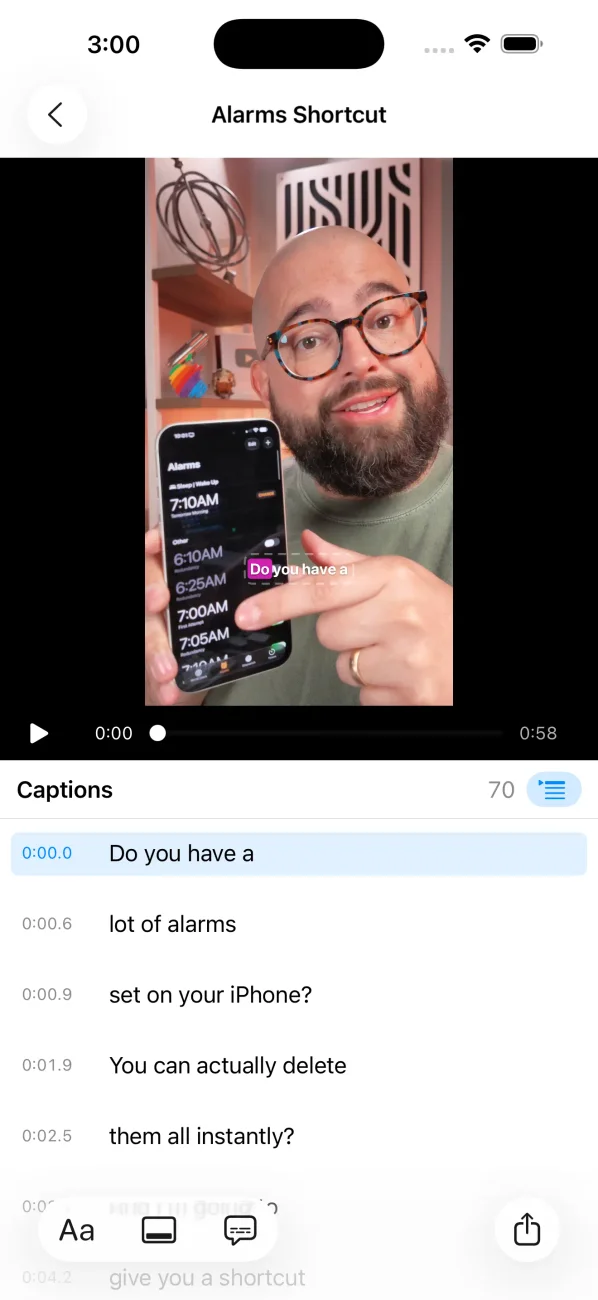
Captioner adds animated, word-by-word captions to your videos, entirely on your device. Drop in a clip, pick a style, fix any word, and export a new video with the captions burned in. Nothing is uploaded, there is no account, and it's free.
WORD BY WORD
Captioner listens to your video with Apple's on-device speech engine and keeps the moment every word is spoken, so the word being said lights up as it's said. Perfect for Reels, Shorts, TikTok and any video watched with the sound off.
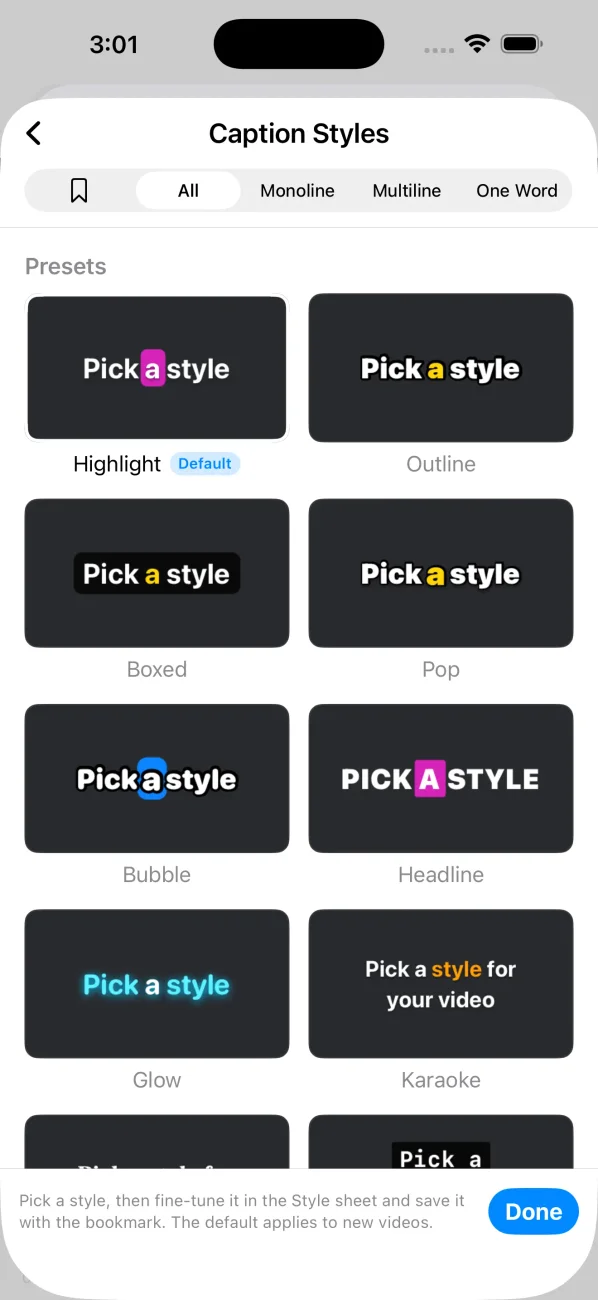
FIFTEEN STYLES, ALL YOURS TO CHANGE
Highlight boxes, outlines, karaoke colors, pops, typewriter reveals, boxed subtitles, and single-word styles that show only the spoken word. Every style's font, weight, size, case, colors, outline, shadow and animation can be changed. Use San Francisco in sans serif, rounded, serif or monospaced designs, any font on your device, or a font file you add. Save your own styles and make one the default for every new video.
PUT THEM WHERE YOU WANT
Drag the caption in the preview, or set a vertical position and left, center or right alignment. Vertical 9:16 and widescreen 16:9 videos each remember their own spot.
FIX THE WORDS
Every caption is editable next to the preview. Split a line before any word, merge two, delete one, or rebuild from the original recognition. Punctuation, title case and curse words are simple toggles.
TRANSLATE
Turn the captions into Spanish, French, German, Portuguese, Japanese, Chinese and dozens more with Apple's on-device translation, keeping them timed to the original speech.
YOUR VIDEO, UNTOUCHED
Exports keep the original resolution and frame rate, and the audio is copied exactly as it was. H.264 by default, HEVC if you prefer. Already have an SRT or WebVTT file? Use it instead of transcribing.
PRIVATE BY DESIGN
Speech recognition, translation and rendering all happen on your device. Captioner has no account, no analytics and no tracking.
The first time you caption a language, the system downloads Apple's speech model for it; after that it works offline. Captioner for Mac adds batch queues and watched folders that caption and export videos automatically.
Yang baru
Versi 1.4 · 24/11/2026
Export Captions Only. Finish your edit somewhere else: Captioner can now export just the animated captions over a transparent background, ready to drop on top of your video in Final Cut Pro, Premiere Pro, DaVinci Resolve or any editor that reads transparency.
• Same size, frame rate and length as your video, so it lines up on the timeline. No audio, no watermark.
• ProRes 4444 by default, or HEVC with transparency for much smaller files (Settings › Export).
• On the Mac: File › Export Captions Only (⌥⌘E), the arrow beside Export, or right-click a video. On iPhone and iPad: beside Export in the editor; the file is saved to Captioner's folder in Files.
Privasi aplikasi
Yang dinyatakan Stephen Robles di App Store tentang cara aplikasi ini menangani data.
-
Data tidak dikumpulkan
Pengembang tidak mengumpulkan data apa pun dari aplikasi ini.
Praktik privasi dapat bervariasi, misalnya berdasarkan fitur yang Anda gunakan atau usia Anda.
Informasi
- Penjual
- Stephen Robles
- Kategori
- Foto & Video
- Versi
- 1.4
- Diperbarui
- 24/11/2026
- Dirilis
- 13/10/2026
- Ukuran
- 9,4 MB
- Memerlukan
- iOS 26.0 atau yang lebih baru
- Batasan usia
- 4+
- Harga
- Gratis
- Bahasa
- Inggris
- Hak cipta
- © 2026 Stephen Robles
Mungkin Anda juga suka
-
 Clipora - Video SaverFoto & Video
-
 Lumora: Galeri Foto & VideoHidupmu juga layak ditonton
-
 Shutterbug: Photo StacksFoto & Video
-
 Photos by Date: MonthBoxFoto & Video
-
 PlayTube – PiP Floating VideoFoto & Video
-
 Popfold: Pop-up Photo CardsFoto & Video
-
 VideoRedactor - Blur and HideFoto & Video
-
 Movie EditorFoto & Video
-
 PicPost EZCapture, Note & Share Photos
-
 Shredly: Penghancur FotoRapikan foto dengan seru