
Captioner: Quick Add Captions
Animated captions, on device
Được thiết kế cho iPhone, iPad, Mac
Miễn phí
- Độ tuổi4+
- Danh mụcẢnh & Video
- Nhà phát triểnStephen Robles
- Ngôn ngữTiếng Anh
- Kích thước9,4 MB
Liên kết đến trang App Store chính thức
Download.org không lưu trữ tệp nào của Captioner: Quick Add Captions. Nút này mở trang ứng dụng trên App Store, nơi Stephen Robles phát hành ứng dụng. Trang được kiểm tra lần cuối: 26/11/2026.
Ảnh chụp màn hình

Giới thiệu
Nhà phát triển chưa cung cấp nội dung này bằng ngôn ngữ của bạn.
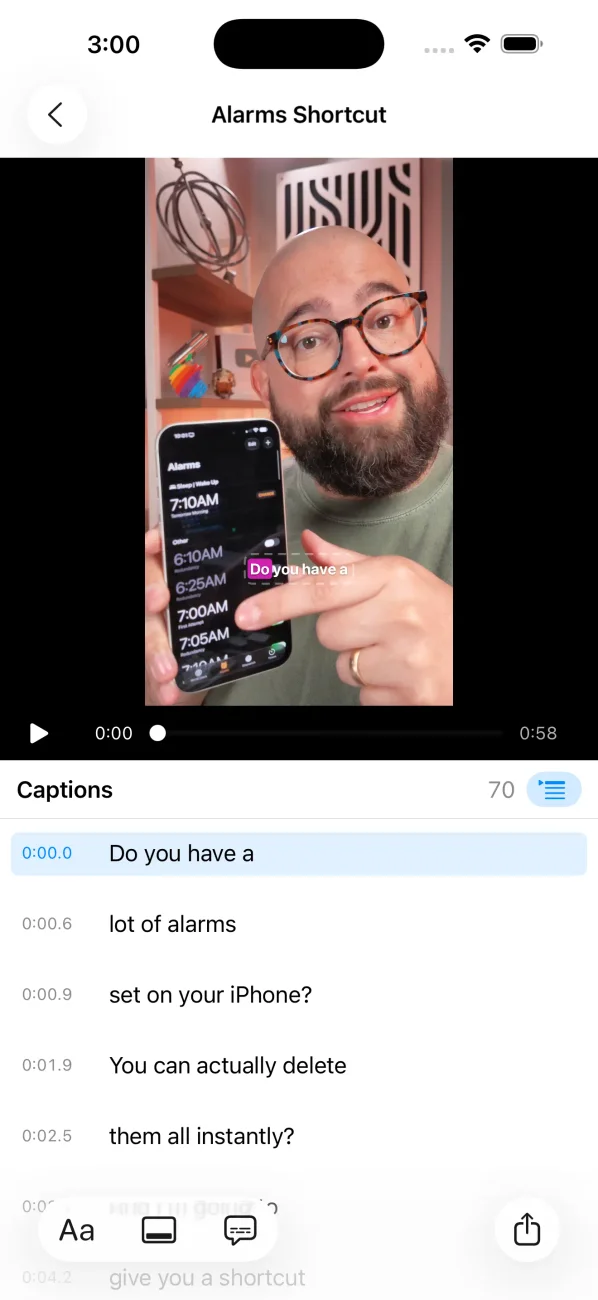
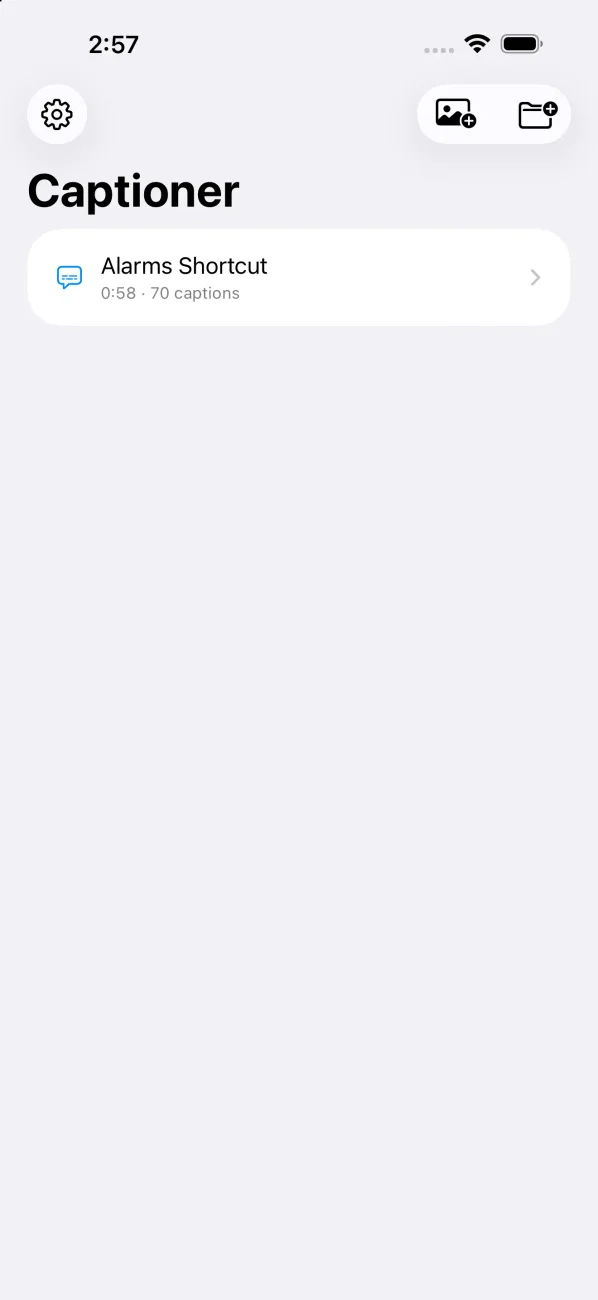
Captioner adds animated, word-by-word captions to your videos, entirely on your device. Drop in a clip, pick a style, fix any word, and export a new video with the captions burned in. Nothing is uploaded, there is no account, and it's free.
WORD BY WORD
Captioner listens to your video with Apple's on-device speech engine and keeps the moment every word is spoken, so the word being said lights up as it's said. Perfect for Reels, Shorts, TikTok and any video watched with the sound off.
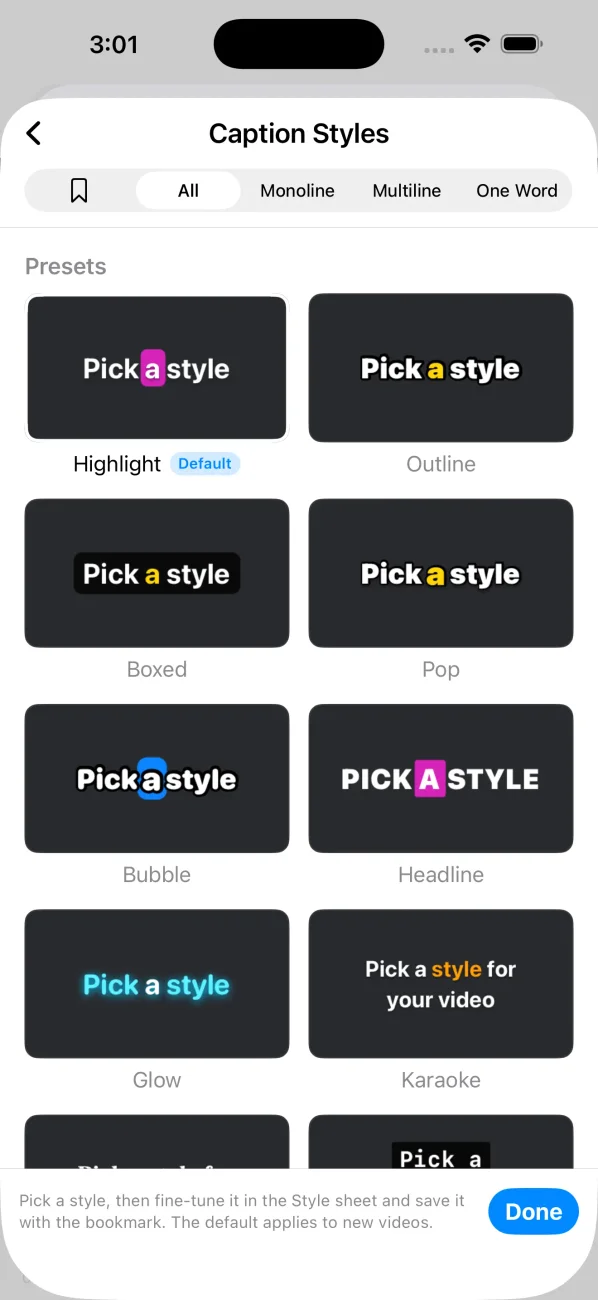
FIFTEEN STYLES, ALL YOURS TO CHANGE
Highlight boxes, outlines, karaoke colors, pops, typewriter reveals, boxed subtitles, and single-word styles that show only the spoken word. Every style's font, weight, size, case, colors, outline, shadow and animation can be changed. Use San Francisco in sans serif, rounded, serif or monospaced designs, any font on your device, or a font file you add. Save your own styles and make one the default for every new video.
PUT THEM WHERE YOU WANT
Drag the caption in the preview, or set a vertical position and left, center or right alignment. Vertical 9:16 and widescreen 16:9 videos each remember their own spot.
FIX THE WORDS
Every caption is editable next to the preview. Split a line before any word, merge two, delete one, or rebuild from the original recognition. Punctuation, title case and curse words are simple toggles.
TRANSLATE
Turn the captions into Spanish, French, German, Portuguese, Japanese, Chinese and dozens more with Apple's on-device translation, keeping them timed to the original speech.
YOUR VIDEO, UNTOUCHED
Exports keep the original resolution and frame rate, and the audio is copied exactly as it was. H.264 by default, HEVC if you prefer. Already have an SRT or WebVTT file? Use it instead of transcribing.
PRIVATE BY DESIGN
Speech recognition, translation and rendering all happen on your device. Captioner has no account, no analytics and no tracking.
The first time you caption a language, the system downloads Apple's speech model for it; after that it works offline. Captioner for Mac adds batch queues and watched folders that caption and export videos automatically.
Có gì mới
Phiên bản 1.4 · 24/11/2026
Export Captions Only. Finish your edit somewhere else: Captioner can now export just the animated captions over a transparent background, ready to drop on top of your video in Final Cut Pro, Premiere Pro, DaVinci Resolve or any editor that reads transparency.
• Same size, frame rate and length as your video, so it lines up on the timeline. No audio, no watermark.
• ProRes 4444 by default, or HEVC with transparency for much smaller files (Settings › Export).
• On the Mac: File › Export Captions Only (⌥⌘E), the arrow beside Export, or right-click a video. On iPhone and iPad: beside Export in the editor; the file is saved to Captioner's folder in Files.
Quyền riêng tư của ứng dụng
Những gì Stephen Robles khai báo trên App Store về cách ứng dụng này xử lý dữ liệu.
-
Dữ liệu không được thu thập
Nhà phát triển không thu thập bất kỳ dữ liệu nào từ ứng dụng này.
Phương thức đảm bảo quyền riêng tư có thể khác nhau, chẳng hạn như tuỳ theo các tính năng bạn sử dụng hoặc độ tuổi của bạn.
Thông tin
- Người bán
- Stephen Robles
- Danh mục
- Ảnh & Video
- Phiên bản
- 1.4
- Cập nhật
- 24/11/2026
- Phát hành
- 13/10/2026
- Kích thước
- 9,4 MB
- Yêu cầu
- iOS 26.0 trở lên
- Độ tuổi
- 4+
- Giá
- Miễn phí
- Ngôn ngữ
- Tiếng Anh
- Bản quyền
- © 2026 Stephen Robles
Có thể bạn cũng thích
-
 Clipora - Video SaverẢnh & Video
-
 Lumora: Lướt ảnh và videoĐời bạn cũng đáng để xem lại
-
 Shutterbug: Photo StacksẢnh & Video
-
 Photos by Date: MonthBoxẢnh & Video
-
 PlayTube – PiP Floating VideoẢnh & Video
-
 Popfold: Pop-up Photo CardsẢnh & Video
-
 VideoRedactor - Blur and HideẢnh & Video
-
 Movie EditorẢnh & Video
-
 PicPost EZCapture, Note & Share Photos
-
 Shredly: Máy hủy ảnhDọn ảnh vui như chơi