
- Clasificación por edad4+
- CategoríaEstilo de vida
- DesarrolladorNikita Losenco
- IdiomasInglés
- Tamaño36,4 MB
Enlaza a la página oficial de App Store
Download.org no aloja ningún archivo de ConaScanner. El botón abre la página de la aplicación en App Store, donde la publica Nikita Losenco. Ficha comprobada por última vez el 24/11/2026.
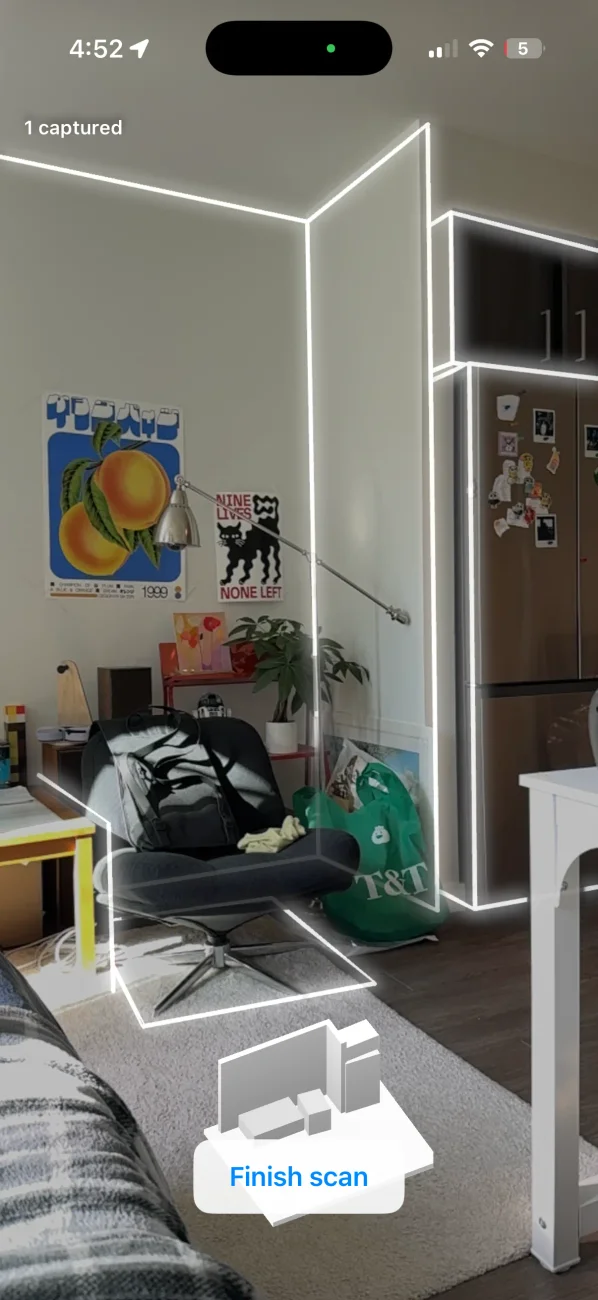
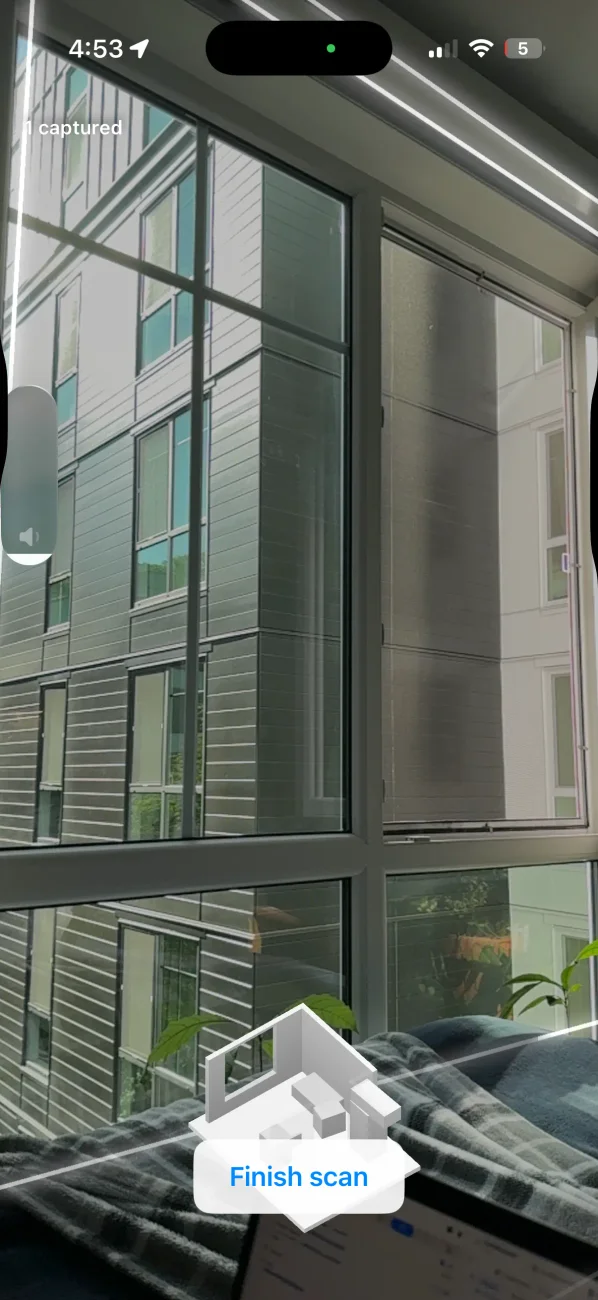
Capturas de pantalla
Acerca de
El desarrollador no ha proporcionado este texto en tu idioma.
Cona turns your real room into a 3D floor plan you can design, decorate, and explore — using just the LiDAR sensor on your iPhone.
Walk around your space, watch Cona detect walls, doors, windows, and furniture in real time, then open the result on the web to swap colors, drop in new pieces from a growing catalog, and visualize how everything fits before you move a thing.
HOW IT WORKS
1. Open cona.design on any computer or tablet.
2. Scan the on-screen QR code with your iPhone Camera — the scanner opens instantly via App Clip. No download required for your first scan.
3. Walk slowly around the room. Cona uses LiDAR to capture walls, openings, and furniture automatically.
4. Tap "Finish scan." Your 3D floor plan opens on the web, ready to edit.
WHAT YOU CAN DO
• Capture full rooms with accurate dimensions and proportions
• Auto-detect furniture and place 3D models in the right spot
• Add doors, windows, and openings with one tap during the scan
• Customize wall colors, flooring, and decor on the web
• Browse a catalog of real, ready-to-place 3D furniture on the web
• Start from a template (apartment, dorm room, studio) on cona.design when you don't have a scan yet
• Save your designs on cona.design and pick up where you left off on any device
PERFECT FOR
• Renters planning a layout before signing a lease
• Students checking which dorm room a desk and bed will fit in
• Homeowners testing a renovation before committing
• Anyone who's ever bought furniture that didn't actually fit
REQUIREMENTS
• iPhone with LiDAR (iPhone 12 Pro or newer, including iPhone 14 Pro and 15 Pro models)
• A clear, well-lit space helps the scanner see details
PRIVACY
Cona scans your room locally on the device. Scans are uploaded only when you choose to save them to your account, and you can delete them anytime.
Got feedback? We'd love to hear it. Reach us at hello@cona.design.
Novedades
Versión 1.7 · 23/11/2026
Cona is now a focused room scanner: scan your room and open it on cona.design. Get notified when your room is ready.
Privacidad de la aplicación
Lo que Nikita Losenco declara en App Store sobre cómo esta aplicación gestiona los datos.
-
Datos vinculados a ti
Pueden recopilarse y vincularse a tu identidad.
- Surroundings
Las prácticas de privacidad pueden variar, por ejemplo, según las funciones que uses o tu edad.
Información
- Vendedor
- Nikita Losenco
- Categoría
- Estilo de vida
- Versión
- 1.7
- Actualizado
- 23/11/2026
- Publicado
- 28/4/2026
- Tamaño
- 36,4 MB
- Requiere
- iOS 18.0 o posterior
- Clasificación por edad
- 4+
- Precio
- Gratis
- Idiomas
- Inglés
- Copyright
- © Roomify, Inc.
Quizá también te guste
-
 Floorleaf: 3D Floor Plan MakerEstilo de vida
-
 NarroPathEstilo de vida
-
 HomeStage3D: AI Room DesignerEstilo de vida
-
 Super - Therapy & ChatEstilo de vida
-
 Gorge Vale GCEstilo de vida
-
 WineDexEstilo de vida
-
 archelier — Diseño interior IARediseña tu casa en segundos
-
 OmeEstilo de vida
-
 Face Harmony: Análisis FacialEscaneo IA y plan de 90 días
-
 OE ChurchEstilo de vida