
- Age rating4+
- CategoryLifestyle
- DeveloperNikita Losenco
- LanguagesEnglish
- Size36.2 MB
Links to the official App Store page
Download.org hosts no file of ConaScanner. The button opens its official App Store page, published by Nikita Losenco. Listing last checked on Nov 23, 2026.
Screenshots
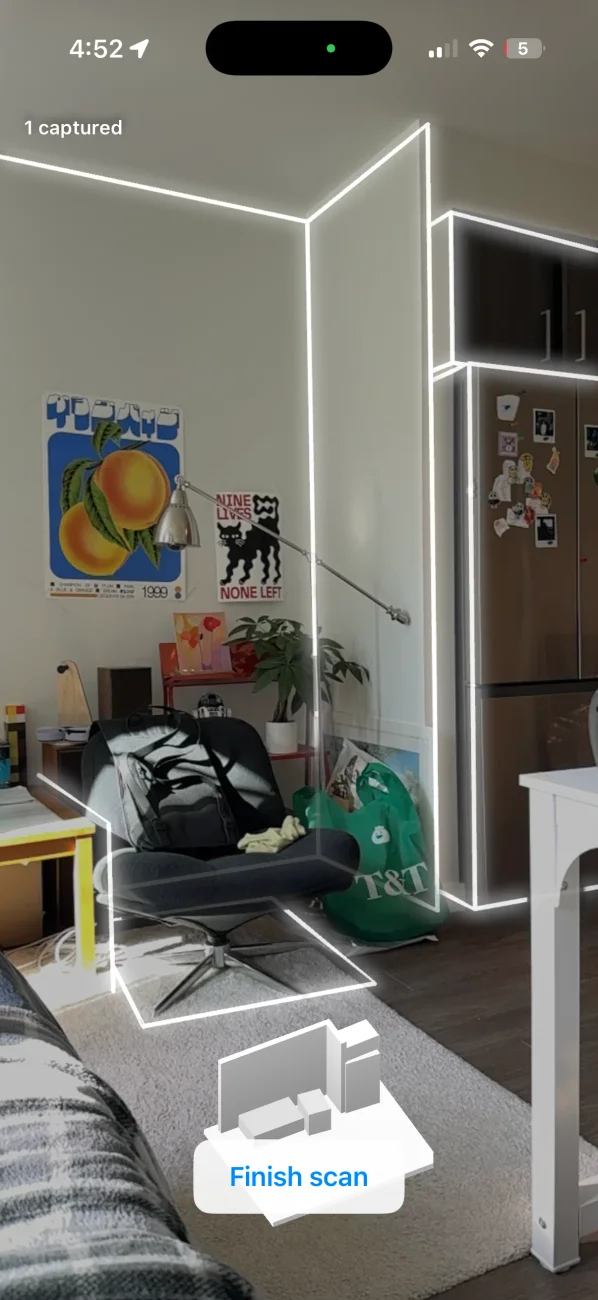
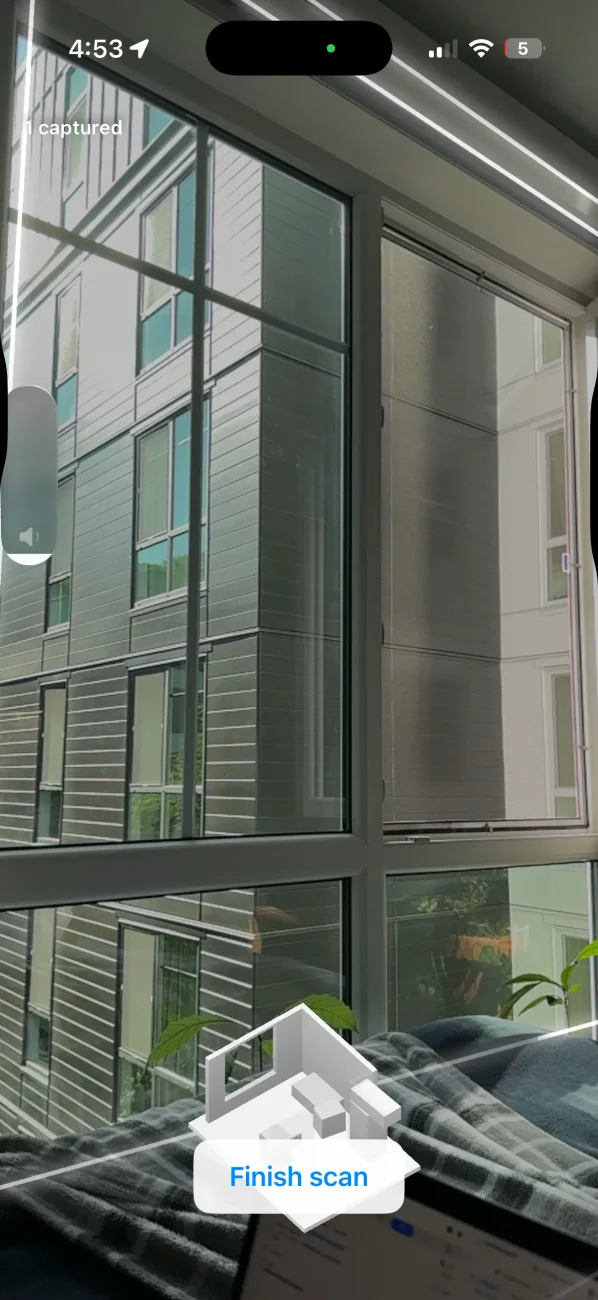
About
Cona turns your real room into a 3D floor plan you can design, decorate, and explore — using just the LiDAR sensor on your iPhone.
Walk around your space, watch Cona detect walls, doors, windows, and furniture in real time, then open the result on the web to swap colors, drop in new pieces from a growing catalog, and visualize how everything fits before you move a thing.
HOW IT WORKS
1. Open cona.design on any computer or tablet.
2. Scan the on-screen QR code with your iPhone Camera — the scanner opens instantly via App Clip. No download required for your first scan.
3. Walk slowly around the room. Cona uses LiDAR to capture walls, openings, and furniture automatically.
4. Tap "Finish scan." Your 3D floor plan opens on the web, ready to edit.
WHAT YOU CAN DO
• Capture full rooms with accurate dimensions and proportions
• Auto-detect furniture and place 3D models in the right spot
• Add doors, windows, and openings with one tap during the scan
• Customize wall colors, flooring, and decor on the web
• Browse a catalog of real, ready-to-place 3D furniture
• Start from a template (apartment, dorm room, studio) when you don't have a scan yet
• Save your designs and pick up where you left off across devices
PERFECT FOR
• Renters planning a layout before signing a lease
• Students checking which dorm room a desk and bed will fit in
• Homeowners testing a renovation before committing
• Anyone who's ever bought furniture that didn't actually fit
REQUIREMENTS
• iPhone with LiDAR (iPhone 12 Pro or newer, including iPhone 14 Pro and 15 Pro models)
• A clear, well-lit space helps the scanner see details
PRIVACY
Cona scans your room locally on the device. Scans are uploaded only when you choose to save them to your account, and you can delete them anytime.
Got feedback? We'd love to hear it. Reach us at hello@cona.design.
What’s new
Version 1.6 · Nov 18, 2026
You choose whether your room scans are shared: a new switch in Profile, and your answer now follows your account.
App privacy
What Nikita Losenco declares on the App Store about how this app handles data.
-
Data linked to you
May be collected and linked to your identity.
- Surroundings
Privacy practices may vary, for example with the features you use or your age.
Information
- Seller
- Nikita Losenco
- Category
- Lifestyle
- Version
- 1.6
- Updated
- Nov 18, 2026
- Released
- Apr 28, 2026
- Size
- 36.2 MB
- Requires
- iOS 18.0 or later
- Age rating
- 4+
- Price
- Free
- Languages
- English
- Copyright
- © Roomify, Inc.
You might also like
-
 Floorleaf: 3D Floor Plan MakerHouse & Room Planner – Offline
-
 NarroPathLifestyle
-
 HomeStage3D: AI Room DesignerFloor Plan, 3D Staging & AI
-
 Super - Therapy & ChatOnline Talk Therapy
-
 Gorge Vale GCLifestyle
-
 WineDexThe digital wine revolution
-
 archelier — AI Interior DesignRedesign any room in seconds
-
 OmeLifestyle
-
 Face Harmony: Face RatingAI Face Scan & 90-Day Plan
-
 OE ChurchLifestyle