
- Classification d’âge4+
- CatégorieStyle de vie
- DéveloppeurNikita Losenco
- LanguesAnglais
- Taille36,4 Mo
Renvoie vers la page App Store officielle
Download.org n’héberge aucun fichier de ConaScanner. Le bouton ouvre la page de l’application sur App Store, où Nikita Losenco la publie. Fiche vérifiée pour la dernière fois le 24/11/2026.
Captures d’écran
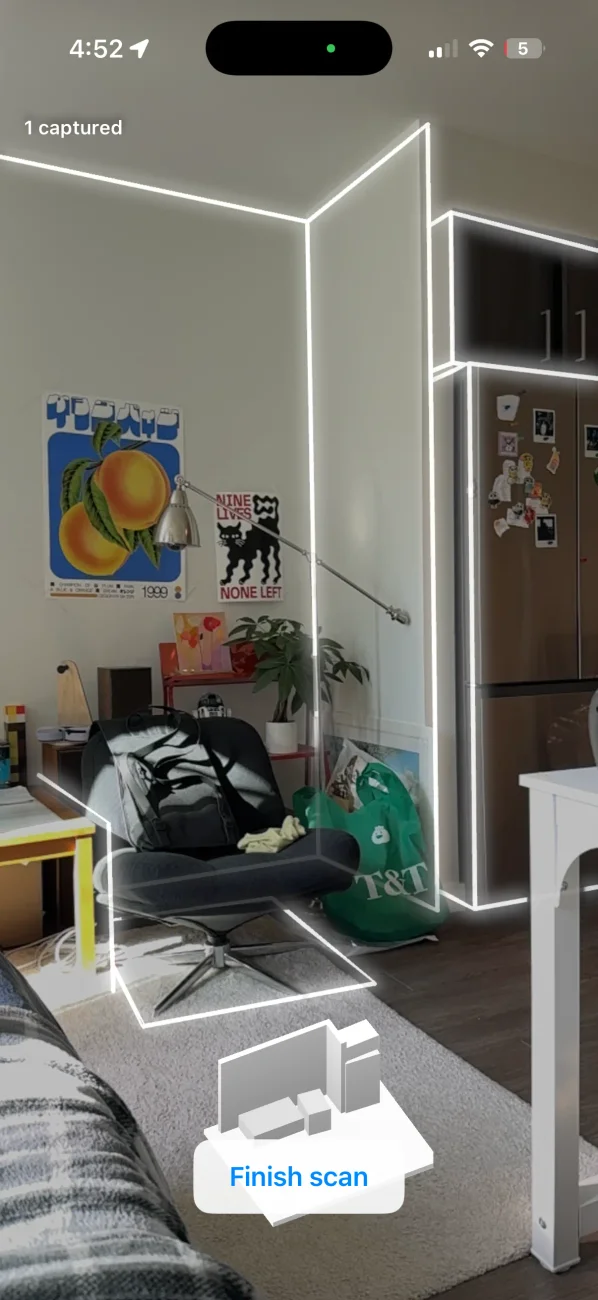
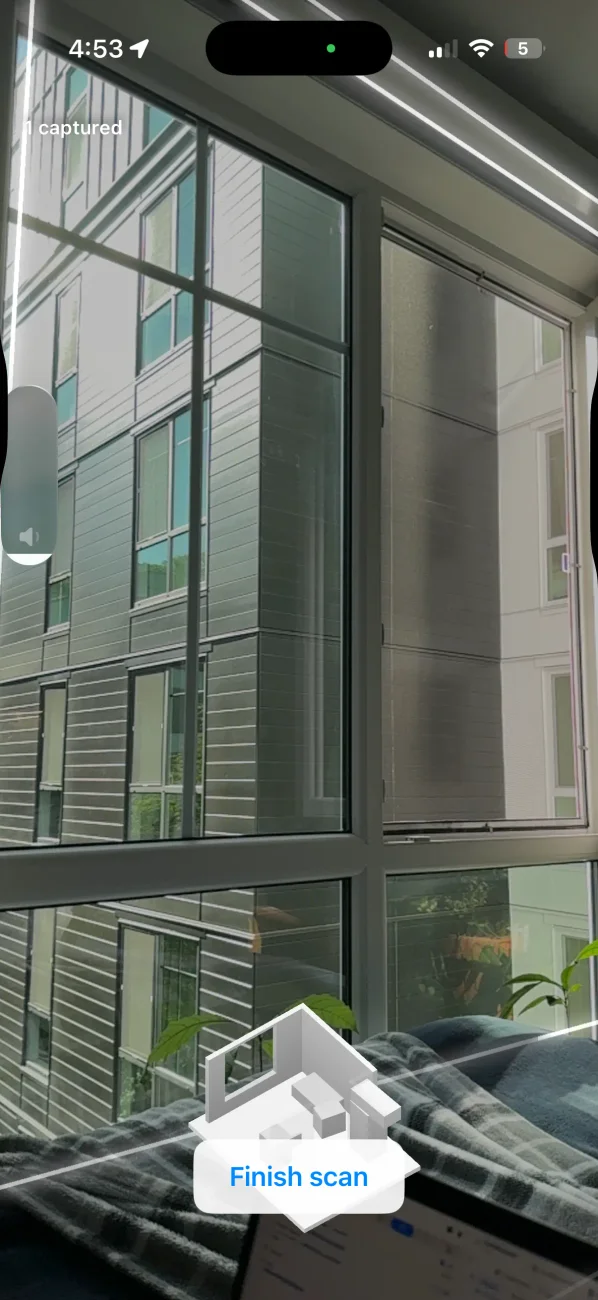
À propos
Le développeur n’a pas fourni ce texte dans votre langue.
Cona turns your real room into a 3D floor plan you can design, decorate, and explore — using just the LiDAR sensor on your iPhone.
Walk around your space, watch Cona detect walls, doors, windows, and furniture in real time, then open the result on the web to swap colors, drop in new pieces from a growing catalog, and visualize how everything fits before you move a thing.
HOW IT WORKS
1. Open cona.design on any computer or tablet.
2. Scan the on-screen QR code with your iPhone Camera — the scanner opens instantly via App Clip. No download required for your first scan.
3. Walk slowly around the room. Cona uses LiDAR to capture walls, openings, and furniture automatically.
4. Tap "Finish scan." Your 3D floor plan opens on the web, ready to edit.
WHAT YOU CAN DO
• Capture full rooms with accurate dimensions and proportions
• Auto-detect furniture and place 3D models in the right spot
• Add doors, windows, and openings with one tap during the scan
• Customize wall colors, flooring, and decor on the web
• Browse a catalog of real, ready-to-place 3D furniture on the web
• Start from a template (apartment, dorm room, studio) on cona.design when you don't have a scan yet
• Save your designs on cona.design and pick up where you left off on any device
PERFECT FOR
• Renters planning a layout before signing a lease
• Students checking which dorm room a desk and bed will fit in
• Homeowners testing a renovation before committing
• Anyone who's ever bought furniture that didn't actually fit
REQUIREMENTS
• iPhone with LiDAR (iPhone 12 Pro or newer, including iPhone 14 Pro and 15 Pro models)
• A clear, well-lit space helps the scanner see details
PRIVACY
Cona scans your room locally on the device. Scans are uploaded only when you choose to save them to your account, and you can delete them anytime.
Got feedback? We'd love to hear it. Reach us at hello@cona.design.
Nouveautés
Version 1.7 · 23/11/2026
Cona is now a focused room scanner: scan your room and open it on cona.design. Get notified when your room is ready.
Confidentialité de l’application
Ce que Nikita Losenco déclare sur l’App Store au sujet du traitement des données par cette application.
-
Données établissant un lien avec vous
Peuvent être collectées et liées à votre identité.
- Surroundings
Les pratiques en matière de confidentialité peuvent varier, notamment en fonction des fonctionnalités que vous utilisez ou de votre âge.
Informations
- Vendeur
- Nikita Losenco
- Catégorie
- Style de vie
- Version
- 1.7
- Mis à jour
- 23/11/2026
- Publié
- 28/04/2026
- Taille
- 36,4 Mo
- Nécessite
- iOS 18.0 ou version ultérieure
- Classification d’âge
- 4+
- Prix
- Gratuit
- Langues
- Anglais
- Copyright
- © Roomify, Inc.
Vous aimerez peut-être aussi
-
 Floorleaf: 3D Floor Plan MakerStyle de vie
-
 NarroPathStyle de vie
-
 HomeStage3D: AI Room DesignerStyle de vie
-
 Super - Therapy & ChatStyle de vie
-
 Gorge Vale GCStyle de vie
-
 WineDexLa révolution numérique du vin
-
 archelier — Déco intérieure IARelooking de pièce en secondes
-
 OmeStyle de vie
-
 Face Harmony : Score VisageScan IA et plan sur 90 jours
-
 OE ChurchStyle de vie