
CopyReady 3i
GET ACCESS TO DATA WITH A TAP
Diseñada para iPhone, iPad
Gratis · Compras en la aplicación
- Clasificación por edad4+
- CategoríaProductividad
- DesarrolladorTomoyuki Okawa
- IdiomasInglés
- Tamaño8,8 MB
Enlaza a la página oficial de App Store
Download.org no aloja ningún archivo de CopyReady 3i. El botón abre la página de la aplicación en App Store, donde la publica Tomoyuki Okawa. Ficha comprobada por última vez el 6/11/2026.
Capturas de pantalla

Acerca de
El desarrollador no ha proporcionado este texto en tu idioma.
- GET QUICK ACCESS TO DATA THAT YOU WANT TO COPY AND PASTE WITH JUST A TAP OF THE MOUSE -
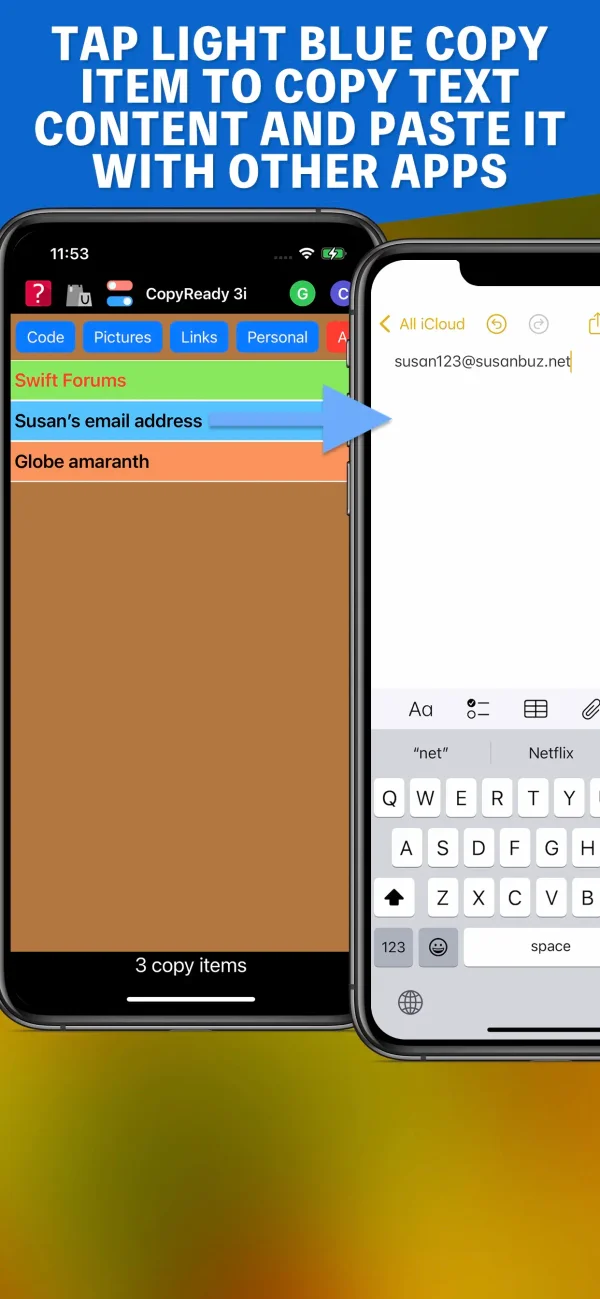
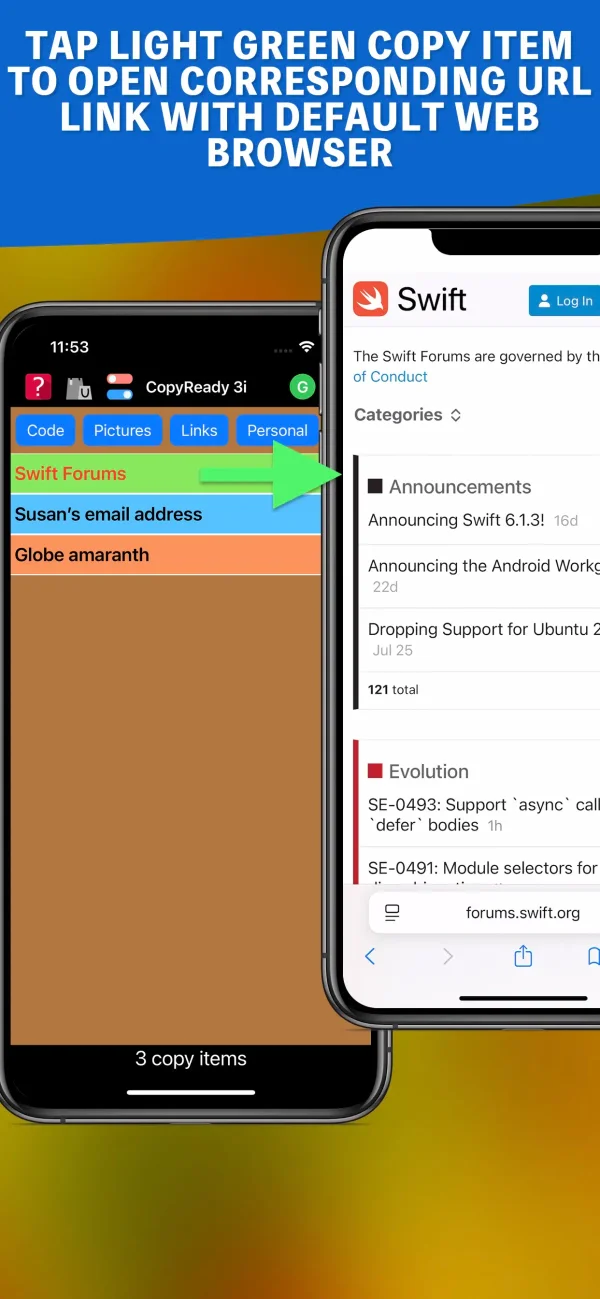
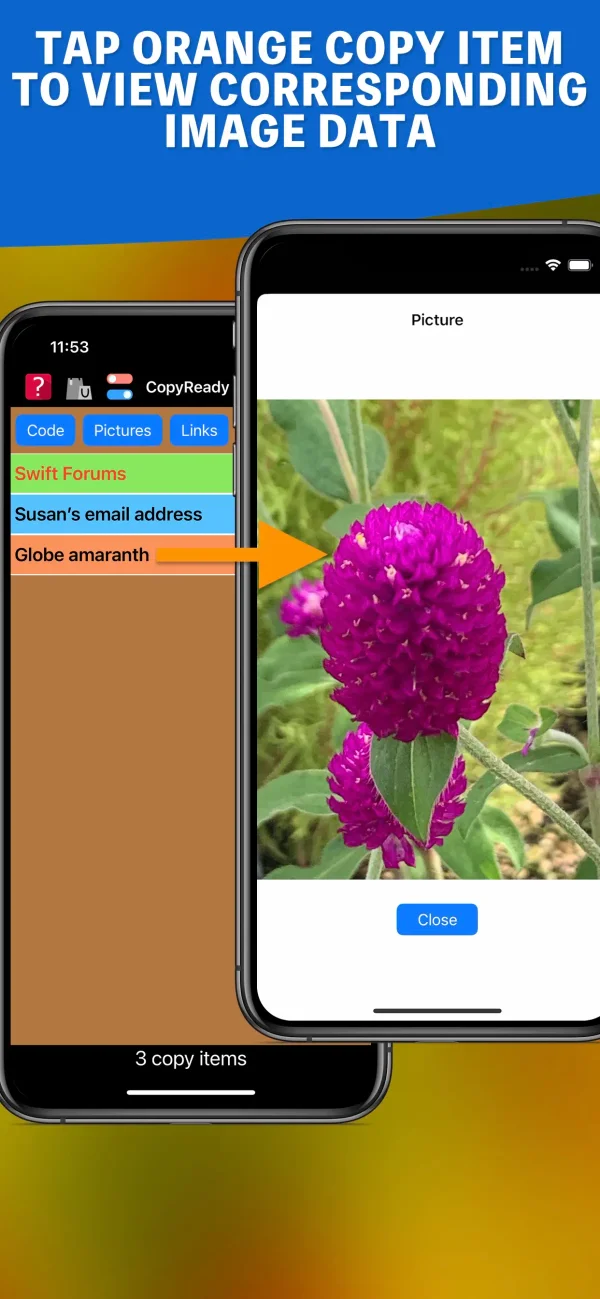
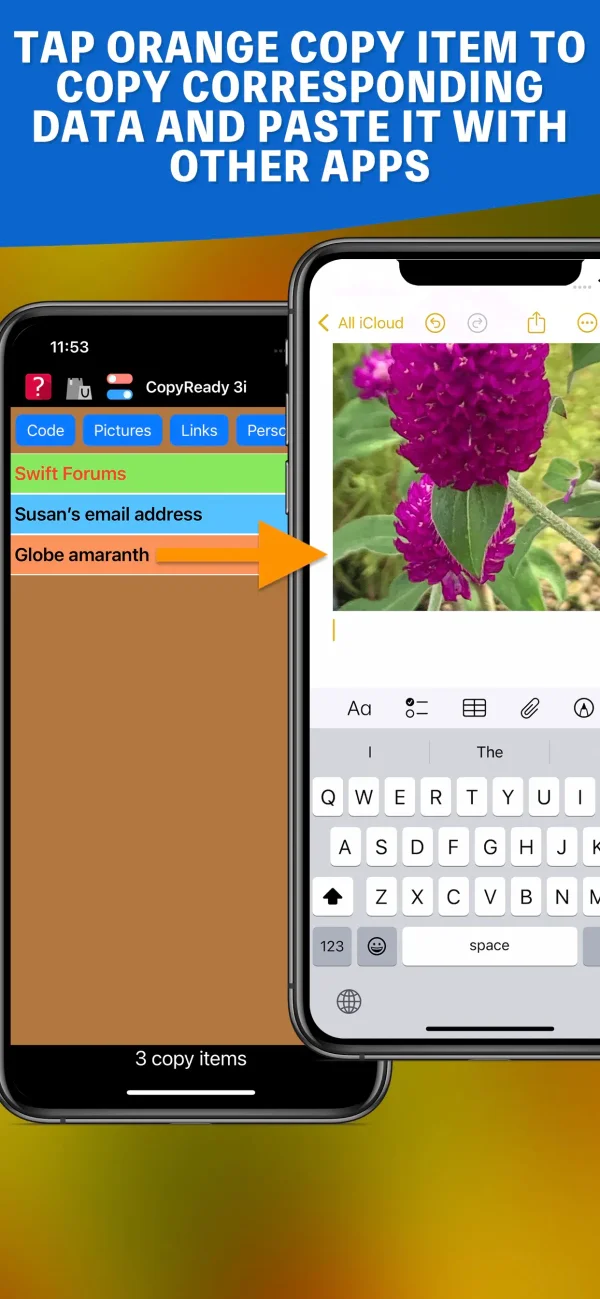
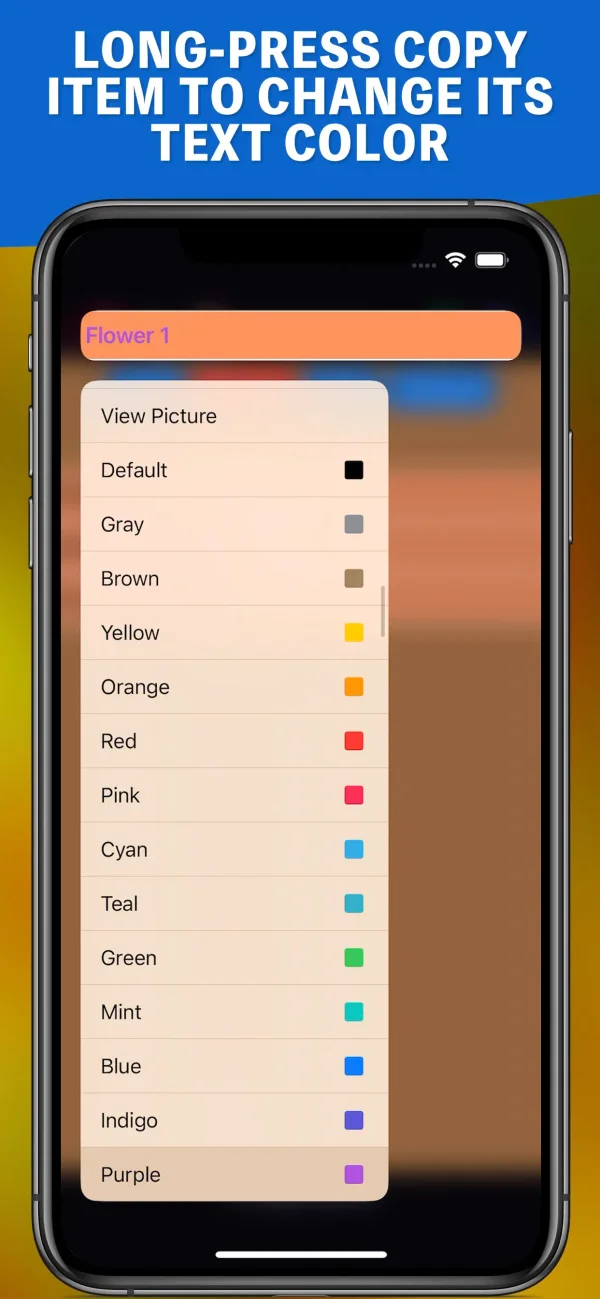
CopyReady 3i is a direct conversion of a desktop application titled CopyReady 3. Just like the desktop version, it lets you manage three different types of files: Text, Image and URL. After you create a group, open the copy item menu and tap the Cr button to create copy items. When you tap a light blue copy item button under the current group button (in red), CopyReady will copy the corresponding text content into the system clipboard. So you can use it long-pressing and selecting Paste with other apps. When you tap an orange copy item button, CopyReady will copy the corresponding image into the system clipboard. You can preview it with this app, or you can use it with other apps by long-press and selecting Paste. Finally, tap a light green copy item button, and CopyReady will open the corresponding URL with your default web browser.
Light blue copy item -> Text
Orange copy item -> Image
Light green copy item -> URL
You can have multiple groups, even tens or hundreds of them. If you have more than one, tap one. And make it active. The current group is shown in red, others being blue. Of course, you can change these group colors.
It's free to download and use it. And you can create as many as 10 copy items without a subscription.
In summary, get copy-ready with CopyReady 3i!
- End user license agreement */
https://blog.mhvt.net/?p=7629#termsofuse
Novedades
Versión 3.2.1 · 4/10/2025
1. The app now supports the landscape orientation for iPad.
Privacidad de la aplicación
Lo que Tomoyuki Okawa declara en App Store sobre cómo esta aplicación gestiona los datos.
-
No se recopilan datos
El desarrollador no recopila ningún dato de esta aplicación.
Las prácticas de privacidad pueden variar, por ejemplo, según las funciones que uses o tu edad.
Información
- Vendedor
- Tomoyuki Okawa
- Categoría
- Productividad
- Versión
- 3.2.1
- Actualizado
- 4/10/2025
- Publicado
- 1/10/2025
- Tamaño
- 8,8 MB
- Requiere
- iOS 17.0 o posterior
- Clasificación por edad
- 4+
- Precio
- Gratis
- Compras en la aplicación
- Sí
- Idiomas
- Inglés
- Copyright
- © 2025 Tomato Software
Quizá también te guste
-
 PDF To PNG AppProductividad
-
 Word Editor: DOCX DocumentsProductividad
-
 Plander: Gestión de horariosPlanificador mínimo · Widgets
-
 ChatMentor: Smart AI AssistantProductividad
-
 Extended File InfoProductividad
-
 FreeSite, creador de sitio webHaz sitios web de manera fácil
-
 All Document ReaderProductividad
-
 xTiles: notes, tasks, projectsProductividad
-
 Deep Cleaner:AI Clean UpLiberar espacio, duplicadas
-
 minimalist phone: Bloquea appsTempo di utilizzo e focus