
CopyReady 3i
GET ACCESS TO DATA WITH A TAP
Conçue pour iPhone, iPad
Gratuit · Achats intégrés
- Classification d’âge4+
- CatégorieProductivité
- DéveloppeurTomoyuki Okawa
- LanguesAnglais
- Taille8,8 Mo
Renvoie vers la page App Store officielle
Download.org n’héberge aucun fichier de CopyReady 3i. Le bouton ouvre la page de l’application sur App Store, où Tomoyuki Okawa la publie. Fiche vérifiée pour la dernière fois le 06/11/2026.
Captures d’écran

À propos
Le développeur n’a pas fourni ce texte dans votre langue.
- GET QUICK ACCESS TO DATA THAT YOU WANT TO COPY AND PASTE WITH JUST A TAP OF THE MOUSE -
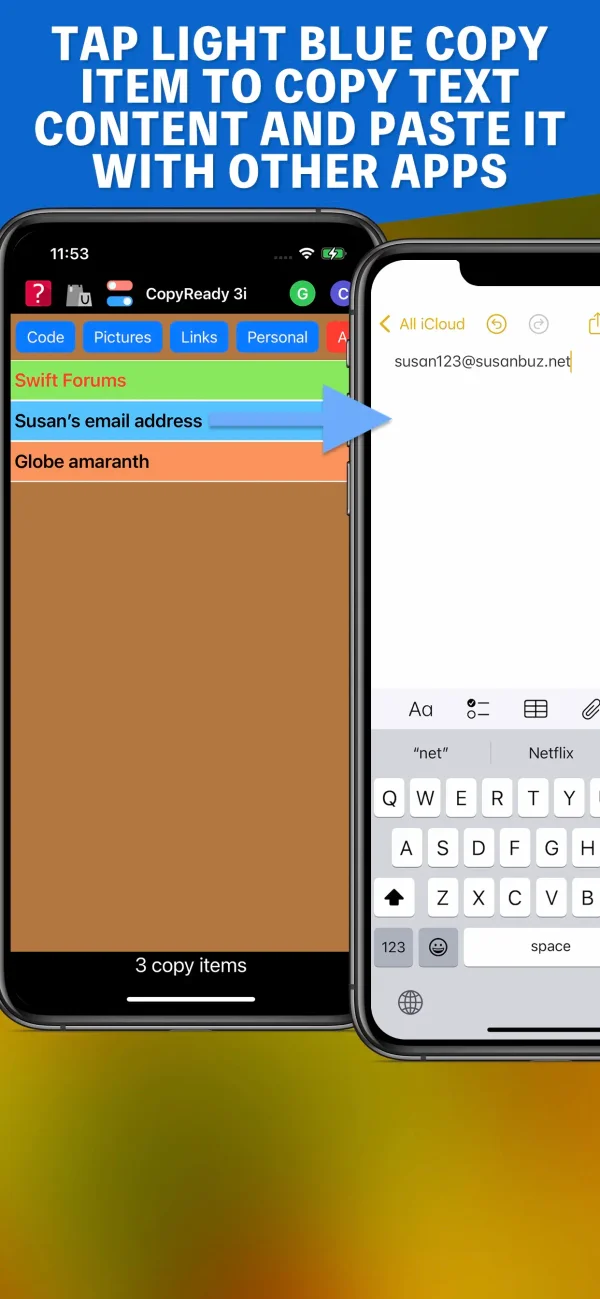
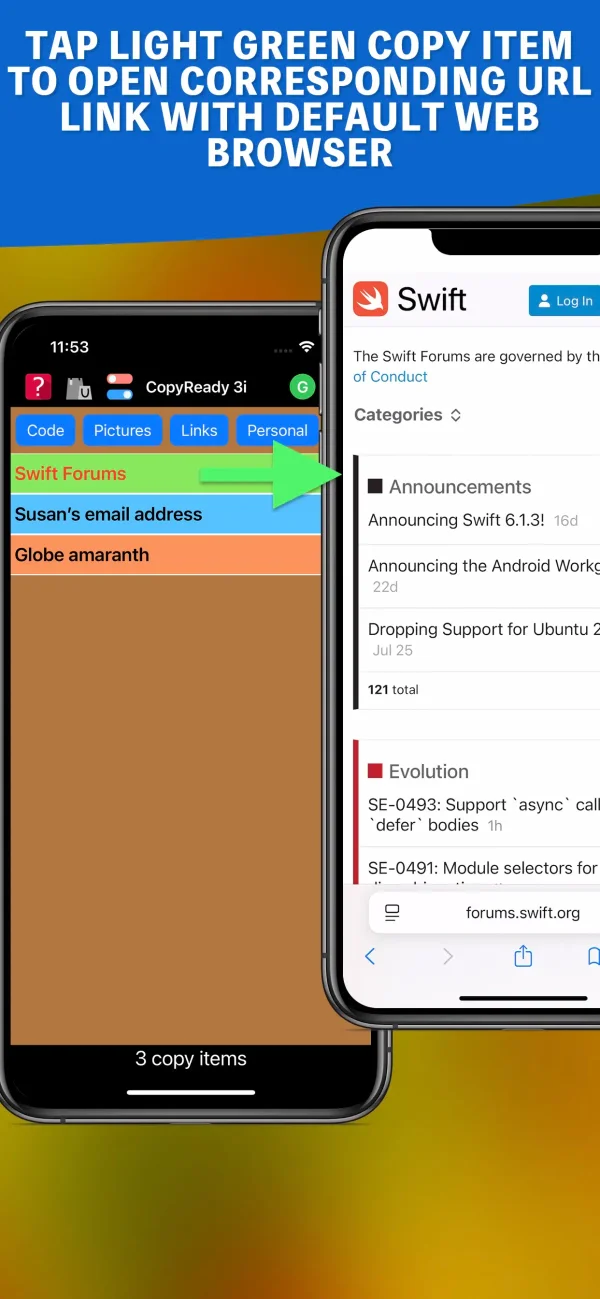
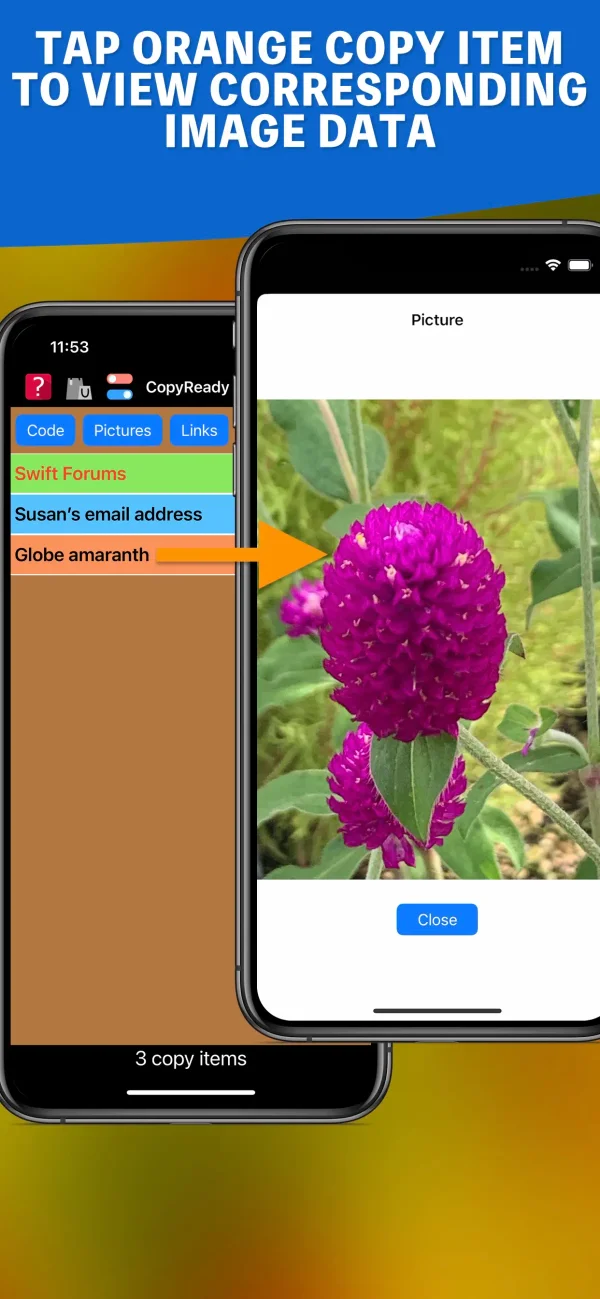
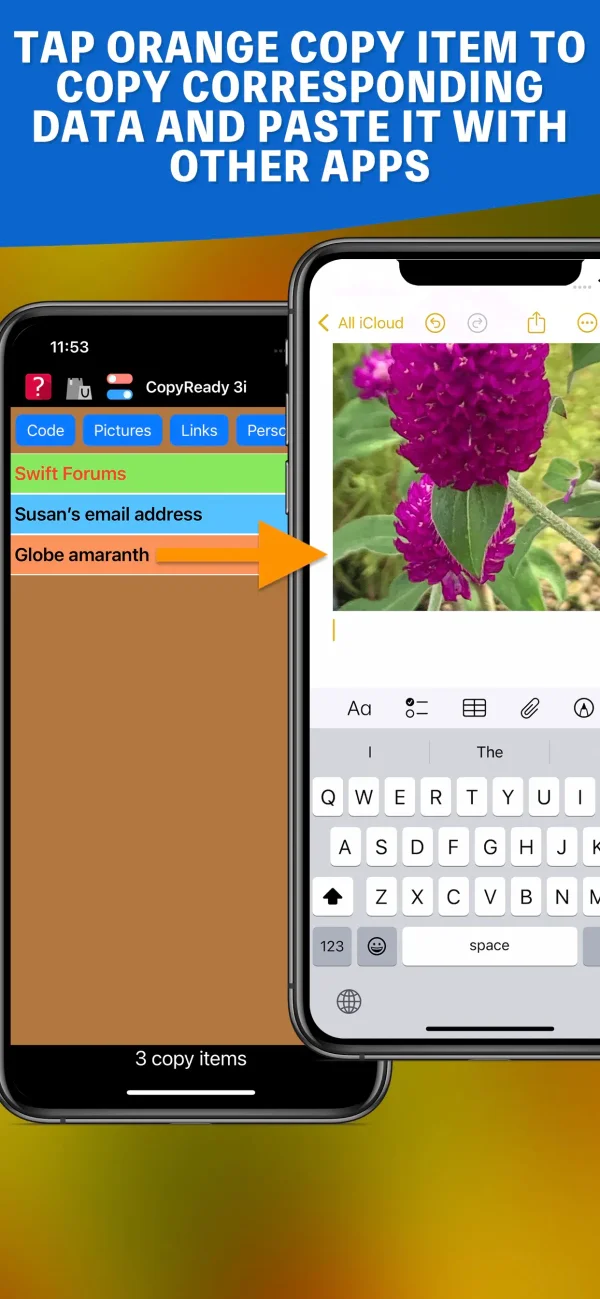
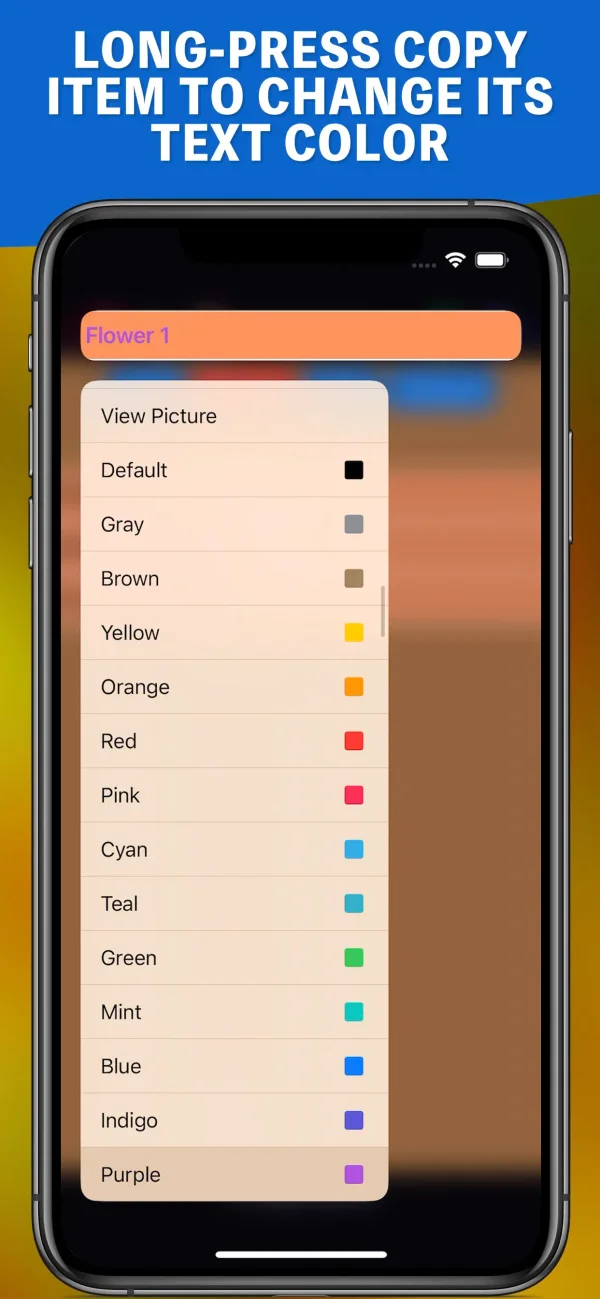
CopyReady 3i is a direct conversion of a desktop application titled CopyReady 3. Just like the desktop version, it lets you manage three different types of files: Text, Image and URL. After you create a group, open the copy item menu and tap the Cr button to create copy items. When you tap a light blue copy item button under the current group button (in red), CopyReady will copy the corresponding text content into the system clipboard. So you can use it long-pressing and selecting Paste with other apps. When you tap an orange copy item button, CopyReady will copy the corresponding image into the system clipboard. You can preview it with this app, or you can use it with other apps by long-press and selecting Paste. Finally, tap a light green copy item button, and CopyReady will open the corresponding URL with your default web browser.
Light blue copy item -> Text
Orange copy item -> Image
Light green copy item -> URL
You can have multiple groups, even tens or hundreds of them. If you have more than one, tap one. And make it active. The current group is shown in red, others being blue. Of course, you can change these group colors.
It's free to download and use it. And you can create as many as 10 copy items without a subscription.
In summary, get copy-ready with CopyReady 3i!
- End user license agreement */
https://blog.mhvt.net/?p=7629#termsofuse
Nouveautés
Version 3.2.1 · 04/10/2025
1. The app now supports the landscape orientation for iPad.
Confidentialité de l’application
Ce que Tomoyuki Okawa déclare sur l’App Store au sujet du traitement des données par cette application.
-
Données non collectées
Le développeur ne collecte aucune donnée à partir de cette application.
Les pratiques en matière de confidentialité peuvent varier, notamment en fonction des fonctionnalités que vous utilisez ou de votre âge.
Informations
- Vendeur
- Tomoyuki Okawa
- Catégorie
- Productivité
- Version
- 3.2.1
- Mis à jour
- 04/10/2025
- Publié
- 01/10/2025
- Taille
- 8,8 Mo
- Nécessite
- iOS 17.0 ou version ultérieure
- Classification d’âge
- 4+
- Prix
- Gratuit
- Achats intégrés
- Oui
- Langues
- Anglais
- Copyright
- © 2025 Tomato Software
Vous aimerez peut-être aussi
-
 PDF To PNG AppProductivité
-
 Word Editor: DOCX DocumentsProductivité
-
 Plander: Tâches & CalendrierAgenda minimal · Widgets
-
 ChatMentor: Smart AI AssistantProductivité
-
 Extended File InfoProductivité
-
 FreeSite, créateur de site webFaites vos sites sans peine
-
 All Document ReaderProductivité
-
 xTiles: notes, tasks, projectsProductivité
-
 Deep Cleaner:AI Clean UpNettoyage du contacts, photos
-
 minimalist phone Blocquer Appslimite de temps d'écran