
- 対象年齢4+
- カテゴリ仕事効率化
- 開発元Tomoyuki Okawa
- 言語英語
- サイズ8.8 MB
App Storeの公式ページにリンクしています
Download.orgはCopyReady 3iのファイルを一切ホストしていません。ボタンを押すと、Tomoyuki Okawaが公開しているApp Storeのアプリページが開きます。ページの最終確認:2026/11/6。
スクリーンショット

概要
開発元はこのテキストをお使いの言語で提供していません。
- GET QUICK ACCESS TO DATA THAT YOU WANT TO COPY AND PASTE WITH JUST A TAP OF THE MOUSE -
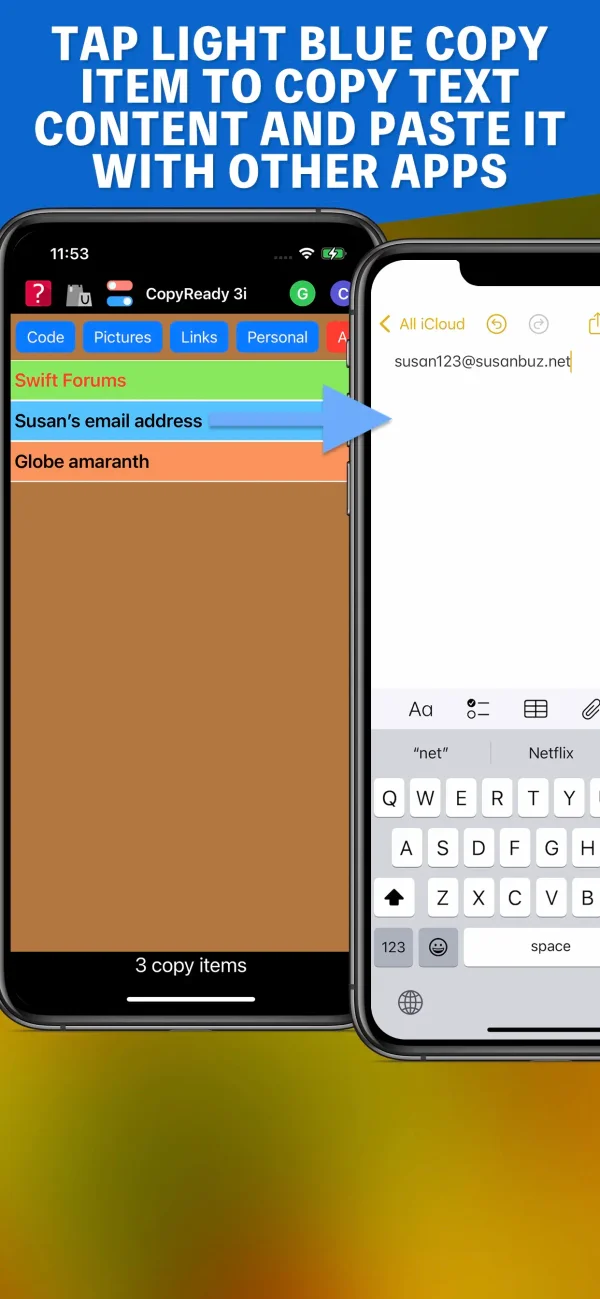
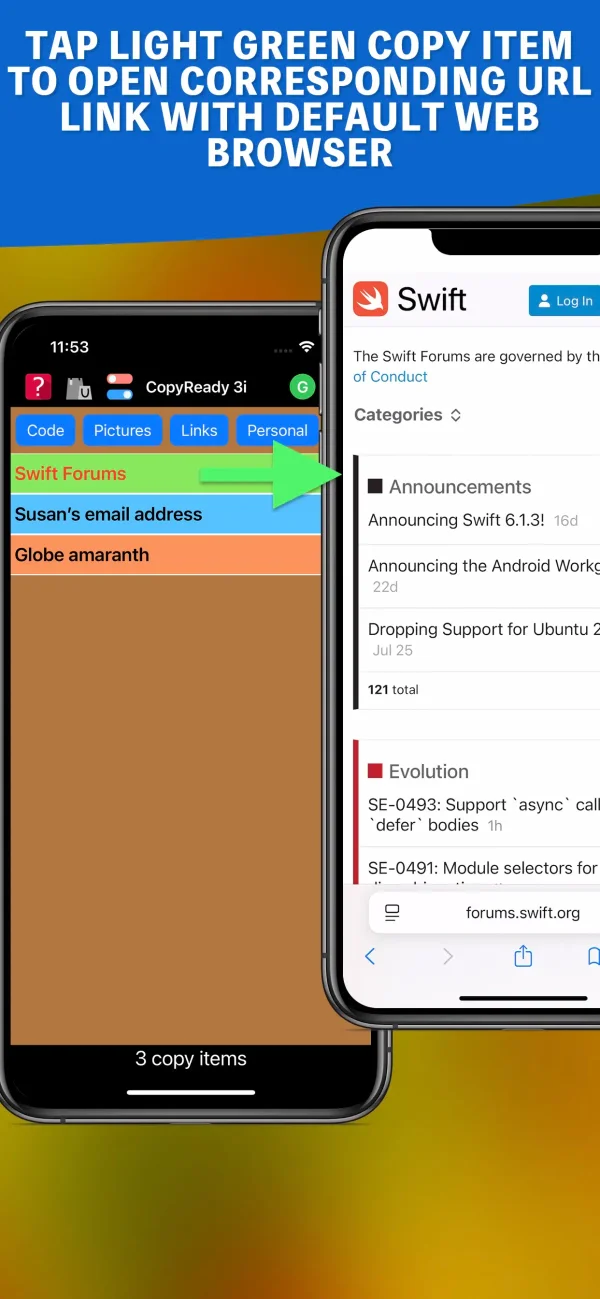
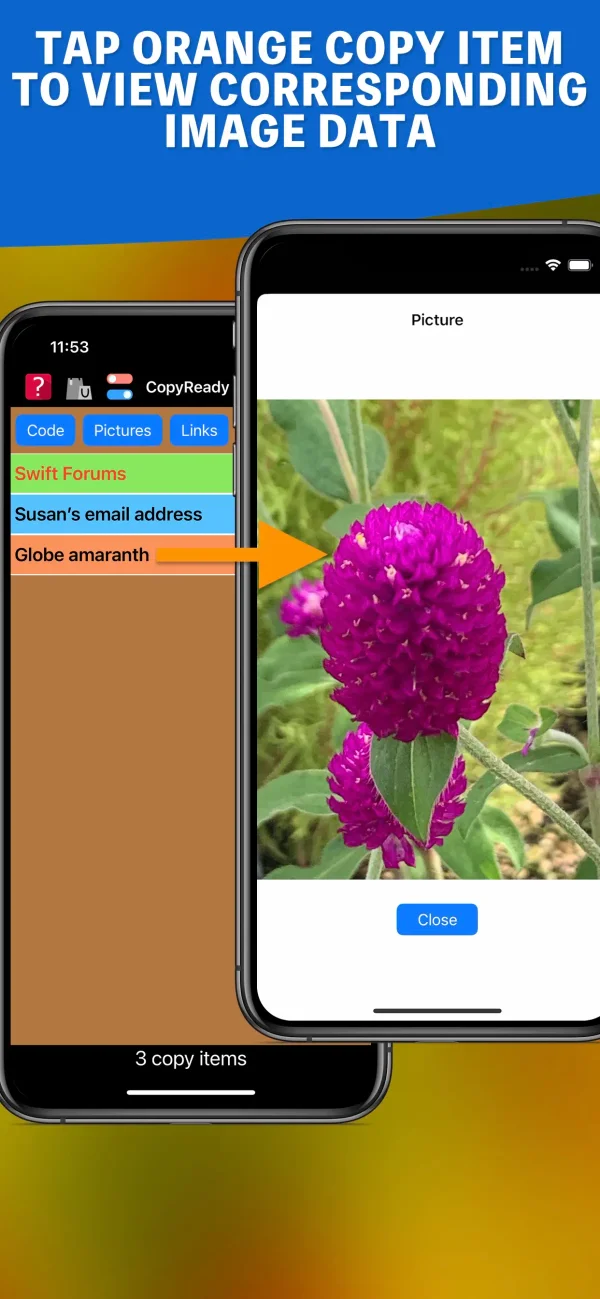
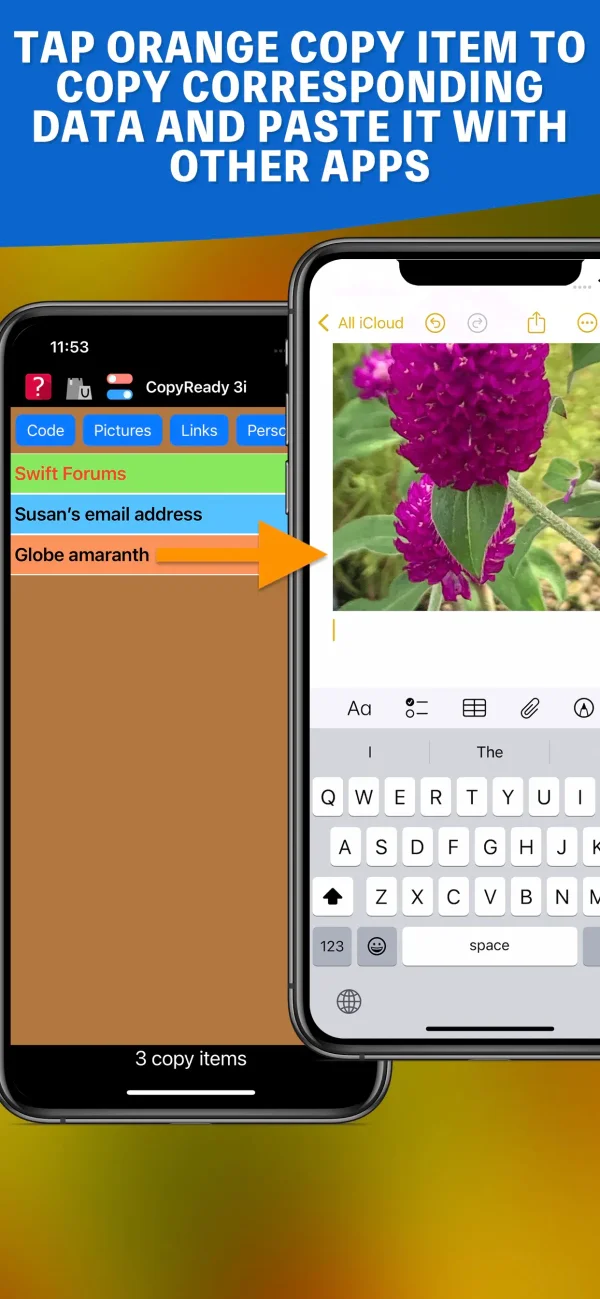
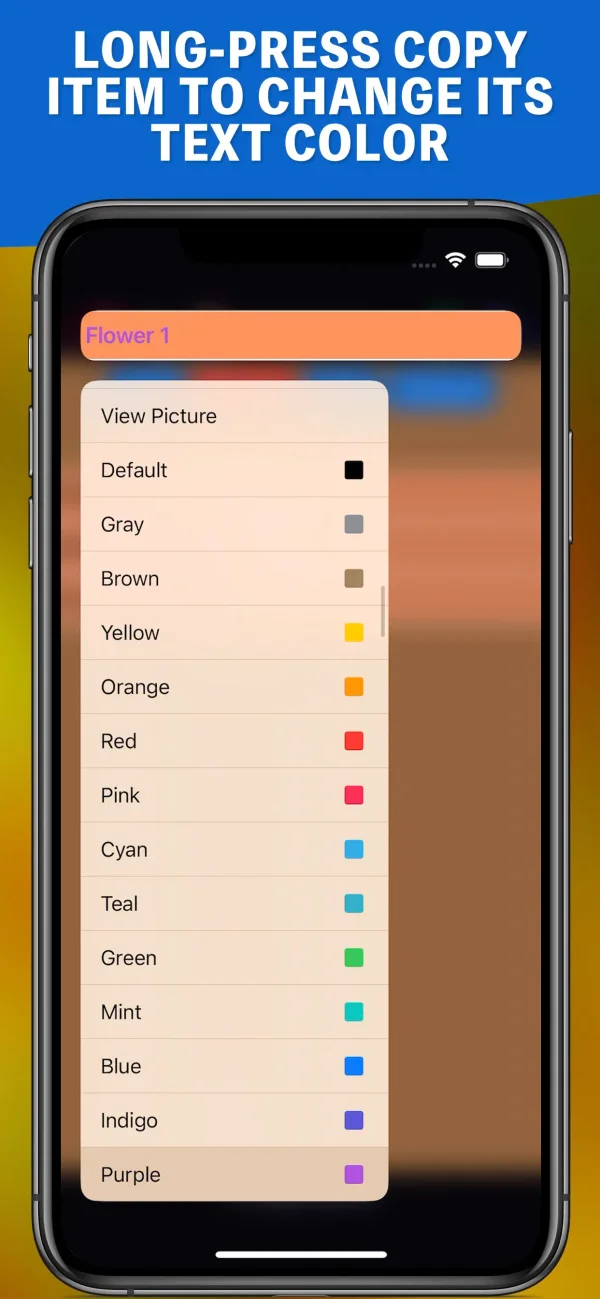
CopyReady 3i is a direct conversion of a desktop application titled CopyReady 3. Just like the desktop version, it lets you manage three different types of files: Text, Image and URL. After you create a group, open the copy item menu and tap the Cr button to create copy items. When you tap a light blue copy item button under the current group button (in red), CopyReady will copy the corresponding text content into the system clipboard. So you can use it long-pressing and selecting Paste with other apps. When you tap an orange copy item button, CopyReady will copy the corresponding image into the system clipboard. You can preview it with this app, or you can use it with other apps by long-press and selecting Paste. Finally, tap a light green copy item button, and CopyReady will open the corresponding URL with your default web browser.
Light blue copy item -> Text
Orange copy item -> Image
Light green copy item -> URL
You can have multiple groups, even tens or hundreds of them. If you have more than one, tap one. And make it active. The current group is shown in red, others being blue. Of course, you can change these group colors.
It's free to download and use it. And you can create as many as 10 copy items without a subscription.
In summary, get copy-ready with CopyReady 3i!
- End user license agreement */
https://blog.mhvt.net/?p=7629#termsofuse
新機能
バージョン 3.2.1 · 2025/10/4
1. The app now supports the landscape orientation for iPad.
アプリのプライバシー
このアプリのデータの取り扱いについて、Tomoyuki OkawaがApp Storeで申告している内容です。
-
データの収集なし
開発元はこのアプリからデータを収集しません。
プライバシーの取り扱いは、ご利用の機能やお客様の年齢などに応じて異なる場合があります。
情報
- 販売元
- Tomoyuki Okawa
- カテゴリ
- 仕事効率化
- バージョン
- 3.2.1
- 更新日
- 2025/10/4
- リリース
- 2025/10/1
- サイズ
- 8.8 MB
- 必要条件
- iOS 17.0以降
- 対象年齢
- 4+
- 価格
- 無料
- アプリ内課金
- あり
- 言語
- 英語
- 著作権
- © 2025 Tomato Software
こちらもおすすめ
-
 PDF To PNG App仕事効率化
-
 Word Editor: DOCX Documents仕事効率化
-
 Plander: タスク&カレンダーミニマルプランナー・ウィジェット対応"
-
 ChatMentor: Smart AI Assistant仕事効率化
-
 Extended File Info仕事効率化
-
 FreeSite – ウェブサイト メーカーウェブサイトを簡単な方法で作る
-
 All Document Reader仕事効率化
-
 xTiles: notes, tasks, projects仕事効率化
-
 Deep Cleaner:AI Clean Up重複ファイルを削除してストレージ空き容量を増やせるクリーナー
-
 minimalist phone ® アプリブロックスクリーンタイム&フォーカス