
Doc Scanner: Scan PDF
OCR Document, Receipts & Sign
Diseñada para iPhone, iPad, iPod touch
Gratis · Compras en la aplicación
- Clasificación por edad4+
- CategoríaProductividad
- DesarrolladorSHELL INFRASTRUCTURE PRIVATE LIMITED
- IdiomasInglés
- Tamaño23,2 MB
Enlaza a la página oficial de App Store
Download.org no aloja ningún archivo de Doc Scanner: Scan PDF. El botón abre la página de la aplicación en App Store, donde la publica SHELL INFRASTRUCTURE PRIVATE LIMITED. Ficha comprobada por última vez el 22/11/2026.
Capturas de pantalla
Acerca de
El desarrollador no ha proporcionado este texto en tu idioma.
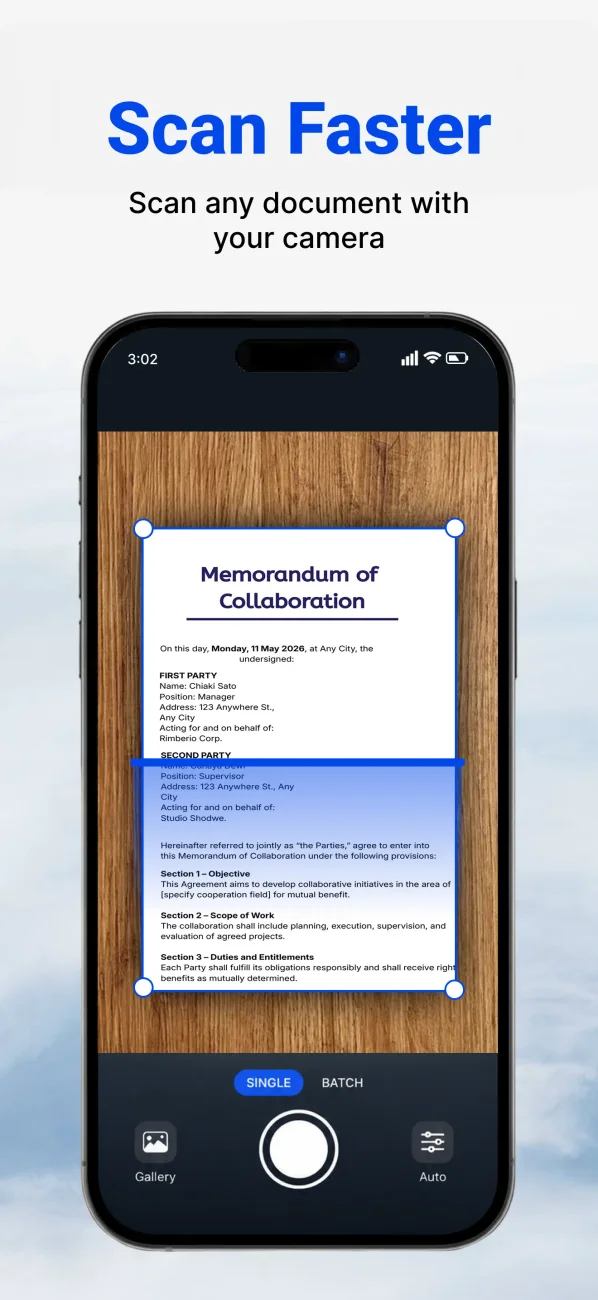
Scan documents, photos, and cards quickly and easily, then translate them into other languages.
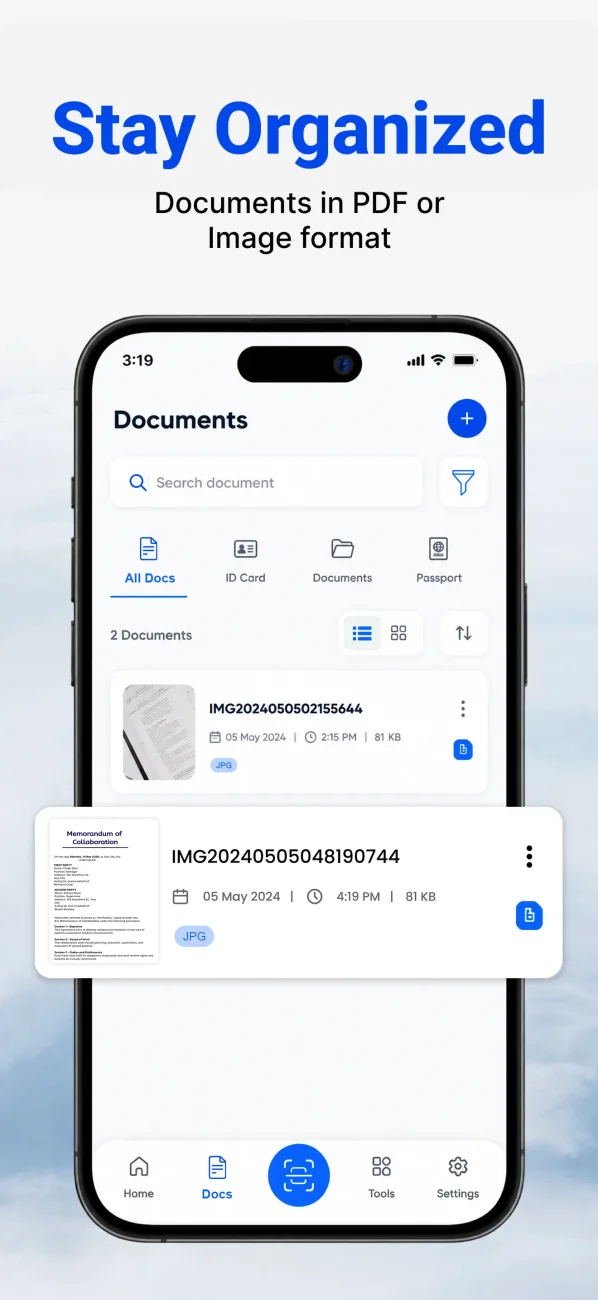
Scan documents into a clear, sharp image or PDF to email, fax, print, or save to files.
Doc Scanner is a free scanner app that helps users scan, edit, and store data on smartphones, iPads, and computers. Extract texts with OCR and convert PDF to Word, Word to PDF, PDF to JPEG, etc.
Features:
* A powerful and quick mobile scanner
Use your phone's camera to scan receipts, notes, invoices, whiteboard discussions, business cards, certificates, QR codes, etc.
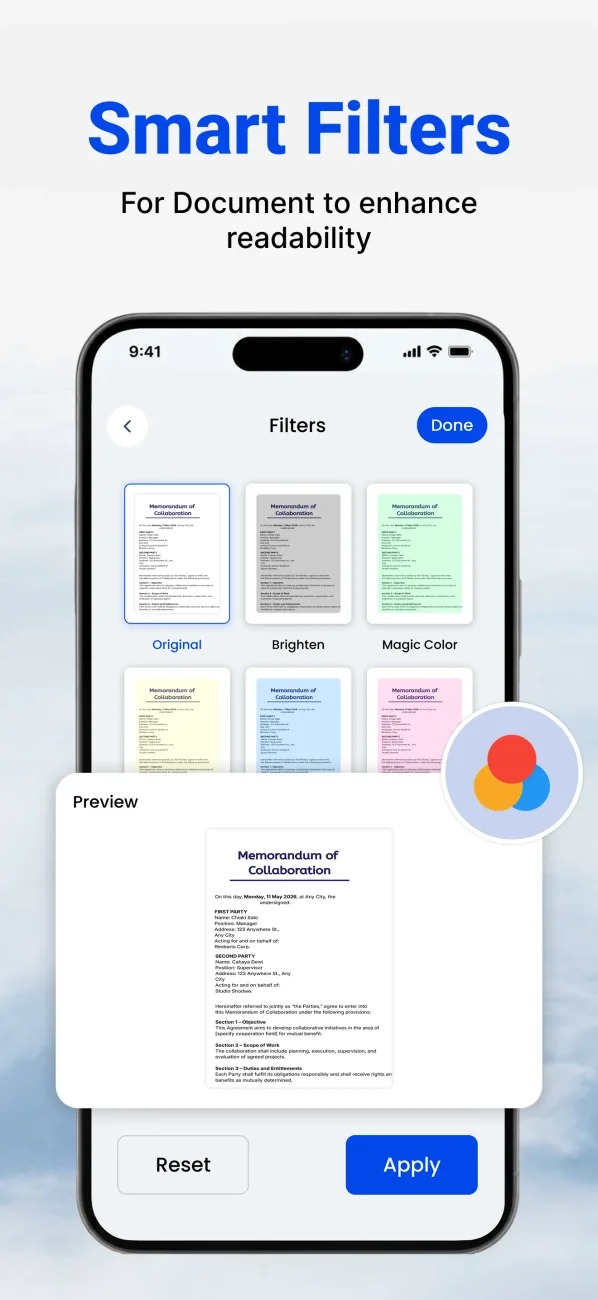
* Improve scan quality
Smart cropping, editing, and auto-enhancing make the texts and graphics in DocuSign look clear and sharp.
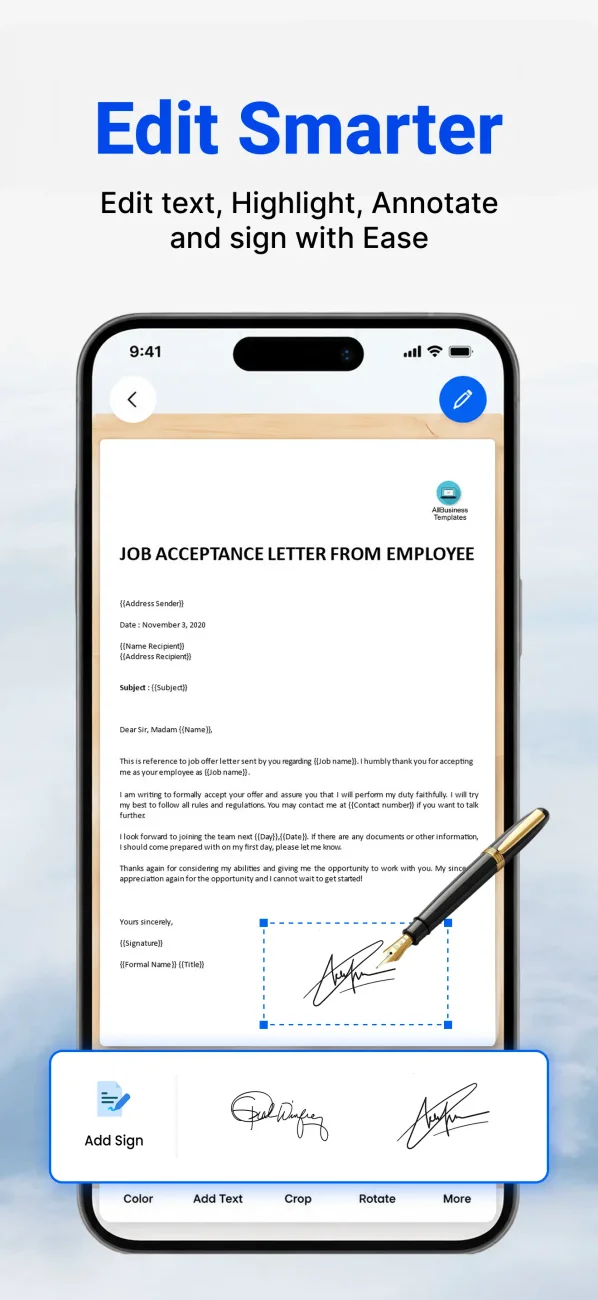
* E-signature
Contracts can be signed and DocuSign files shared to your PDF drive. It is widely used among the CSB, e-file, real estate agents, and in government form filling.
* PDF Converter:
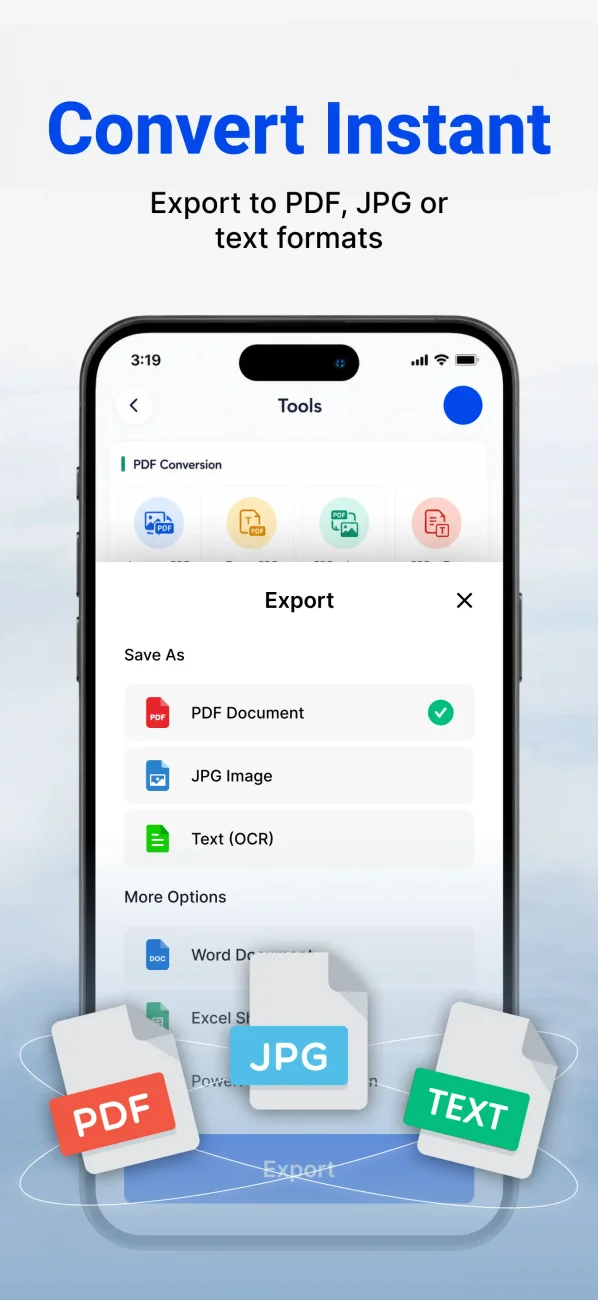
Image to PDF Converter, Just select some images or take a picture with your camera and convert it into a PDF file, or convert a document file (doc, docx, ppt, pptx) to a PDF. You can open any PDF with the Camera Scanner. You can also highlight key sections, add comments, fill out the form, and sign it with a cam scaner.
* Advanced Editing
It is possible to add annotations or a customised watermark to documents. You can make barcodes with a barcode generator.
* OCR Text Recognition
The OCR Text Recognition feature lets you recognise text from images, edit texts, or share texts to a printer, mail, or other reference apps.
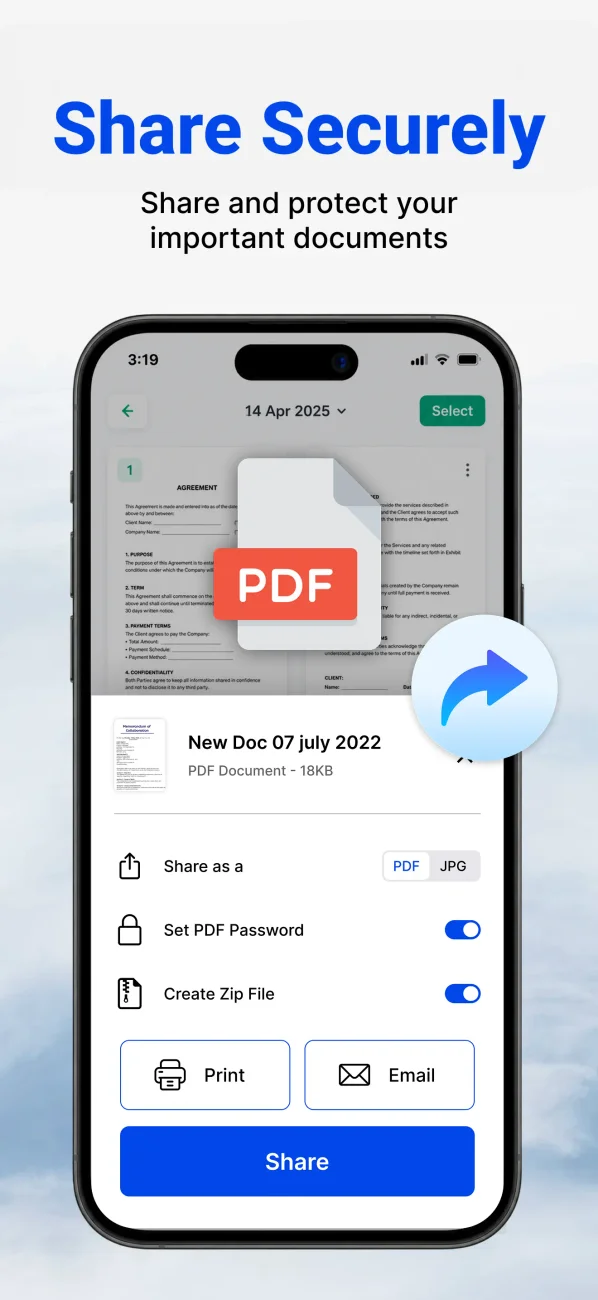
* Share PDF/JPEG Files
Easily share documents in PDF or JPEG format with others via social media, email attachment, or by sending the doc link. There are pdf compressors, pdf mergers, pdf combiners, converters of jpg to pdf and jpeg to pdf, qr code generators, and qr code readers.
* AirPrint documents
Instantly print out documents in CamScanner to a nearby printer via AirPrint.
CamScanner users scan and manage
* A simple scanner with scannable office lens files
* The most effective PDF scanner for ilovepdf, iscanner, and Adobe Scan
* Scan a bill, an invoice, a contract, a tax return, or a business card with the can scaner.
* A whiteboard, a memo, a script, a letter.
* A blackboard, a note, a PowerPoint presentation, a book, an article, and so on.
* A certificate, a document of identification, a painting.
* Word to PDF converter, pdf editor, QR code scanner, Doc to PDF converter, and Word to PDF converter are all included.
Convert office documents to PDF files. Turn your PDF files into editable and scannable office formats such as Word, Excel, and PowerPoint.
== DocScanner Pro Feature ==
There are two subscription plans.
$1.99 per month
$11.99 per year with a 3-day trial
Payment will be charged to your iTunes Account upon purchase confirmation.
The subscription automatically renews unless auto-renew is turned off at least 24 hours before the end of the current period.
The account will be charged for renewal within 24 hours prior to the end of the current period, and we will identify the cost of the renewal.
Subscriptions may be managed by the user, and auto-renewal may be turned off by going to the user’s Account Settings after purchase.
Any unused portion of a free trial period, if offered, will be forfeited when the user purchases a subscription to that publication, where applicable.
No cancellation of the current subscription is allowed during the active subscription period.
Terms of Service: http://shellinfra.com/tos.html
Privacy Policy: http://shellinfra.com/privacy-policy.html
If you have any questions, please email shellinfra01@gmail.com.
Thanks for using this app !!!
Novedades
Versión 2.9 · 22/6/2026
- Minor bug fixes
- Performance improvements.
Thanks for using our app !!
Privacidad de la aplicación
Lo que SHELL INFRASTRUCTURE PRIVATE LIMITED declara en App Store sobre cómo esta aplicación gestiona los datos.
-
Datos usados para rastrearte
Pueden usarse para rastrearte en aplicaciones y sitios web propiedad de otras empresas.
- Identificadores
- Datos de uso
- Diagnóstico
-
Datos vinculados a ti
Pueden recopilarse y vincularse a tu identidad.
- Identificadores
- Datos de uso
- Diagnóstico
Las prácticas de privacidad pueden variar, por ejemplo, según las funciones que uses o tu edad.
Información
- Vendedor
- SHELL INFRASTRUCTURE PRIVATE LIMITED
- Categoría
- Productividad
- Versión
- 2.9
- Actualizado
- 22/6/2026
- Publicado
- 24/1/2020
- Tamaño
- 23,2 MB
- Requiere
- iOS 15.0 o posterior
- Clasificación por edad
- 4+
- Precio
- Gratis
- Compras en la aplicación
- Sí
- Idiomas
- Inglés
- Copyright
- © SHELL INFRASTRUCTURE PRIVATE LIMITED
Quizá también te guste
-
 Doc Scanner .Productividad
-
 Document Scanner by LufickProductividad
-
 Escanear Documentos PDFScannerDigitaliza, Convierte, Firma
-
 OKEN - Doc Scanner, PDF ScanProductividad
-
 Camera Scanner: Escáner PDFEscanear Documentos, Scan PDF
-
 Document Scanner - Scan PhotoProductividad
-
 Escáner documentos & TraducirEscanea: PDF, Word, Excel, OCR
-
 Photo Scanner - PDF and docProductividad
-
 vFlat Escáner - PDF y OCREscanea libros sin cortar
-
 Escanear Documentos: Scan PDFDocuments Scaner & Converter