
- Clasificación por edad4+
- CategoríaProductividad
- DesarrolladorPLUS Corporation
- IdiomasInglés+ 3 más
- Tamaño14,9 MB
Enlaza a la página oficial de App Store
Download.org no aloja ningún archivo de Kaite. El botón abre la página de la aplicación en App Store, donde la publica PLUS Corporation. Ficha comprobada por última vez el 15/11/2026.
Capturas de pantalla
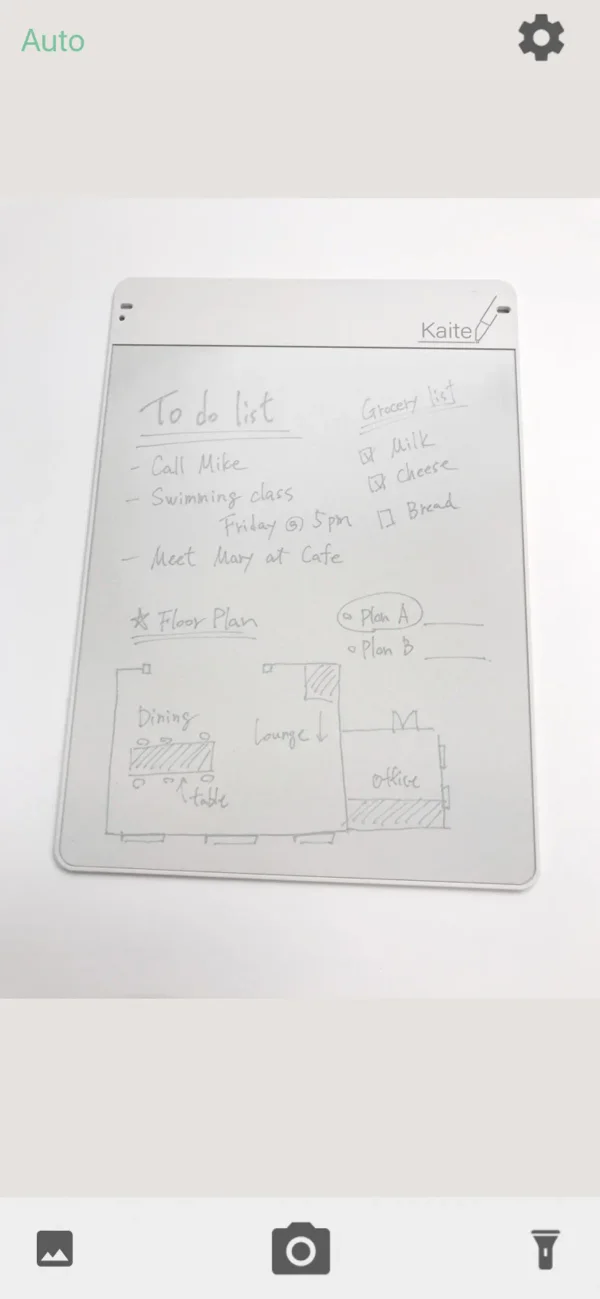
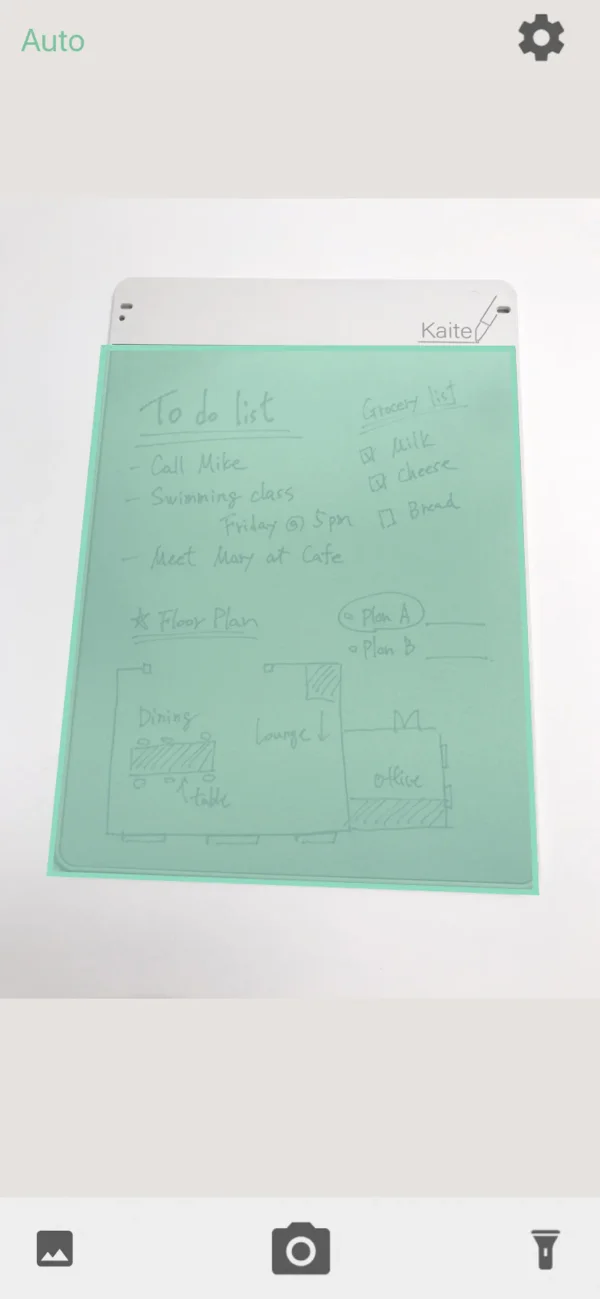
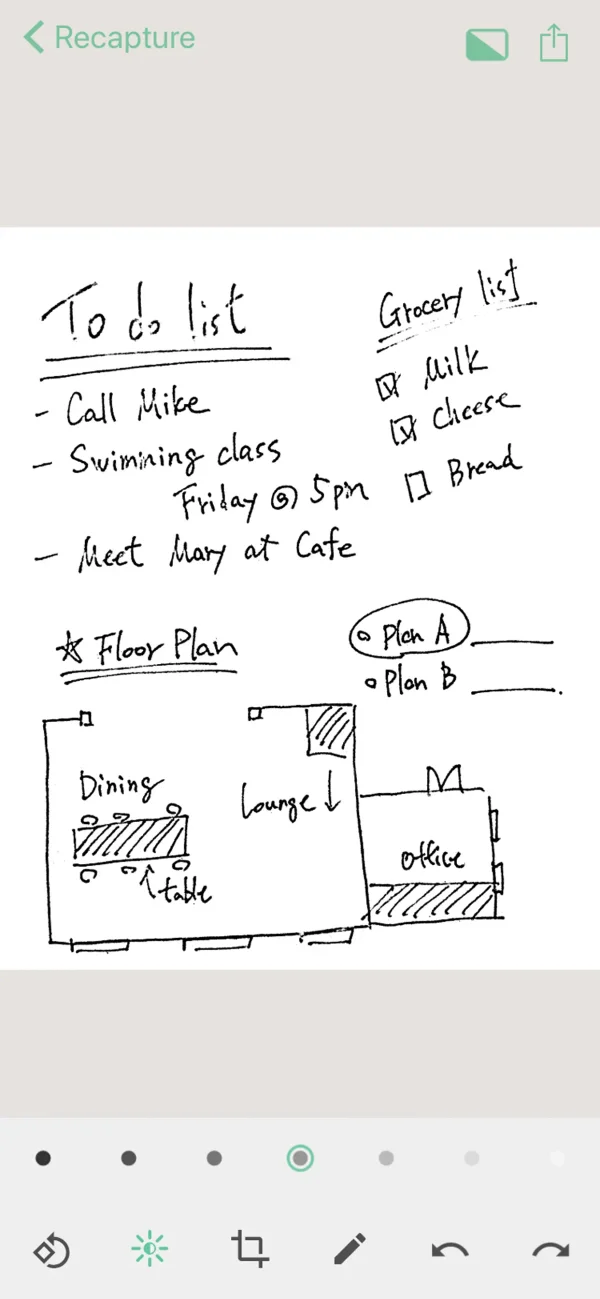
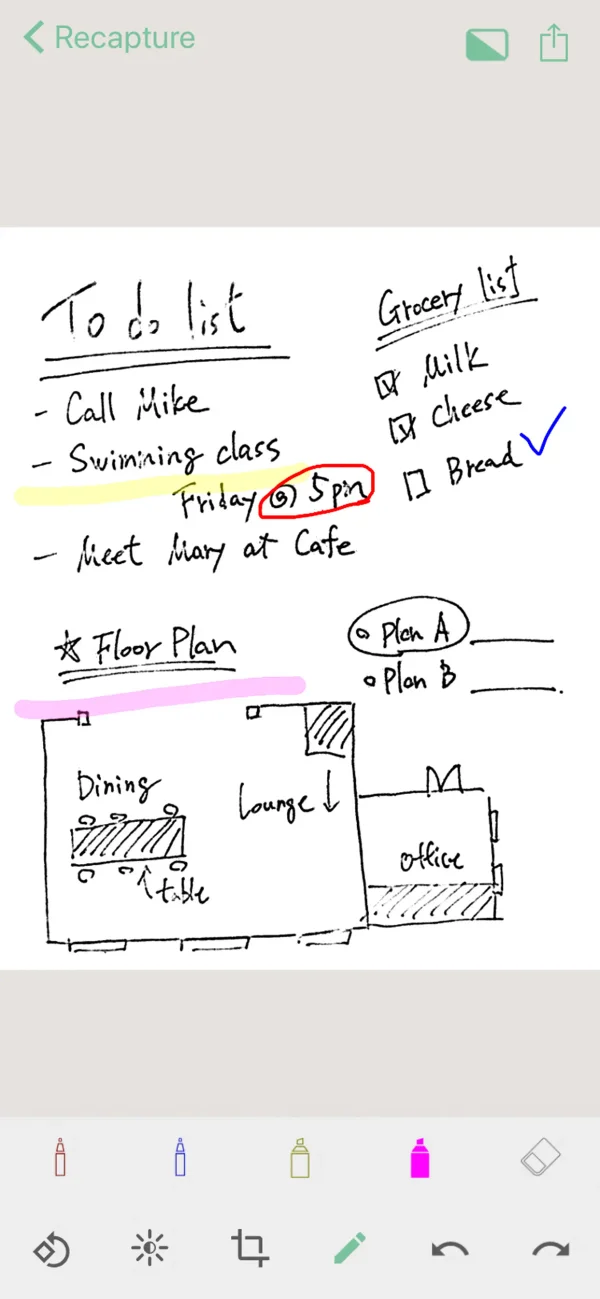
Acerca de
El desarrollador no ha proporcionado este texto en tu idioma.
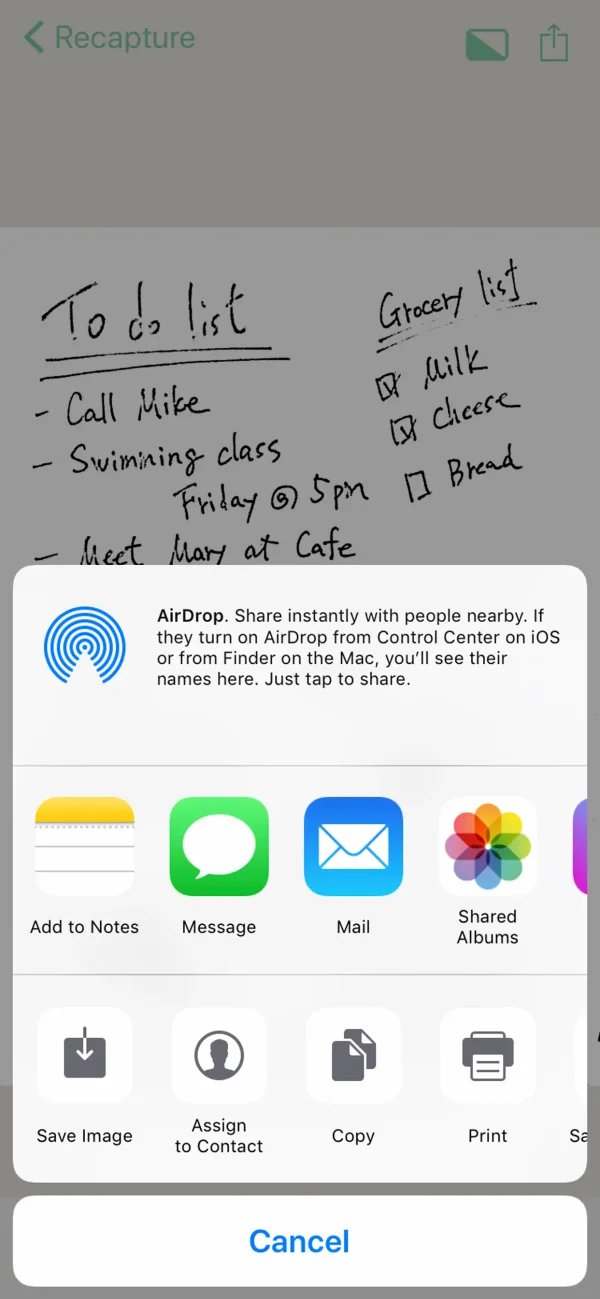
The beginning of a new memo-This app is a scan application that allows you to easily and easily digitize the content you write on the reusable magnetic memo pad Clean Note Kaite. Quickly write by hand, take a picture and digitize. Record and share memos more conveniently without wasting paper.
Easy to use. Just launch the app and shoot the Kaite itself, it automatically recognizes the writing surface, corrects the tilt, etc., and makes it easy to see and digitize cleanly. Digitized memos can be saved to the camera roll, sent to email or cloud, and easily recorded and shared.
* PLUS Clean Note Kaite is required to use the functions of this app. For details, please check our website.
https://www.plus-vision.com/jp/product/kaite/
[Main functions]
1. photograph
When the Kaite unit is placed on the shooting screen, the writing surface is automatically recognized and shot. Corrects tilt and trapezoidal distortion during shooting, and makes the data clear and easy to read.
2. Brightness / contrast adjustment
You can adjust the brightness and contrast of the correction screen to your liking.
3. trimming
You can cut out the necessary area of the corrected image.
4). Drawing tools
You can write the corrected image with a pen or marker.
5). Save format selection
You can select the image storage format as JPEG or PDF.
【Other features】
-Shooting mode setting (automatic / manual switching)
・ Rotation function
・ Help
[How to use the app]
1. Launch the app.
2. Make sure that the entire Kaite body fits on the shooting screen. The writing surface is automatically detected and shot.
3. When the correction screen is displayed, you can edit and save the brightness and contrast.
* Writing content may not be stored cleanly if the light from the lighting is reflected on the plate. Please shoot without lighting.
Novedades
Versión 1.0.9 · 26/9/2025
Some features have been optimized and improved.
Privacidad de la aplicación
Lo que PLUS Corporation declara en App Store sobre cómo esta aplicación gestiona los datos.
-
No se recopilan datos
El desarrollador no recopila ningún dato de esta aplicación.
Las prácticas de privacidad pueden variar, por ejemplo, según las funciones que uses o tu edad.
Información
- Vendedor
- PLUS Corporation
- Categoría
- Productividad
- Versión
- 1.0.9
- Actualizado
- 26/9/2025
- Publicado
- 2/10/2019
- Tamaño
- 14,9 MB
- Requiere
- iOS 15.6 o posterior
- Clasificación por edad
- 4+
- Precio
- Gratis
- Idiomas
- Inglés, Japonés, Chino simplificado, Chino tradicional
- Copyright
- © 2019 PLUS Corporation
Quizá también te guste
-
 FirstSeed PlannerCalendario, notas y tareas
-
 チョイリマProductividad
-
 SlideMemo 左右のスワイプ操作でメモを管理・簡単整理Productividad
-
 Simple Memo - Obsidian VoiceProductividad
-
 PottLoood - NotebookProductividad
-
 Shin JorteProductividad
-
 months - Vertical CalendarProductividad
-
 MandalaManager: celdas 3x3 9x9App oficial de Mandalachart
-
 SHOT DOCSProductividad
-
 FirstSeed NotesNotas en Markdown