
- Độ tuổi4+
- Danh mụcHiệu Suất
- Nhà phát triểnPLUS Corporation
- Ngôn ngữTiếng Anh+ 3 ngôn ngữ khác
- Kích thước14,9 MB
Liên kết đến trang App Store chính thức
Download.org không lưu trữ tệp nào của Kaite. Nút này mở trang ứng dụng trên App Store, nơi PLUS Corporation phát hành ứng dụng. Trang được kiểm tra lần cuối: 15/11/2026.
Ảnh chụp màn hình
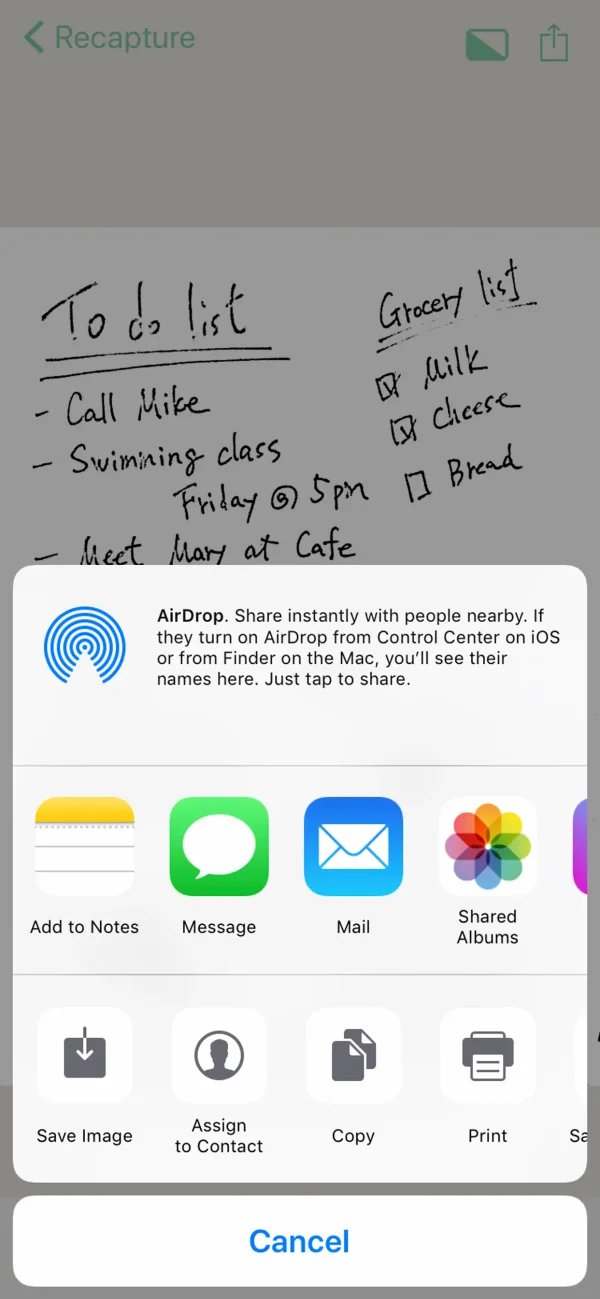
Giới thiệu
Nhà phát triển chưa cung cấp nội dung này bằng ngôn ngữ của bạn.
The beginning of a new memo-This app is a scan application that allows you to easily and easily digitize the content you write on the reusable magnetic memo pad Clean Note Kaite. Quickly write by hand, take a picture and digitize. Record and share memos more conveniently without wasting paper.
Easy to use. Just launch the app and shoot the Kaite itself, it automatically recognizes the writing surface, corrects the tilt, etc., and makes it easy to see and digitize cleanly. Digitized memos can be saved to the camera roll, sent to email or cloud, and easily recorded and shared.
* PLUS Clean Note Kaite is required to use the functions of this app. For details, please check our website.
https://www.plus-vision.com/jp/product/kaite/
[Main functions]
1. photograph
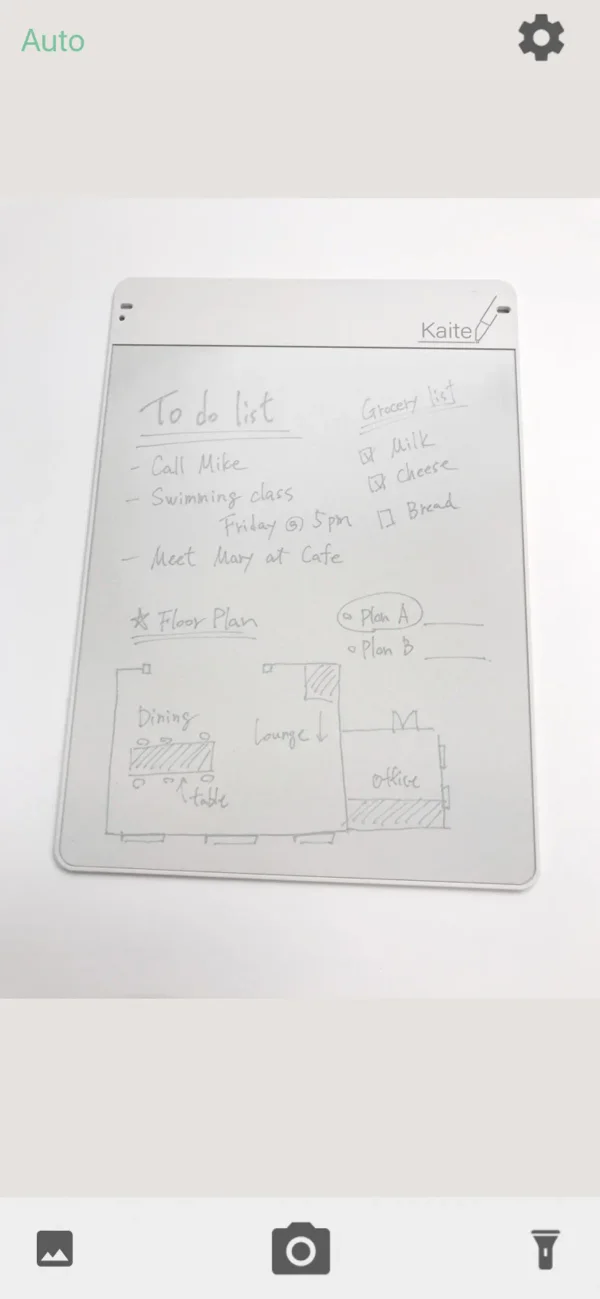
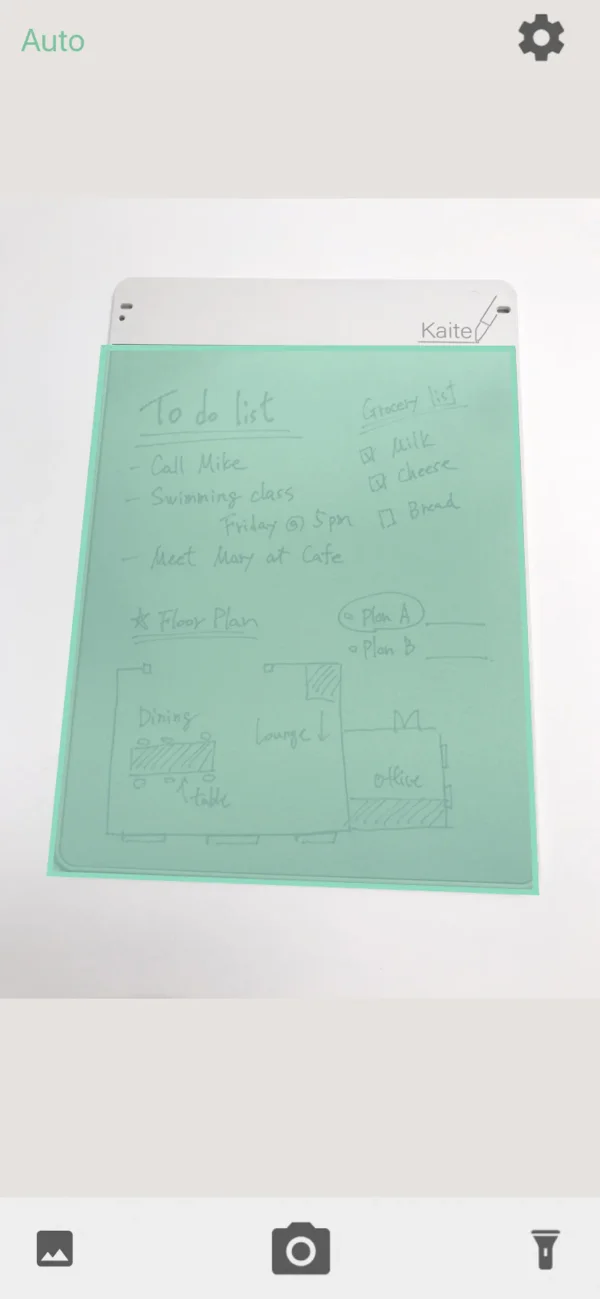
When the Kaite unit is placed on the shooting screen, the writing surface is automatically recognized and shot. Corrects tilt and trapezoidal distortion during shooting, and makes the data clear and easy to read.
2. Brightness / contrast adjustment
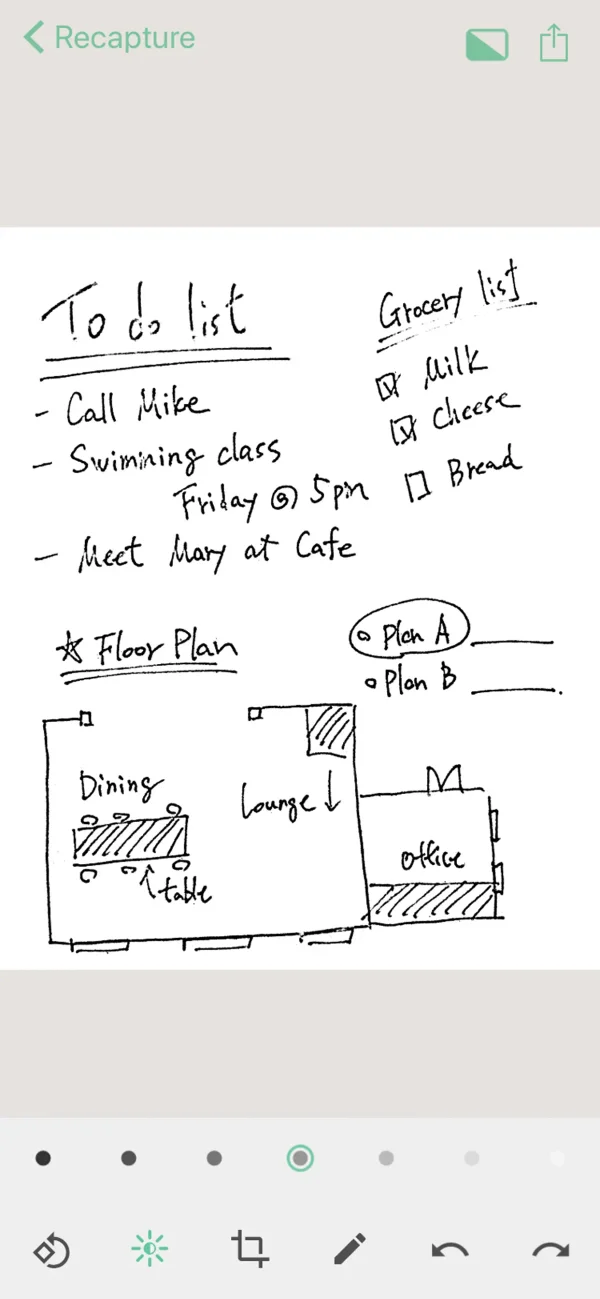
You can adjust the brightness and contrast of the correction screen to your liking.
3. trimming
You can cut out the necessary area of the corrected image.
4). Drawing tools
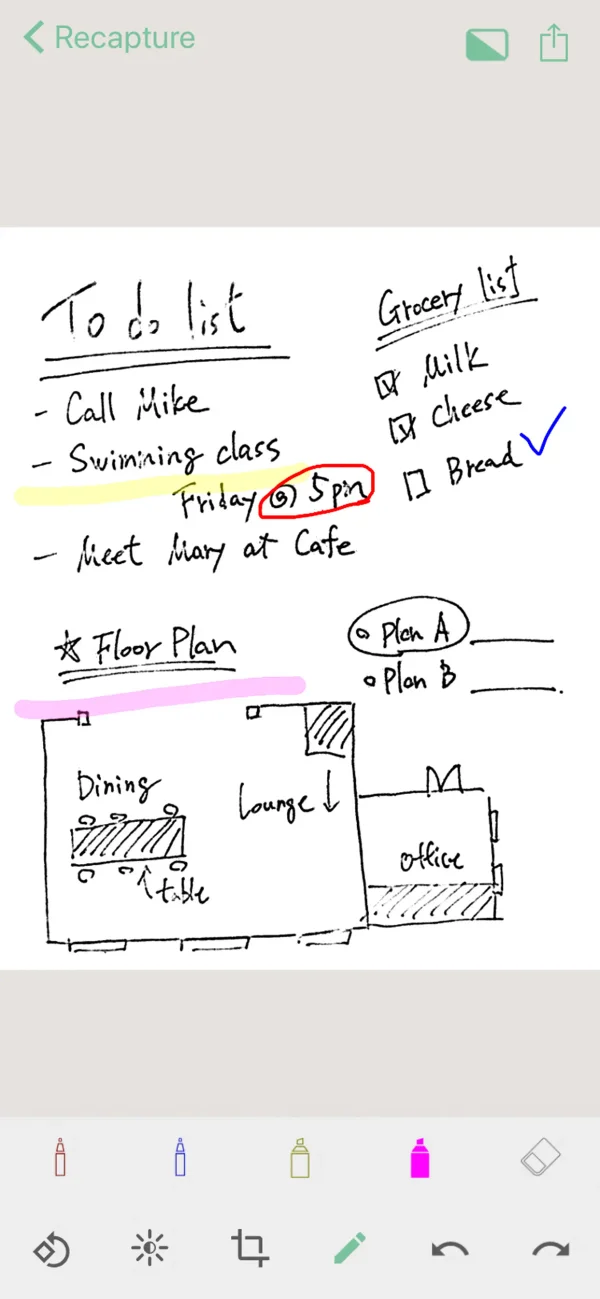
You can write the corrected image with a pen or marker.
5). Save format selection
You can select the image storage format as JPEG or PDF.
【Other features】
-Shooting mode setting (automatic / manual switching)
・ Rotation function
・ Help
[How to use the app]
1. Launch the app.
2. Make sure that the entire Kaite body fits on the shooting screen. The writing surface is automatically detected and shot.
3. When the correction screen is displayed, you can edit and save the brightness and contrast.
* Writing content may not be stored cleanly if the light from the lighting is reflected on the plate. Please shoot without lighting.
Có gì mới
Phiên bản 1.0.9 · 26/09/2025
Some features have been optimized and improved.
Quyền riêng tư của ứng dụng
Những gì PLUS Corporation khai báo trên App Store về cách ứng dụng này xử lý dữ liệu.
-
Dữ liệu không được thu thập
Nhà phát triển không thu thập bất kỳ dữ liệu nào từ ứng dụng này.
Phương thức đảm bảo quyền riêng tư có thể khác nhau, chẳng hạn như tuỳ theo các tính năng bạn sử dụng hoặc độ tuổi của bạn.
Thông tin
- Người bán
- PLUS Corporation
- Danh mục
- Hiệu Suất
- Phiên bản
- 1.0.9
- Cập nhật
- 26/09/2025
- Phát hành
- 02/10/2019
- Kích thước
- 14,9 MB
- Yêu cầu
- iOS 15.6 trở lên
- Độ tuổi
- 4+
- Giá
- Miễn phí
- Ngôn ngữ
- Tiếng Anh, Tiếng Nhật, Tiếng Trung Giản thể, Tiếng Trung Phồn thể
- Bản quyền
- © 2019 PLUS Corporation
Có thể bạn cũng thích
-
 FirstSeed PlannerLịch, ghi chú & việc cần làm
-
 チョイリマHiệu Suất
-
 SlideMemo 左右のスワイプ操作でメモを管理・簡単整理Hiệu Suất
-
 Simple Memo - Obsidian VoiceHiệu Suất
-
 PottLoood - NotebookHiệu Suất
-
 Shin JorteHiệu Suất
-
 months - Vertical CalendarHiệu Suất
-
 MandalaManager: Lưới 3x3 9x9Ứng dụng Mandalachart
-
 SHOT DOCSHiệu Suất
-
 FirstSeed NotesHiệu Suất