
- Age rating4+
- CategoryProductivity
- DeveloperPLUS Corporation
- LanguagesEnglish+ 3 more
- Size14.9 MB
Links to the official App Store page
Download.org hosts no file of Kaite. The button opens its official App Store page, published by PLUS Corporation. Listing last checked on Nov 15, 2026.
Screenshots
About
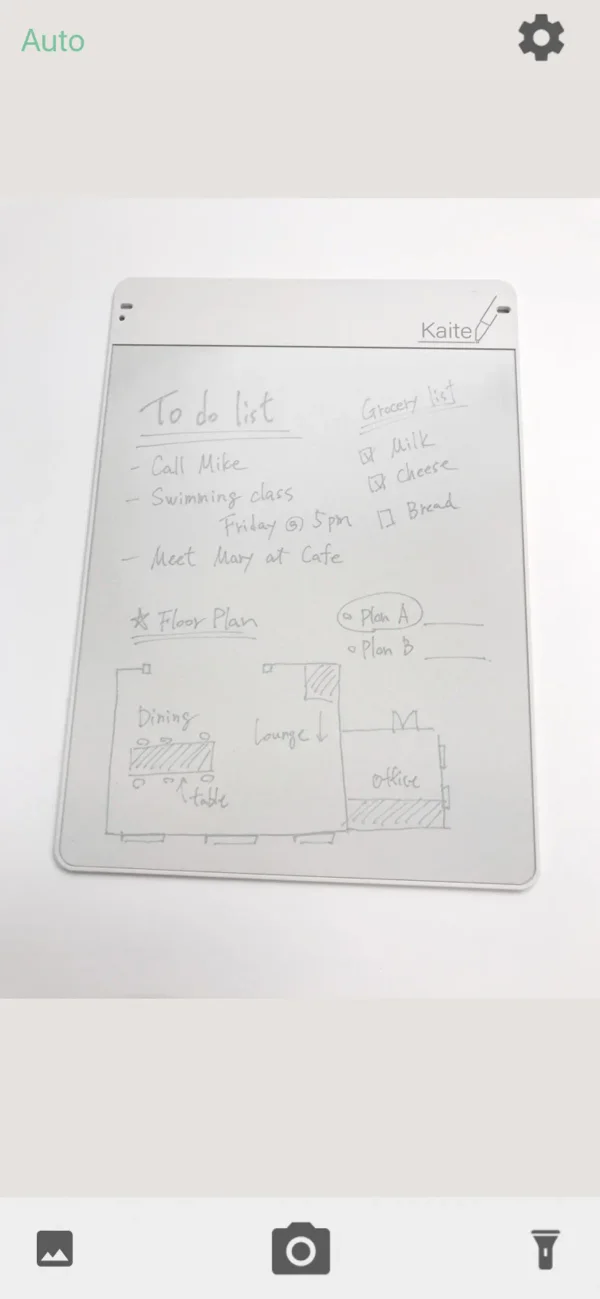
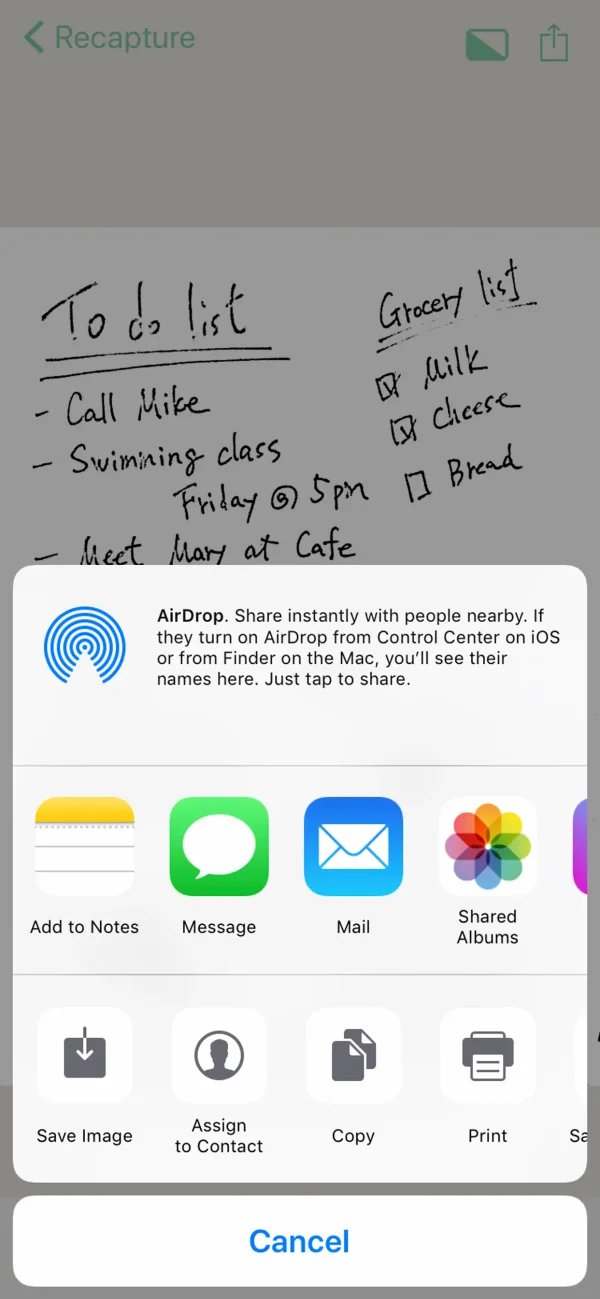
The beginning of a new memo-This app is a scan application that allows you to easily and easily digitize the content you write on the reusable magnetic memo pad Clean Note Kaite. Quickly write by hand, take a picture and digitize. Record and share memos more conveniently without wasting paper.
Easy to use. Just launch the app and shoot the Kaite itself, it automatically recognizes the writing surface, corrects the tilt, etc., and makes it easy to see and digitize cleanly. Digitized memos can be saved to the camera roll, sent to email or cloud, and easily recorded and shared.
* PLUS Clean Note Kaite is required to use the functions of this app. For details, please check our website.
https://www.plus-vision.com/jp/product/kaite/
[Main functions]
1. photograph
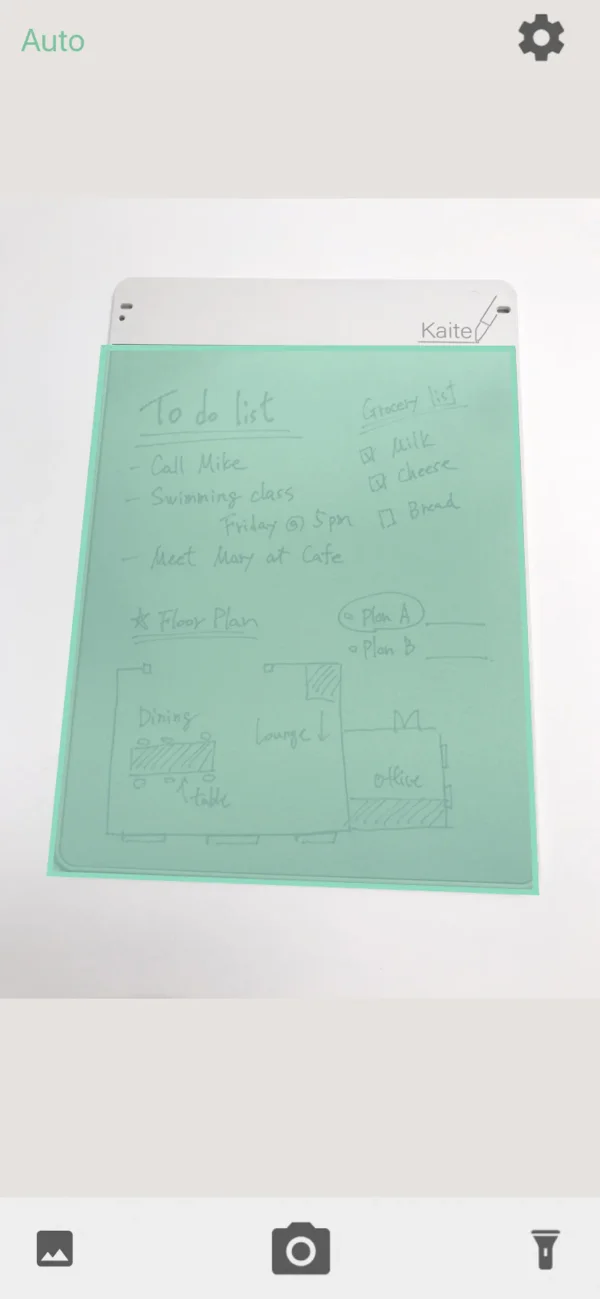
When the Kaite unit is placed on the shooting screen, the writing surface is automatically recognized and shot. Corrects tilt and trapezoidal distortion during shooting, and makes the data clear and easy to read.
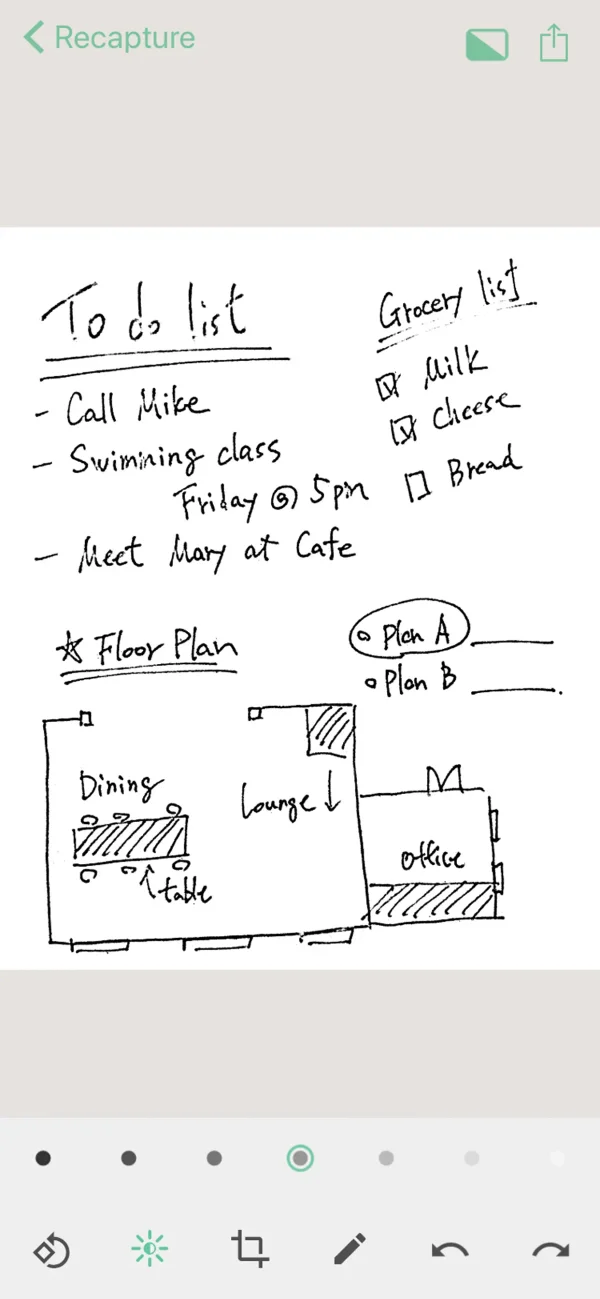
2. Brightness / contrast adjustment
You can adjust the brightness and contrast of the correction screen to your liking.
3. trimming
You can cut out the necessary area of the corrected image.
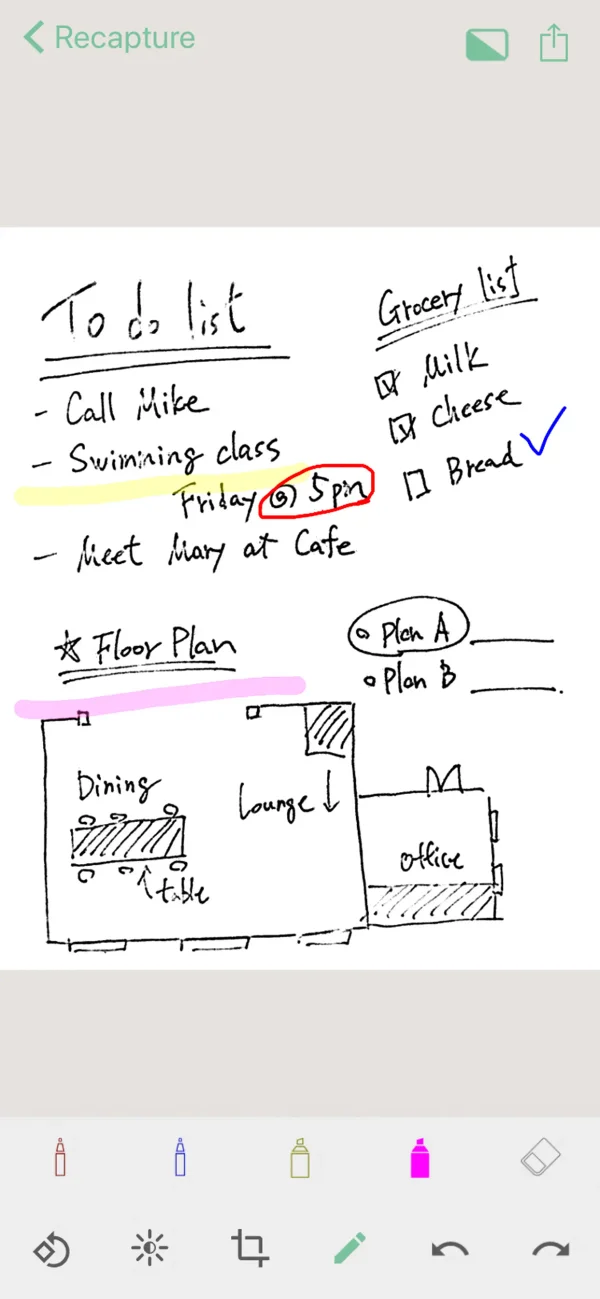
4). Drawing tools
You can write the corrected image with a pen or marker.
5). Save format selection
You can select the image storage format as JPEG or PDF.
【Other features】
-Shooting mode setting (automatic / manual switching)
・ Rotation function
・ Help
[How to use the app]
1. Launch the app.
2. Make sure that the entire Kaite body fits on the shooting screen. The writing surface is automatically detected and shot.
3. When the correction screen is displayed, you can edit and save the brightness and contrast.
* Writing content may not be stored cleanly if the light from the lighting is reflected on the plate. Please shoot without lighting.
What’s new
Version 1.0.9 · Sep 26, 2025
Some features have been optimized and improved.
App privacy
What PLUS Corporation declares on the App Store about how this app handles data.
-
Data not collected
The developer does not collect any data from this app.
Privacy practices may vary, for example with the features you use or your age.
Information
- Seller
- PLUS Corporation
- Category
- Productivity
- Version
- 1.0.9
- Updated
- Sep 26, 2025
- Released
- Oct 2, 2019
- Size
- 14.9 MB
- Requires
- iOS 15.6 or later
- Age rating
- 4+
- Price
- Free
- Languages
- English, Japanese, Simplified Chinese, Traditional Chinese
- Copyright
- © 2019 PLUS Corporation
You might also like
-
 FirstSeed PlannerCalendar, notes & to-do list
-
 チョイリマProductivity
-
 SlideMemo 左右のスワイプ操作でメモを管理・簡単整理Productivity
-
 Simple Memo - Obsidian VoiceSpeak a note, get it by email
-
 PottLoood - NotebookProductivity
-
 Shin JorteQuiet smart calendar planner
-
 months - Vertical CalendarScrolling month & day planner
-
 MandalaManager: 3x3 9x9 GridOfficial MandalaManager App
-
 SHOT DOCSProductivity
-
 FirstSeed NotesMarkdown + AI Transcription