
- Clasificación por edad4+
- CategoríaEconomía y empresa
- DesarrolladorSaketh Ashvapuram
- IdiomasInglés
- Tamaño2,3 MB
Enlaza a la página oficial de App Store
Download.org no aloja ningún archivo de Make a Receipt. El botón abre la página de la aplicación en App Store, donde la publica Saketh Ashvapuram. Ficha comprobada por última vez el 12/11/2026.
Capturas de pantalla

Acerca de
El desarrollador no ha proporcionado este texto en tu idioma.
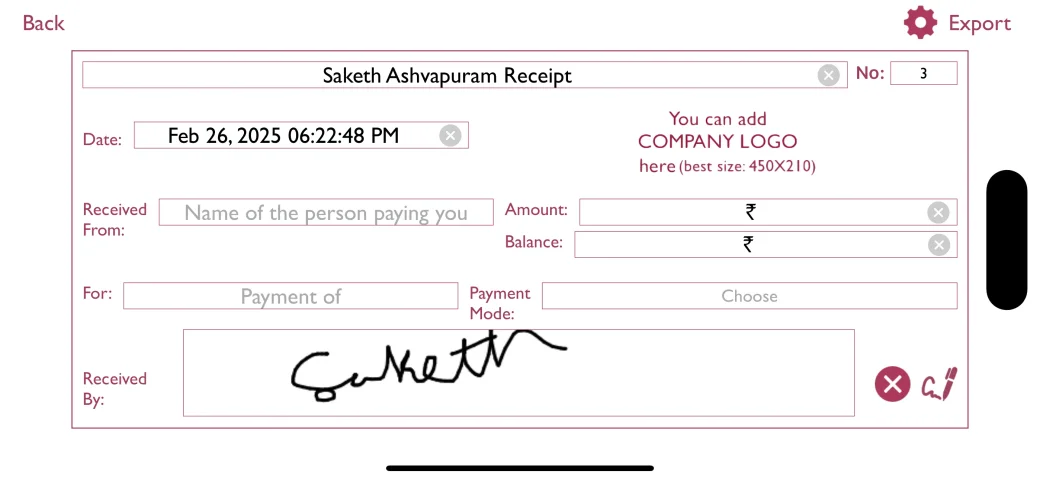
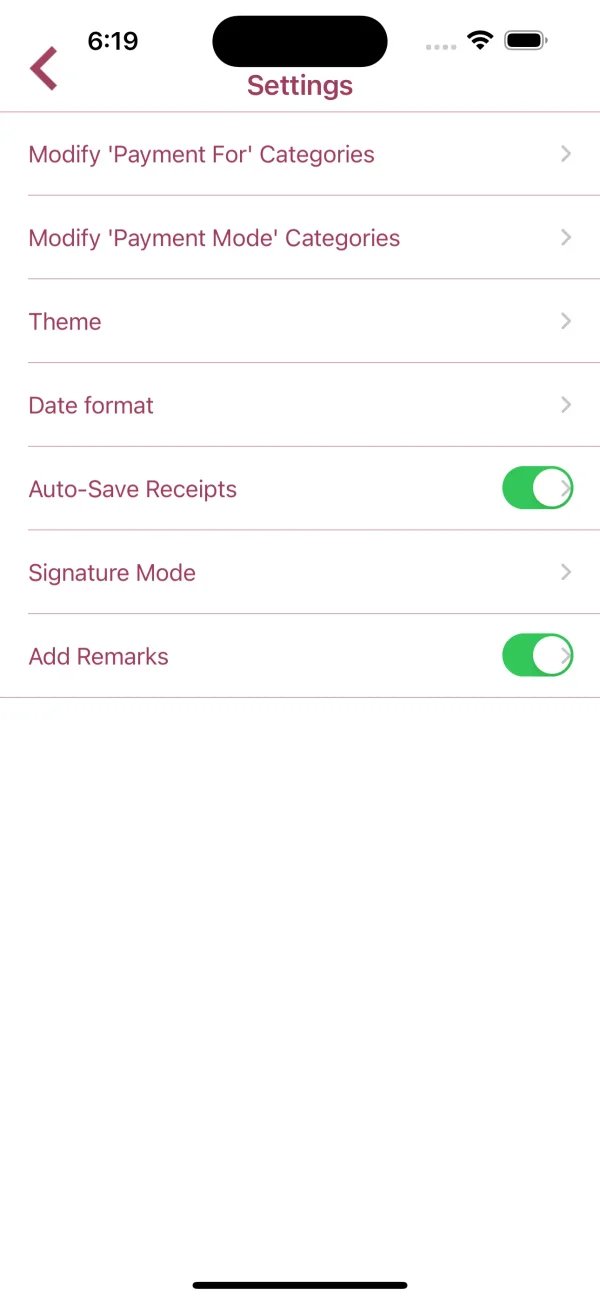
Make a Receipt app allows you to generate a digital receipt for your customers. Replace your Paper Receipt with a similar type of digital receipt that is available at your Fingertips. Also you can SAVE/SHARE/PRINT your digital receipts with a simple tap.
You can easily share your receipt information through text or as a detailed CSV file.
After you collect the due money you can fill out a receipt with this app, next use your finger to sign your name. Then you can save the receipt on your iPhone or share it with your customers through any of the Social media app available on your iPhone. Also you will have a receipt saved in your app.
You can also sync receipts on your PC/Laptop by using iTunes on your desktop.
How to create a Receipt:
1) Fill in “Title of your Receipt” (the same will be copied for your next receipts, anyways you can edit it whenever you want)
2) Next, fill in “Date”, “Received From”, “Amount”, “For” and “Payment Mode” fields.
3) Finally, use your finger to sign your name. (the same will be saved for your next receipts, anyways you can edit it whenever you want).
4) When you are done, you can Save/Share/Print the receipt.
5) You have all your receipts saved in the app, also you have an option to view the saved receipts and also to search them either with the date or name.
6) You can also access Receipt PDF from iTunes on your desktop after connecting your iPhone to your desktop and open File Sharing apps on your iTunes, you can see ‘Make a Receipt’ app where you can ‘save to’ the folder of ‘Photos’ which contains your Receipts PDF.
PS:
*You can also edit the receipt number by tapping in the “No:” field.
*Tap on the “X” button on any of the fields, this will erase the information in that field.
Novedades
Versión 5.0 · 26/2/2025
What's New in the App Store
Optimized for iOS 19 to ensure the best performance and stability.
Now fully compatible with the latest iPhone 15,16 series for a seamless experience.
Privacidad de la aplicación
Lo que Saketh Ashvapuram declara en App Store sobre cómo esta aplicación gestiona los datos.
-
No se recopilan datos
El desarrollador no recopila ningún dato de esta aplicación.
Las prácticas de privacidad pueden variar, por ejemplo, según las funciones que uses o tu edad.
Información
- Vendedor
- Saketh Ashvapuram
- Categoría
- Economía y empresa
- Versión
- 5.0
- Actualizado
- 26/2/2025
- Publicado
- 30/5/2017
- Tamaño
- 2,3 MB
- Requiere
- iOS 9.3 o posterior
- Clasificación por edad
- 4+
- Precio
- 1,99 €
- Idiomas
- Inglés
- Copyright
- Saketh Ashvapuram©Tarushi Software Solutions
Quizá también te guste
-
 Make Receipt - Sign, Print PDFEconomía y empresa
-
 Ace Receipt MakerEconomía y empresa
-
 Receipt MakerEconomía y empresa
-
 Make Receipt: Receipt MakerEconomía y empresa
-
 Receipt Maker - Sign & SendEconomía y empresa
-
 Facturas, ofertas y recibosContabilidad y facturacion app
-
 Facturas Rapidas y OfertasFacturacion con Invoice Home™
-
 Receipt Scanner・Track ExpensesFinanzas
-
 Facturas fácilesHacer factura fácil
-
 Creador de Factura: Invoice2goCrea facturas y presupuestos