
- Classification d’âge4+
- CatégorieÉconomie et entreprise
- DéveloppeurSaketh Ashvapuram
- LanguesAnglais
- Taille2,3 Mo
Renvoie vers la page App Store officielle
Download.org n’héberge aucun fichier de Make a Receipt. Le bouton ouvre la page de l’application sur App Store, où Saketh Ashvapuram la publie. Fiche vérifiée pour la dernière fois le 12/11/2026.
Captures d’écran

À propos
Le développeur n’a pas fourni ce texte dans votre langue.
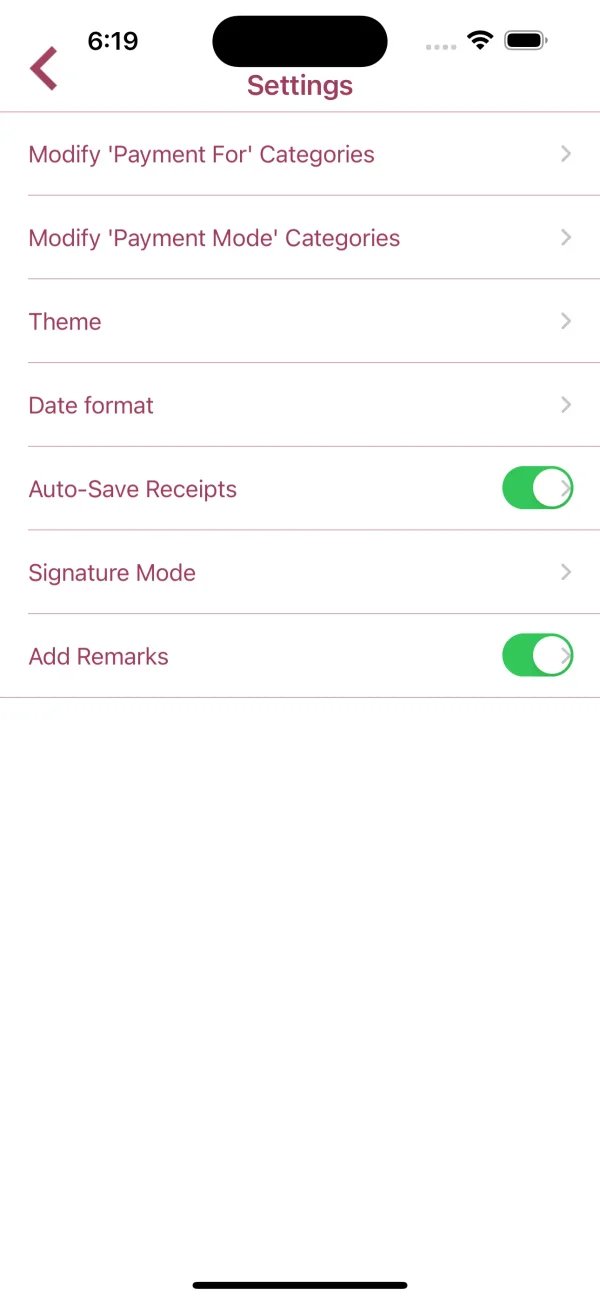
Make a Receipt app allows you to generate a digital receipt for your customers. Replace your Paper Receipt with a similar type of digital receipt that is available at your Fingertips. Also you can SAVE/SHARE/PRINT your digital receipts with a simple tap.
You can easily share your receipt information through text or as a detailed CSV file.
After you collect the due money you can fill out a receipt with this app, next use your finger to sign your name. Then you can save the receipt on your iPhone or share it with your customers through any of the Social media app available on your iPhone. Also you will have a receipt saved in your app.
You can also sync receipts on your PC/Laptop by using iTunes on your desktop.
How to create a Receipt:
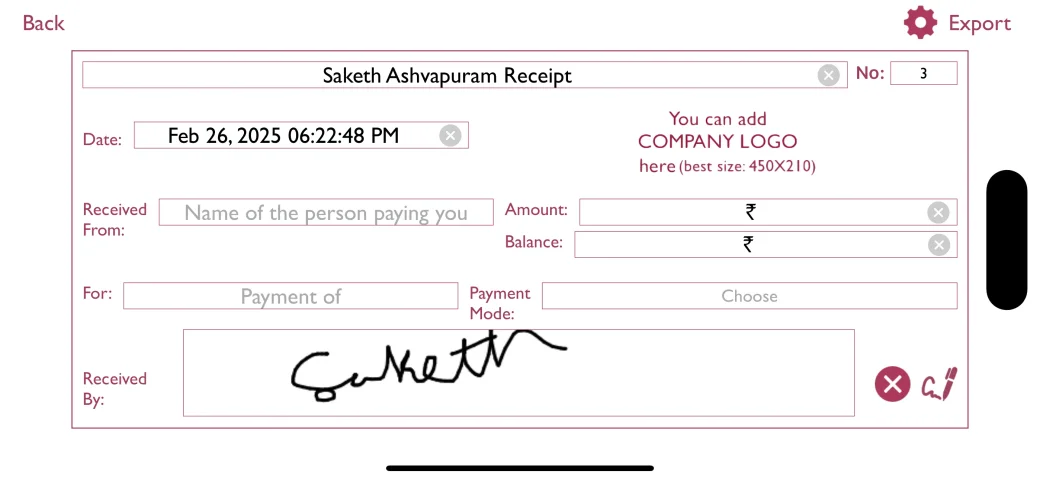
1) Fill in “Title of your Receipt” (the same will be copied for your next receipts, anyways you can edit it whenever you want)
2) Next, fill in “Date”, “Received From”, “Amount”, “For” and “Payment Mode” fields.
3) Finally, use your finger to sign your name. (the same will be saved for your next receipts, anyways you can edit it whenever you want).
4) When you are done, you can Save/Share/Print the receipt.
5) You have all your receipts saved in the app, also you have an option to view the saved receipts and also to search them either with the date or name.
6) You can also access Receipt PDF from iTunes on your desktop after connecting your iPhone to your desktop and open File Sharing apps on your iTunes, you can see ‘Make a Receipt’ app where you can ‘save to’ the folder of ‘Photos’ which contains your Receipts PDF.
PS:
*You can also edit the receipt number by tapping in the “No:” field.
*Tap on the “X” button on any of the fields, this will erase the information in that field.
Nouveautés
Version 5.0 · 26/02/2025
What's New in the App Store
Optimized for iOS 19 to ensure the best performance and stability.
Now fully compatible with the latest iPhone 15,16 series for a seamless experience.
Confidentialité de l’application
Ce que Saketh Ashvapuram déclare sur l’App Store au sujet du traitement des données par cette application.
-
Données non collectées
Le développeur ne collecte aucune donnée à partir de cette application.
Les pratiques en matière de confidentialité peuvent varier, notamment en fonction des fonctionnalités que vous utilisez ou de votre âge.
Informations
- Vendeur
- Saketh Ashvapuram
- Catégorie
- Économie et entreprise
- Version
- 5.0
- Mis à jour
- 26/02/2025
- Publié
- 30/05/2017
- Taille
- 2,3 Mo
- Nécessite
- iOS 9.3 ou version ultérieure
- Classification d’âge
- 4+
- Prix
- 1,99 €
- Langues
- Anglais
- Copyright
- Saketh Ashvapuram©Tarushi Software Solutions
Vous aimerez peut-être aussi
-
 Make Receipt - Sign, Print PDFÉconomie et entreprise
-
 Ace Receipt MakerÉconomie et entreprise
-
 Receipt MakerÉconomie et entreprise
-
 Make Receipt: Receipt MakerÉconomie et entreprise
-
 Receipt Maker - Sign & SendÉconomie et entreprise
-
 Facture Électronique - BookipieInvoice, devis, reçus & TVA
-
 Devis & Facture RapideFacturation avec Invoice Home™
-
 Receipt Scanner・Track ExpensesFinance
-
 Facture facile - FacturationCréez des factures en route
-
 Facture et devis — Invoice 2goFacturation facile et rapide