
- Batasan usia4+
- KategoriBisnis
- PengembangSaketh Ashvapuram
- BahasaInggris
- Ukuran2,3 MB
Tertaut ke halaman resmi App Store
Download.org tidak menyimpan file Make a Receipt apa pun. Tombol ini membuka halaman aplikasi di App Store, tempat Saketh Ashvapuram menerbitkannya. Halaman terakhir diperiksa pada 12/11/2026.
Tangkapan layar

Tentang
Pengembang belum menyediakan teks ini dalam bahasa Anda.
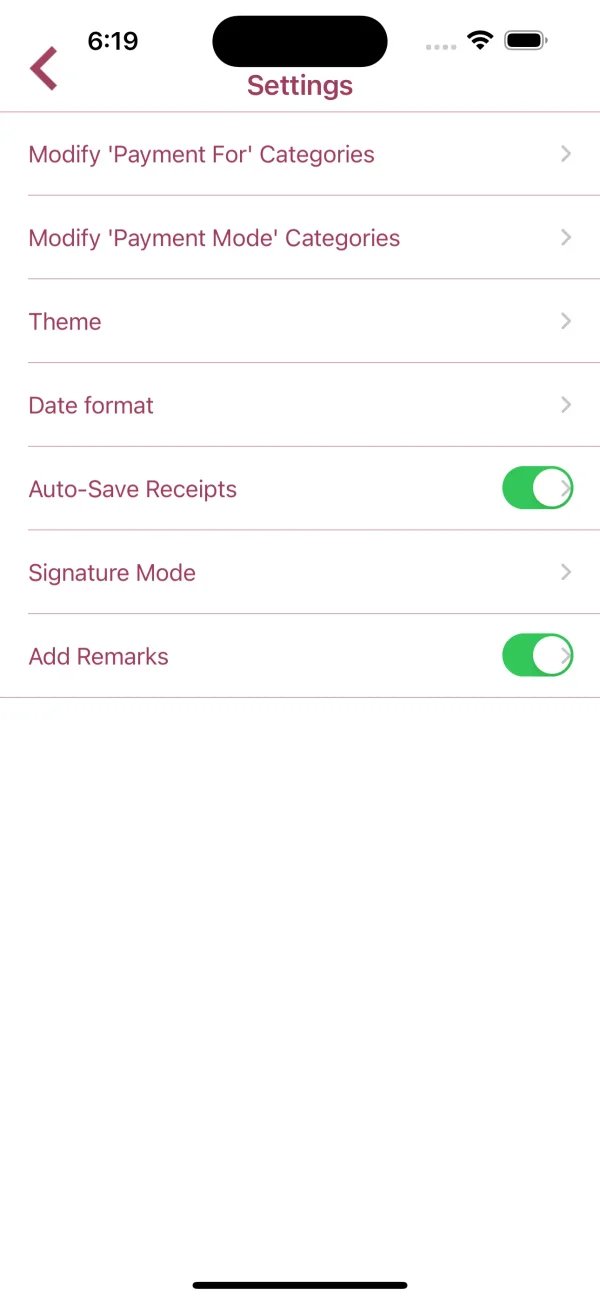
Make a Receipt app allows you to generate a digital receipt for your customers. Replace your Paper Receipt with a similar type of digital receipt that is available at your Fingertips. Also you can SAVE/SHARE/PRINT your digital receipts with a simple tap.
You can easily share your receipt information through text or as a detailed CSV file.
After you collect the due money you can fill out a receipt with this app, next use your finger to sign your name. Then you can save the receipt on your iPhone or share it with your customers through any of the Social media app available on your iPhone. Also you will have a receipt saved in your app.
You can also sync receipts on your PC/Laptop by using iTunes on your desktop.
How to create a Receipt:
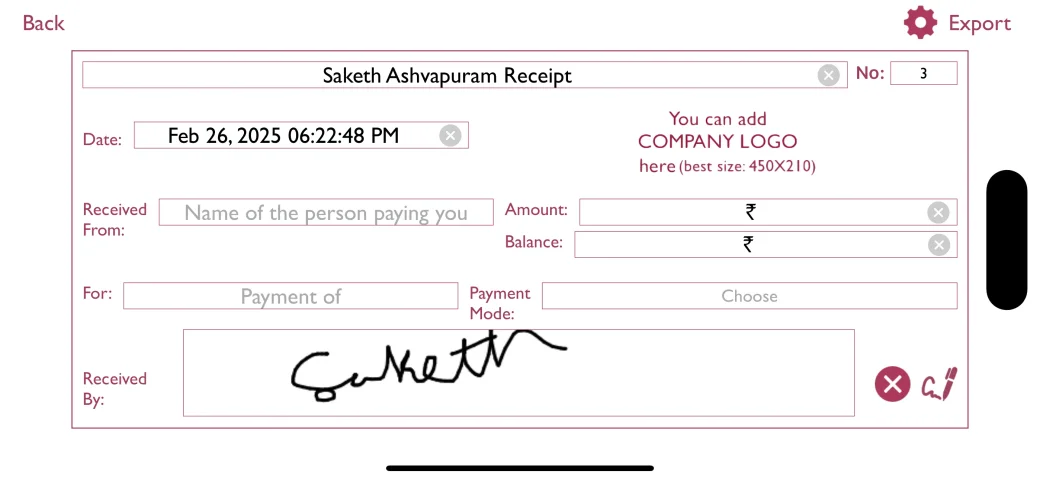
1) Fill in “Title of your Receipt” (the same will be copied for your next receipts, anyways you can edit it whenever you want)
2) Next, fill in “Date”, “Received From”, “Amount”, “For” and “Payment Mode” fields.
3) Finally, use your finger to sign your name. (the same will be saved for your next receipts, anyways you can edit it whenever you want).
4) When you are done, you can Save/Share/Print the receipt.
5) You have all your receipts saved in the app, also you have an option to view the saved receipts and also to search them either with the date or name.
6) You can also access Receipt PDF from iTunes on your desktop after connecting your iPhone to your desktop and open File Sharing apps on your iTunes, you can see ‘Make a Receipt’ app where you can ‘save to’ the folder of ‘Photos’ which contains your Receipts PDF.
PS:
*You can also edit the receipt number by tapping in the “No:” field.
*Tap on the “X” button on any of the fields, this will erase the information in that field.
Yang baru
Versi 5.0 · 26/2/2025
What's New in the App Store
Optimized for iOS 19 to ensure the best performance and stability.
Now fully compatible with the latest iPhone 15,16 series for a seamless experience.
Privasi aplikasi
Yang dinyatakan Saketh Ashvapuram di App Store tentang cara aplikasi ini menangani data.
-
Data tidak dikumpulkan
Pengembang tidak mengumpulkan data apa pun dari aplikasi ini.
Praktik privasi dapat bervariasi, misalnya berdasarkan fitur yang Anda gunakan atau usia Anda.
Informasi
- Penjual
- Saketh Ashvapuram
- Kategori
- Bisnis
- Versi
- 5.0
- Diperbarui
- 26/2/2025
- Dirilis
- 30/5/2017
- Ukuran
- 2,3 MB
- Memerlukan
- iOS 9.3 atau yang lebih baru
- Batasan usia
- 4+
- Harga
- Rp 39ribu
- Bahasa
- Inggris
- Hak cipta
- Saketh Ashvapuram©Tarushi Software Solutions
Mungkin Anda juga suka
-
 Make Receipt - Sign, Print PDFBisnis
-
 Ace Receipt MakerBisnis
-
 Receipt MakerBisnis
-
 Make Receipt: Receipt MakerBisnis
-
 Receipt Maker - Sign & SendBisnis
-
 Invoice & Quotation MakerAplikasi Faktur & Estimasi
-
 Invoice Maker by Invoice HomeBisnis
-
 Receipt Scanner・Track ExpensesKeuangan
-
 Easy Invoice Maker AppKeuangan
-
 Invoice2go: Easy Invoice MakerBisnis