
- Độ tuổi4+
- Danh mụcKinh Doanh
- Nhà phát triểnSaketh Ashvapuram
- Ngôn ngữTiếng Anh
- Kích thước2,3 MB
Liên kết đến trang App Store chính thức
Download.org không lưu trữ tệp nào của Make a Receipt. Nút này mở trang ứng dụng trên App Store, nơi Saketh Ashvapuram phát hành ứng dụng. Trang được kiểm tra lần cuối: 12/11/2026.
Ảnh chụp màn hình

Giới thiệu
Nhà phát triển chưa cung cấp nội dung này bằng ngôn ngữ của bạn.
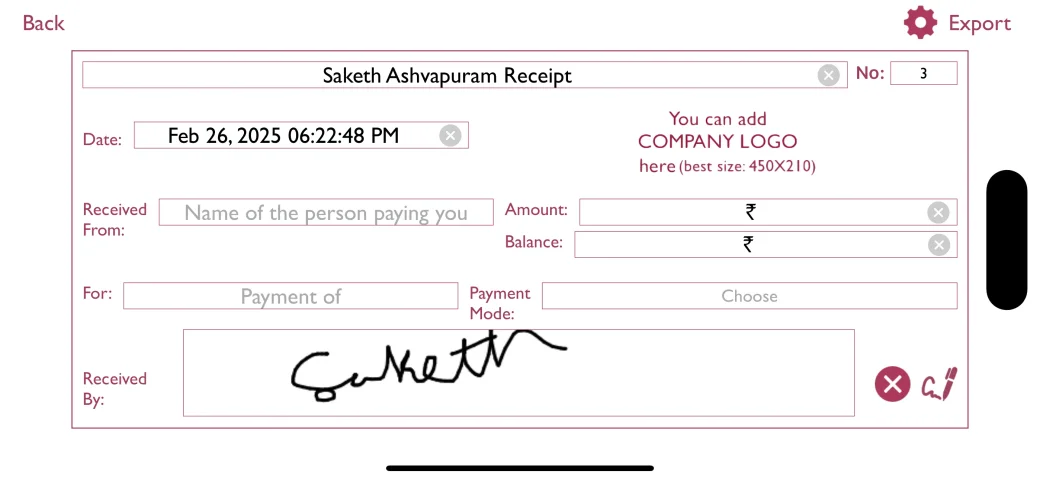
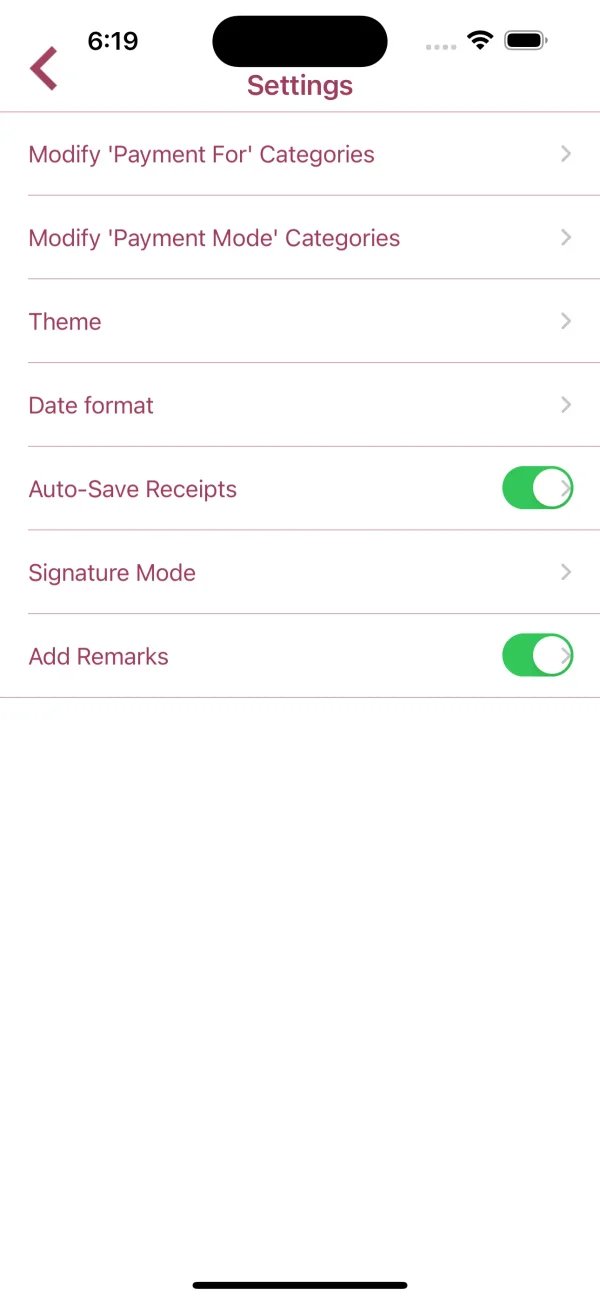
Make a Receipt app allows you to generate a digital receipt for your customers. Replace your Paper Receipt with a similar type of digital receipt that is available at your Fingertips. Also you can SAVE/SHARE/PRINT your digital receipts with a simple tap.
You can easily share your receipt information through text or as a detailed CSV file.
After you collect the due money you can fill out a receipt with this app, next use your finger to sign your name. Then you can save the receipt on your iPhone or share it with your customers through any of the Social media app available on your iPhone. Also you will have a receipt saved in your app.
You can also sync receipts on your PC/Laptop by using iTunes on your desktop.
How to create a Receipt:
1) Fill in “Title of your Receipt” (the same will be copied for your next receipts, anyways you can edit it whenever you want)
2) Next, fill in “Date”, “Received From”, “Amount”, “For” and “Payment Mode” fields.
3) Finally, use your finger to sign your name. (the same will be saved for your next receipts, anyways you can edit it whenever you want).
4) When you are done, you can Save/Share/Print the receipt.
5) You have all your receipts saved in the app, also you have an option to view the saved receipts and also to search them either with the date or name.
6) You can also access Receipt PDF from iTunes on your desktop after connecting your iPhone to your desktop and open File Sharing apps on your iTunes, you can see ‘Make a Receipt’ app where you can ‘save to’ the folder of ‘Photos’ which contains your Receipts PDF.
PS:
*You can also edit the receipt number by tapping in the “No:” field.
*Tap on the “X” button on any of the fields, this will erase the information in that field.
Có gì mới
Phiên bản 5.0 · 26/02/2025
What's New in the App Store
Optimized for iOS 19 to ensure the best performance and stability.
Now fully compatible with the latest iPhone 15,16 series for a seamless experience.
Quyền riêng tư của ứng dụng
Những gì Saketh Ashvapuram khai báo trên App Store về cách ứng dụng này xử lý dữ liệu.
-
Dữ liệu không được thu thập
Nhà phát triển không thu thập bất kỳ dữ liệu nào từ ứng dụng này.
Phương thức đảm bảo quyền riêng tư có thể khác nhau, chẳng hạn như tuỳ theo các tính năng bạn sử dụng hoặc độ tuổi của bạn.
Thông tin
- Người bán
- Saketh Ashvapuram
- Danh mục
- Kinh Doanh
- Phiên bản
- 5.0
- Cập nhật
- 26/02/2025
- Phát hành
- 30/05/2017
- Kích thước
- 2,3 MB
- Yêu cầu
- iOS 9.3 trở lên
- Độ tuổi
- 4+
- Giá
- 59.000đ
- Ngôn ngữ
- Tiếng Anh
- Bản quyền
- Saketh Ashvapuram©Tarushi Software Solutions
Có thể bạn cũng thích
-
 Make Receipt - Sign, Print PDFKinh Doanh
-
 Ace Receipt MakerKinh Doanh
-
 Receipt MakerKinh Doanh
-
 Make Receipt: Receipt MakerKinh Doanh
-
 Receipt Maker - Sign & SendKinh Doanh
-
 Invoice Maker & Estimate AppKinh Doanh
-
 Invoice Maker by Invoice HomeKinh Doanh
-
 Receipt Scanner・Track ExpensesTài Chính
-
 Easy Invoice Maker AppTài Chính
-
 Invoice2go: Easy Invoice MakerKinh Doanh