
- Clasificación por edad4+
- CategoríaUtilidades
- DesarrolladorJUNSEO CHOI
- IdiomasInglés
- Tamaño5,6 MB
Es posible que PadKeys no esté disponible en App Store en este momento
No se pudo acceder a la ficha de la tienda en nuestra última comprobación. El enlace sigue llevando a la página oficial de App Store.
Capturas de pantalla
Acerca de
El desarrollador no ha proporcionado este texto en tu idioma.
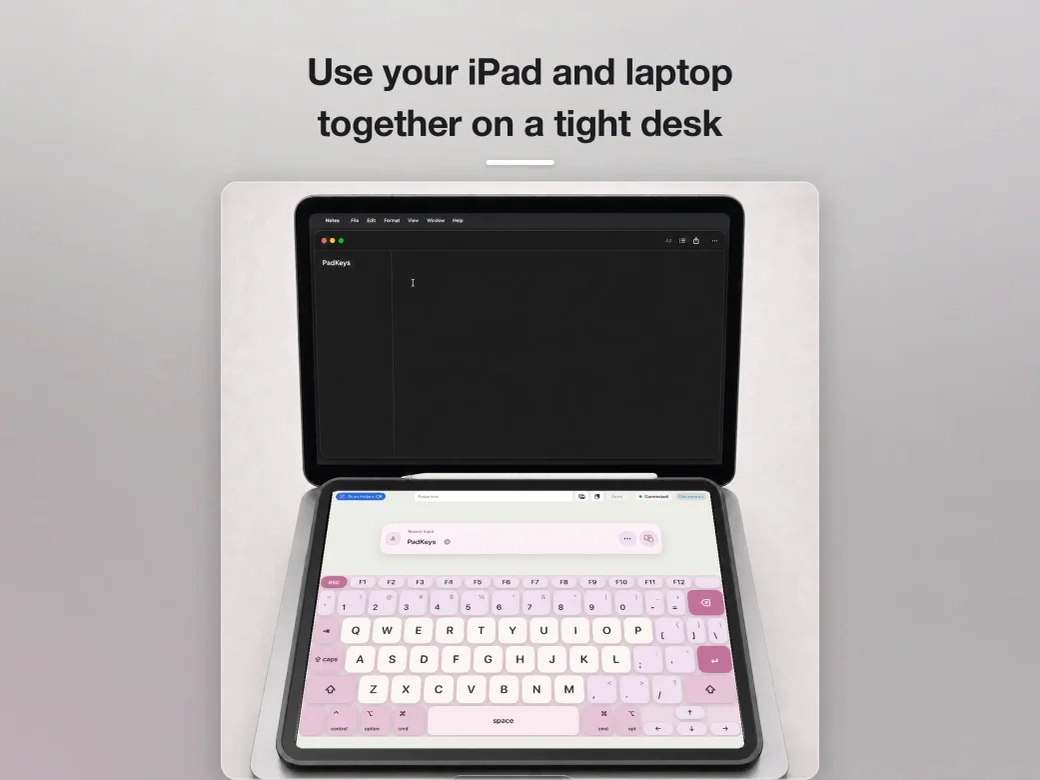
PadKeys provides a full-screen keyboard and lightweight trackpad for laptop input.
Designed for iPad in landscape orientation, PadKeys is useful on small desks, during travel, or whenever you want a large, focused typing surface. Open PadKeys, run PadKeys Helper on your Mac or Windows PC, scan the Helper QR code, and start typing.
Key features:
• Full-screen keyboard designed for landscape use
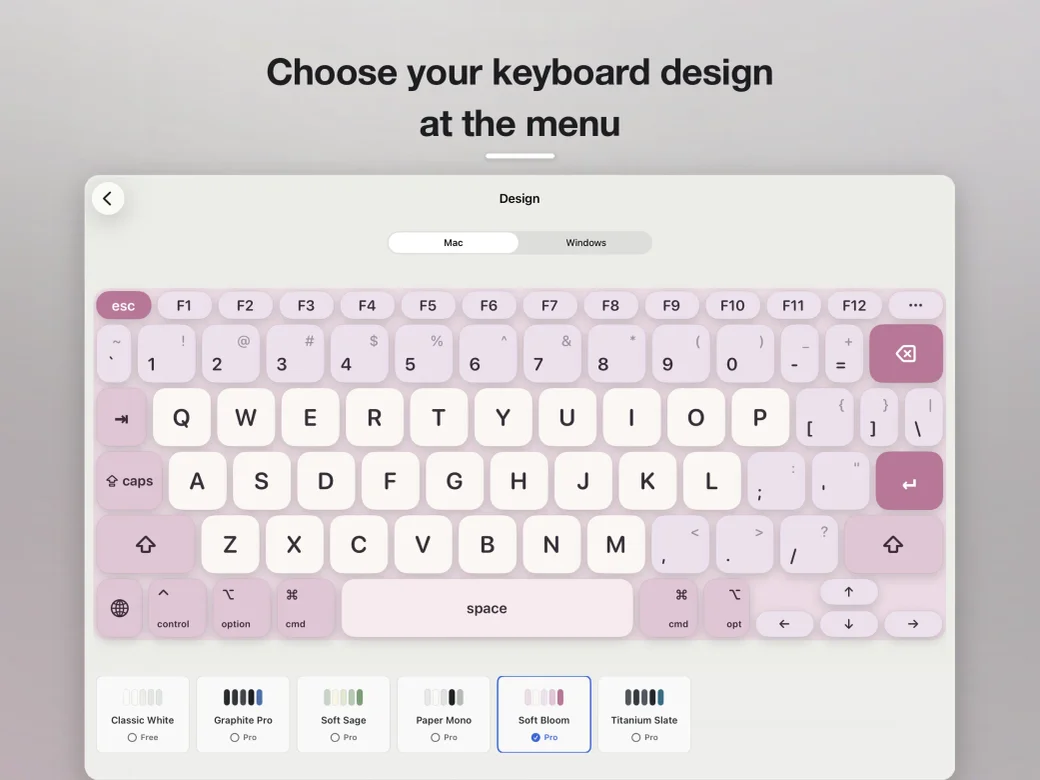
• Keyboard layouts for Mac and Windows
• English QWERTY and Korean keyboard support
• Function keys, arrow keys, modifiers, Space, Enter, Backspace, and more
• Lightweight trackpad for pointer movement
• Tap to left-click, dedicated left/right click buttons, and two-finger scroll
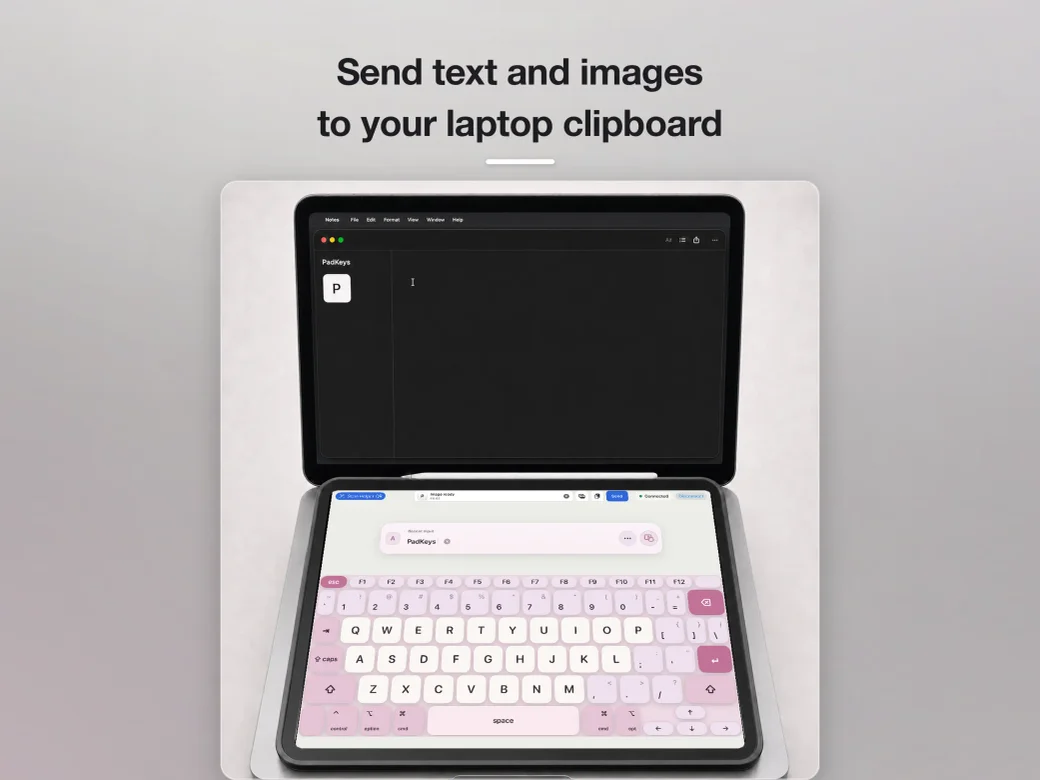
• Text sending to your computer clipboard
• QR-based local network pairing
• No PadKeys account required
PadKeys is keyboard-first. It is not a generic remote-control app. The screen stays focused on typing, pointer control, and quick laptop input.
How it works:
1. Install PadKeys Helper on your Mac or Windows PC.
2. Allow the required input or network permission.
3. Open PadKeys and scan the Helper QR code.
4. Type and control the pointer from PadKeys.
PadKeys connects directly to your computer over your local network. Both devices should be on the same Wi-Fi network, and the helper must be running while you use the app.
PadKeys includes a 14-day free trial that starts after the first successful connection. After the trial, a one-time PadKeys Pro purchase unlocks continued use. No subscription.
Novedades
Versión 1.5 · 13/10/2026
PadKeys 1.5 makes typing and scrolling alongside your work easier.
• Switch between pointer movement and scrolling with the trackpad mode button or Apple Pencil double-tap.
• Scroll with one finger or Apple Pencil, with improved scrolling responsiveness on Mac.
• Pinch to zoom in supported Mac apps.
• Enjoy a refined compact layout with quick access to Space and arrow keys.
• Get started with clearer setup guidance, new feature videos, and a dedicated Slide Over walkthrough.
Update your PadKeys Mac Helper to use the latest Mac features.
Privacidad de la aplicación
Lo que JUNSEO CHOI declara en App Store sobre cómo esta aplicación gestiona los datos.
-
No se recopilan datos
El desarrollador no recopila ningún dato de esta aplicación.
Las prácticas de privacidad pueden variar, por ejemplo, según las funciones que uses o tu edad.
Información
- Vendedor
- JUNSEO CHOI
- Categoría
- Utilidades
- Versión
- 1.5
- Actualizado
- 13/10/2026
- Publicado
- 4/8/2026
- Tamaño
- 5,6 MB
- Requiere
- iOS 17.0 o posterior
- Clasificación por edad
- 4+
- Compras en la aplicación
- Sí
- Idiomas
- Inglés
- Copyright
- © 2026 PadKeys
Quizá también te guste
-
 K4us English KeyboardUtilidades
-
 Mak Commander-Input ControllerUtilidades
-
 DexoPadUtilidades
-
 PulseViewUtilidades
-
 Airnest: Remote for MacTeclado y ratón inalámbricos
-
 Numberie KeyboardUtilidades
-
 Font Keyboard : GENZ keysUtilidades
-
 HID HOPUtilidades
-
 ThreadMapperDiagnostica tu red Matter
-
 Skeyboard - Custom KeyboardUtilidades