
Password Generation
Create strong, unique password
Diseñada para iPhone, iPad, iPod touch
Gratis
- Clasificación por edad4+
- CategoríaUtilidades
- DesarrolladorAli Goktas
- IdiomasInglés
- Tamaño53,9 MB
Enlaza a la página oficial de App Store
Download.org no aloja ningún archivo de Password Generation. El botón abre la página de la aplicación en App Store, donde la publica Ali Goktas. Ficha comprobada por última vez el 18/11/2026.
Capturas de pantalla

Acerca de
El desarrollador no ha proporcionado este texto en tu idioma.
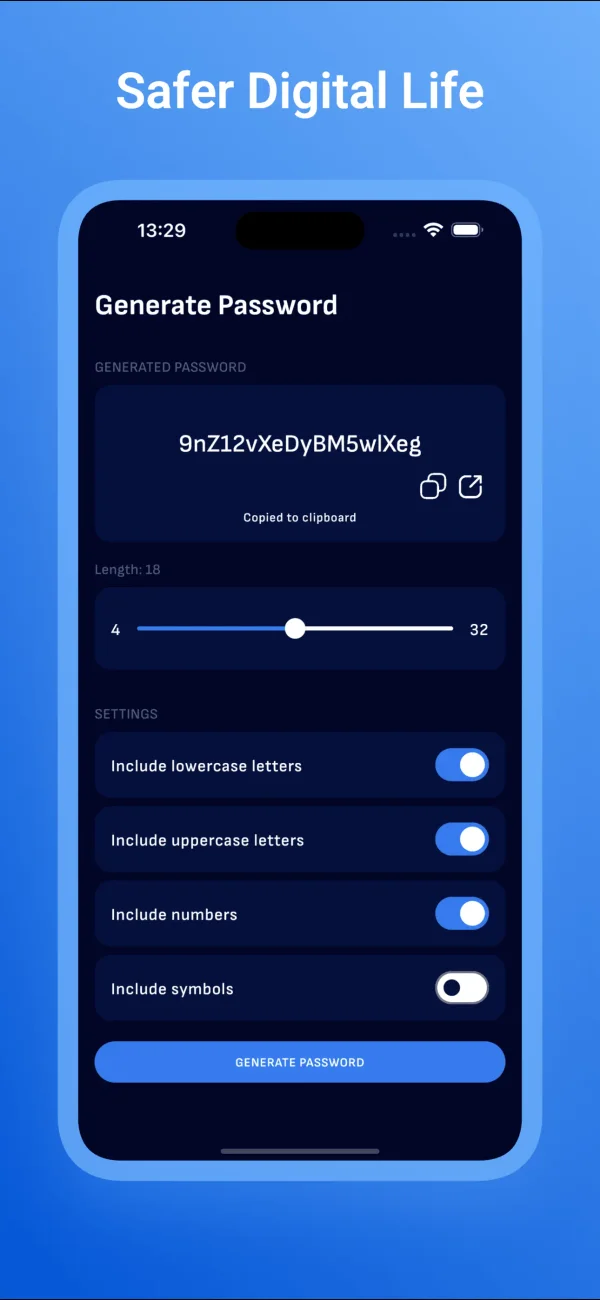
Password Generator is a free and easy-to-use app that helps you create strong, unique passwords for all your accounts. It uses a cryptographically secure pseudo-random number generator to create passwords that are difficult to guess or crack.
You can customize the length and character set of your passwords to meet the specific requirements of each website or service you use. Password Generator can also generate passwords that are compliant with common password policies, such as requiring a mix of upper and lowercase letters, numbers, and symbols.
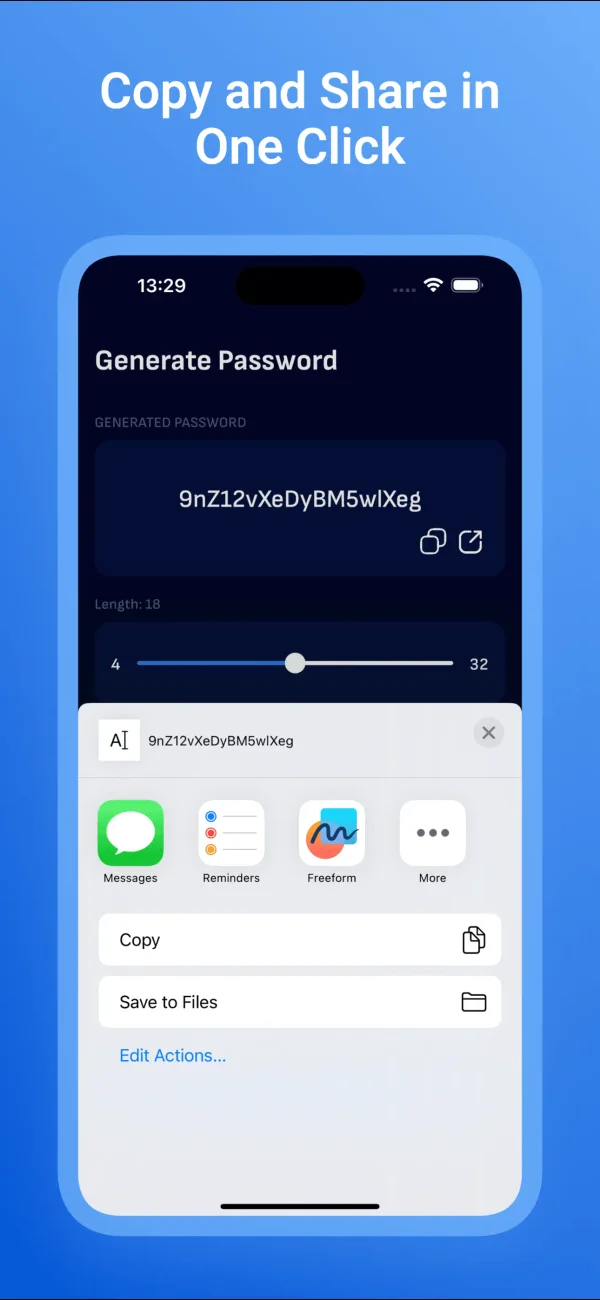
Once you've generated a password, you can easily copy and paste it into the password field of the website or service you're signing up for or signing in to. You can also save your passwords to the app's built-in password manager, so you can easily access them later.
Features:
Generate strong, unique passwords for all your accounts
Customize the length and character set of your passwords
Generate passwords that are compliant with common password policies
Copy and paste passwords easily
Save passwords to the app's built-in password manager
Benefits:
Protect your accounts from unauthorized access
Improve your password security
Make it easier to remember your passwords
Save time when signing up for and signing in to websites and services
How to use:
Open the Password Generator app.
Tap the "Generate Password" button.
Customize the length and character set of your password (optional).
Tap the "Generate Password" button again.
Copy and paste your password into the password field of the website or service you're signing up for or signing in to.
(Optional) Save your password to the app's built-in password manager.
Download Password Generator today and start creating strong, unique passwords for all your accounts!
Novedades
Versión 1.4 · 9/1/2025
Crash fixes
Privacidad de la aplicación
Lo que Ali Goktas declara en App Store sobre cómo esta aplicación gestiona los datos.
-
Datos no vinculados a ti
Pueden recopilarse, pero no se vinculan a tu identidad.
- Datos de uso
- Diagnóstico
Las prácticas de privacidad pueden variar, por ejemplo, según las funciones que uses o tu edad.
Información
- Vendedor
- Ali Goktas
- Categoría
- Utilidades
- Versión
- 1.4
- Actualizado
- 9/1/2025
- Publicado
- 25/10/2023
- Tamaño
- 53,9 MB
- Requiere
- iOS 14.1 o posterior
- Clasificación por edad
- 4+
- Precio
- Gratis
- Idiomas
- Inglés
- Copyright
- © 2023 Ali Göktaş
Quizá también te guste
-
 SJ Password GeneratorGenera tus contraseñas
-
 Three Word Password GeneratorUtilidades
-
 PasswordPerfectUtilidades
-
 Ad-Free Password GeneratorUtilidades
-
 GeoGuardianUtilidades
-
 Password Kit password GenartorUtilidades
-
 API Tester(Pro)Utilidades
-
 Password Generator: Pixel ModeUtilidades
-
 Password Generator for SafariUtilidades
-
 PassGuard: Password VaultUtilidades