
Password Generation
Create strong, unique password
Designed for iPhone, iPad, iPod touch
Free
- Age rating4+
- CategoryUtilities
- DeveloperAli Goktas
- LanguagesEnglish
- Size53.9 MB
Links to the official App Store page
Download.org hosts no file of Password Generation. The button opens its official App Store page, published by Ali Goktas. Listing last checked on Nov 18, 2026.
Screenshots

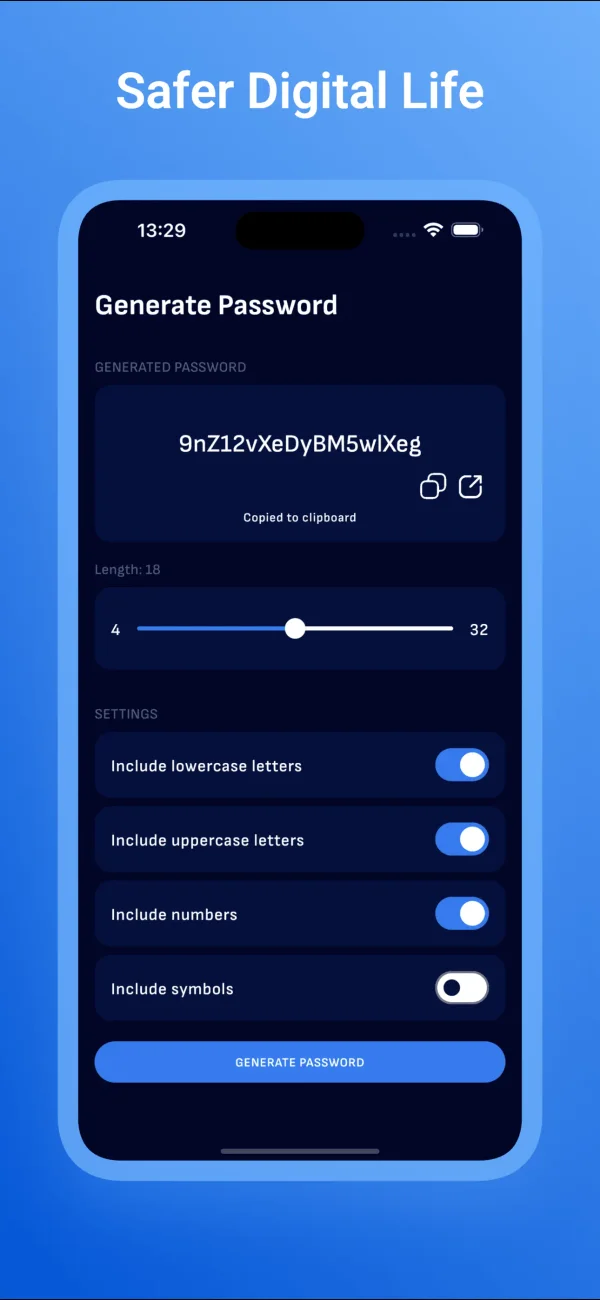
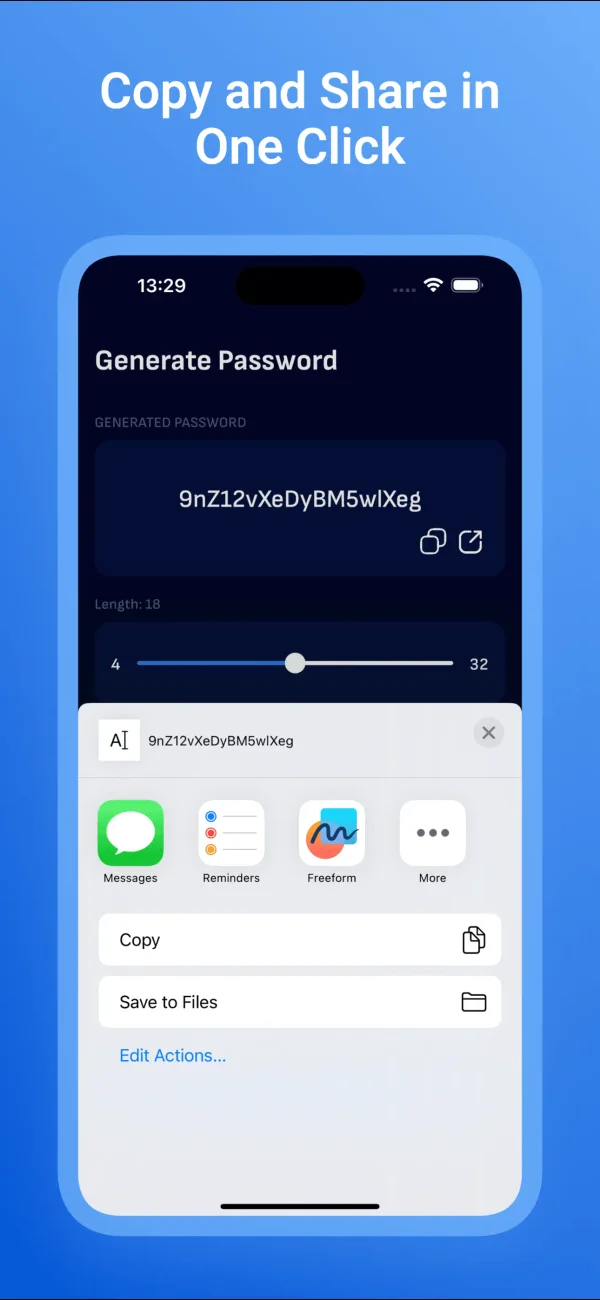
About
Password Generator is a free and easy-to-use app that helps you create strong, unique passwords for all your accounts. It uses a cryptographically secure pseudo-random number generator to create passwords that are difficult to guess or crack.
You can customize the length and character set of your passwords to meet the specific requirements of each website or service you use. Password Generator can also generate passwords that are compliant with common password policies, such as requiring a mix of upper and lowercase letters, numbers, and symbols.
Once you've generated a password, you can easily copy and paste it into the password field of the website or service you're signing up for or signing in to. You can also save your passwords to the app's built-in password manager, so you can easily access them later.
Features:
Generate strong, unique passwords for all your accounts
Customize the length and character set of your passwords
Generate passwords that are compliant with common password policies
Copy and paste passwords easily
Save passwords to the app's built-in password manager
Benefits:
Protect your accounts from unauthorized access
Improve your password security
Make it easier to remember your passwords
Save time when signing up for and signing in to websites and services
How to use:
Open the Password Generator app.
Tap the "Generate Password" button.
Customize the length and character set of your password (optional).
Tap the "Generate Password" button again.
Copy and paste your password into the password field of the website or service you're signing up for or signing in to.
(Optional) Save your password to the app's built-in password manager.
Download Password Generator today and start creating strong, unique passwords for all your accounts!
What’s new
Version 1.4 · Jan 9, 2025
Crash fixes
App privacy
What Ali Goktas declares on the App Store about how this app handles data.
-
Data not linked to you
May be collected but is not linked to your identity.
- Usage data
- Diagnostics
Privacy practices may vary, for example with the features you use or your age.
Information
- Seller
- Ali Goktas
- Category
- Utilities
- Version
- 1.4
- Updated
- Jan 9, 2025
- Released
- Oct 25, 2023
- Size
- 53.9 MB
- Requires
- iOS 14.1 or later
- Age rating
- 4+
- Price
- Free
- Languages
- English
- Copyright
- © 2023 Ali Göktaş
You might also like
-
 SJ Password GeneratorGenerate your passwords
-
 Three Word Password GeneratorUtilities
-
 PasswordPerfectPassword Generator
-
 Ad-Free Password GeneratorPassword Generator
-
 GeoGuardianGeoGuardian QR Code Scanner
-
 Password Kit password GenartorStrong Passwords Instantly
-
 API Tester(Pro)Test APIs without ads
-
 Password Generator: Pixel ModeUnique & Strong Passwords
-
 Password Generator for SafariInstantly generate passwords
-
 PassGuard: Password VaultSecure Password Manager