- Clasificación por edad4+
- CategoríaProductividad
- DesarrolladorHyunok Lee
- IdiomasInglés
- Tamaño2,0 MB
Enlaza a la página oficial de App Store
Download.org no aloja ningún archivo de Pause Calendar. El botón abre la página de la aplicación en App Store, donde la publica Hyunok Lee. Ficha comprobada por última vez el 23/11/2026.
Capturas de pantalla

Acerca de
El desarrollador no ha proporcionado este texto en tu idioma.
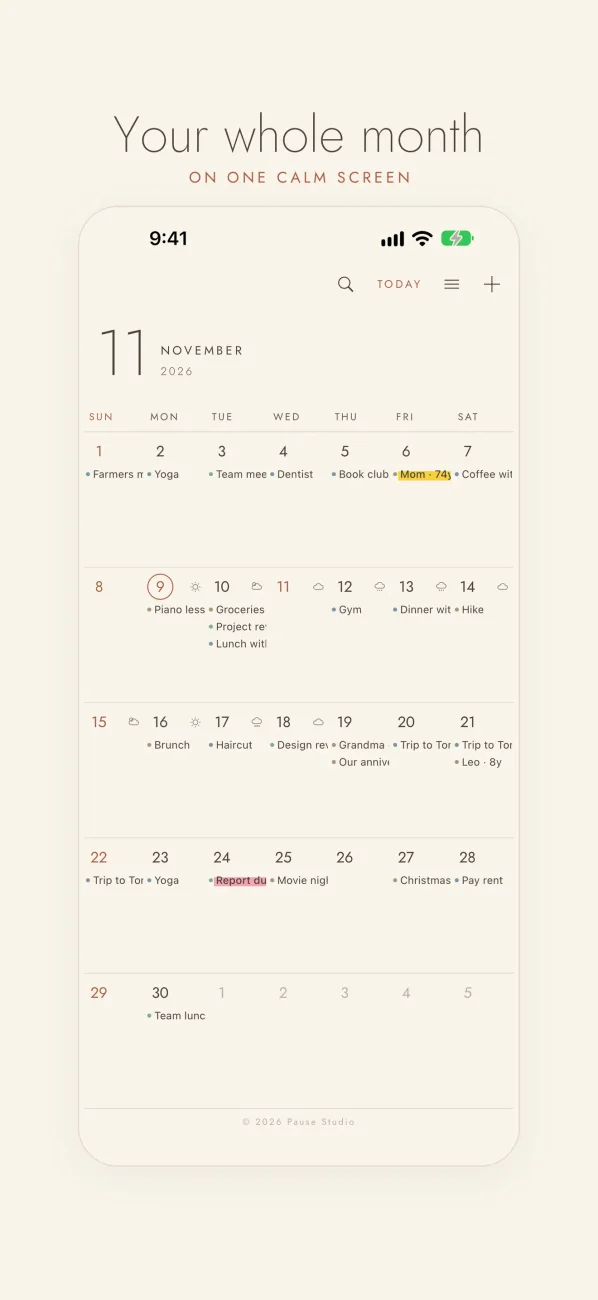
Pause Calendar shows your whole month on one calm screen. No clutter. Just the dates, your events, and room to breathe.
It reads the calendars already on your iPhone, like iCloud and Google, so there's nothing new to sign up for.
• The full month at a glance. Scroll up and down through the weeks, or swipe to the next month
• Event names written right in each day, with a small dot for each calendar's color
• Events that last several days show as one strip, in a color you choose
• Reminders with a date show on the calendar. Check them off or add new ones
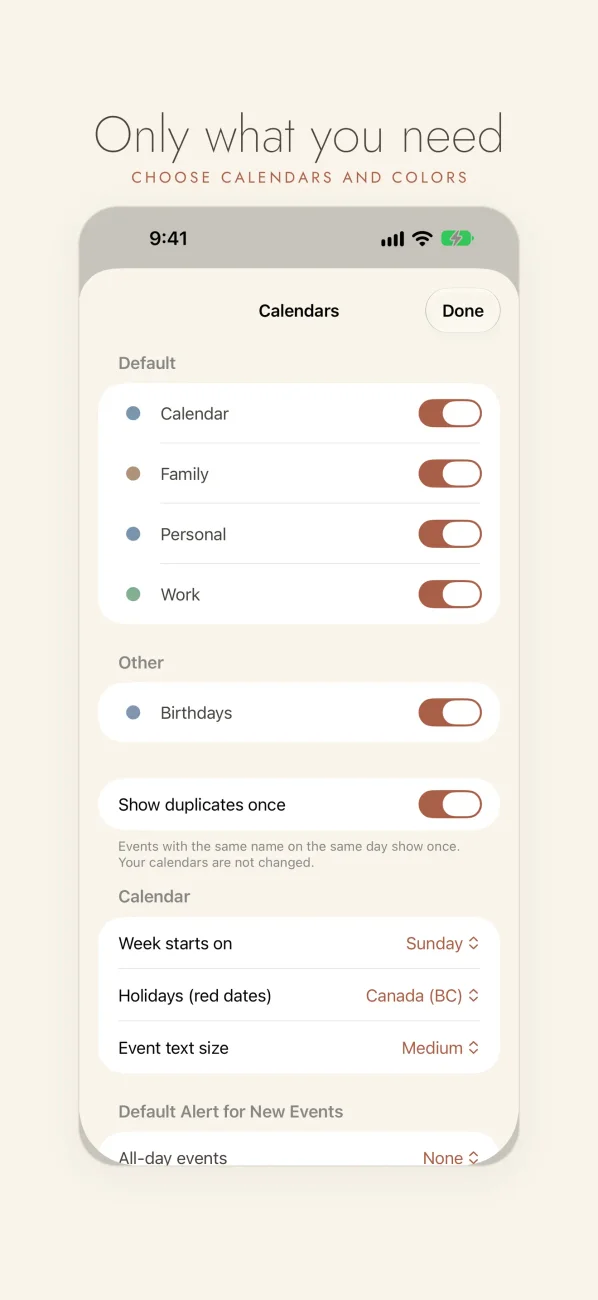
• Choose which calendars to show, and their colors
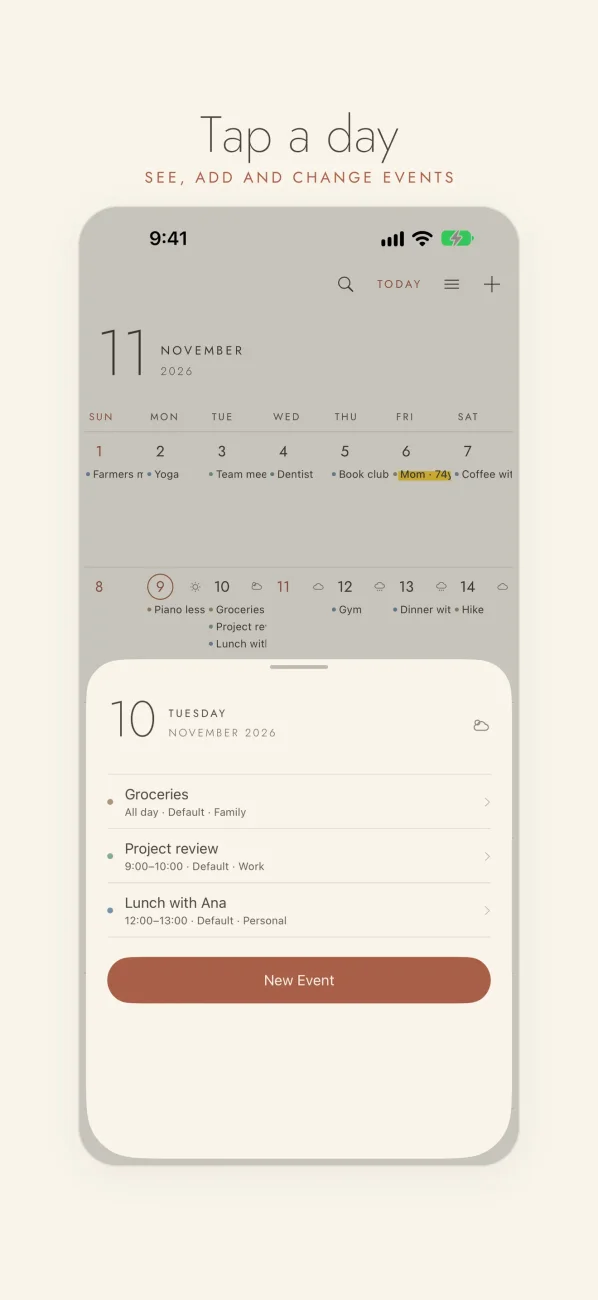
• Tap a day to see its events, add a new one, or change and delete them
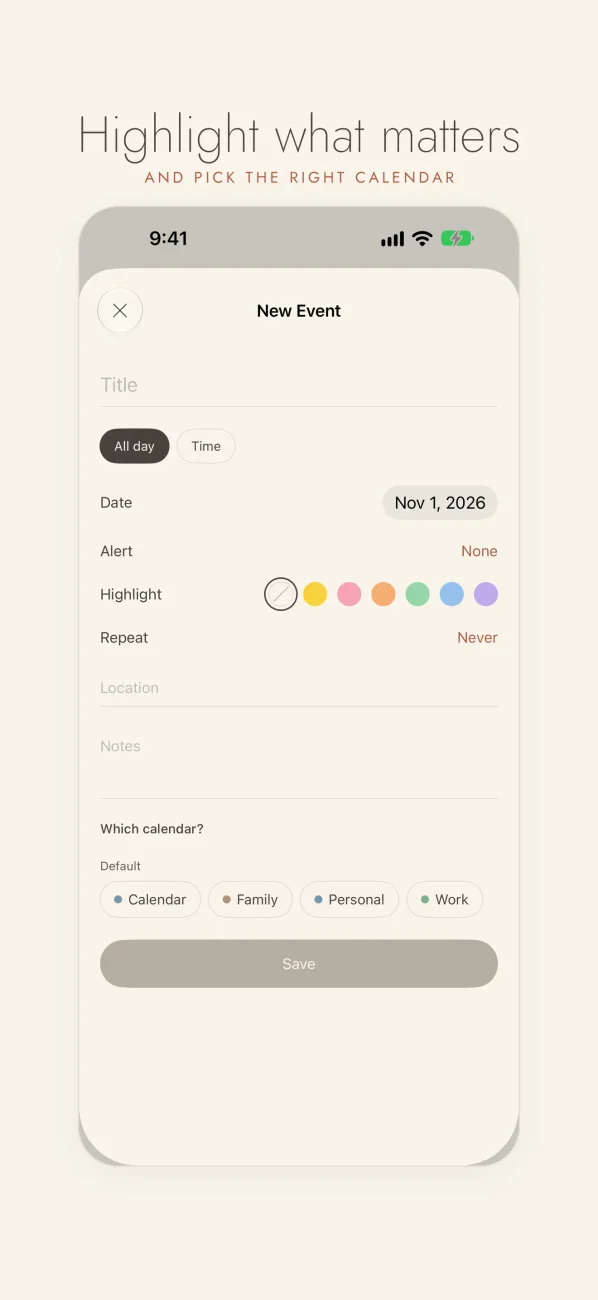
• See exactly which account and calendar a new event goes into
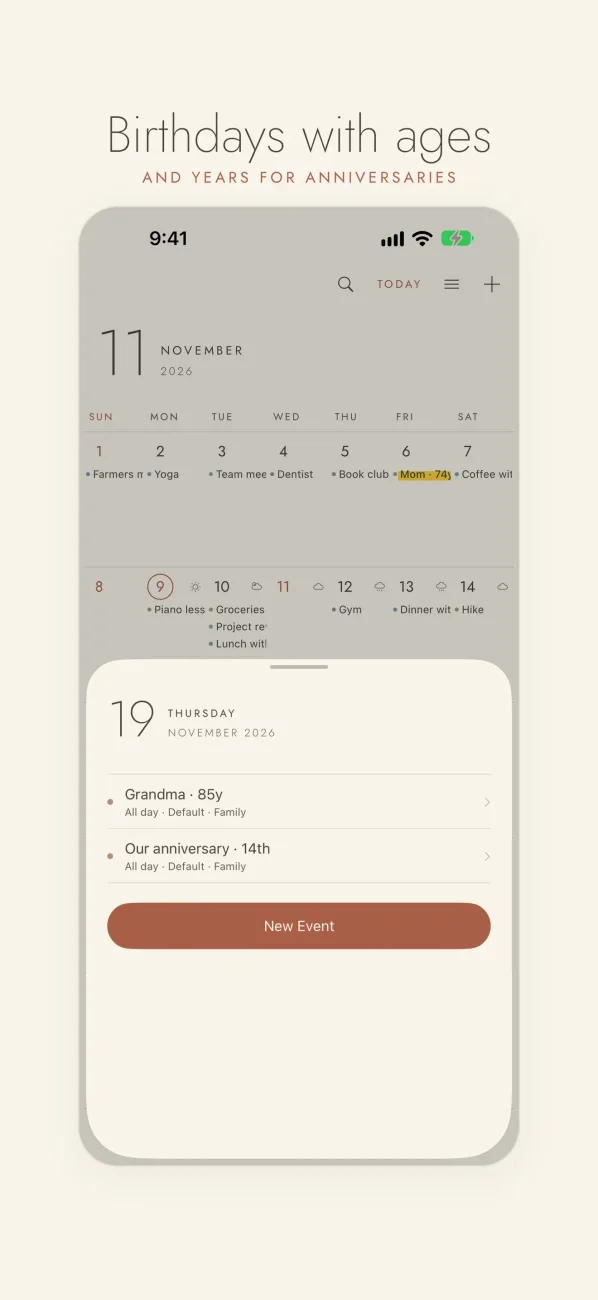
• The same birthday saved in several calendars shows only once
• Ages on birthdays (76y) and years on anniversaries (10th)
• Highlight important events in a color you choose
• Weather on the days ahead, with highs and lows (or turn it off)
• Widgets for the Home Screen (small, medium, large) and the Lock Screen
• Ready for British Columbia's new year-round time (UTC−7). Event times stay right even if your iPhone hasn't caught up yet. Outside BC, it simply follows your iPhone's time zone.
• All-day events stay on the right day
Your events stay on your iPhone and in your own calendar accounts. Your highlights, colors and settings are also kept in your iCloud. No account, no ads, no tracking.
Novedades
Versión 1.0.2 · 19/11/2026
• Save button is now at the top of the event screen.
• Tapping outside while picking a time no longer closes the event without saving.
• Changing the start time moves the end time with it (new events last one hour by default).
• The day view always opens at half height.
• If an event can’t be deleted, you’re told instead of it quietly coming back.
Privacidad de la aplicación
Lo que Hyunok Lee declara en App Store sobre cómo esta aplicación gestiona los datos.
-
No se recopilan datos
El desarrollador no recopila ningún dato de esta aplicación.
Las prácticas de privacidad pueden variar, por ejemplo, según las funciones que uses o tu edad.
Información
- Vendedor
- Hyunok Lee
- Categoría
- Productividad
- Versión
- 1.0.2
- Actualizado
- 19/11/2026
- Publicado
- 10/11/2026
- Tamaño
- 2,0 MB
- Requiere
- iOS 18.0 o posterior
- Clasificación por edad
- 4+
- Precio
- Gratis
- Idiomas
- Inglés
- Copyright
- © 2026 Pause Studio
Quizá también te guste
-
 Post-Mission PlannerProductividad
-
 Daypages: Agenda serenaCalendario minimalista diario
-
 Grammar Air - Writing CheckerProductividad
-
 Caly - Calendar & WidgetsProductividad
-
 AccomplishProductividad
-
 Opus One: Calendar AgendaOrganizador Diario, Calendario
-
 Agenda y Metas: GriplyHábitos y Productividad
-
 Progress: Goal & Habit TrackerProductividad
-
 Horario de Agenda: OrganizadorPlanificador de los deberes
-
 StarNote: Notas a mano y PDFGraba audio al tomar apuntes