- Độ tuổi4+
- Danh mụcHiệu Suất
- Nhà phát triểnHyunok Lee
- Ngôn ngữTiếng Anh
- Kích thước2,0 MB
Liên kết đến trang App Store chính thức
Download.org không lưu trữ tệp nào của Pause Calendar. Nút này mở trang ứng dụng trên App Store, nơi Hyunok Lee phát hành ứng dụng. Trang được kiểm tra lần cuối: 23/11/2026.
Ảnh chụp màn hình

Giới thiệu
Nhà phát triển chưa cung cấp nội dung này bằng ngôn ngữ của bạn.
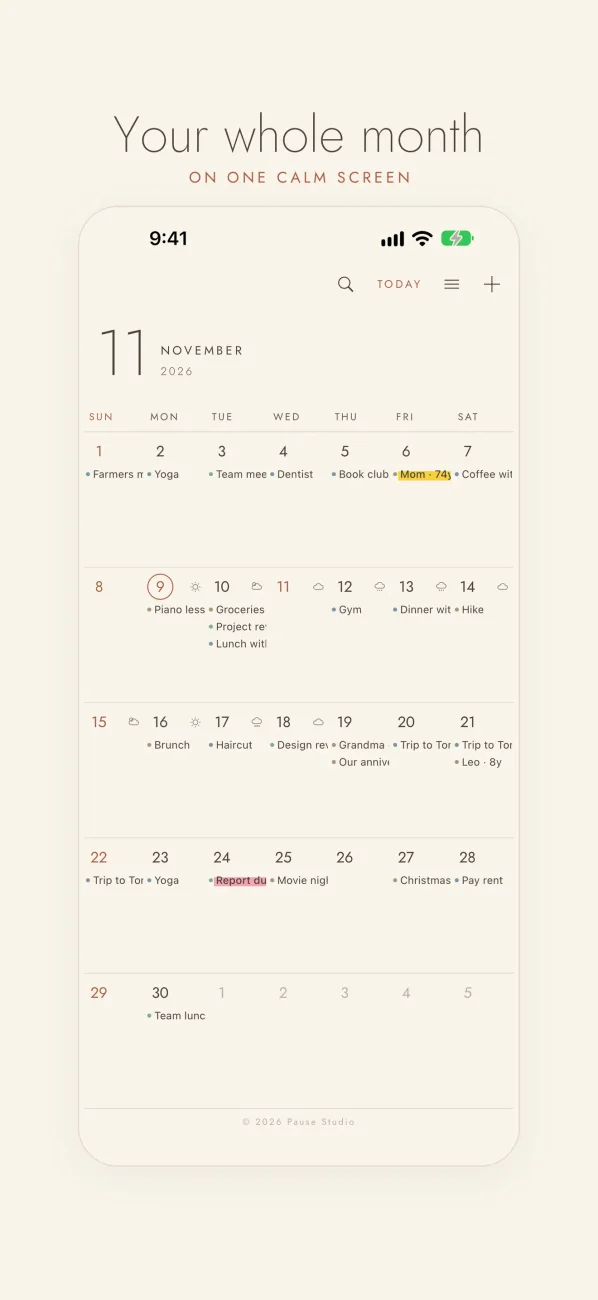
Pause Calendar shows your whole month on one calm screen. No clutter. Just the dates, your events, and room to breathe.
It reads the calendars already on your iPhone, like iCloud and Google, so there's nothing new to sign up for.
• The full month at a glance. Scroll up and down through the weeks, or swipe to the next month
• Event names written right in each day, with a small dot for each calendar's color
• Events that last several days show as one strip, in a color you choose
• Reminders with a date show on the calendar. Check them off or add new ones
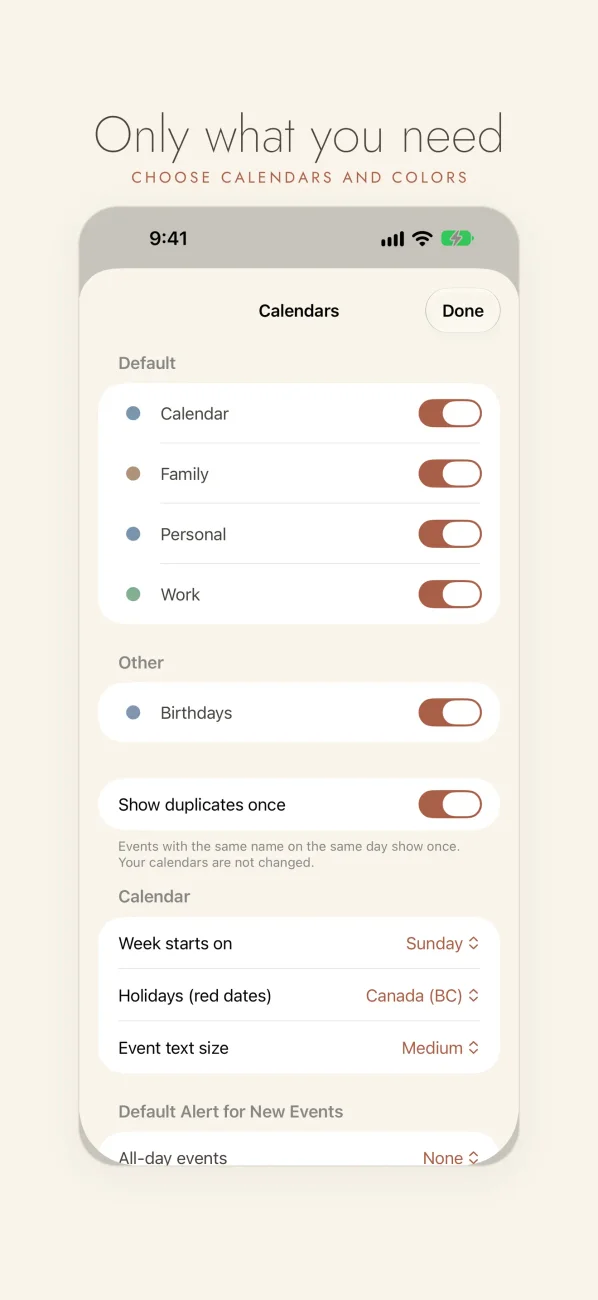
• Choose which calendars to show, and their colors
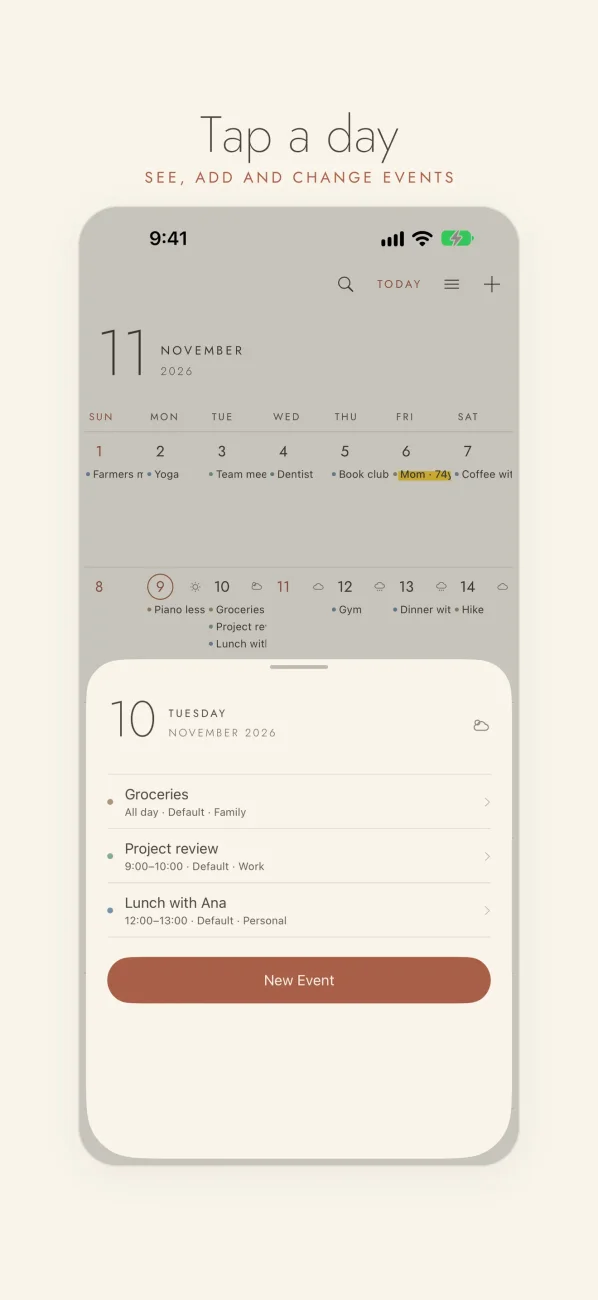
• Tap a day to see its events, add a new one, or change and delete them
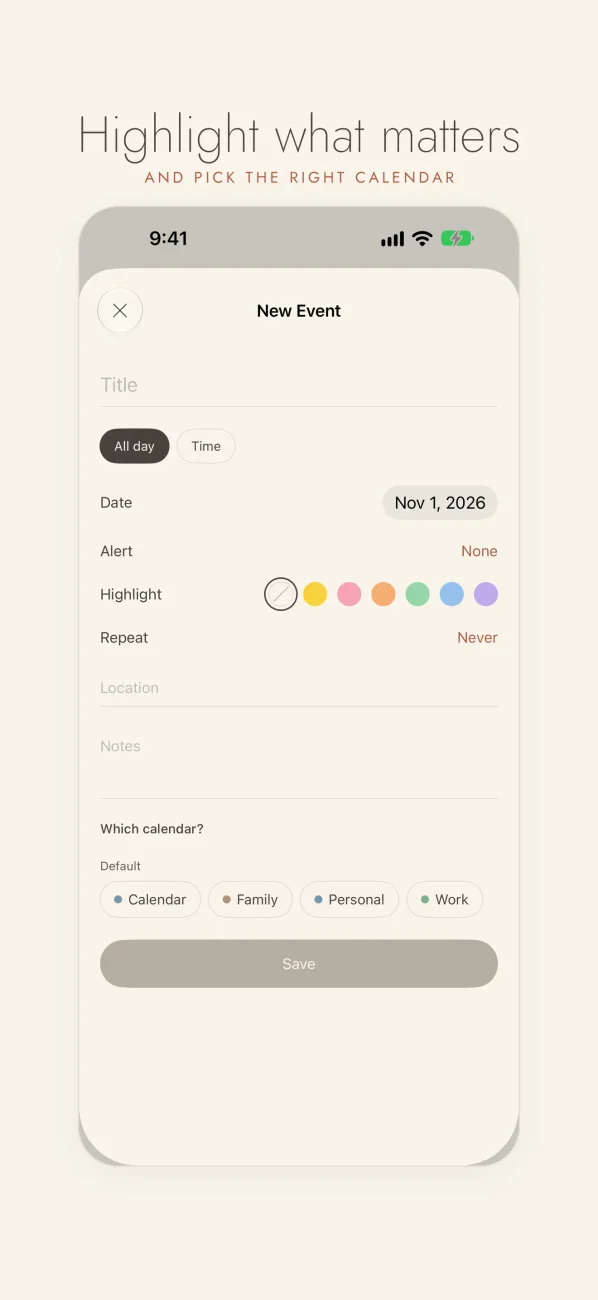
• See exactly which account and calendar a new event goes into
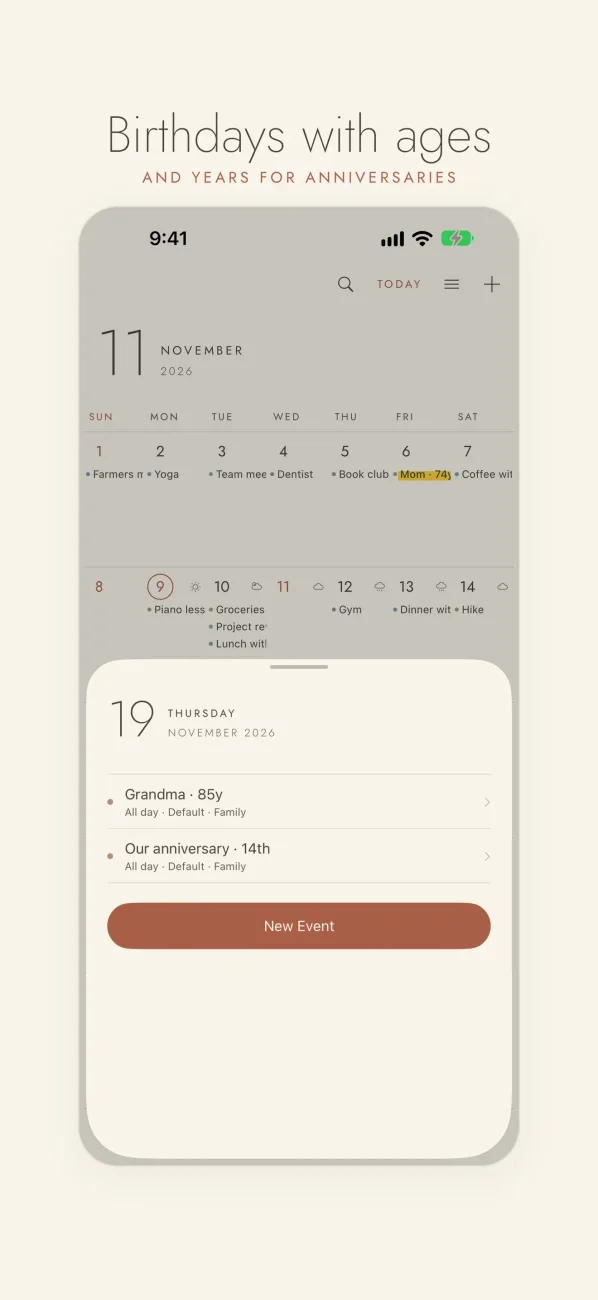
• The same birthday saved in several calendars shows only once
• Ages on birthdays (76y) and years on anniversaries (10th)
• Highlight important events in a color you choose
• Weather on the days ahead, with highs and lows (or turn it off)
• Widgets for the Home Screen (small, medium, large) and the Lock Screen
• Ready for British Columbia's new year-round time (UTC−7). Event times stay right even if your iPhone hasn't caught up yet. Outside BC, it simply follows your iPhone's time zone.
• All-day events stay on the right day
Your events stay on your iPhone and in your own calendar accounts. Your highlights, colors and settings are also kept in your iCloud. No account, no ads, no tracking.
Có gì mới
Phiên bản 1.0.2 · 19/11/2026
• Save button is now at the top of the event screen.
• Tapping outside while picking a time no longer closes the event without saving.
• Changing the start time moves the end time with it (new events last one hour by default).
• The day view always opens at half height.
• If an event can’t be deleted, you’re told instead of it quietly coming back.
Quyền riêng tư của ứng dụng
Những gì Hyunok Lee khai báo trên App Store về cách ứng dụng này xử lý dữ liệu.
-
Dữ liệu không được thu thập
Nhà phát triển không thu thập bất kỳ dữ liệu nào từ ứng dụng này.
Phương thức đảm bảo quyền riêng tư có thể khác nhau, chẳng hạn như tuỳ theo các tính năng bạn sử dụng hoặc độ tuổi của bạn.
Thông tin
- Người bán
- Hyunok Lee
- Danh mục
- Hiệu Suất
- Phiên bản
- 1.0.2
- Cập nhật
- 19/11/2026
- Phát hành
- 10/11/2026
- Kích thước
- 2,0 MB
- Yêu cầu
- iOS 18.0 trở lên
- Độ tuổi
- 4+
- Giá
- Miễn phí
- Ngôn ngữ
- Tiếng Anh
- Bản quyền
- © 2026 Pause Studio
Có thể bạn cũng thích
-
 Post-Mission PlannerHiệu Suất
-
 Daypages - Calm CalendarHiệu Suất
-
 Grammar Air - Writing CheckerHiệu Suất
-
 Caly - Calendar & WidgetsHiệu Suất
-
 AccomplishHiệu Suất
-
 Opus One: Digital PlannerHiệu Suất
-
 Daily Planner & Goals: GriplyHiệu Suất
-
 Progress: Goal & Habit TrackerHiệu Suất
-
 Digital Study Planner ScheduleHiệu Suất
-
 StarNote: Study Notes & PDFClass Notes & Planner