- 対象年齢4+
- カテゴリ仕事効率化
- 開発元Hyunok Lee
- 言語英語
- サイズ2.0 MB
App Storeの公式ページにリンクしています
Download.orgはPause Calendarのファイルを一切ホストしていません。ボタンを押すと、Hyunok Leeが公開しているApp Storeのアプリページが開きます。ページの最終確認:2026/11/23。
スクリーンショット

概要
開発元はこのテキストをお使いの言語で提供していません。
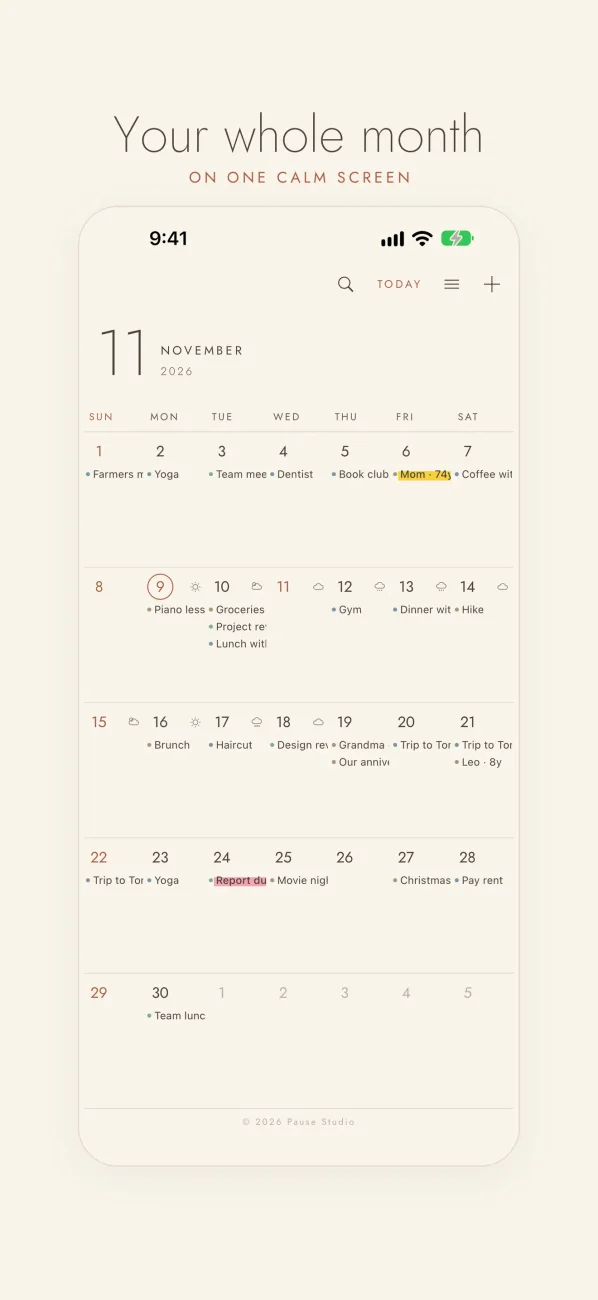
Pause Calendar shows your whole month on one calm screen. No clutter. Just the dates, your events, and room to breathe.
It reads the calendars already on your iPhone, like iCloud and Google, so there's nothing new to sign up for.
• The full month at a glance. Scroll up and down through the weeks, or swipe to the next month
• Event names written right in each day, with a small dot for each calendar's color
• Events that last several days show as one strip, in a color you choose
• Reminders with a date show on the calendar. Check them off or add new ones
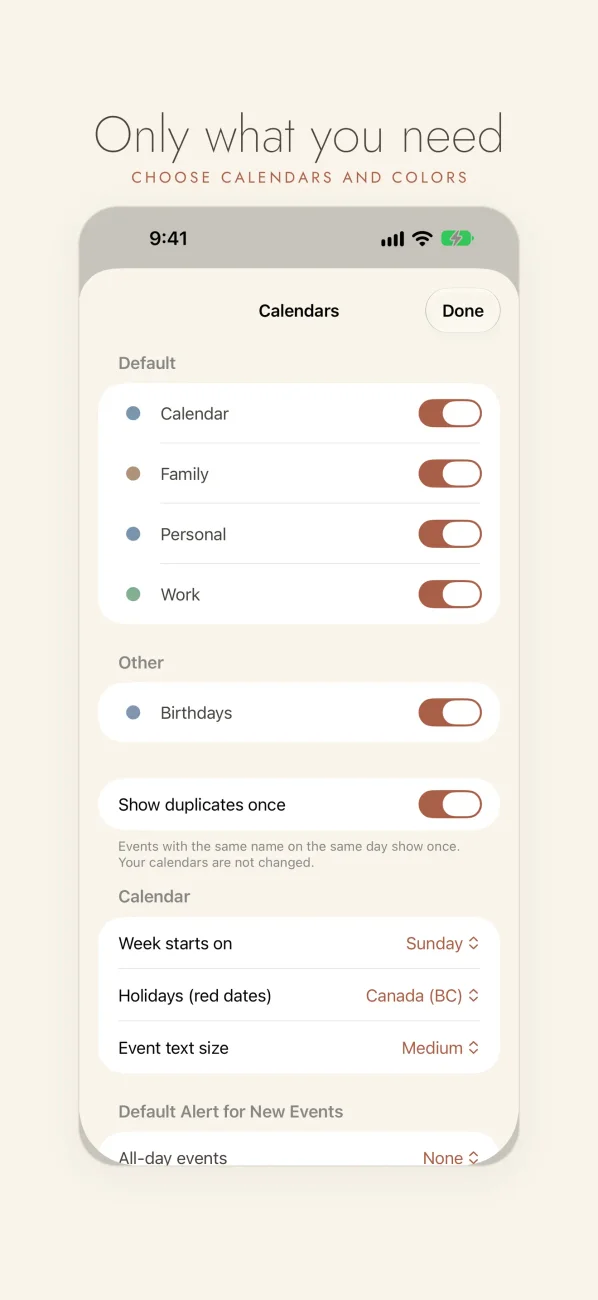
• Choose which calendars to show, and their colors
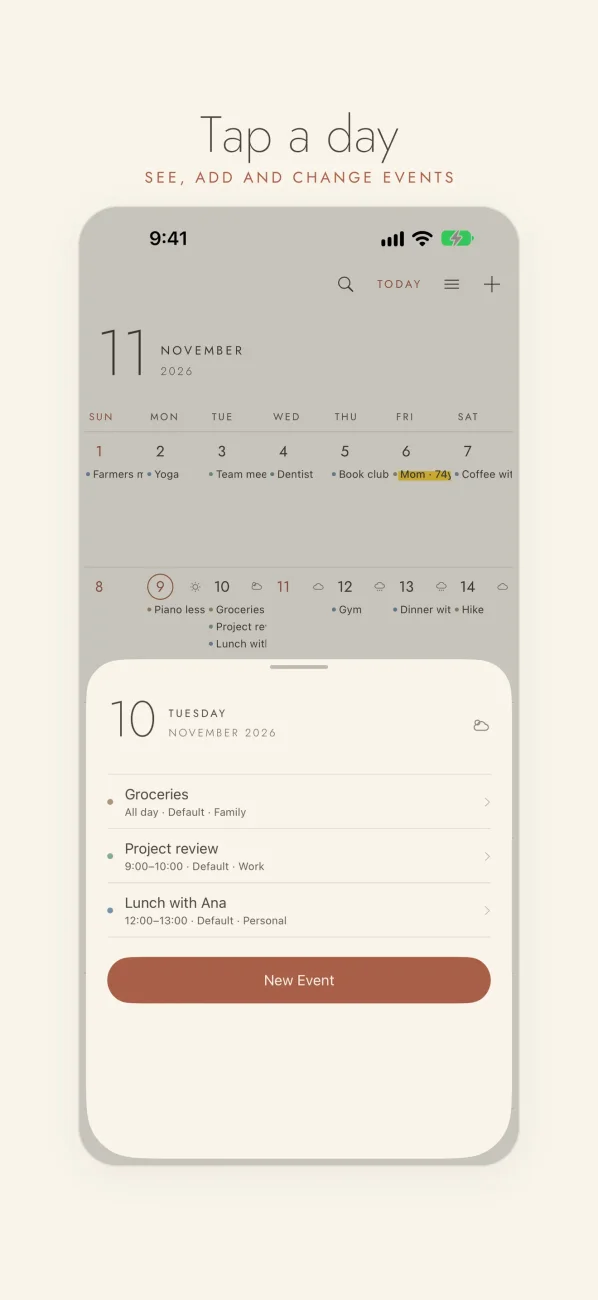
• Tap a day to see its events, add a new one, or change and delete them
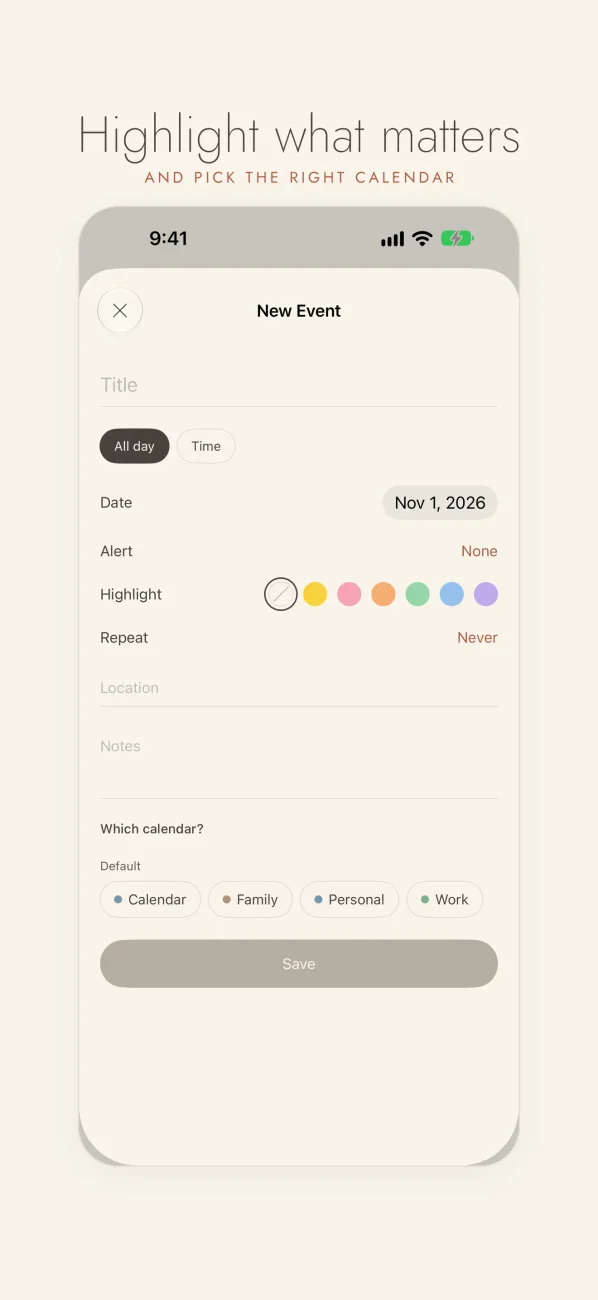
• See exactly which account and calendar a new event goes into
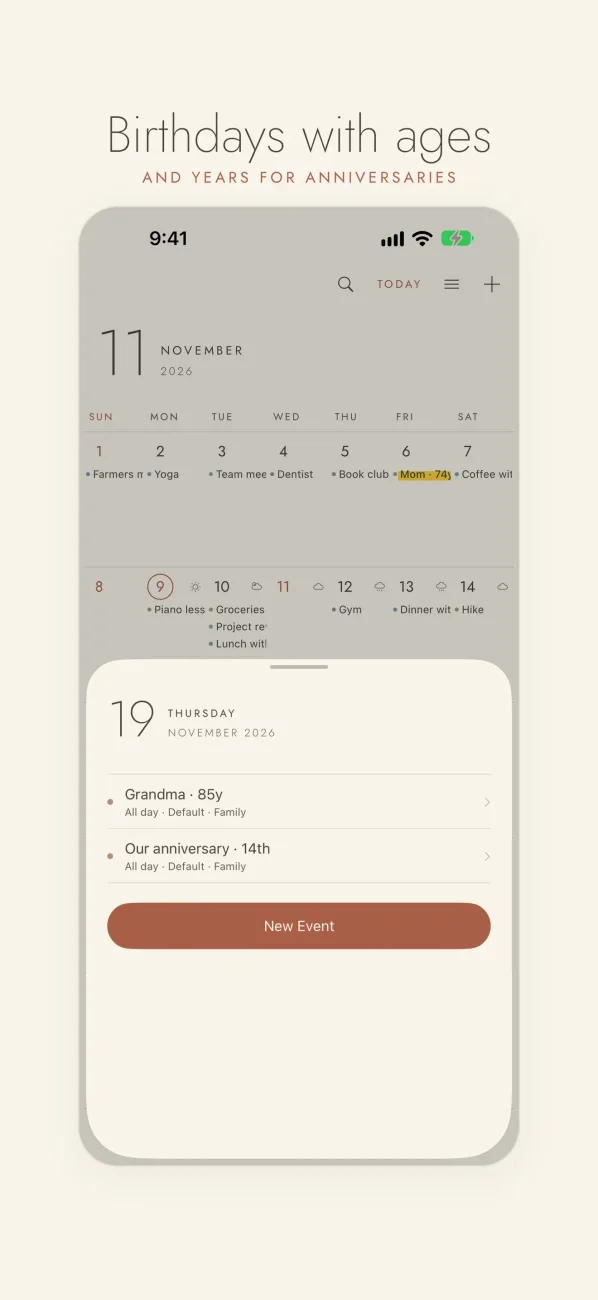
• The same birthday saved in several calendars shows only once
• Ages on birthdays (76y) and years on anniversaries (10th)
• Highlight important events in a color you choose
• Weather on the days ahead, with highs and lows (or turn it off)
• Widgets for the Home Screen (small, medium, large) and the Lock Screen
• Ready for British Columbia's new year-round time (UTC−7). Event times stay right even if your iPhone hasn't caught up yet. Outside BC, it simply follows your iPhone's time zone.
• All-day events stay on the right day
Your events stay on your iPhone and in your own calendar accounts. Your highlights, colors and settings are also kept in your iCloud. No account, no ads, no tracking.
新機能
バージョン 1.0.2 · 2026/11/19
• Save button is now at the top of the event screen.
• Tapping outside while picking a time no longer closes the event without saving.
• Changing the start time moves the end time with it (new events last one hour by default).
• The day view always opens at half height.
• If an event can’t be deleted, you’re told instead of it quietly coming back.
アプリのプライバシー
このアプリのデータの取り扱いについて、Hyunok LeeがApp Storeで申告している内容です。
-
データの収集なし
開発元はこのアプリからデータを収集しません。
プライバシーの取り扱いは、ご利用の機能やお客様の年齢などに応じて異なる場合があります。
情報
- 販売元
- Hyunok Lee
- カテゴリ
- 仕事効率化
- バージョン
- 1.0.2
- 更新日
- 2026/11/19
- リリース
- 2026/11/10
- サイズ
- 2.0 MB
- 必要条件
- iOS 18.0以降
- 対象年齢
- 4+
- 価格
- 無料
- 言語
- 英語
- 著作権
- © 2026 Pause Studio
こちらもおすすめ
-
 Post-Mission Planner仕事効率化
-
 Daypages - Calm Calendar仕事効率化
-
 Grammar Air - Writing Checker仕事効率化
-
 Caly - 使いやすいカレンダー ウィジェットシンプルで見やすい予定管理・スケジュール帳・手帳
-
 Accomplish仕事効率化
-
 Opus One: Digital Planner仕事効率化
-
 Daily Planner & Goals: Griply仕事効率化
-
 Progress: Goal & Habit Tracker仕事効率化
-
 スタディープランナー:授業の時間割とToDoリスト学習記録帳:大学生のための1日の予定表・課題管理
-
 StarNote:AIノート・手書きメモ・PDF書き込み勉強・録音・文字起こし・要約・無限キャンバス