
Rectilinear
Perspective & Lens Correction
Diseñada para iPhone, iPad, Mac
Gratis
- Clasificación por edad4+
- CategoríaFoto y vídeo
- DesarrolladorFederico Bruni
- IdiomasInglés+ 1 más
- Tamaño1,3 MB
Enlaza a la página oficial de App Store
Download.org no aloja ningún archivo de Rectilinear. El botón abre la página de la aplicación en App Store, donde la publica Federico Bruni. Ficha comprobada por última vez el 18/11/2026.
Capturas de pantalla
Acerca de
El desarrollador no ha proporcionado este texto en tu idioma.
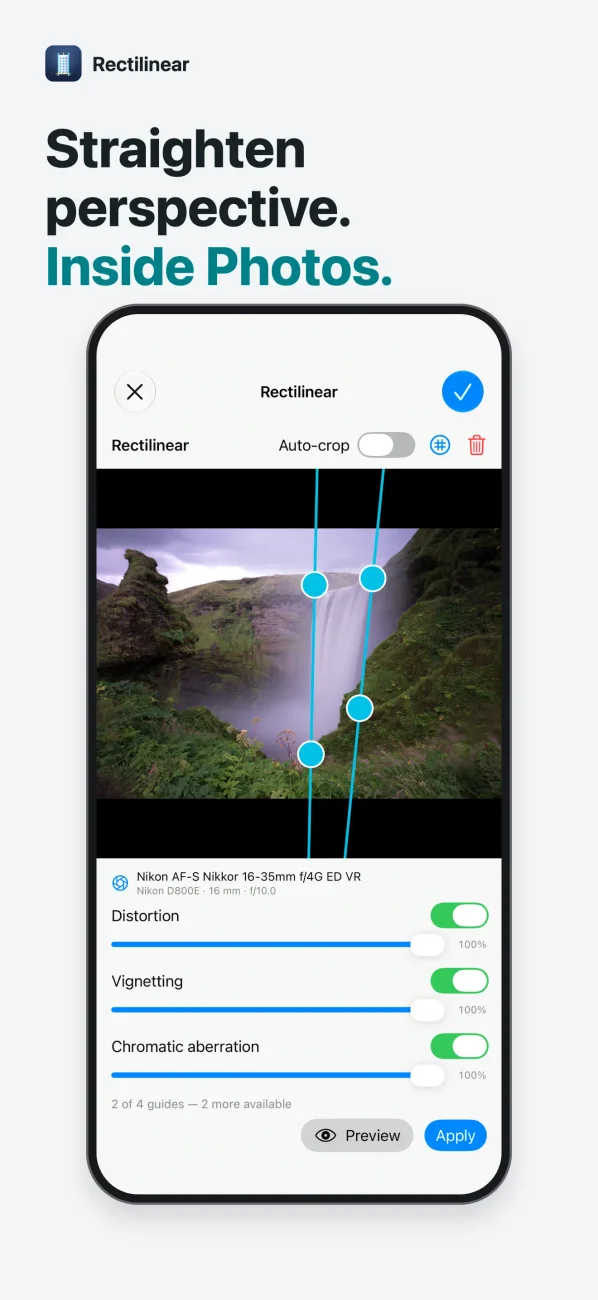
Rectilinear straightens perspective in your photos, right inside the Photos app on iPhone, iPad and Mac. Wide-angle lenses and shooting from below make buildings lean and lines converge: draw a few guides along the edges that should be straight, and Rectilinear corrects the photo so they are.
GUIDED PERSPECTIVE CORRECTION
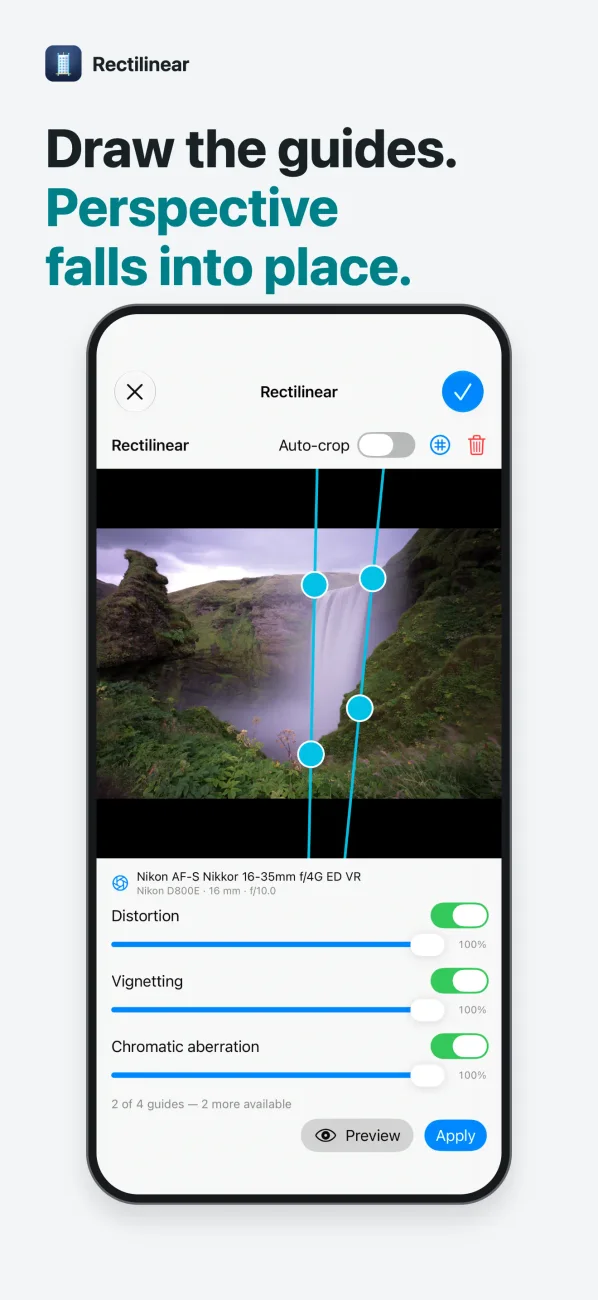
• Draw 2 to 4 guide lines along edges that should be vertical or horizontal
• One line levels the photo; two verticals fix converging verticals; a vertical and a horizontal correct both directions at once
• Hold Preview to compare the result with the original
• Auto-crop trims the empty border to the largest rectangle that keeps the photo's proportions, or crop by hand with an optional aspect-ratio lock
AUTOMATIC LENS CORRECTION
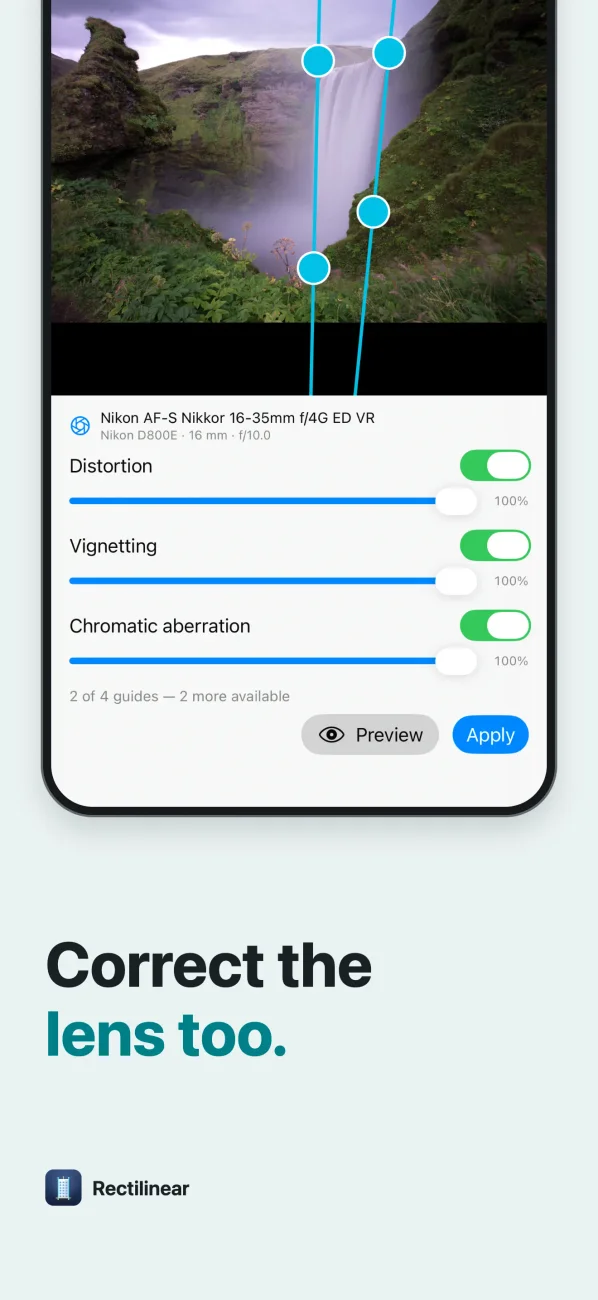
• Reads the camera and lens from the photo's metadata and matches them against more than 1,500 lens profiles
• Removes barrel and pincushion distortion, vignetting and chromatic aberration before you draw any guide, so straight lines are already straight
• Each correction has its own switch and strength
• Photos from phones, already corrected by the camera, are recognised and left alone by default
QUALITY FIRST
• Lens correction and perspective are applied in a single high-quality resampling pass, for the sharpest possible result
• Raw files are decoded with the newest decoder available, and saved as 10-bit HEIF where possible
• Keeps the photo's colour space, such as Display P3
NON-DESTRUCTIVE
• Works as a Photos extension: open a photo, tap Edit, then ••• and choose Rectilinear
• The guides, the crop and the lens settings are saved with the edit, so you can reopen and adjust it at any time, or revert to the original
• Live Photos are supported: the still and the video are corrected together
PRIVATE
• Everything happens on your device. No account, no tracking, no internet connection.
Lens profiles from the Lensfun database, licensed CC BY-SA 3.0.
Privacidad de la aplicación
Lo que Federico Bruni declara en App Store sobre cómo esta aplicación gestiona los datos.
-
No se recopilan datos
El desarrollador no recopila ningún dato de esta aplicación.
Las prácticas de privacidad pueden variar, por ejemplo, según las funciones que uses o tu edad.
Información
- Vendedor
- Federico Bruni
- Categoría
- Foto y vídeo
- Versión
- 1.0
- Actualizado
- 11/10/2026
- Publicado
- 8/10/2026
- Tamaño
- 1,3 MB
- Requiere
- iOS 26.5 o posterior
- Clasificación por edad
- 4+
- Precio
- Gratis
- Idiomas
- Inglés, Italiano
- Copyright
- © 2026 Federico Bruni
Quizá también te guste
-
 Fault CameraFoto y vídeo
-
 Zoty CameraFoto y vídeo
-
 ArchCam: Perspective CameraFoto y vídeo
-
 Efecto — hand-crafted filtersFoto y vídeo
-
 Helio Black&White Film CameraFoto y vídeo
-
 PersCrop - Perspective CropFoto y vídeo
-
 Shuffle Album – Your MemoriesRandom feed for photos&videos
-
 PlastipicFoto y vídeo
-
 ROLLCAFoto y vídeo
-
 ApolloOne GO: Selección RAWVisor de fotos para tarjeta SD