
- 対象年齢4+
- カテゴリ写真/ビデオ
- 開発元Federico Bruni
- 言語英語ほか1言語
- サイズ1.3 MB
App Storeの公式ページにリンクしています
Download.orgはRectilinearのファイルを一切ホストしていません。ボタンを押すと、Federico Bruniが公開しているApp Storeのアプリページが開きます。ページの最終確認:2026/11/18。
スクリーンショット
概要
開発元はこのテキストをお使いの言語で提供していません。
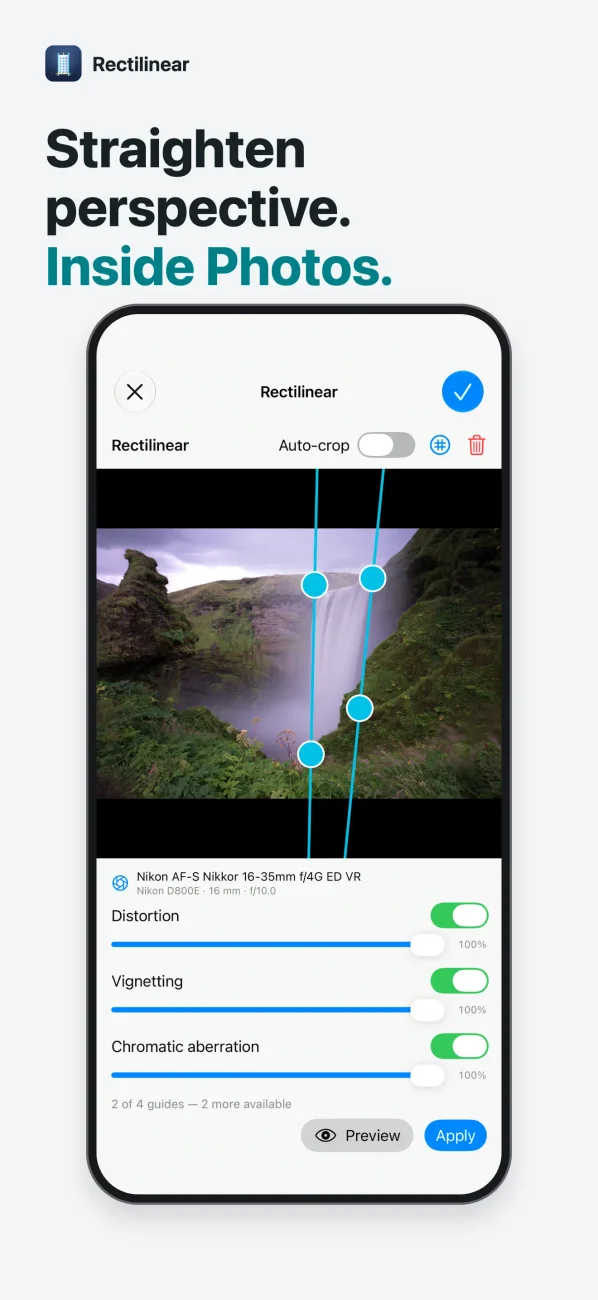
Rectilinear straightens perspective in your photos, right inside the Photos app on iPhone, iPad and Mac. Wide-angle lenses and shooting from below make buildings lean and lines converge: draw a few guides along the edges that should be straight, and Rectilinear corrects the photo so they are.
GUIDED PERSPECTIVE CORRECTION
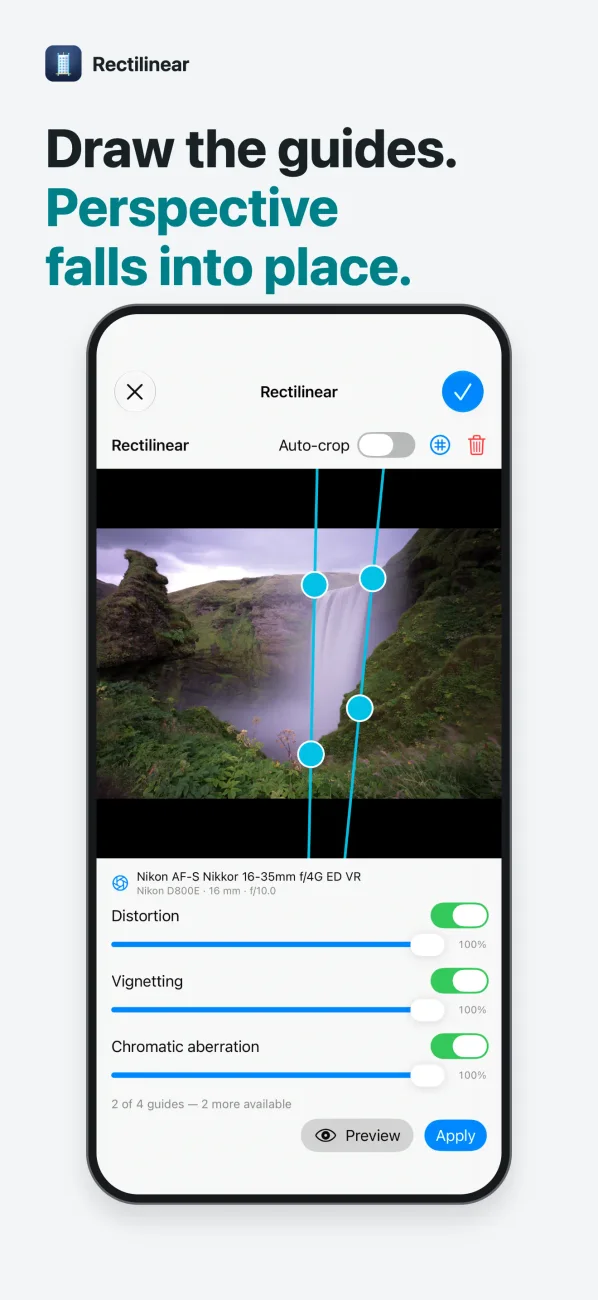
• Draw 2 to 4 guide lines along edges that should be vertical or horizontal
• One line levels the photo; two verticals fix converging verticals; a vertical and a horizontal correct both directions at once
• Hold Preview to compare the result with the original
• Auto-crop trims the empty border to the largest rectangle that keeps the photo's proportions, or crop by hand with an optional aspect-ratio lock
AUTOMATIC LENS CORRECTION
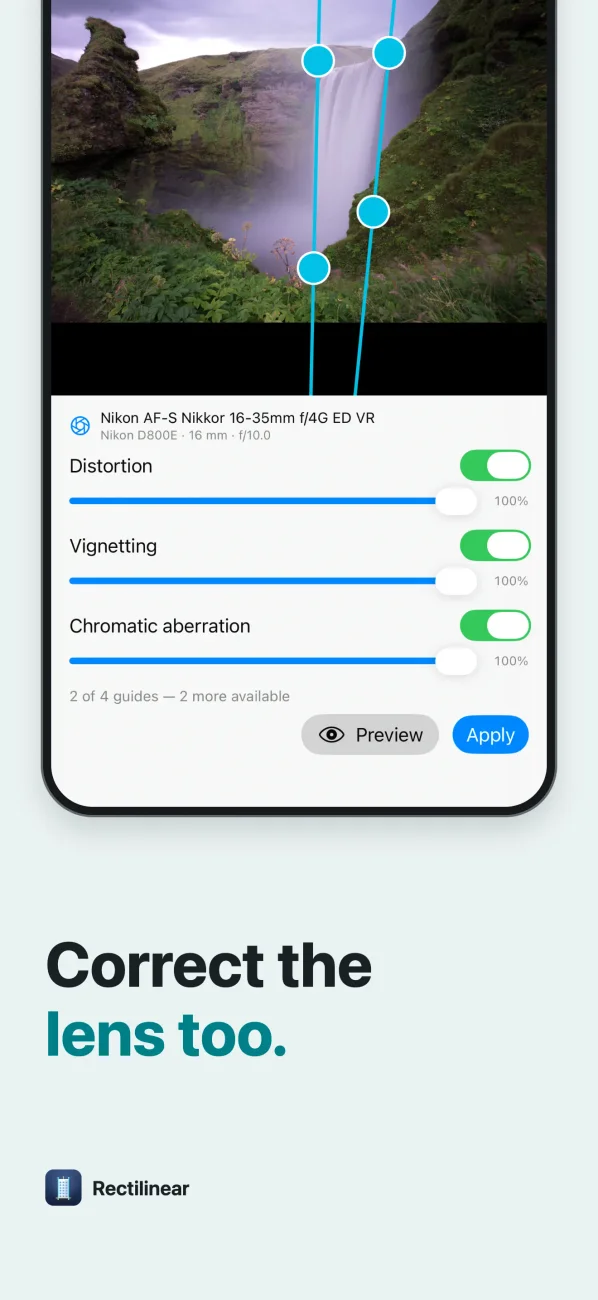
• Reads the camera and lens from the photo's metadata and matches them against more than 1,500 lens profiles
• Removes barrel and pincushion distortion, vignetting and chromatic aberration before you draw any guide, so straight lines are already straight
• Each correction has its own switch and strength
• Photos from phones, already corrected by the camera, are recognised and left alone by default
QUALITY FIRST
• Lens correction and perspective are applied in a single high-quality resampling pass, for the sharpest possible result
• Raw files are decoded with the newest decoder available, and saved as 10-bit HEIF where possible
• Keeps the photo's colour space, such as Display P3
NON-DESTRUCTIVE
• Works as a Photos extension: open a photo, tap Edit, then ••• and choose Rectilinear
• The guides, the crop and the lens settings are saved with the edit, so you can reopen and adjust it at any time, or revert to the original
• Live Photos are supported: the still and the video are corrected together
PRIVATE
• Everything happens on your device. No account, no tracking, no internet connection.
Lens profiles from the Lensfun database, licensed CC BY-SA 3.0.
アプリのプライバシー
このアプリのデータの取り扱いについて、Federico BruniがApp Storeで申告している内容です。
-
データの収集なし
開発元はこのアプリからデータを収集しません。
プライバシーの取り扱いは、ご利用の機能やお客様の年齢などに応じて異なる場合があります。
情報
- 販売元
- Federico Bruni
- カテゴリ
- 写真/ビデオ
- バージョン
- 1.0
- 更新日
- 2026/10/11
- リリース
- 2026/10/8
- サイズ
- 1.3 MB
- 必要条件
- iOS 26.5以降
- 対象年齢
- 4+
- 価格
- 無料
- 言語
- 英語, イタリア語
- 著作権
- © 2026 Federico Bruni
こちらもおすすめ
-
 Fault Camera写真/ビデオ
-
 Zoty Camera写真/ビデオ
-
 ArchCam: Perspective Camera写真/ビデオ
-
 Efecto — hand-crafted filters写真/ビデオ
-
 Helio Black&White Film Camera写真/ビデオ
-
 PersCrop - Perspective Crop写真/ビデオ
-
 Shuffle Album – 思い出をもっと自然にRandom feed for photos&videos
-
 Plastipic写真/ビデオ
-
 ROLLCARetro film camera & recipes
-
 ApolloOne GO:写真セレクトSDカード対応の高速RAWビューア