
Rectilinear
Perspective & Lens Correction
Được thiết kế cho iPhone, iPad, Mac
Miễn phí
- Độ tuổi4+
- Danh mụcẢnh & Video
- Nhà phát triểnFederico Bruni
- Ngôn ngữTiếng Anh+ 1 ngôn ngữ khác
- Kích thước1,3 MB
Liên kết đến trang App Store chính thức
Download.org không lưu trữ tệp nào của Rectilinear. Nút này mở trang ứng dụng trên App Store, nơi Federico Bruni phát hành ứng dụng. Trang được kiểm tra lần cuối: 18/11/2026.
Ảnh chụp màn hình
Giới thiệu
Nhà phát triển chưa cung cấp nội dung này bằng ngôn ngữ của bạn.
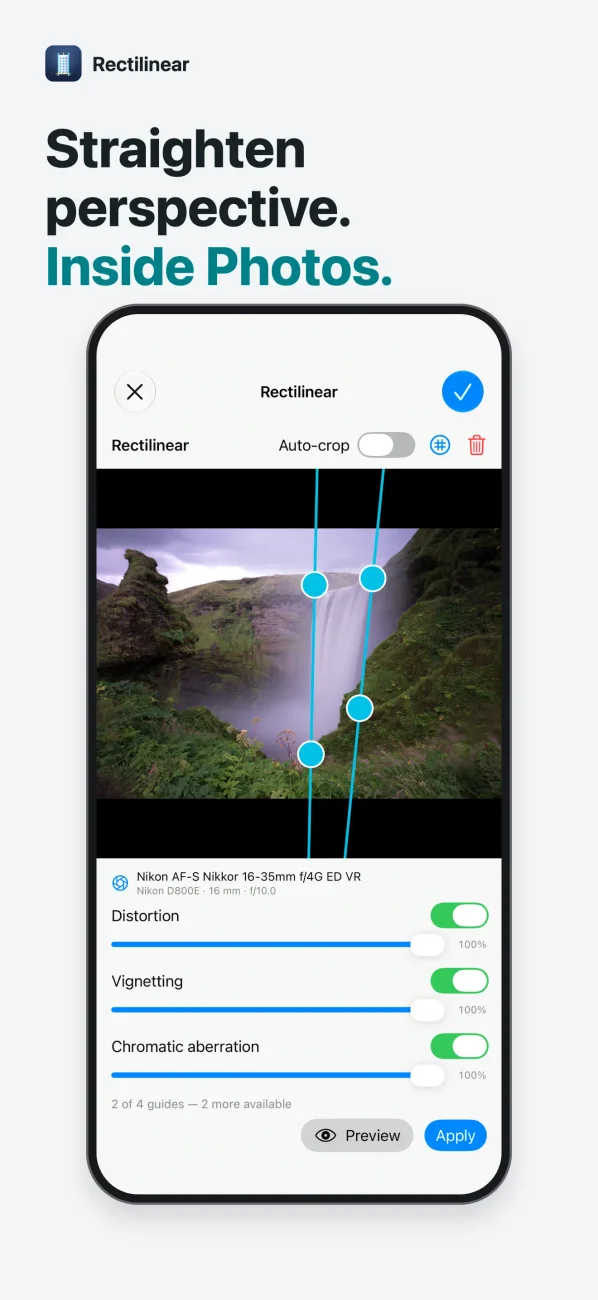
Rectilinear straightens perspective in your photos, right inside the Photos app on iPhone, iPad and Mac. Wide-angle lenses and shooting from below make buildings lean and lines converge: draw a few guides along the edges that should be straight, and Rectilinear corrects the photo so they are.
GUIDED PERSPECTIVE CORRECTION
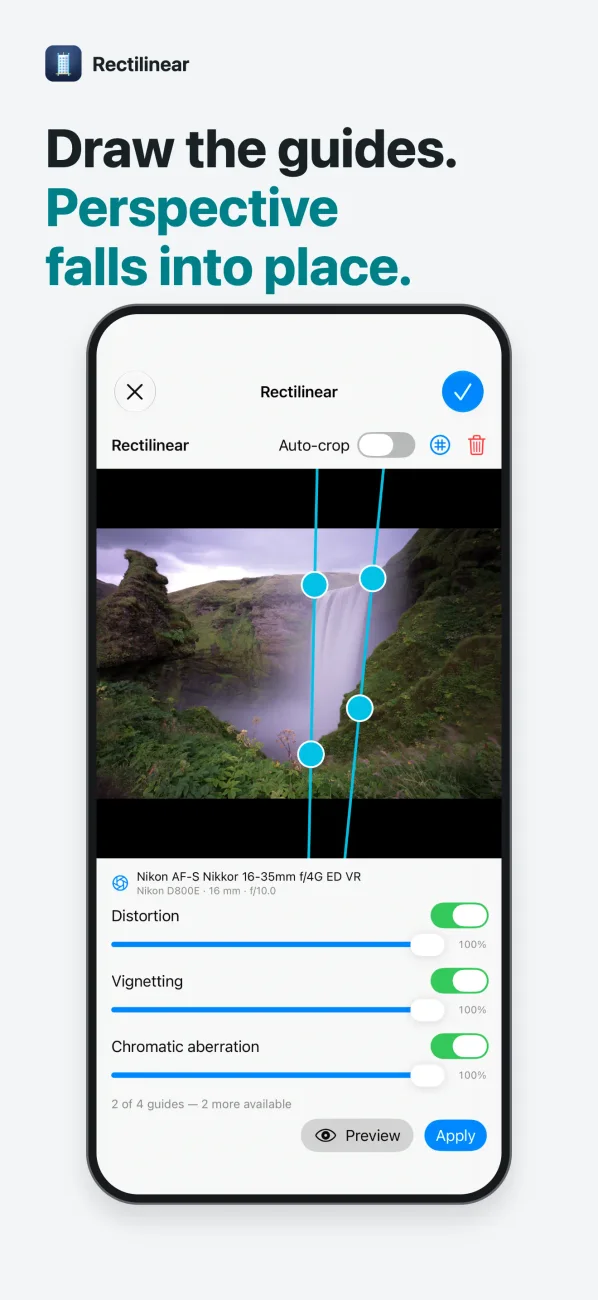
• Draw 2 to 4 guide lines along edges that should be vertical or horizontal
• One line levels the photo; two verticals fix converging verticals; a vertical and a horizontal correct both directions at once
• Hold Preview to compare the result with the original
• Auto-crop trims the empty border to the largest rectangle that keeps the photo's proportions, or crop by hand with an optional aspect-ratio lock
AUTOMATIC LENS CORRECTION
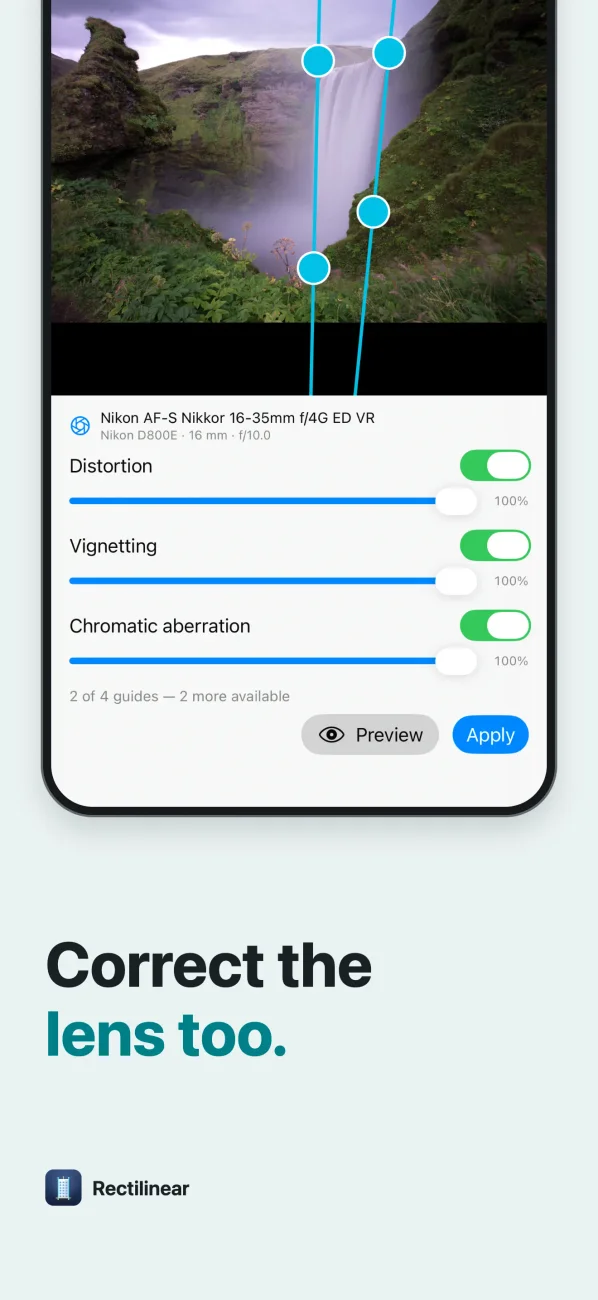
• Reads the camera and lens from the photo's metadata and matches them against more than 1,500 lens profiles
• Removes barrel and pincushion distortion, vignetting and chromatic aberration before you draw any guide, so straight lines are already straight
• Each correction has its own switch and strength
• Photos from phones, already corrected by the camera, are recognised and left alone by default
QUALITY FIRST
• Lens correction and perspective are applied in a single high-quality resampling pass, for the sharpest possible result
• Raw files are decoded with the newest decoder available, and saved as 10-bit HEIF where possible
• Keeps the photo's colour space, such as Display P3
NON-DESTRUCTIVE
• Works as a Photos extension: open a photo, tap Edit, then ••• and choose Rectilinear
• The guides, the crop and the lens settings are saved with the edit, so you can reopen and adjust it at any time, or revert to the original
• Live Photos are supported: the still and the video are corrected together
PRIVATE
• Everything happens on your device. No account, no tracking, no internet connection.
Lens profiles from the Lensfun database, licensed CC BY-SA 3.0.
Quyền riêng tư của ứng dụng
Những gì Federico Bruni khai báo trên App Store về cách ứng dụng này xử lý dữ liệu.
-
Dữ liệu không được thu thập
Nhà phát triển không thu thập bất kỳ dữ liệu nào từ ứng dụng này.
Phương thức đảm bảo quyền riêng tư có thể khác nhau, chẳng hạn như tuỳ theo các tính năng bạn sử dụng hoặc độ tuổi của bạn.
Thông tin
- Người bán
- Federico Bruni
- Danh mục
- Ảnh & Video
- Phiên bản
- 1.0
- Cập nhật
- 11/10/2026
- Phát hành
- 08/10/2026
- Kích thước
- 1,3 MB
- Yêu cầu
- iOS 26.5 trở lên
- Độ tuổi
- 4+
- Giá
- Miễn phí
- Ngôn ngữ
- Tiếng Anh, Tiếng Ý
- Bản quyền
- © 2026 Federico Bruni
Có thể bạn cũng thích
-
 Fault CameraẢnh & Video
-
 Zoty CameraẢnh & Video
-
 ArchCam: Perspective CameraẢnh & Video
-
 Efecto — hand-crafted filtersẢnh & Video
-
 Helio Black&White Film CameraẢnh & Video
-
 PersCrop - Perspective CropẢnh & Video
-
 Shuffle Album – Your MemoriesRandom feed for photos&videos
-
 PlastipicẢnh & Video
-
 ROLLCAẢnh & Video
-
 ApolloOne GO: Photo CullingẢnh & Video