
- Clasificación por edad4+
- CategoríaUtilidades
- DesarrolladorWILL ALEXANDER GIESS
- IdiomasInglés
- Tamaño3,8 MB
Enlaza a la página oficial de App Store
Download.org no aloja ningún archivo de Stash Deck. El botón abre la página de la aplicación en App Store, donde la publica WILL ALEXANDER GIESS. Ficha comprobada por última vez el 12/11/2026.
Capturas de pantalla

Acerca de
El desarrollador no ha proporcionado este texto en tu idioma.
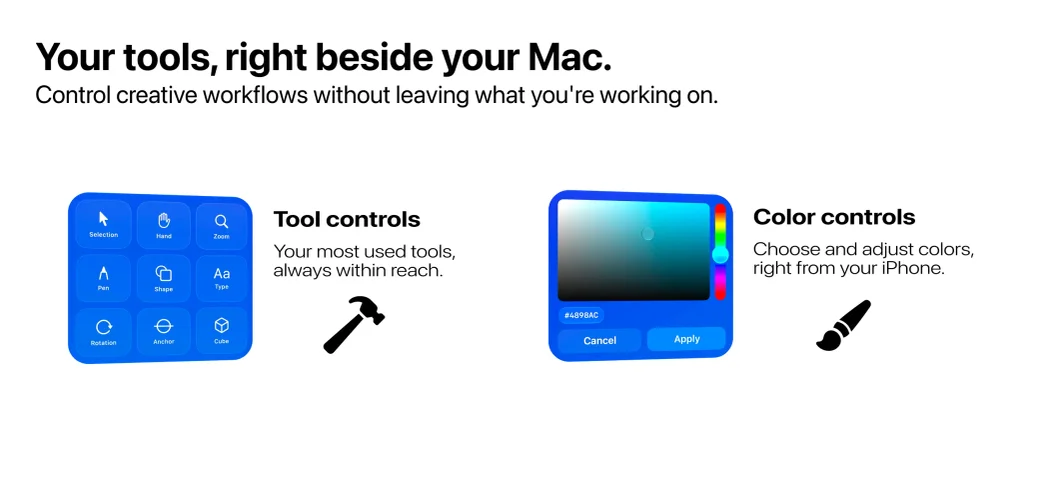
Stash Deck brings your Mac controls to your iPhone.
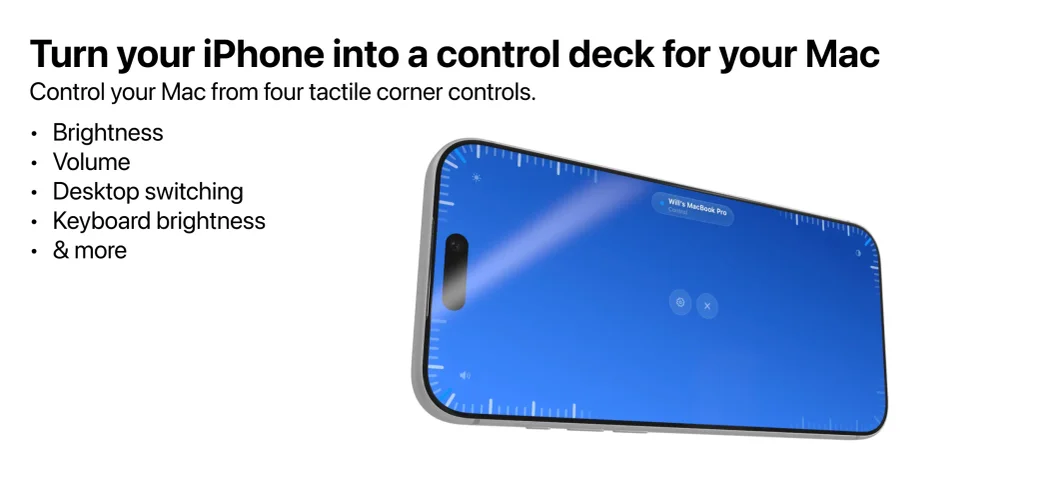
Place your iPhone beside your Mac and use four corner controls to adjust volume, brightness, appearance, keyboard backlight, audio output and more.
Each corner follows the edge of the screen like a bent slider. Drag within a corner to adjust its assigned control, with optional haptic and sound feedback that makes every movement feel physical. You can also swipe left or right with two fingers to move between Mac desktops.
App Profiles
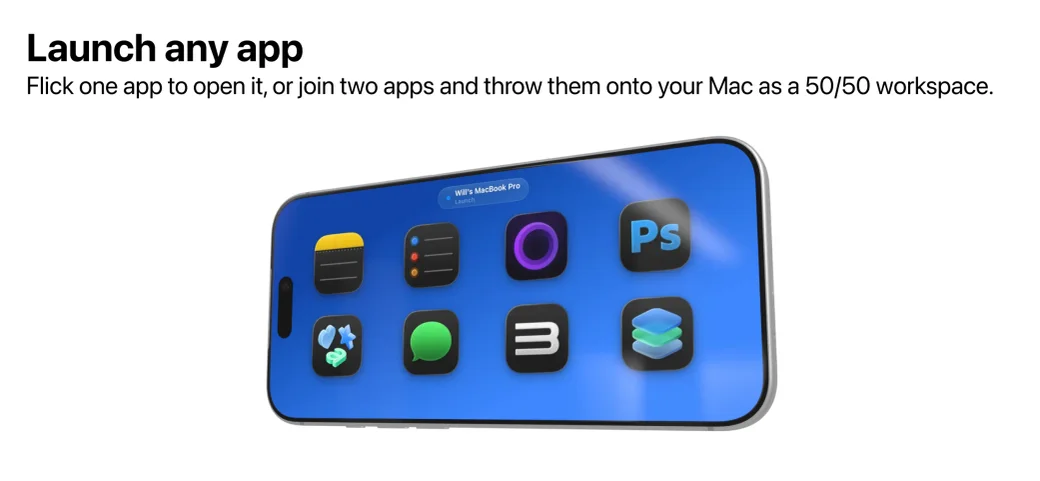
Stash Deck automatically changes with what you’re doing on your Mac. When you switch applications, your active Stash App Profile determines which controls appear on your iPhone, giving you different setups for different workflows.
Designed around your setup
* Four assignable corner controls
* Automatic App Profile switching
* Two-finger desktop switching
* Mac-driven accent colour and appearance
* Haptic and sound feedback
* Direct local network connection
* Explicit device approval
* No account or sign-in
Stash Deck is a companion app for Stash. Live control requires Stash to be running on your Mac, with both devices connected to the same local network.
Don’t have Stash available? Select Preview Interface to explore the complete interface using local sample controls. Preview Interface requires no connection, account or licence.
Stash Deck communicates directly with your Mac over your local network.
Novedades
Versión 1.7 · 27/9/2026
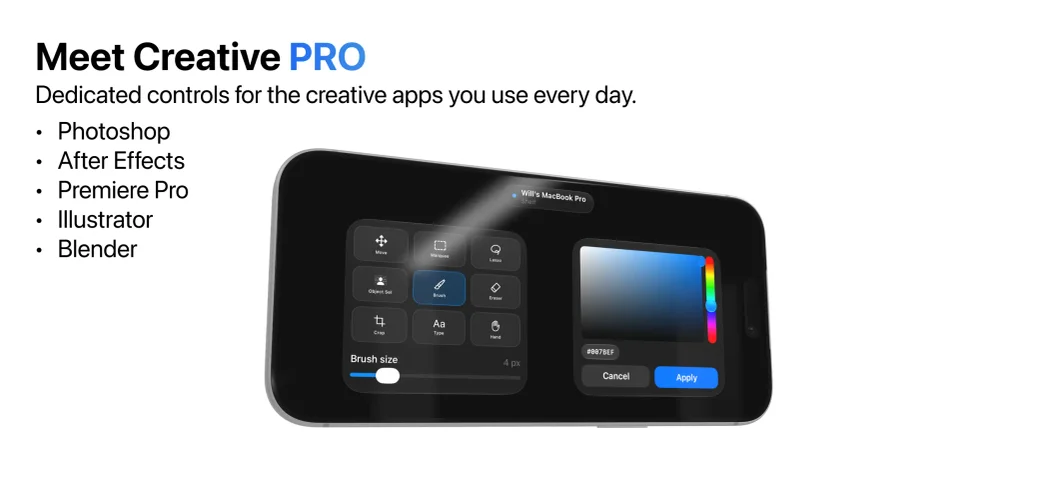
Introducing Creative Pro.
Bring your creative tools into Stash Deck with dedicated controls built for the apps you use.
• Control supported creative apps directly from your iPhone with new Creative Pro widgets
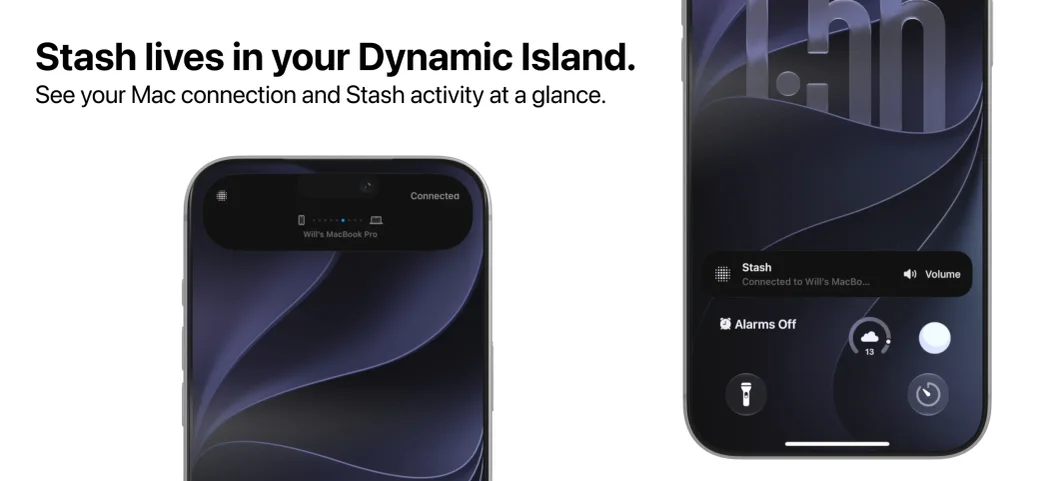
• See your Stash connection and activity at a glance with Dynamic Island support
• Enjoy a more refined Deck experience with improved controls, animations and haptics
• Plus performance improvements, bug fixes and plenty of polish
Creative Pro widgets can be configured directly from Stash on your Mac.
Privacidad de la aplicación
Lo que WILL ALEXANDER GIESS declara en App Store sobre cómo esta aplicación gestiona los datos.
-
No se recopilan datos
El desarrollador no recopila ningún dato de esta aplicación.
Las prácticas de privacidad pueden variar, por ejemplo, según las funciones que uses o tu edad.
Información
- Vendedor
- WILL ALEXANDER GIESS
- Categoría
- Utilidades
- Versión
- 1.7
- Actualizado
- 27/9/2026
- Publicado
- 21/7/2026
- Tamaño
- 3,8 MB
- Requiere
- iOS 18.6 o posterior
- Clasificación por edad
- 4+
- Precio
- Gratis
- Idiomas
- Inglés
- Copyright
- © 2026 Littlengine Labs
Quizá también te guste
-
 Hourline: Reloj mundialFondos de ciudad, tiempo local
-
 Cloud BatteryTus baterías, en un solo lugar
-
 NeatPass - PDF a WalletTickets en pantalla bloqueada
-
 Widgetik: Cuenta RegresivaWidgets: reloj, luna y frases
-
 Screens 5: VNC EscritorioAcceso rápido y seguro
-
 NFC Tools: Leer y Escribir NFCTarjeta Writer y Creador
-
 Virtual GamepadUtilidades
-
 MWall: 4K Aesthetic WallpaperUtilidades
-
 Awake: Alarma fuerte y relojDespertador Inteligente
-
 Ampere: Test Batería y CargaTest cargador, cable y batería