
- Batasan usia4+
- KategoriKegunaan
- PengembangWILL ALEXANDER GIESS
- BahasaInggris
- Ukuran3,8 MB
Tertaut ke halaman resmi App Store
Download.org tidak menyimpan file Stash Deck apa pun. Tombol ini membuka halaman aplikasi di App Store, tempat WILL ALEXANDER GIESS menerbitkannya. Halaman terakhir diperiksa pada 12/11/2026.
Tangkapan layar

Tentang
Pengembang belum menyediakan teks ini dalam bahasa Anda.
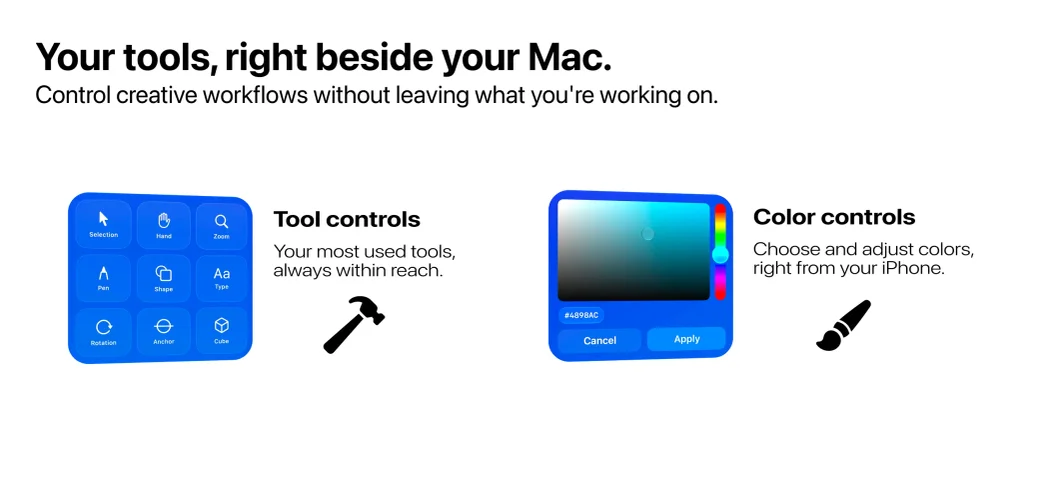
Stash Deck brings your Mac controls to your iPhone.
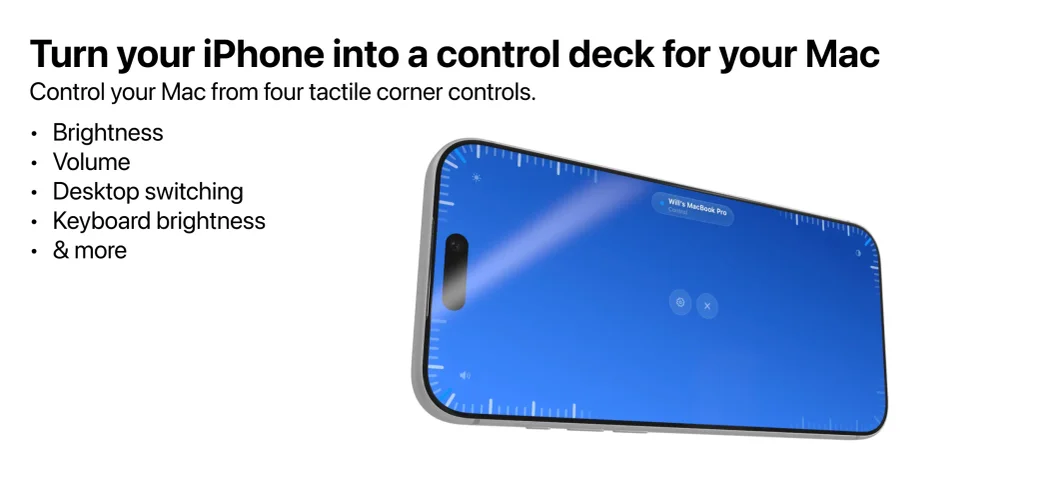
Place your iPhone beside your Mac and use four corner controls to adjust volume, brightness, appearance, keyboard backlight, audio output and more.
Each corner follows the edge of the screen like a bent slider. Drag within a corner to adjust its assigned control, with optional haptic and sound feedback that makes every movement feel physical. You can also swipe left or right with two fingers to move between Mac desktops.
App Profiles
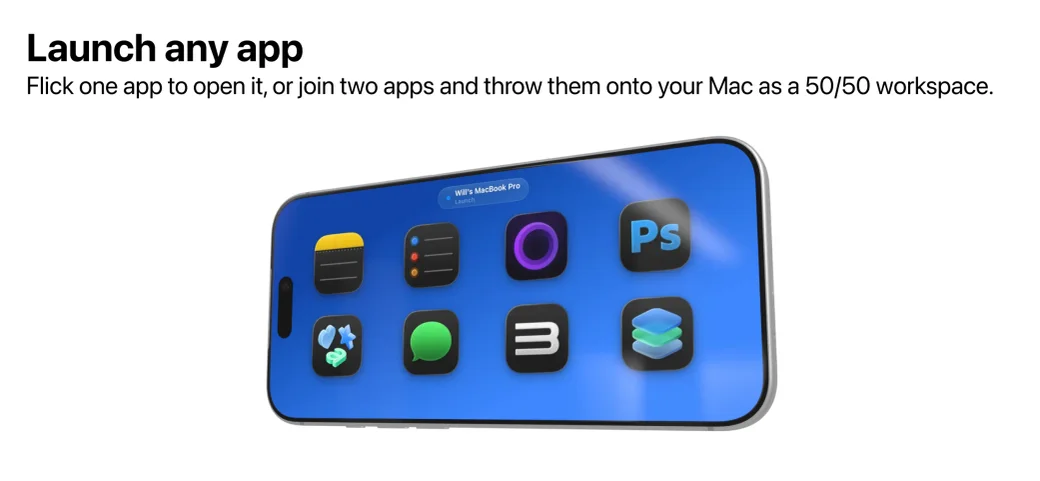
Stash Deck automatically changes with what you’re doing on your Mac. When you switch applications, your active Stash App Profile determines which controls appear on your iPhone, giving you different setups for different workflows.
Designed around your setup
* Four assignable corner controls
* Automatic App Profile switching
* Two-finger desktop switching
* Mac-driven accent colour and appearance
* Haptic and sound feedback
* Direct local network connection
* Explicit device approval
* No account or sign-in
Stash Deck is a companion app for Stash. Live control requires Stash to be running on your Mac, with both devices connected to the same local network.
Don’t have Stash available? Select Preview Interface to explore the complete interface using local sample controls. Preview Interface requires no connection, account or licence.
Stash Deck communicates directly with your Mac over your local network.
Yang baru
Versi 1.7 · 27/9/2026
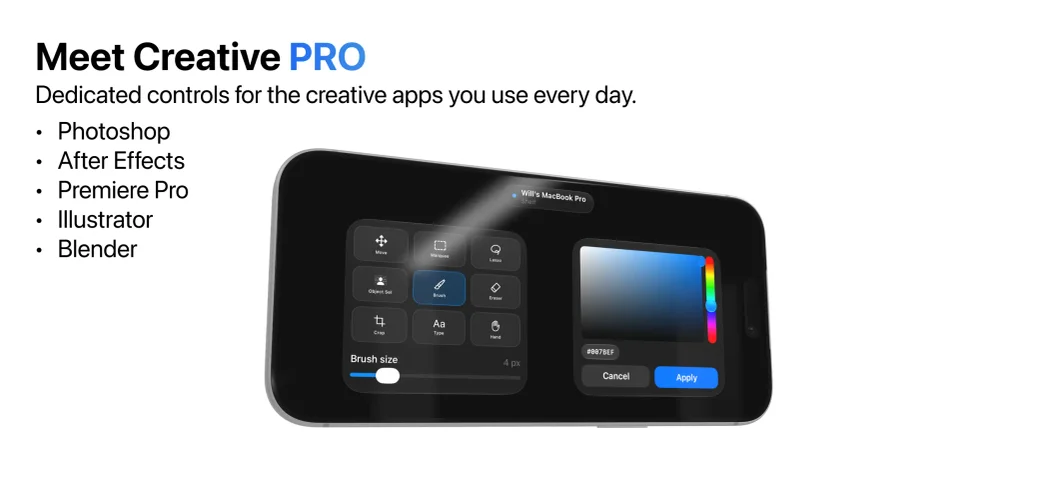
Introducing Creative Pro.
Bring your creative tools into Stash Deck with dedicated controls built for the apps you use.
• Control supported creative apps directly from your iPhone with new Creative Pro widgets
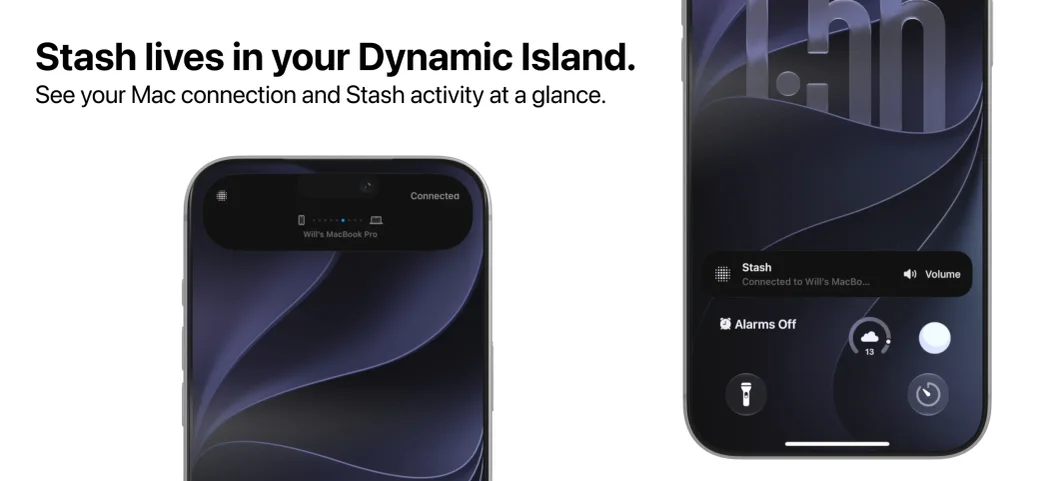
• See your Stash connection and activity at a glance with Dynamic Island support
• Enjoy a more refined Deck experience with improved controls, animations and haptics
• Plus performance improvements, bug fixes and plenty of polish
Creative Pro widgets can be configured directly from Stash on your Mac.
Privasi aplikasi
Yang dinyatakan WILL ALEXANDER GIESS di App Store tentang cara aplikasi ini menangani data.
-
Data tidak dikumpulkan
Pengembang tidak mengumpulkan data apa pun dari aplikasi ini.
Praktik privasi dapat bervariasi, misalnya berdasarkan fitur yang Anda gunakan atau usia Anda.
Informasi
- Penjual
- WILL ALEXANDER GIESS
- Kategori
- Kegunaan
- Versi
- 1.7
- Diperbarui
- 27/9/2026
- Dirilis
- 21/7/2026
- Ukuran
- 3,8 MB
- Memerlukan
- iOS 18.6 atau yang lebih baru
- Batasan usia
- 4+
- Harga
- Gratis
- Bahasa
- Inggris
- Hak cipta
- © 2026 Littlengine Labs
Mungkin Anda juga suka
-
 Hourline: Jam Dunia & WidgetWallpaper Kota & Cuaca Lokal
-
 Cloud BatteryBaterai Anda, di satu tempat
-
 NeatPass - PDF ke WalletTiket di layar kunci
-
 Widgetik: Moon Phase WidgetKegunaan
-
 Screens 5: VNC Remote DesktopKegunaan
-
 Pembaca dan pemindai NFC ToolAlat untuk menulis tag
-
 Virtual GamepadKegunaan
-
 MWall: 4K Aesthetic WallpaperKegunaan
-
 Awake: Math Puzzle Alarm ClockKegunaan
-
 Ampere: Cek Pengisian BateraiTes Charger, Kabel & Nirkabel