
- Classification d’âge4+
- CatégorieUtilitaires
- DéveloppeurWILL ALEXANDER GIESS
- LanguesAnglais
- Taille3,8 Mo
Renvoie vers la page App Store officielle
Download.org n’héberge aucun fichier de Stash Deck. Le bouton ouvre la page de l’application sur App Store, où WILL ALEXANDER GIESS la publie. Fiche vérifiée pour la dernière fois le 12/11/2026.
Captures d’écran

À propos
Le développeur n’a pas fourni ce texte dans votre langue.
Stash Deck brings your Mac controls to your iPhone.
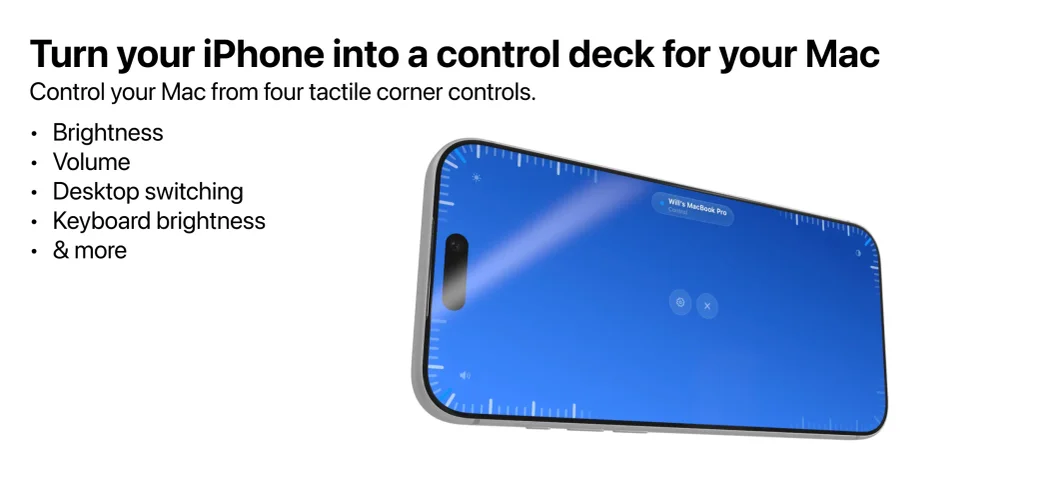
Place your iPhone beside your Mac and use four corner controls to adjust volume, brightness, appearance, keyboard backlight, audio output and more.
Each corner follows the edge of the screen like a bent slider. Drag within a corner to adjust its assigned control, with optional haptic and sound feedback that makes every movement feel physical. You can also swipe left or right with two fingers to move between Mac desktops.
App Profiles
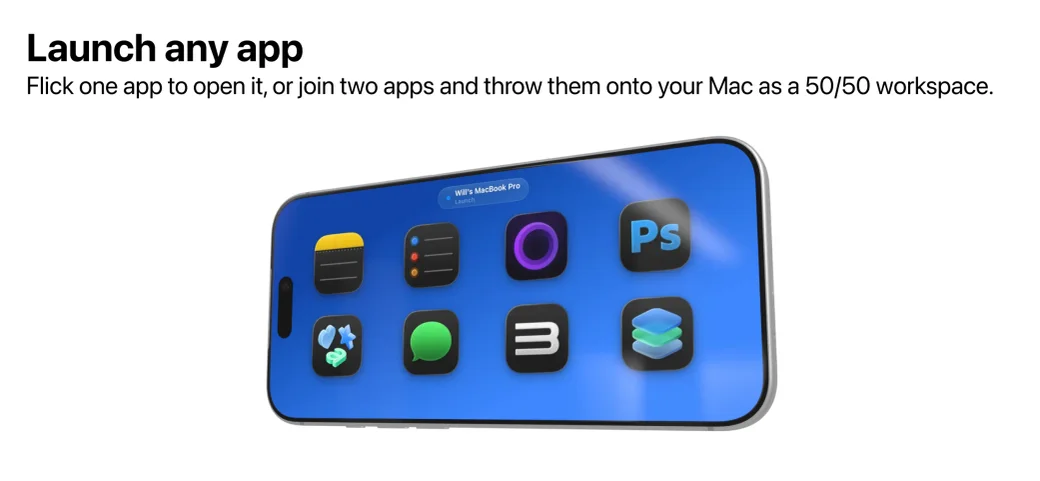
Stash Deck automatically changes with what you’re doing on your Mac. When you switch applications, your active Stash App Profile determines which controls appear on your iPhone, giving you different setups for different workflows.
Designed around your setup
* Four assignable corner controls
* Automatic App Profile switching
* Two-finger desktop switching
* Mac-driven accent colour and appearance
* Haptic and sound feedback
* Direct local network connection
* Explicit device approval
* No account or sign-in
Stash Deck is a companion app for Stash. Live control requires Stash to be running on your Mac, with both devices connected to the same local network.
Don’t have Stash available? Select Preview Interface to explore the complete interface using local sample controls. Preview Interface requires no connection, account or licence.
Stash Deck communicates directly with your Mac over your local network.
Nouveautés
Version 1.7 · 27/09/2026
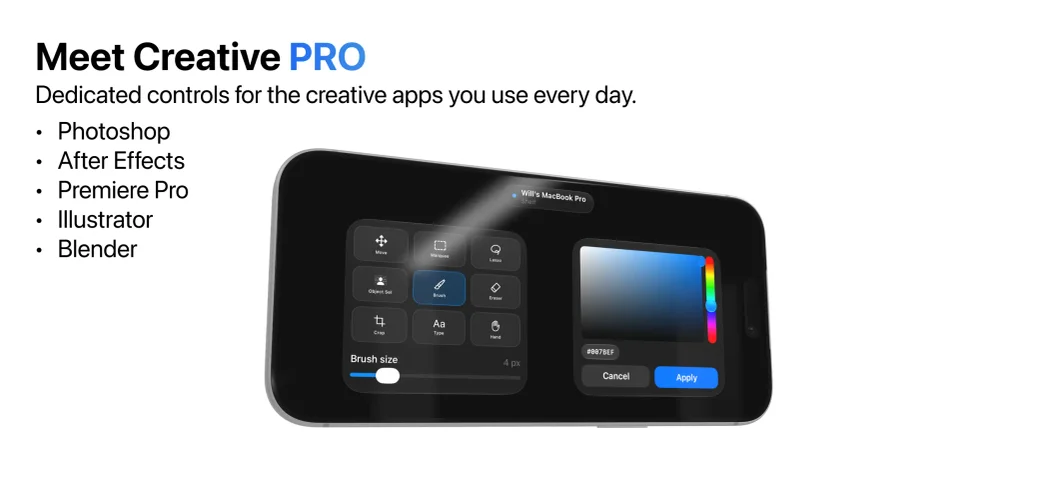
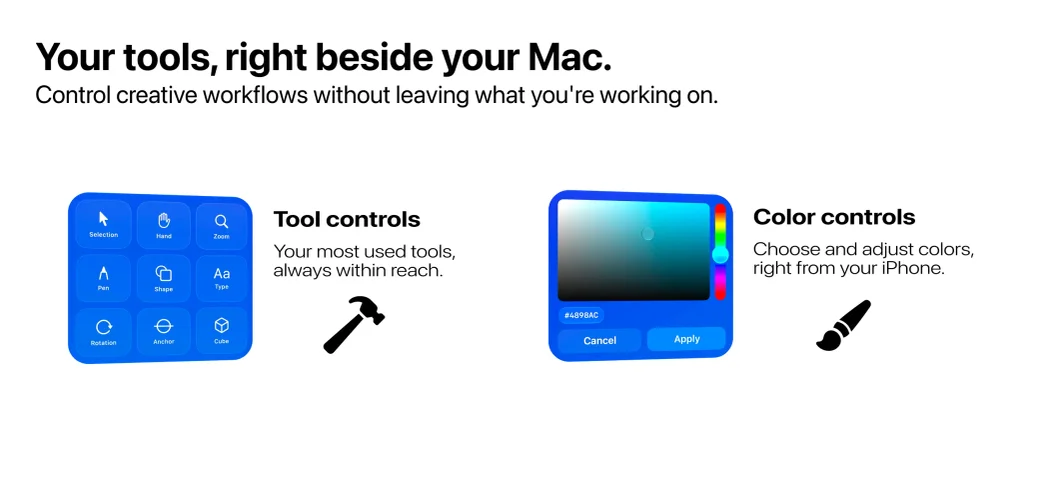
Introducing Creative Pro.
Bring your creative tools into Stash Deck with dedicated controls built for the apps you use.
• Control supported creative apps directly from your iPhone with new Creative Pro widgets
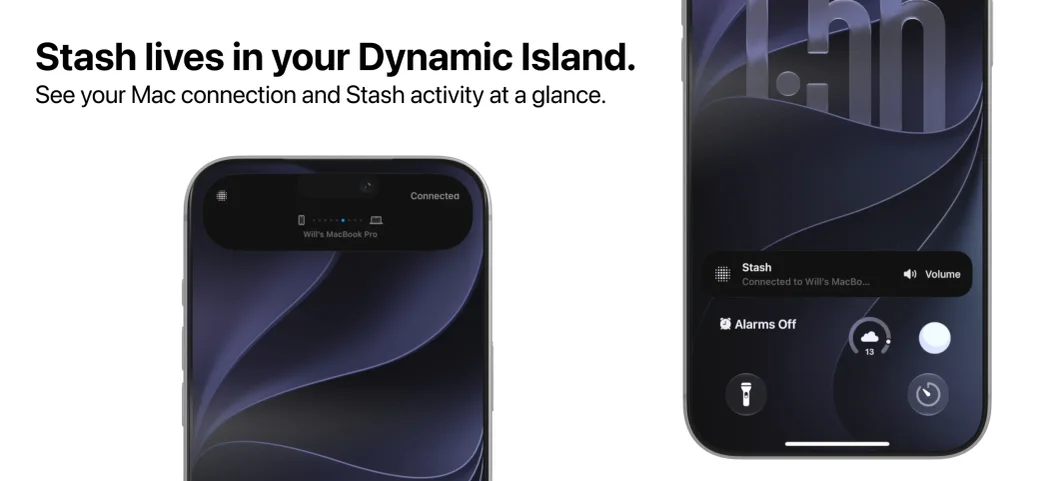
• See your Stash connection and activity at a glance with Dynamic Island support
• Enjoy a more refined Deck experience with improved controls, animations and haptics
• Plus performance improvements, bug fixes and plenty of polish
Creative Pro widgets can be configured directly from Stash on your Mac.
Confidentialité de l’application
Ce que WILL ALEXANDER GIESS déclare sur l’App Store au sujet du traitement des données par cette application.
-
Données non collectées
Le développeur ne collecte aucune donnée à partir de cette application.
Les pratiques en matière de confidentialité peuvent varier, notamment en fonction des fonctionnalités que vous utilisez ou de votre âge.
Informations
- Vendeur
- WILL ALEXANDER GIESS
- Catégorie
- Utilitaires
- Version
- 1.7
- Mis à jour
- 27/09/2026
- Publié
- 21/07/2026
- Taille
- 3,8 Mo
- Nécessite
- iOS 18.6 ou version ultérieure
- Classification d’âge
- 4+
- Prix
- Gratuit
- Langues
- Anglais
- Copyright
- © 2026 Littlengine Labs
Vous aimerez peut-être aussi
-
 Hourline: Horloge mondialeFonds de ville et météo locale
-
 Cloud BatteryVos batteries, au même endroit
-
 NeatPass - PDF vers WalletBillets sur l'écran verrouillé
-
 Widgetik: Widget CalendrierCompte à rebours, lune, eau
-
 Screens 5: VNC à distanceAccès rapide et sécurisé
-
 Lecteur NFC Toolswriter & reader & rfid scanner
-
 Virtual GamepadUtilitaires
-
 MWall: 4K Aesthetic WallpaperUtilitaires
-
 Awake: Math Puzzle Alarm ClockUtilitaires
-
 Ampere - Test Batterie ChargeVitesse chargeur & câble USB