
- Age rating4+
- CategoryUtilities
- DeveloperWILL ALEXANDER GIESS
- LanguagesEnglish
- Size3.8 MB
Links to the official App Store page
Download.org hosts no file of Stash Deck. The button opens its official App Store page, published by WILL ALEXANDER GIESS. Listing last checked on Nov 12, 2026.
Screenshots

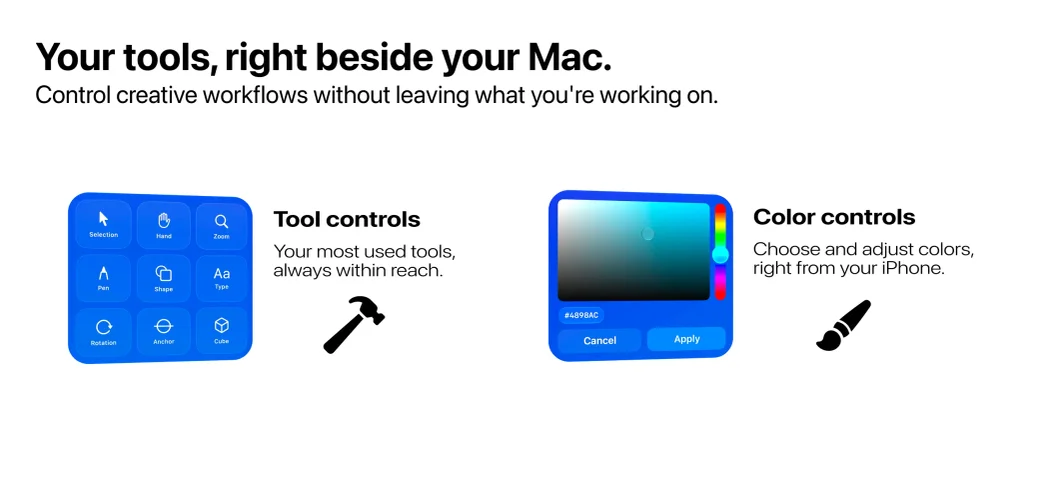
About
Stash Deck brings your Mac controls to your iPhone.
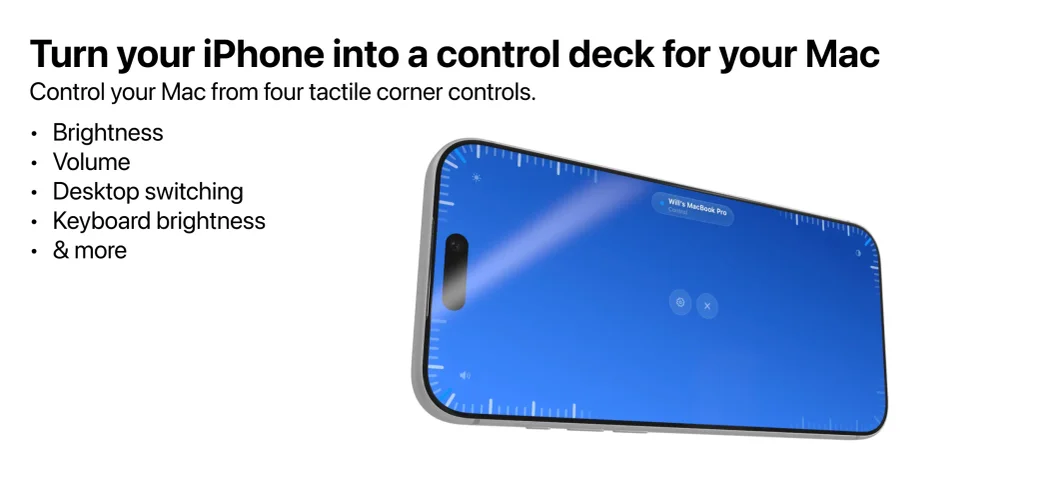
Place your iPhone beside your Mac and use four corner controls to adjust volume, brightness, appearance, keyboard backlight, audio output and more.
Each corner follows the edge of the screen like a bent slider. Drag within a corner to adjust its assigned control, with optional haptic and sound feedback that makes every movement feel physical. You can also swipe left or right with two fingers to move between Mac desktops.
App Profiles
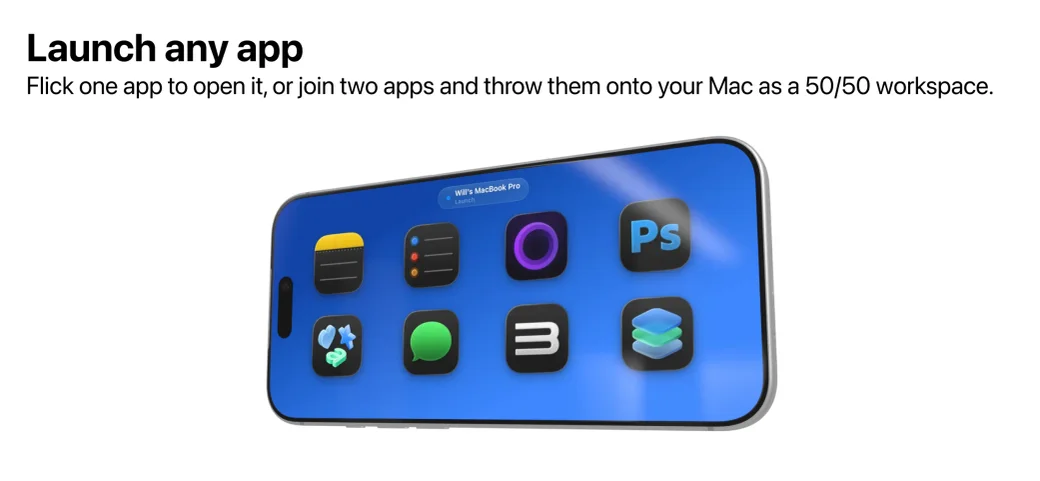
Stash Deck automatically changes with what you’re doing on your Mac. When you switch applications, your active Stash App Profile determines which controls appear on your iPhone, giving you different setups for different workflows.
Designed around your setup
* Four assignable corner controls
* Automatic App Profile switching
* Two-finger desktop switching
* Mac-driven accent colour and appearance
* Haptic and sound feedback
* Direct local network connection
* Explicit device approval
* No account or sign-in
Stash Deck is a companion app for Stash. Live control requires Stash to be running on your Mac, with both devices connected to the same local network.
Don’t have Stash available? Select Preview Interface to explore the complete interface using local sample controls. Preview Interface requires no connection, account or licence.
Stash Deck communicates directly with your Mac over your local network.
What’s new
Version 1.7 · Sep 27, 2026
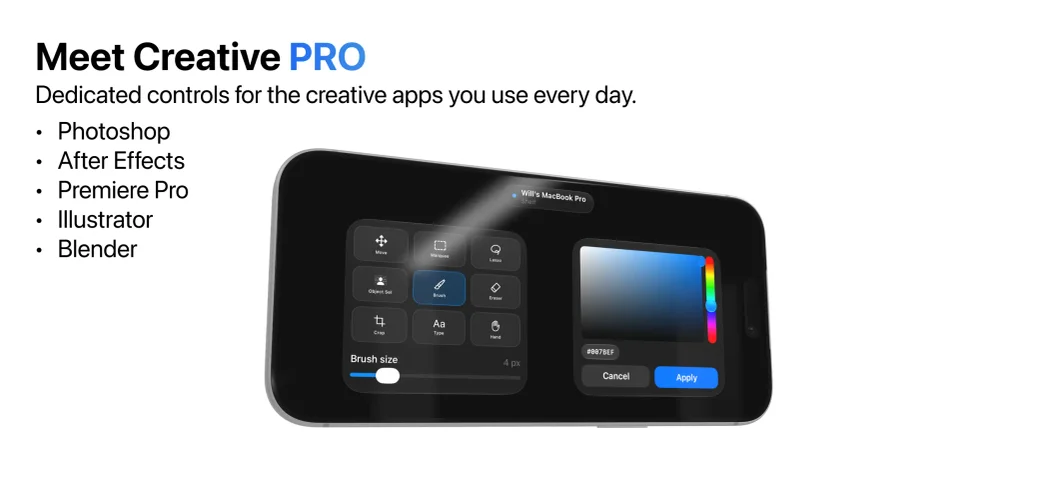
Introducing Creative Pro.
Bring your creative tools into Stash Deck with dedicated controls built for the apps you use.
• Control supported creative apps directly from your iPhone with new Creative Pro widgets
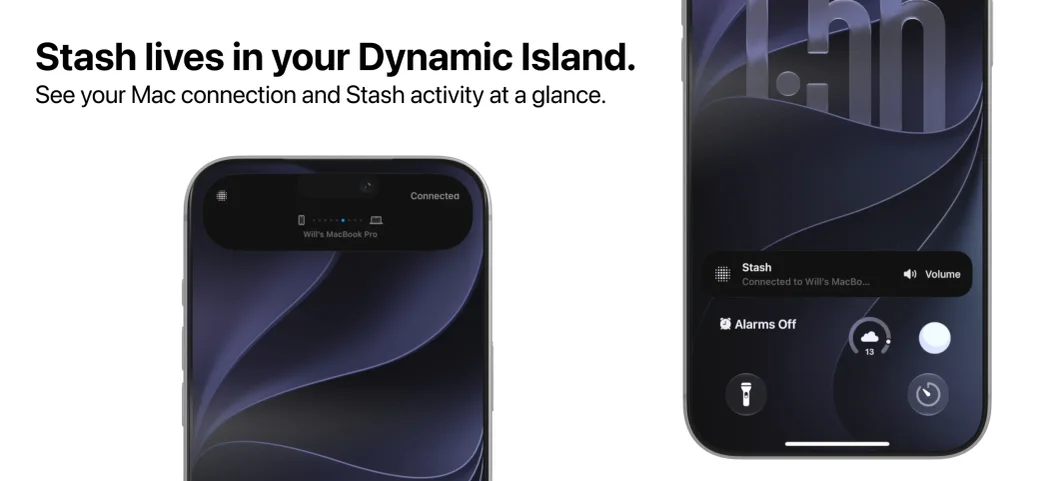
• See your Stash connection and activity at a glance with Dynamic Island support
• Enjoy a more refined Deck experience with improved controls, animations and haptics
• Plus performance improvements, bug fixes and plenty of polish
Creative Pro widgets can be configured directly from Stash on your Mac.
App privacy
What WILL ALEXANDER GIESS declares on the App Store about how this app handles data.
-
Data not collected
The developer does not collect any data from this app.
Privacy practices may vary, for example with the features you use or your age.
Information
- Seller
- WILL ALEXANDER GIESS
- Category
- Utilities
- Version
- 1.7
- Updated
- Sep 27, 2026
- Released
- Jul 21, 2026
- Size
- 3.8 MB
- Requires
- iOS 18.6 or later
- Age rating
- 4+
- Price
- Free
- Languages
- English
- Copyright
- © 2026 Littlengine Labs
You might also like
-
 Hourline: World Clock WidgetsCity Wallpaper & Local Weather
-
 Cloud BatteryYour batteries, in one place
-
 NeatPass - PDF to WalletTickets On Your Lock Screen
-
 Widgetik: Moon Phase WidgetQuotes, Habit Tracker & Clock
-
 Screens 5: VNC Remote DesktopFast & Secure Computer Access
-
 NFC Tools & RFID Scannerwriter & reader & tag
-
 Virtual GamepadUtilities
-
 MWall: 4K Aesthetic WallpaperLive Screen & AI for iOS27
-
 Awake: Math Puzzle Alarm ClockFor Heavy Sleepers, No Snooze
-
 Ampere: Battery Charge TestCharger Speed & Cable Checker