
VoiceClock - Talking
Voice notification of time
Diseñada para iPhone, iPad, iPod touch
2,99 €
- Clasificación por edad4+
- CategoríaProductividad
- DesarrolladorShinichi Aokawa
- IdiomasInglés+ 17 más
- Tamaño176,0 MB
Enlaza a la página oficial de App Store
Download.org no aloja ningún archivo de VoiceClock - Talking. El botón abre la página de la aplicación en App Store, donde la publica Shinichi Aokawa. Ficha comprobada por última vez el 14/11/2026.
Capturas de pantalla




Acerca de
El desarrollador no ha proporcionado este texto en tu idioma.
Even if put it in a pocket to lock your iPhone, This app inform the time.
By Starting the application, can be edited freely the words before and after the time if the desk clock.
For example, "now" 8:00 "Let's go" It is possible.
(Please write the character in the language currently used)
【Please】
When enabling sound effect, please select other than "banner is Persistent" in notification setting so that voice notification will not be interrupted.
【The following languages are supported for voice notification at lock time】
※ Japanese, English, Chinese, Korean, Russian, German, French, Italian, Dutch, Arabic, Greek, Turkish, English (Alex)
※ The English voice notification is made for 12 hours
00: 00 to 11: 30 (Example 1: 12: 00 AM, Example 2: 11: 30 AM)
12: 00 ~ 23: 30 (Example 1: 12: 00 PM, Example 2: 11: 30 PM)
It is expressed as.
How to use
※ Clock
· (Analog / digital, background color, font) setting can be switched by swiping left, right, up, and down.
· Receive a notification via voice the time you tap the "Talking".
· We will inform you by voice time and shake.
· You can switch by tapping the "ON" or "OFF" the time signal notification.
※ Setting
· You can edit the words before and after the time of the sandwich voice notification.
· You can select the language of the device other than setting.
· It is possible to select 10 types of sound effects and sound OFF.
· You can change "Notification interval", "Time format", "Notification with shake".
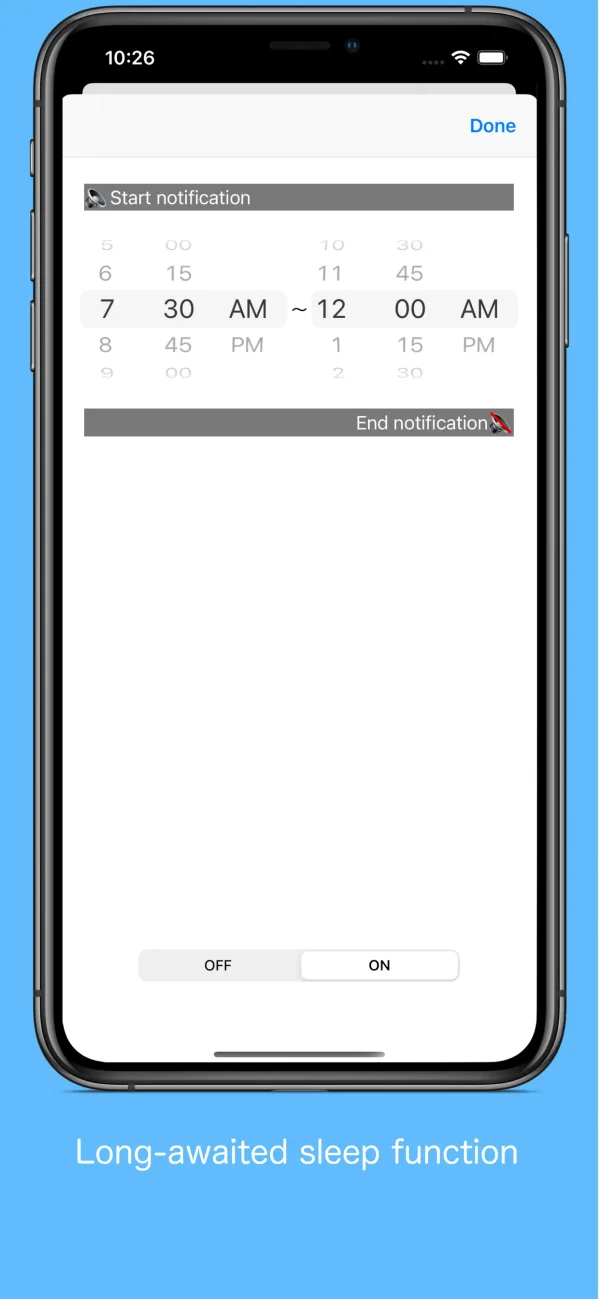
※Sleep
· You can set the time zone to stop the voice notification.
(It does not correspond to a 1-minute notification interval)
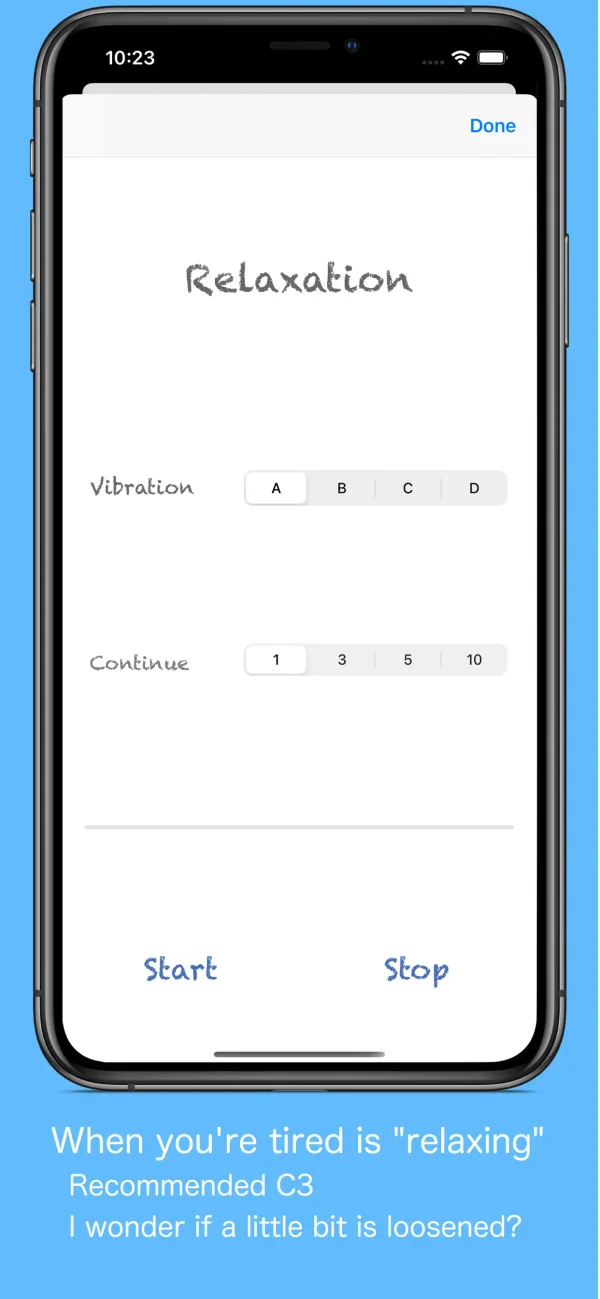
※ Relaxation time
· How is the Use simple massage function using the vibration of the iPhone, you can try to heal mind while listening in your favorite music.
Novedades
Versión 14.9 · 15/8/2026
Thank you for using "VoiceClock".
We have fixed bugs and improved performance so that you can use it more comfortably.
To all voice over users
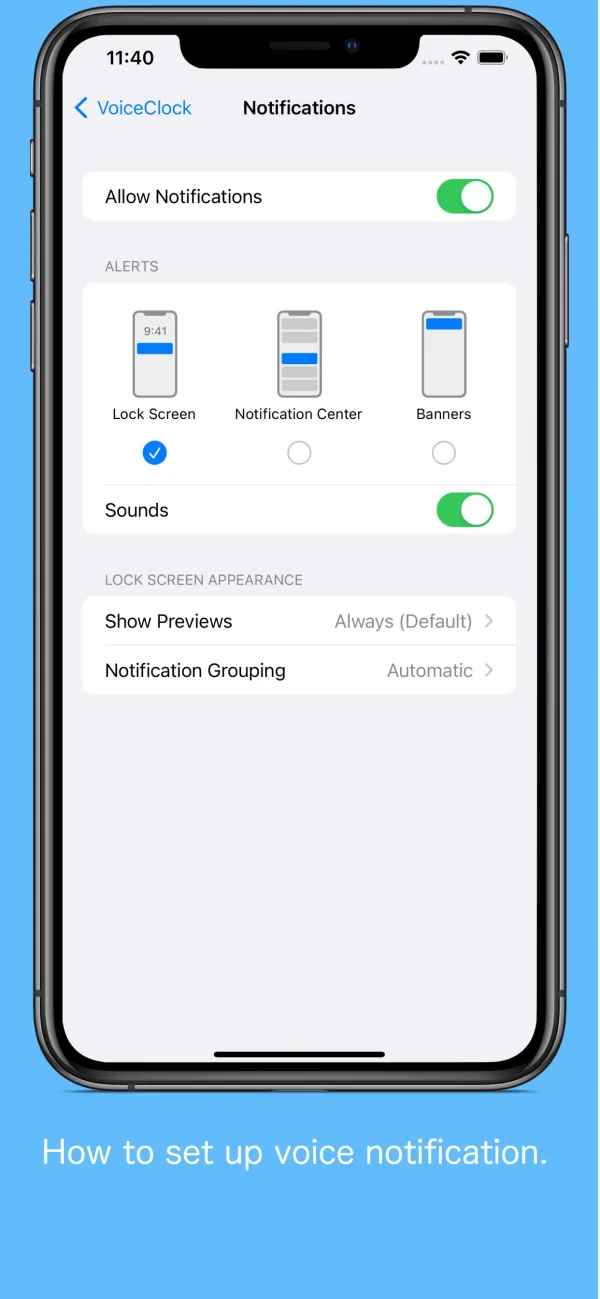
[How to sound a voice notification without displaying a banner on the lock screen]
Please use [Settings]-[VoiceClock]-[Notification] of iPhone to the following settings.
1. Turn on Allow notifications
2. Select notification center only
3. Turn on the sound
If you are using iWatch, please set it as well.
Privacidad de la aplicación
Lo que Shinichi Aokawa declara en App Store sobre cómo esta aplicación gestiona los datos.
-
No se recopilan datos
El desarrollador no recopila ningún dato de esta aplicación.
Las prácticas de privacidad pueden variar, por ejemplo, según las funciones que uses o tu edad.
Información
- Vendedor
- Shinichi Aokawa
- Categoría
- Productividad
- Versión
- 14.9
- Actualizado
- 15/8/2026
- Publicado
- 8/7/2013
- Tamaño
- 176,0 MB
- Requiere
- iOS 15.6 o posterior
- Clasificación por edad
- 4+
- Precio
- 2,99 €
- Idiomas
- Inglés, Árabe, Francés, Alemán, Griego, Hindi, Italiano, Japonés, Coreano, Noruego bokmål, Persa, Portugués + 6 más
- Copyright
- © 2014 Si-best
Quizá también te guste
-
 Student SecretaryProductividad
-
 Perspective TranscribeProductividad
-
 Spongee: Save Revisit ReflectProductividad
-
 KammerfuchsProductividad
-
 latersProductividad
-
 ChimerProductividad
-
 Meeting Notes - ConfidentialProductividad
-
 Sol Clock: Sun & Moon TrackerProductividad
-
 SpeakingClockProductividad
-
 Colorize Remember ThatProductividad