
VoiceClock - Talking
Voice notification of time
Dirancang untuk iPhone, iPad, iPod touch
Rp 59ribu
- Batasan usia4+
- KategoriProduktivitas
- PengembangShinichi Aokawa
- BahasaInggris+ 17 lainnya
- Ukuran176,0 MB
Tertaut ke halaman resmi App Store
Download.org tidak menyimpan file VoiceClock - Talking apa pun. Tombol ini membuka halaman aplikasi di App Store, tempat Shinichi Aokawa menerbitkannya. Halaman terakhir diperiksa pada 14/11/2026.
Tangkapan layar




Tentang
Pengembang belum menyediakan teks ini dalam bahasa Anda.
Even if put it in a pocket to lock your iPhone, This app inform the time.
By Starting the application, can be edited freely the words before and after the time if the desk clock.
For example, "now" 8:00 "Let's go" It is possible.
(Please write the character in the language currently used)
【Please】
When enabling sound effect, please select other than "banner is Persistent" in notification setting so that voice notification will not be interrupted.
【The following languages are supported for voice notification at lock time】
※ Japanese, English, Chinese, Korean, Russian, German, French, Italian, Dutch, Arabic, Greek, Turkish, English (Alex)
※ The English voice notification is made for 12 hours
00: 00 to 11: 30 (Example 1: 12: 00 AM, Example 2: 11: 30 AM)
12: 00 ~ 23: 30 (Example 1: 12: 00 PM, Example 2: 11: 30 PM)
It is expressed as.
How to use
※ Clock
· (Analog / digital, background color, font) setting can be switched by swiping left, right, up, and down.
· Receive a notification via voice the time you tap the "Talking".
· We will inform you by voice time and shake.
· You can switch by tapping the "ON" or "OFF" the time signal notification.
※ Setting
· You can edit the words before and after the time of the sandwich voice notification.
· You can select the language of the device other than setting.
· It is possible to select 10 types of sound effects and sound OFF.
· You can change "Notification interval", "Time format", "Notification with shake".
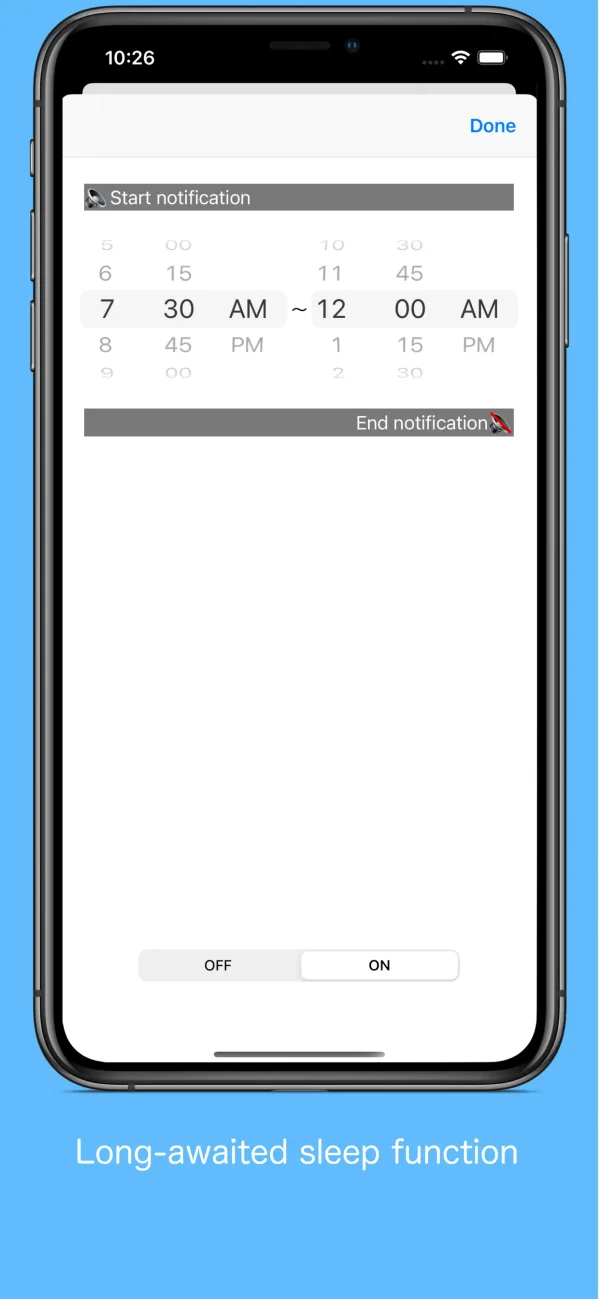
※Sleep
· You can set the time zone to stop the voice notification.
(It does not correspond to a 1-minute notification interval)
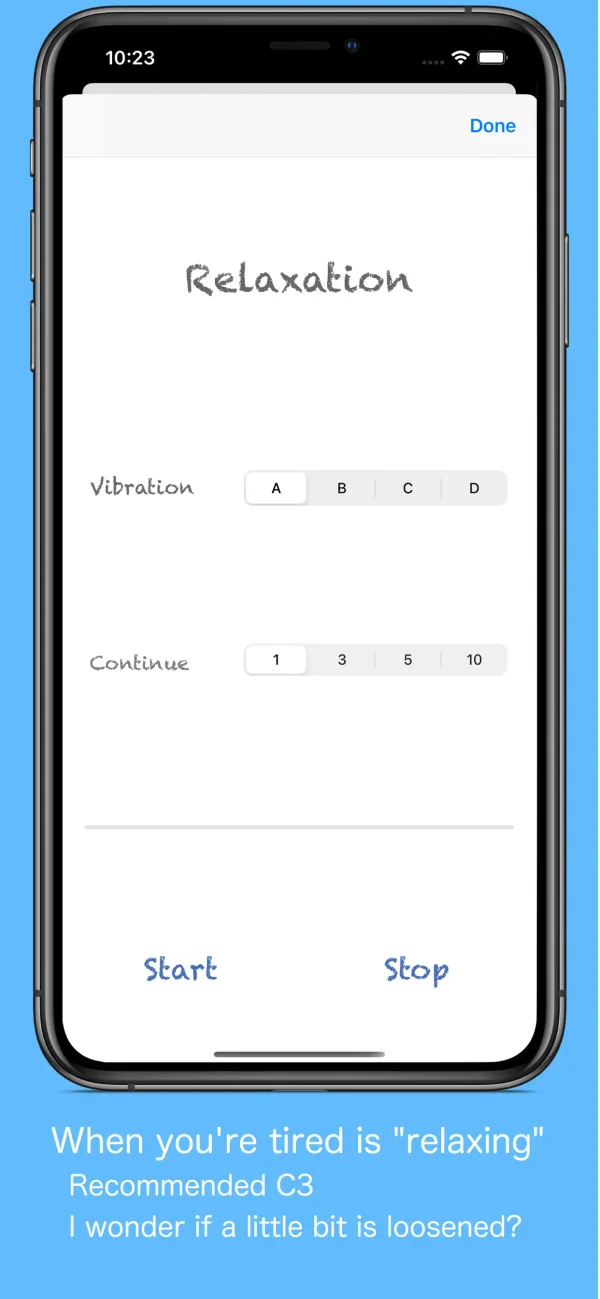
※ Relaxation time
· How is the Use simple massage function using the vibration of the iPhone, you can try to heal mind while listening in your favorite music.
Yang baru
Versi 14.9 · 15/8/2026
Thank you for using "VoiceClock".
We have fixed bugs and improved performance so that you can use it more comfortably.
To all voice over users
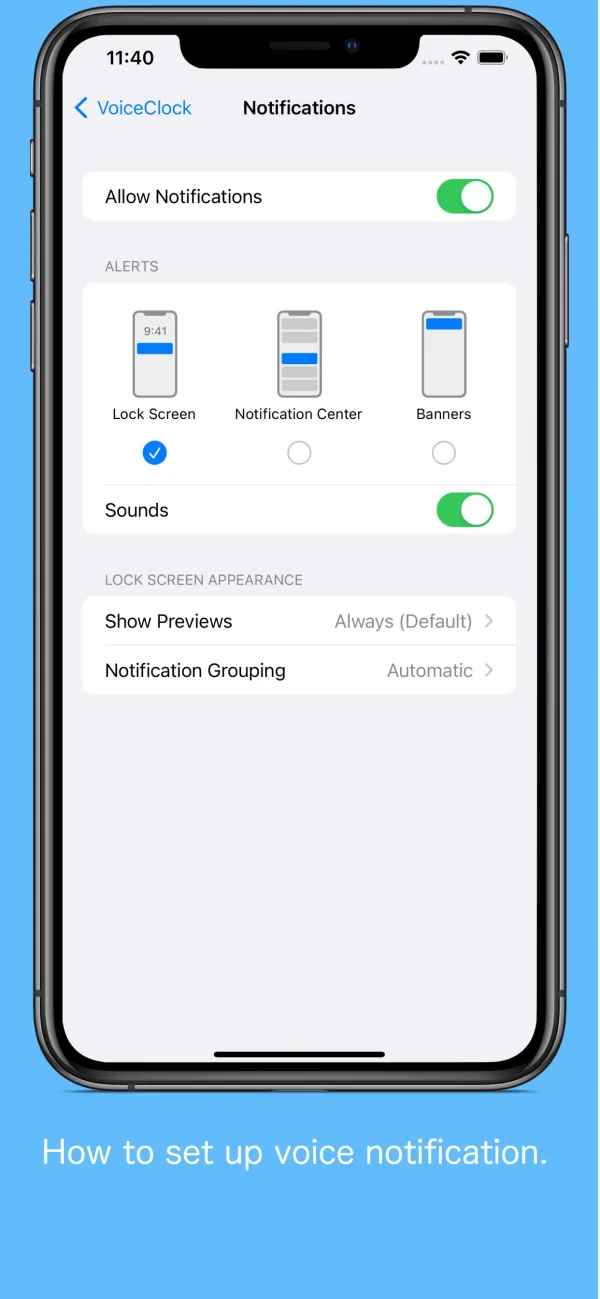
[How to sound a voice notification without displaying a banner on the lock screen]
Please use [Settings]-[VoiceClock]-[Notification] of iPhone to the following settings.
1. Turn on Allow notifications
2. Select notification center only
3. Turn on the sound
If you are using iWatch, please set it as well.
Privasi aplikasi
Yang dinyatakan Shinichi Aokawa di App Store tentang cara aplikasi ini menangani data.
-
Data tidak dikumpulkan
Pengembang tidak mengumpulkan data apa pun dari aplikasi ini.
Praktik privasi dapat bervariasi, misalnya berdasarkan fitur yang Anda gunakan atau usia Anda.
Informasi
- Penjual
- Shinichi Aokawa
- Kategori
- Produktivitas
- Versi
- 14.9
- Diperbarui
- 15/8/2026
- Dirilis
- 8/7/2013
- Ukuran
- 176,0 MB
- Memerlukan
- iOS 15.6 atau yang lebih baru
- Batasan usia
- 4+
- Harga
- Rp 59ribu
- Bahasa
- Inggris, Arab, Prancis, Jerman, Yunani, Hindi, Italia, Jepang, Korea, Bokmål Norsk, Persian, Portugis + 6 lainnya
- Hak cipta
- © 2014 Si-best
Mungkin Anda juga suka
-
 Student SecretaryProduktivitas
-
 Perspective TranscribeProduktivitas
-
 Spongee: Save Revisit ReflectProduktivitas
-
 KammerfuchsProduktivitas
-
 latersProduktivitas
-
 ChimerProduktivitas
-
 Meeting Notes - ConfidentialProduktivitas
-
 Sol Clock: Sun & Moon TrackerProduktivitas
-
 SpeakingClockProduktivitas
-
 Colorize Remember ThatProduktivitas