VoiceClock - Talking
Voice notification of time
Được thiết kế cho iPhone, iPad, iPod touch
99.000đ
- Độ tuổi4+
- Danh mụcHiệu Suất
- Nhà phát triểnShinichi Aokawa
- Ngôn ngữTiếng Anh+ 17 ngôn ngữ khác
- Kích thước176,0 MB
Liên kết đến trang App Store chính thức
Download.org không lưu trữ tệp nào của VoiceClock - Talking. Nút này mở trang ứng dụng trên App Store, nơi Shinichi Aokawa phát hành ứng dụng. Trang được kiểm tra lần cuối: 14/11/2026.
Ảnh chụp màn hình




Giới thiệu
Nhà phát triển chưa cung cấp nội dung này bằng ngôn ngữ của bạn.
Even if put it in a pocket to lock your iPhone, This app inform the time.
By Starting the application, can be edited freely the words before and after the time if the desk clock.
For example, "now" 8:00 "Let's go" It is possible.
(Please write the character in the language currently used)
【Please】
When enabling sound effect, please select other than "banner is Persistent" in notification setting so that voice notification will not be interrupted.
【The following languages are supported for voice notification at lock time】
※ Japanese, English, Chinese, Korean, Russian, German, French, Italian, Dutch, Arabic, Greek, Turkish, English (Alex)
※ The English voice notification is made for 12 hours
00: 00 to 11: 30 (Example 1: 12: 00 AM, Example 2: 11: 30 AM)
12: 00 ~ 23: 30 (Example 1: 12: 00 PM, Example 2: 11: 30 PM)
It is expressed as.
How to use
※ Clock
· (Analog / digital, background color, font) setting can be switched by swiping left, right, up, and down.
· Receive a notification via voice the time you tap the "Talking".
· We will inform you by voice time and shake.
· You can switch by tapping the "ON" or "OFF" the time signal notification.
※ Setting
· You can edit the words before and after the time of the sandwich voice notification.
· You can select the language of the device other than setting.
· It is possible to select 10 types of sound effects and sound OFF.
· You can change "Notification interval", "Time format", "Notification with shake".
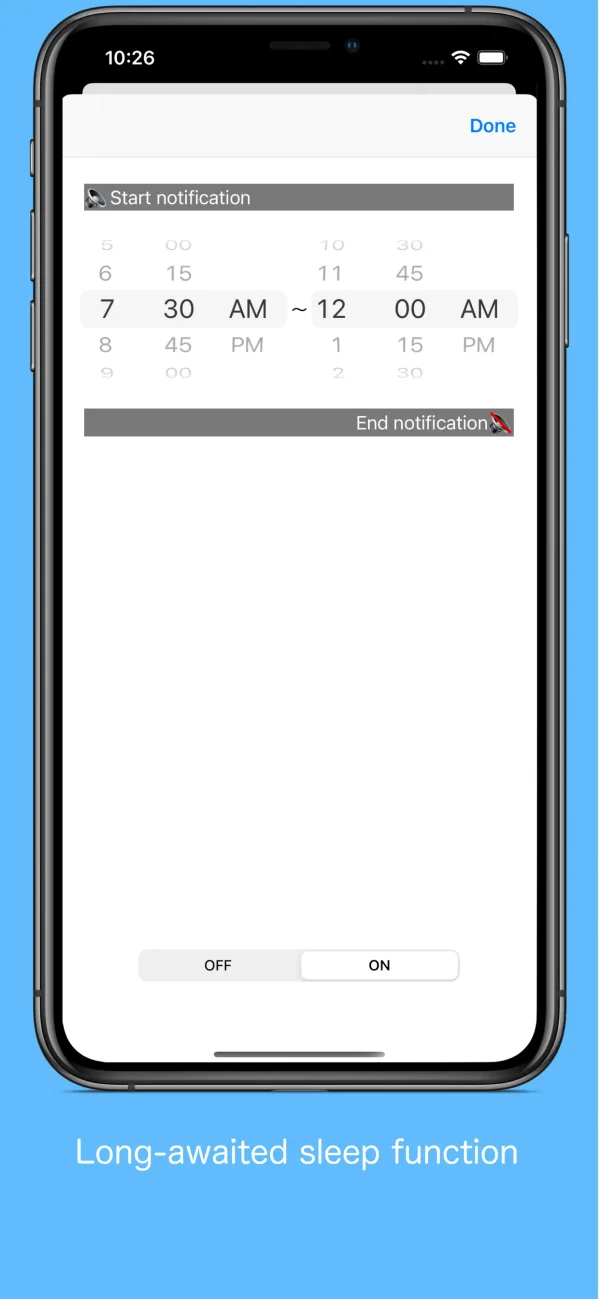
※Sleep
· You can set the time zone to stop the voice notification.
(It does not correspond to a 1-minute notification interval)
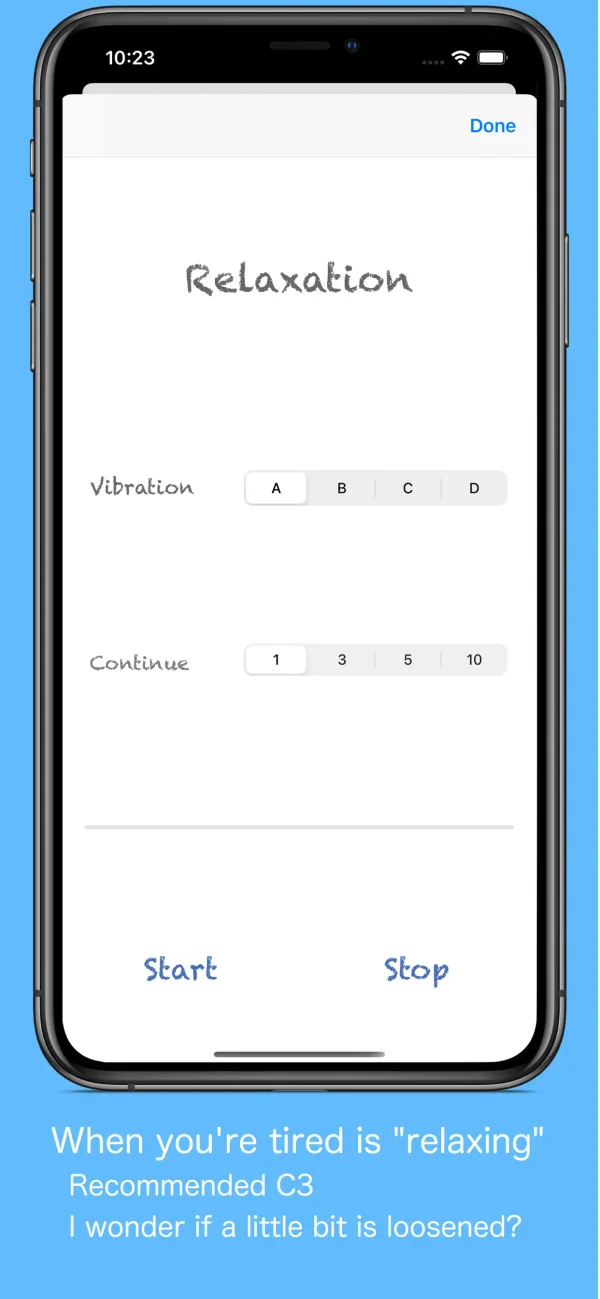
※ Relaxation time
· How is the Use simple massage function using the vibration of the iPhone, you can try to heal mind while listening in your favorite music.
Có gì mới
Phiên bản 14.9 · 15/08/2026
Thank you for using "VoiceClock".
We have fixed bugs and improved performance so that you can use it more comfortably.
To all voice over users
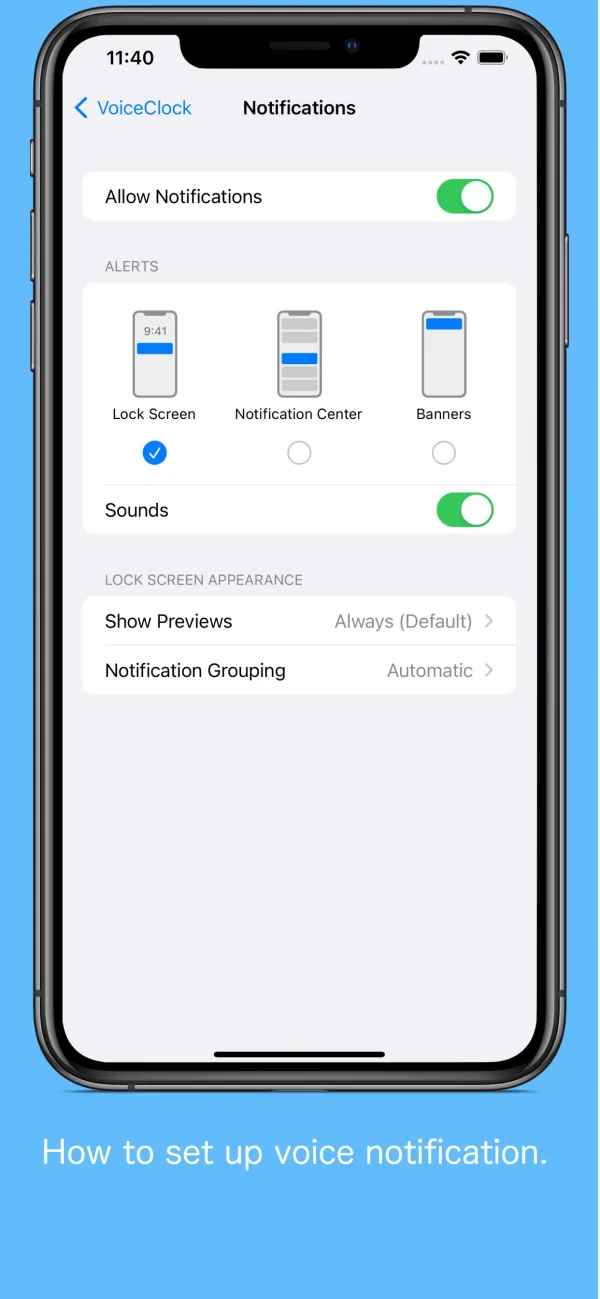
[How to sound a voice notification without displaying a banner on the lock screen]
Please use [Settings]-[VoiceClock]-[Notification] of iPhone to the following settings.
1. Turn on Allow notifications
2. Select notification center only
3. Turn on the sound
If you are using iWatch, please set it as well.
Quyền riêng tư của ứng dụng
Những gì Shinichi Aokawa khai báo trên App Store về cách ứng dụng này xử lý dữ liệu.
-
Dữ liệu không được thu thập
Nhà phát triển không thu thập bất kỳ dữ liệu nào từ ứng dụng này.
Phương thức đảm bảo quyền riêng tư có thể khác nhau, chẳng hạn như tuỳ theo các tính năng bạn sử dụng hoặc độ tuổi của bạn.
Thông tin
- Người bán
- Shinichi Aokawa
- Danh mục
- Hiệu Suất
- Phiên bản
- 14.9
- Cập nhật
- 15/08/2026
- Phát hành
- 08/07/2013
- Kích thước
- 176,0 MB
- Yêu cầu
- iOS 15.6 trở lên
- Độ tuổi
- 4+
- Giá
- 99.000đ
- Ngôn ngữ
- Tiếng Anh, Tiếng Ả Rập, Tiếng Pháp, Tiếng Đức, Tiếng Hy Lạp, Hindi, Tiếng Ý, Tiếng Nhật, Tiếng Hàn, Tiếng Bokmål Na Uy, Persian, Tiếng Bồ Đào Nha + 6 ngôn ngữ khác
- Bản quyền
- © 2014 Si-best