
VoiceClock - Talking
Voice notification of time
Designed for iPhone, iPad, iPod touch
$2.99
- Age rating4+
- CategoryProductivity
- DeveloperShinichi Aokawa
- LanguagesEnglish+ 17 more
- Size176.0 MB
Links to the official App Store page
Download.org hosts no file of VoiceClock - Talking. The button opens its official App Store page, published by Shinichi Aokawa. Listing last checked on Nov 14, 2026.
Screenshots




About
Even if put it in a pocket to lock your iPhone, This app inform the time.
By Starting the application, can be edited freely the words before and after the time if the desk clock.
For example, "now" 8:00 "Let's go" It is possible.
(Please write the character in the language currently used)
【Please】
When enabling sound effect, please select other than "banner is Persistent" in notification setting so that voice notification will not be interrupted.
【The following languages are supported for voice notification at lock time】
※ Japanese, English, Chinese, Korean, Russian, German, French, Italian, Dutch, Arabic, Greek, Turkish, English (Alex)
※ The English voice notification is made for 12 hours
00: 00 to 11: 30 (Example 1: 12: 00 AM, Example 2: 11: 30 AM)
12: 00 ~ 23: 30 (Example 1: 12: 00 PM, Example 2: 11: 30 PM)
It is expressed as.
How to use
※ Clock
· (Analog / digital, background color, font) setting can be switched by swiping left, right, up, and down.
· Receive a notification via voice the time you tap the "Talking".
· We will inform you by voice time and shake.
· You can switch by tapping the "ON" or "OFF" the time signal notification.
※ Setting
· You can edit the words before and after the time of the sandwich voice notification.
· You can select the language of the device other than setting.
· It is possible to select 10 types of sound effects and sound OFF.
· You can change "Notification interval", "Time format", "Notification with shake".
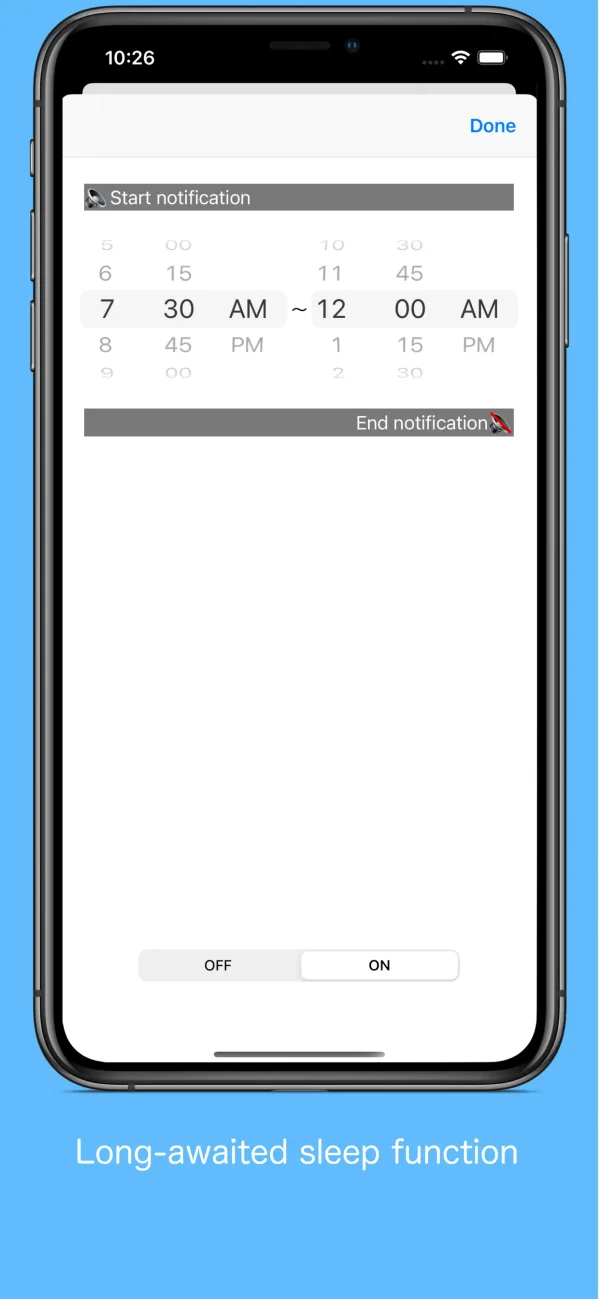
※Sleep
· You can set the time zone to stop the voice notification.
(It does not correspond to a 1-minute notification interval)
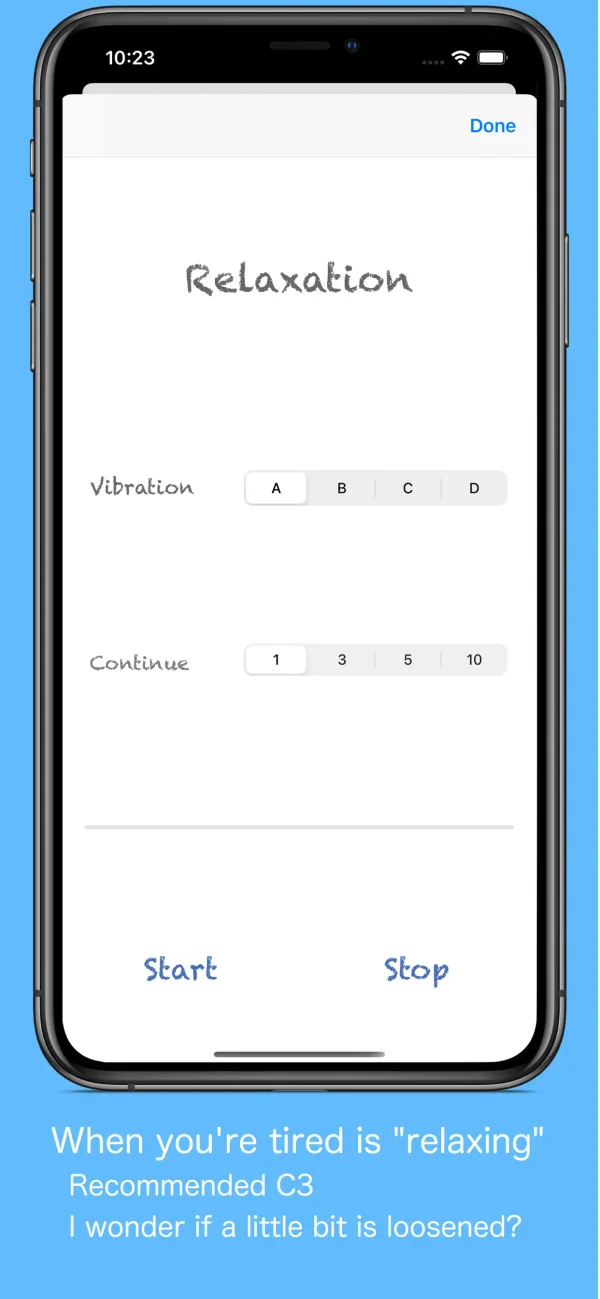
※ Relaxation time
· How is the Use simple massage function using the vibration of the iPhone, you can try to heal mind while listening in your favorite music.
What’s new
Version 14.9 · Aug 15, 2026
Thank you for using "VoiceClock".
We have fixed bugs and improved performance so that you can use it more comfortably.
To all voice over users
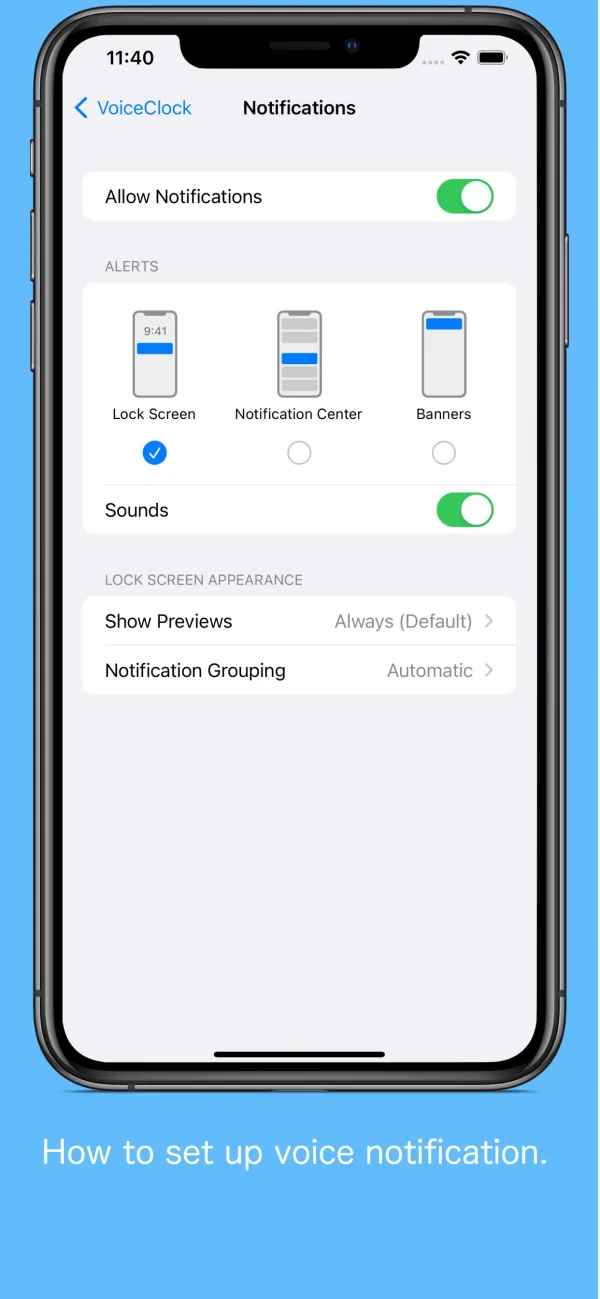
[How to sound a voice notification without displaying a banner on the lock screen]
Please use [Settings]-[VoiceClock]-[Notification] of iPhone to the following settings.
1. Turn on Allow notifications
2. Select notification center only
3. Turn on the sound
If you are using iWatch, please set it as well.
App privacy
What Shinichi Aokawa declares on the App Store about how this app handles data.
-
Data not collected
The developer does not collect any data from this app.
Privacy practices may vary, for example with the features you use or your age.
Information
- Seller
- Shinichi Aokawa
- Category
- Productivity
- Version
- 14.9
- Updated
- Aug 15, 2026
- Released
- Jul 8, 2013
- Size
- 176.0 MB
- Requires
- iOS 15.6 or later
- Age rating
- 4+
- Price
- $2.99
- Languages
- English, Arabic, French, German, Greek, Hindi, Italian, Japanese, Korean, Norwegian Bokmål, Persian, Portuguese + 6 more
- Copyright
- © 2014 Si-best
You might also like
-
 Student SecretaryProductivity
-
 Perspective TranscribePrivate AI Audio Transcription
-
 Spongee: Save Revisit Reflectremember & recall bookmark
-
 KammerfuchsPantry, storage & expiration
-
 latersExtended multitimer
-
 ChimerTimer for interval chimes.
-
 Meeting Notes - ConfidentialPrivate agendas & action items
-
 Sol Clock: Sun & Moon TrackerPosition, Sky Map & Star Chart
-
 SpeakingClockProductivity
-
 Colorize Remember ThatSimple note taking app