
- Clasificación por edad4+
- CategoríaUtilidades
- DesarrolladorTim Hartung
- IdiomasInglés+ 1 más
- Tamaño732,0 KB
Enlaza a la página oficial de App Store
Download.org no aloja ningún archivo de WideView Duo. El botón abre la página de la aplicación en App Store, donde la publica Tim Hartung. Ficha comprobada por última vez el 23/11/2026.
Capturas de pantalla

Acerca de
El desarrollador no ha proporcionado este texto en tu idioma.
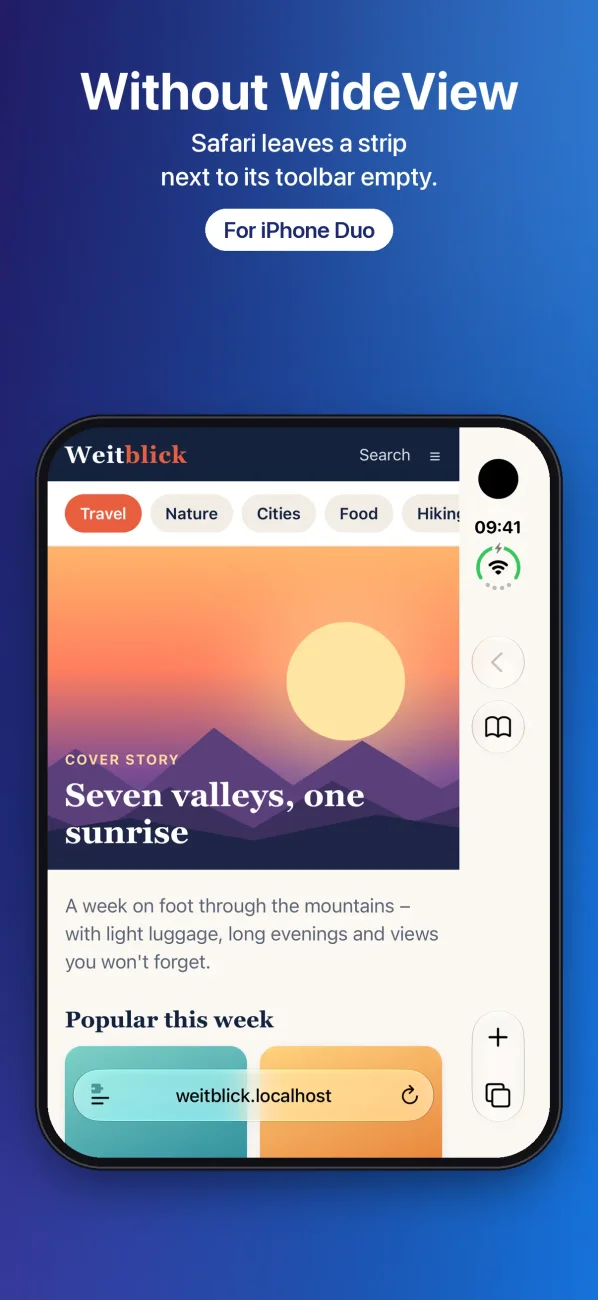
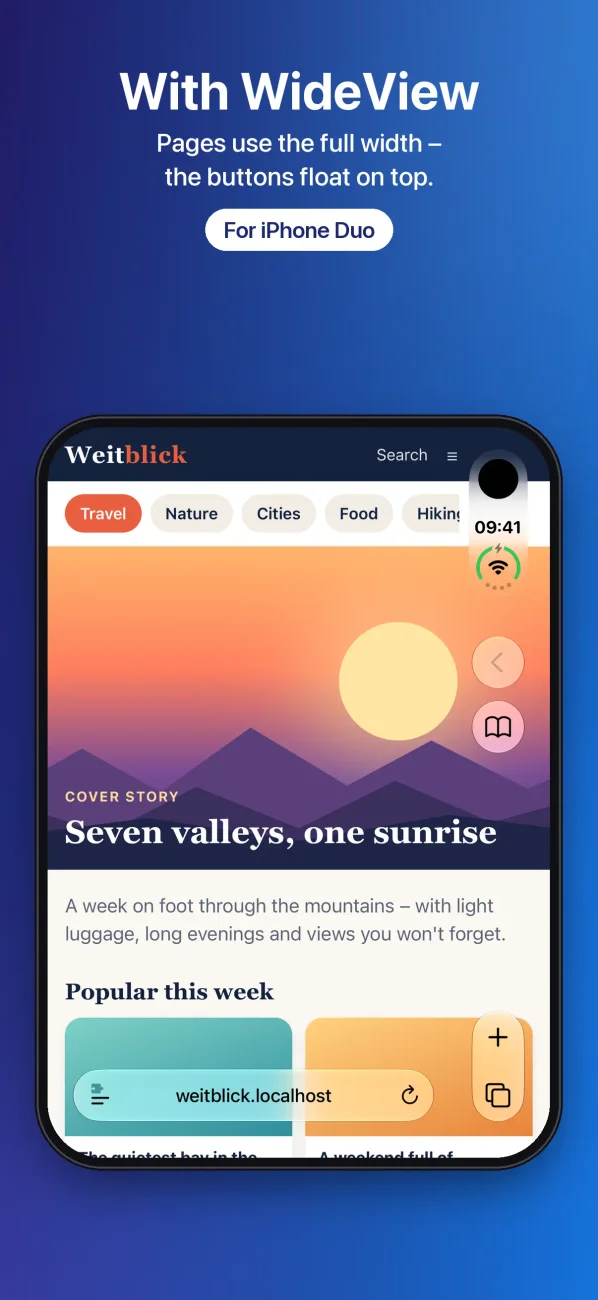
On the iPhone Duo outer display, Safari puts Back, Bookmarks, Tabs and the status bar in a column on the right edge. Web pages stop short of it – the space underneath stays unused.
WideView is a Safari extension that lets web pages extend underneath that column. Safari's controls then float above the content, and you see more of every page.
• One switch for all websites: choose "Wide" or "Off" in Safari's page menu
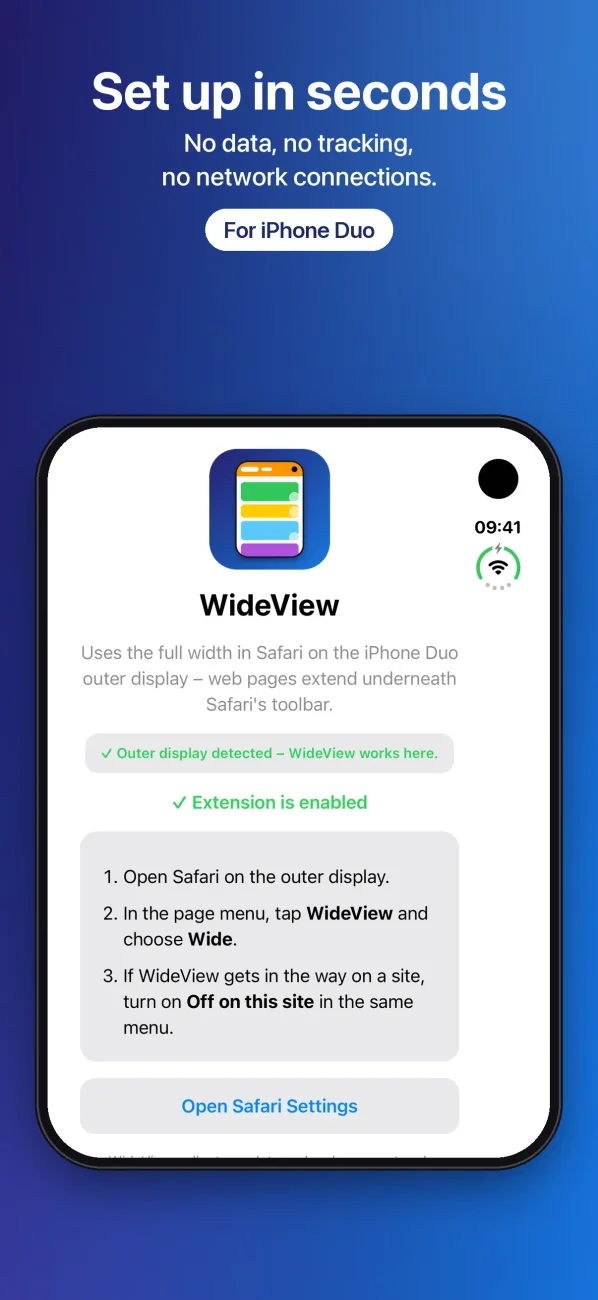
• If WideView gets in the way on a site, turn it off just there
• Mobile sites stay mobile – only the empty strip is used
• Headers and buttons are adjusted automatically so nothing disappears under the camera
• Only works on the outer display in portrait; when unfolded and with "Request Desktop Website" everything stays unchanged
• No data collection, no tracking, no network connections
How it works:
1. Open WideView and tap "Enable Extension"
2. Turn on WideView and allow access on all websites
3. In Safari, tap WideView in the page menu and choose "Wide"
Novedades
Versión 1.1 · 31/10/2026
What's New
• Turn it off for single sites: if WideView gets in the way on a website, switch it off just there in the menu.
• The menu now shows whether WideView is active on the current page.
• Report a problem with a page right from the menu.
• Headers and floating buttons avoid the camera more cleanly, and the strip below it matches the page colour.
• A short introduction on first launch; the app detects whether you're on the outer display.
• WideView is now available in English.
Privacidad de la aplicación
Lo que Tim Hartung declara en App Store sobre cómo esta aplicación gestiona los datos.
-
No se recopilan datos
El desarrollador no recopila ningún dato de esta aplicación.
Las prácticas de privacidad pueden variar, por ejemplo, según las funciones que uses o tu edad.
Información
- Vendedor
- Tim Hartung
- Categoría
- Utilidades
- Versión
- 1.1
- Actualizado
- 31/10/2026
- Publicado
- 30/10/2026
- Tamaño
- 732,0 KB
- Requiere
- iOS 27.0 o posterior
- Clasificación por edad
- 4+
- Precio
- Gratis
- Idiomas
- Inglés, Alemán
- Copyright
- © 2026 Tim Hartung
Quizá también te guste
-
 Dzzz — Offline ToolsUtilidades
-
 Routine RandomizerUtilidades
-
 SupasteUtilidades
-
 LockCalc: CalculadoraCalcula sin desbloquear
-
 Hermes Paper: HarnessUtilidades
-
 Atom: Navegador y scriptsAntipublicidad, vídeo e IA
-
 DustFox: Limpiador de fotosLiberar espacio del móvil
-
 SafePassVaultUtilidades
-
 NanoShelfUtilidades
-
 MeBoard: Glide & HapticsUtilidades