
- Age rating4+
- CategoryUtilities
- DeveloperTim Hartung
- LanguagesEnglish+ 1 more
- Size732.0 KB
Links to the official App Store page
Download.org hosts no file of WideView Duo. The button opens its official App Store page, published by Tim Hartung. Listing last checked on Nov 23, 2026.
Screenshots

About
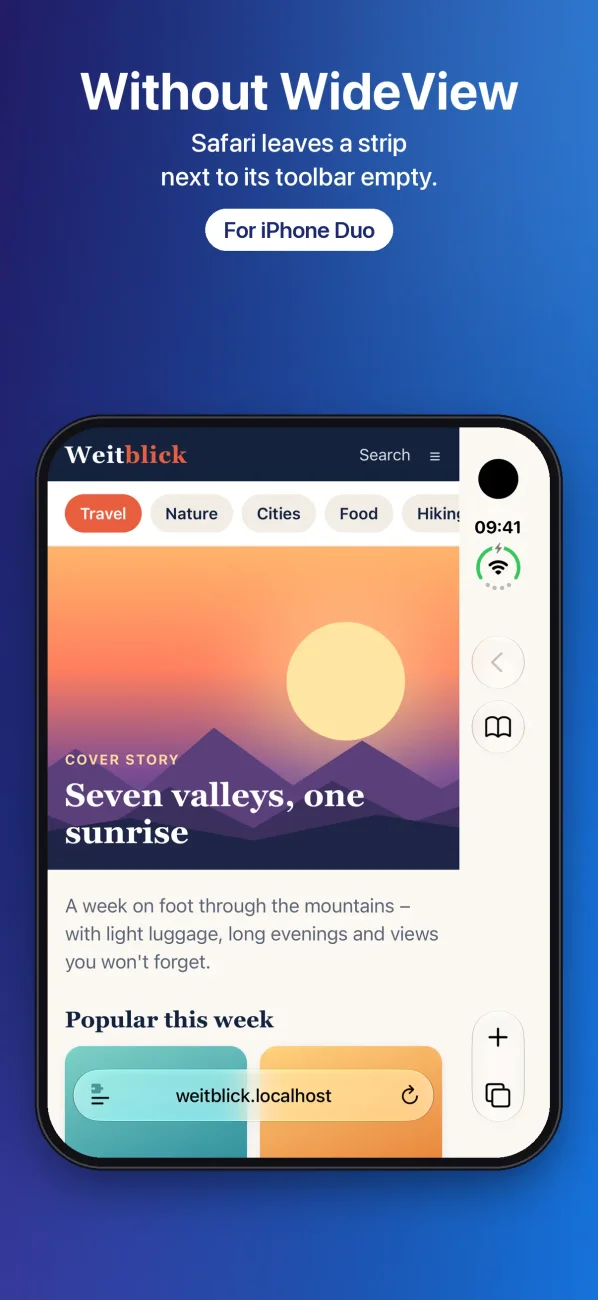
On the iPhone Duo outer display, Safari puts Back, Bookmarks, Tabs and the status bar in a column on the right edge. Web pages stop short of it – the space underneath stays unused.
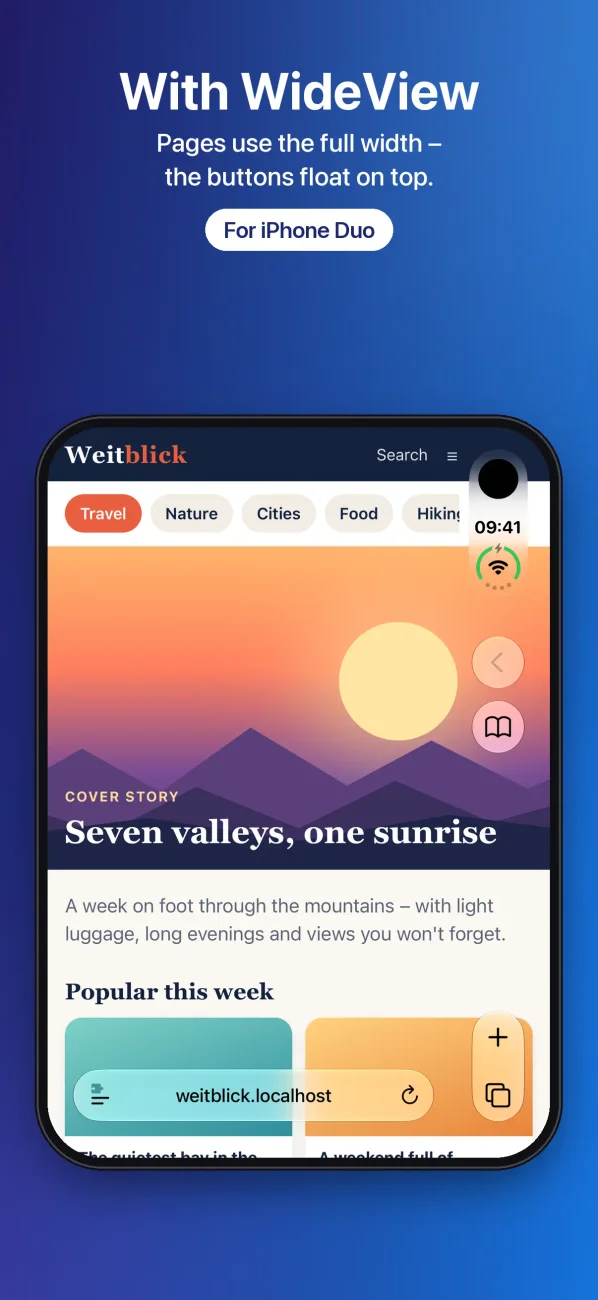
WideView is a Safari extension that lets web pages extend underneath that column. Safari's controls then float above the content, and you see more of every page.
• One switch for all websites: choose "Wide" or "Off" in Safari's page menu
• If WideView gets in the way on a site, turn it off just there
• Mobile sites stay mobile – only the empty strip is used
• Headers and buttons are adjusted automatically so nothing disappears under the camera
• Only works on the outer display in portrait; when unfolded and with "Request Desktop Website" everything stays unchanged
• No data collection, no tracking, no network connections
How it works:
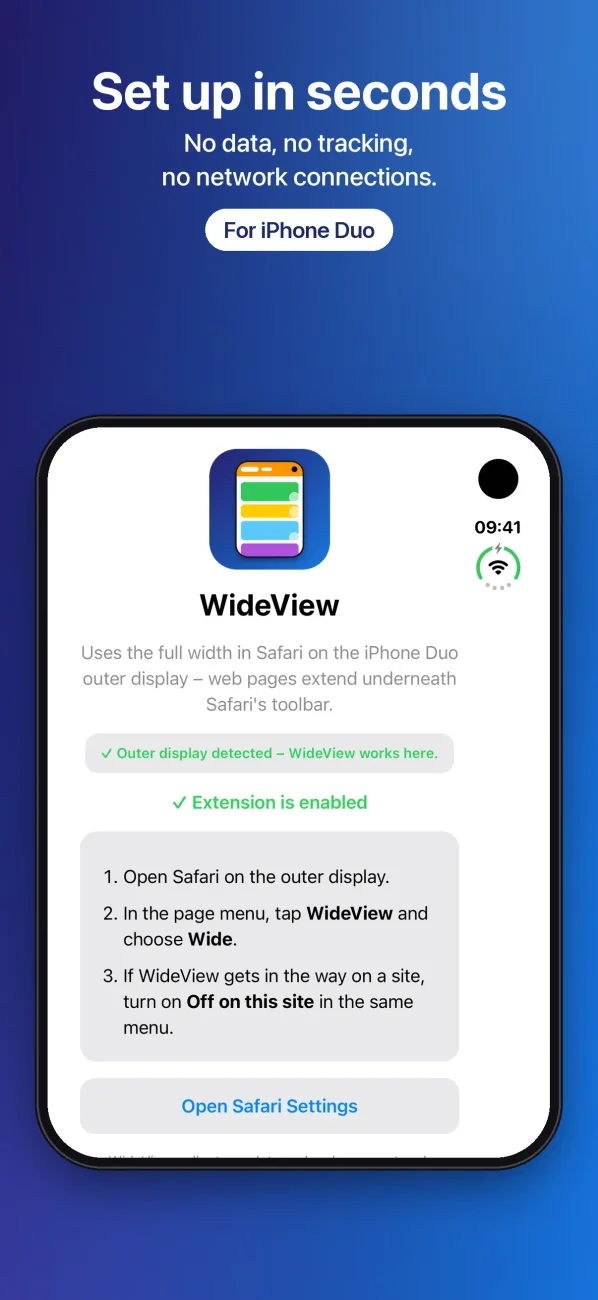
1. Open WideView and tap "Enable Extension"
2. Turn on WideView and allow access on all websites
3. In Safari, tap WideView in the page menu and choose "Wide"
What’s new
Version 1.1 · Oct 31, 2026
What's New
• Turn it off for single sites: if WideView gets in the way on a website, switch it off just there in the menu.
• The menu now shows whether WideView is active on the current page.
• Report a problem with a page right from the menu.
• Headers and floating buttons avoid the camera more cleanly, and the strip below it matches the page colour.
• A short introduction on first launch; the app detects whether you're on the outer display.
• WideView is now available in English.
App privacy
What Tim Hartung declares on the App Store about how this app handles data.
-
Data not collected
The developer does not collect any data from this app.
Privacy practices may vary, for example with the features you use or your age.
Information
- Seller
- Tim Hartung
- Category
- Utilities
- Version
- 1.1
- Updated
- Oct 31, 2026
- Released
- Oct 30, 2026
- Size
- 732.0 KB
- Requires
- iOS 27.0 or later
- Age rating
- 4+
- Price
- Free
- Languages
- English, German
- Copyright
- © 2026 Tim Hartung
You might also like
-
 Dzzz — Offline Tools90 tools. On your device.
-
 Routine RandomizerPick names, shuffle any list
-
 SupasteClipboard history & keyboard
-
 Lock Screen CalculatorYour Lock Screen calculator
-
 Hermes Paper: HarnessChat with your Hermes agent
-
 Atom Browser: Adblock, ScriptsSpeed Read, Popups, Video & AI
-
 DustFox: Photo Storage CleanerClean Up Phone & Duplicates
-
 SafePassVaultUtilities
-
 NanoShelfPlayer for Your Media Server
-
 MeBoard: Glide & HapticsThe most configurable keyboard